Introduction
The RAINPOINT 8-Zone Smart WiFi Irrigation Controller is designed to provide efficient and intelligent watering for your garden. This device allows for flexible scheduling, remote management via a smartphone application, and smart adjustments based on weather conditions and soil moisture (with optional sensor). This manual provides detailed instructions for setup, operation, maintenance, and troubleshooting to ensure optimal performance and a healthy garden.
Орнотуу жана орнотуу
The RAINPOINT 8-Zone Smart WiFi Irrigation Controller is designed for easy self-installation, typically taking 15-30 minutes without special tools. Follow these steps for a smooth setup:
1. Пакеттен чыгаруу жана компоненттерди текшерүү
Carefully unpack all components. The package includes the irrigation controller. Ensure all parts are present before proceeding.
- RAINPOINT 8-Zone Smart WiFi Irrigation Controller (Model 801W-EU)
- Installation accessories (if applicable, as per product description)
2. Физикалык орнотуу
Mount the controller in a suitable location, ideally indoors or in a protected outdoor area, away from direct exposure to rain or extreme weather. The device features a magnetic housing for convenient placement.

Image: The irrigation controller mounted, showing its compact design and connection points.
Connect your existing irrigation system wires to the controller's terminals. The easy-press terminals and identification stickers simplify the wiring process. Each zone (1-8) should be connected to its corresponding terminal.

Image: Step-by-step visual guide for installation, highlighting easy-to-identify labels and easy-press terminals.
3. Power Connection
Connect the power adapter to the controller and plug it into a standard electrical outlet. The device requires batteries (included or user-supplied, check packaging) to maintain programming during power outages.
4. Колдонмону жүктөп алуу жана Wi-Fi туташуусу
жүктөп алыңыз RAINPOINT SMART+ APP from your smartphone's app store (available for iOS and Android). The controller supports 2.4 GHz Wi-Fi networks. Follow the in-app instructions to connect your controller to your home Wi-Fi network. This connection is essential for remote control and smart features.

Image: The RAINPOINT controller and its accompanying mobile application, demonstrating the user interface for managing irrigation zones.
Иштөө нускамалары
The RAINPOINT controller offers various modes and features for comprehensive garden watering management.
1. Ийкемдүү график
Create up to 8 customized watering plans for each zone directly through the RAINPOINT SMART+ APP. You can define cycles and interval frequencies to meet the specific needs of your lawn and plants. Each zone can be named for easy identification and management.

Сүрөт: үстүнкү view illustrating how the 8-zone system can cover a large yard, with specific zones for different areas like the front yard and garden.
2. Кол режими
For immediate watering needs, simply tap the manual mode in the app. This allows you to initiate watering without altering your existing scheduled plans.
3. Алыстан башкаруу жана мониторинг
Manage your irrigation schedule from anywhere using the RAINPOINT SMART+ APP. Whether you are at work or on vacation, you can stay connected and in control. The app also allows you to monitor watering calendars and history to refine future schedules.

Image: A user managing their garden remotely, with a close-up of the app showing options to share control with family members.
You can also share data and control access with family members or other household residents for collaborative landscape care.
4. Smart Weather-Based Watering
The controller utilizes local weather information to automatically skip unnecessary watering, such as on rainy days. This feature helps prevent overwatering and conserves water.

Image: Visual representation of the smart weather-based watering system, showing how it integrates local weather data for optimal irrigation.
Seasonal adjustment allows for individual watering durations to be set for different months, ensuring optimal watering throughout the year and preventing overwatering.

Image: The seasonal adjustment feature, demonstrating how watering intensity can be modified based on the time of year to save water.
5. Soil-Based Smart Irrigation (Optional)
When paired with the Rainpoint HCS021FRF Soil Sensor (not included), the controller can automatically adjust the watering schedule based on detected soil moisture levels. This helps keep your soil moist but not soggy, avoiding overwatering and promoting a healthier garden.
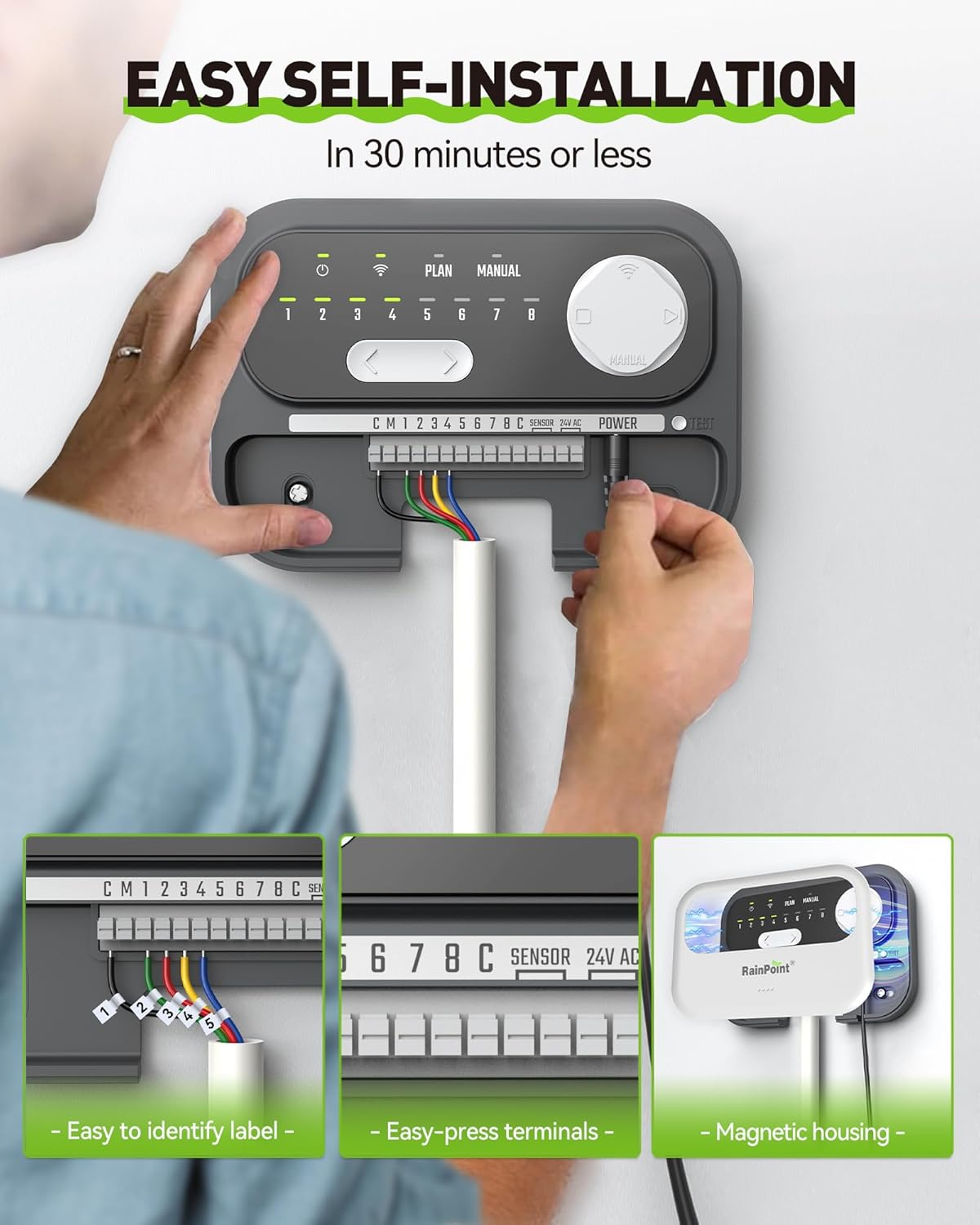
Image: The irrigation controller and an optional soil sensor, illustrating how they work together to optimize watering and achieve water savings.
6. Real-Time Notifications
The RAINPOINT SMART+ APP provides real-time notifications, giving you confidence in your automatic sprinkler system. You will receive alerts for events such as valve abnormalities, allowing you to promptly check and address any issues.
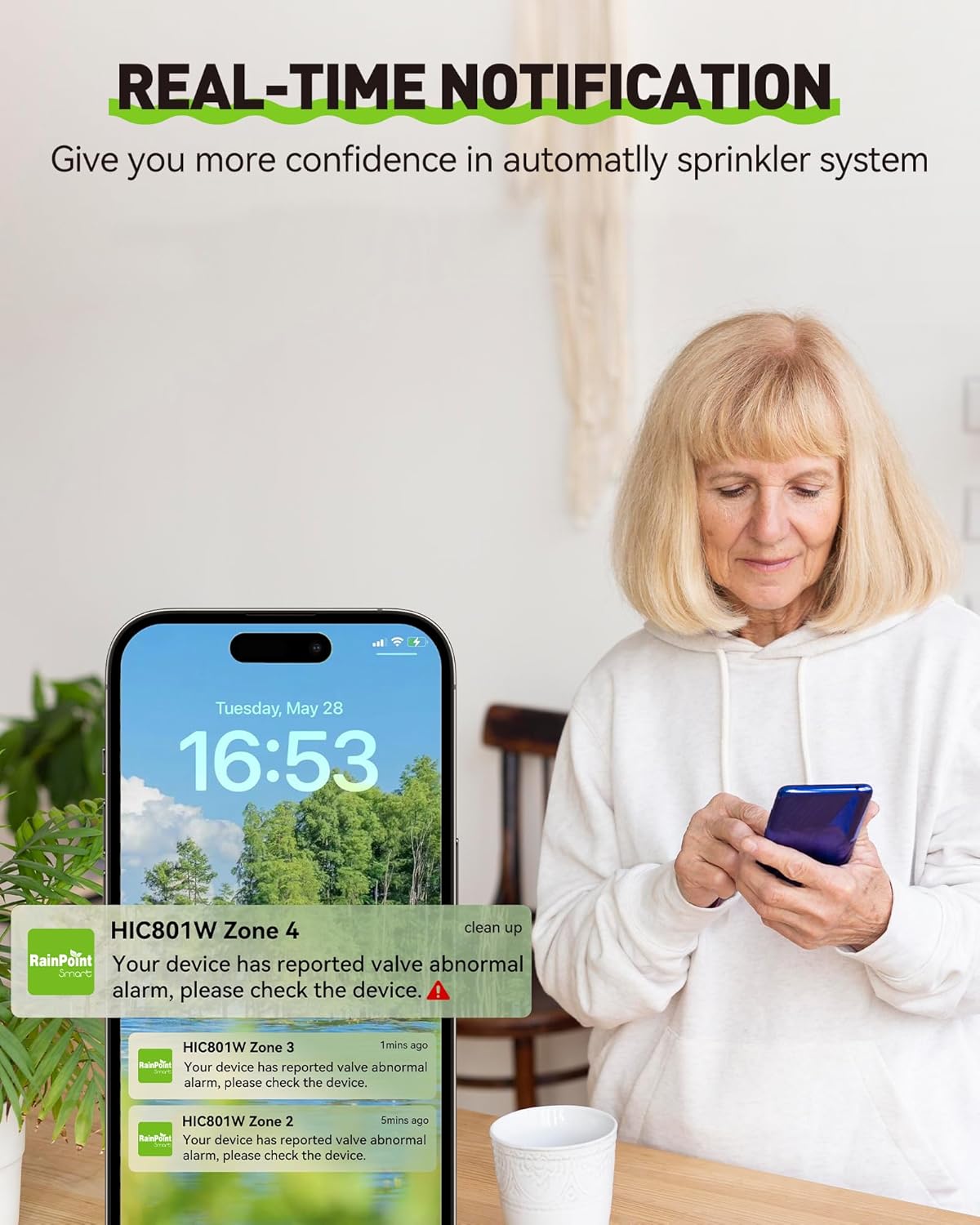
Image: A user receiving real-time alerts on their phone from the RAINPOINT app, indicating potential issues with the irrigation system.
7. Үн менен башкаруу
The RAINPOINT controller supports voice control, compatible with devices like Amazon Alexa. You can issue commands such as "Turn On Water Controller" for convenient hands-free operation. Please note that voice control currently supports English only.

Image: A user demonstrating voice control functionality with the RAINPOINT system, showing compatibility with smart home assistants like Alexa.
Техникалык тейлөө
Proper maintenance ensures the longevity and optimal performance of your RAINPOINT irrigation controller.
1. Жалпы кам көрүү
Keep the controller clean and free from dust and debris. Avoid exposing it to extreme temperatures or direct moisture if installed outdoors without proper protection. Regularly check wire connections to ensure they are secure.
2. Power Outage Жүрүм-турум
Куч болгон учурда уtage, the RAINPOINT controller retains its programming. Once power is restored, it will automatically resume its scheduled operations. The internal battery ensures that all data remains intact.
3. Wi-Fi Connection Loss
If the Wi-Fi connection is lost, the controller will continue to execute the next scheduled plan based on its stored programming. Remote control and smart features will be unavailable until the connection is re-established. The device is designed to function reliably even without a continuous Wi-Fi signal for basic scheduled watering.
Проблемаларды чечүү
This section addresses common issues you might encounter with your RAINPOINT 8-Zone Smart WiFi Irrigation Controller.
1. Controller Not Responding
- Күчтү текшерүү: Ensure the controller is properly plugged in and receiving power. Verify the power adapter is functioning.
- Кайтаруу: If unresponsive, try unplugging the power adapter for 10 seconds and then plugging it back in.
2. Wi-Fi туташуу маселелери
- 2.4 ГГц тармак: Confirm your Wi-Fi network is 2.4 GHz. The controller does not support 5 GHz networks.
- Сигнал күчү: Ensure the controller is within range of your Wi-Fi router. Obstacles can weaken the signal.
- Маршрутизаторду кайра жүктөө: Wi-Fi роутериңизди өчүрүп күйгүзүп көрүңүз.
- Колдонмону кайра туташтыруу: Follow the in-app instructions to re-establish the Wi-Fi connection if it frequently drops.
3. Watering Not Starting/Stopping
- Check Schedules: Verify that your watering schedules are correctly set up in the app, including start times, durations, and days.
- Кол режими: Test individual zones using manual mode in the app to confirm valve functionality.
- Rain Skip/Seasonal Adjustment: Check if rain skip or seasonal adjustment features are active, as they might be preventing watering based on weather forecasts or soil moisture (if a sensor is connected).
- Valve Abnormalities: Refer to real-time notifications in the app for any reported valve issues.
- Зымдар: Inspect the wiring connections to the controller and to the valves for any loose or incorrect connections.
4. Колдонмодогу көйгөйлөр
- Колдонмону жаңыртуу: Ensure you have the latest version of the RAINPOINT SMART+ APP installed.
- Колдонмону кайра иштетүү: Колдонмону жаап, кайра ачыңыз.
- Колдонмону кайра орнотуу: If issues persist, try uninstalling and reinstalling the app.
Техникалык шарттар
| Өзгөчөлүк | Деталь |
|---|---|
| Бренд | ЖАМГЫР |
| Модель номери | 801W-EU |
| Дисплей түрү | Санарип |
| Элемент Салмагы | 1.08 килограмм |
| Пакеттин өлчөмдөрү | 21 x 14.7 x 11.1 см |
| Батареялар талап кылынат | Ооба |
| Камтылган компоненттер | Сугат контролеру |
| Байланыш | Wi-Fi (2.4 ГГц гана) |
| Зоналар | 8 |
Кепилдик жана колдоо
RAINPOINT is committed to providing high-quality products and customer satisfaction. The RAINPOINT 8-Zone Smart WiFi Irrigation Controller is designed for reliable performance and to protect your garden all year round.
For detailed warranty information, technical support, or to explore other RAINPOINT products and accessories, please visit the official RAINPOINT store or contact customer service:
- RAINPOINT Store: Visit RAINPOINT Store on Amazon
- Кардарларды тейлөө: Refer to the contact information provided in your product packaging or on the official RAINPOINT webколдоо үчүн сайт.


