1. Introduction and Overview
The Zens Nightstand Charger Pro 2 is a versatile wireless charging station designed for efficient power delivery to multiple devices. It supports Qi2 and MagSafe compatible iPhones (12 series and newer), Apple Watch (all series), and AirPods with MagSafe cases. This charger is engineered to reduce cable clutter and provide a convenient charging experience, especially for overnight use with Apple StandBy mode. Its high-grade zinc/alloy construction ensures durability, and the convertible design allows for flexible placement.
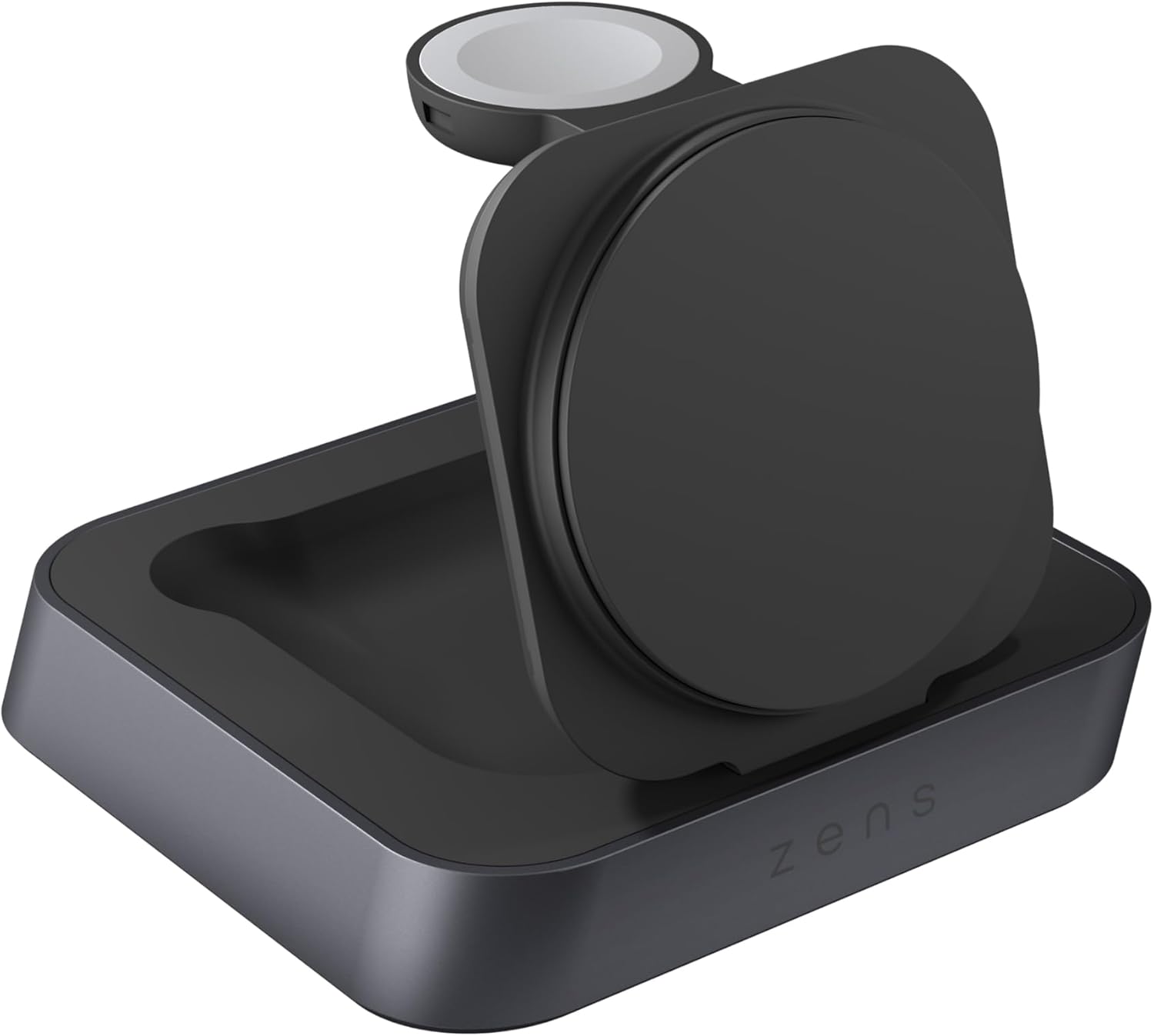
Image 1.1: The Zens Nightstand Charger Pro 2 in its compact, folded configuration.
Video 1.1: This video demonstrates the Zens Nightstand Charger Pro 2 in use, showing an iPhone charging horizontally with Apple StandBy mode activated, and an Apple Watch charging simultaneously. It highlights the convenience of wireless charging for multiple devices.
2. Кутуда эмне бар
The Zens Nightstand Charger Pro 2 package includes:
- Zens Nightstand Charger Pro 2 (Model: ZEDC28B/00)
- 20W universal power adapter
3. Орнотуу нускамалары
- Кубат адаптерин туташтыруу: Plug the included 20W universal power adapter into the barrel port on the back of the Zens Nightstand Charger Pro 2. Then, plug the adapter into a wall outlet.
- Заряддагычты жайгаштырыңыз: Place the charger on a stable, flat surface such as a nightstand or desk.
- Unfold Charging Pads: Gently unfold the MagSafe/Qi2 charging pad and the Apple Watch charging module to their upright positions. The MagSafe/Qi2 pad can be adjusted to various angles for optimal viewing.
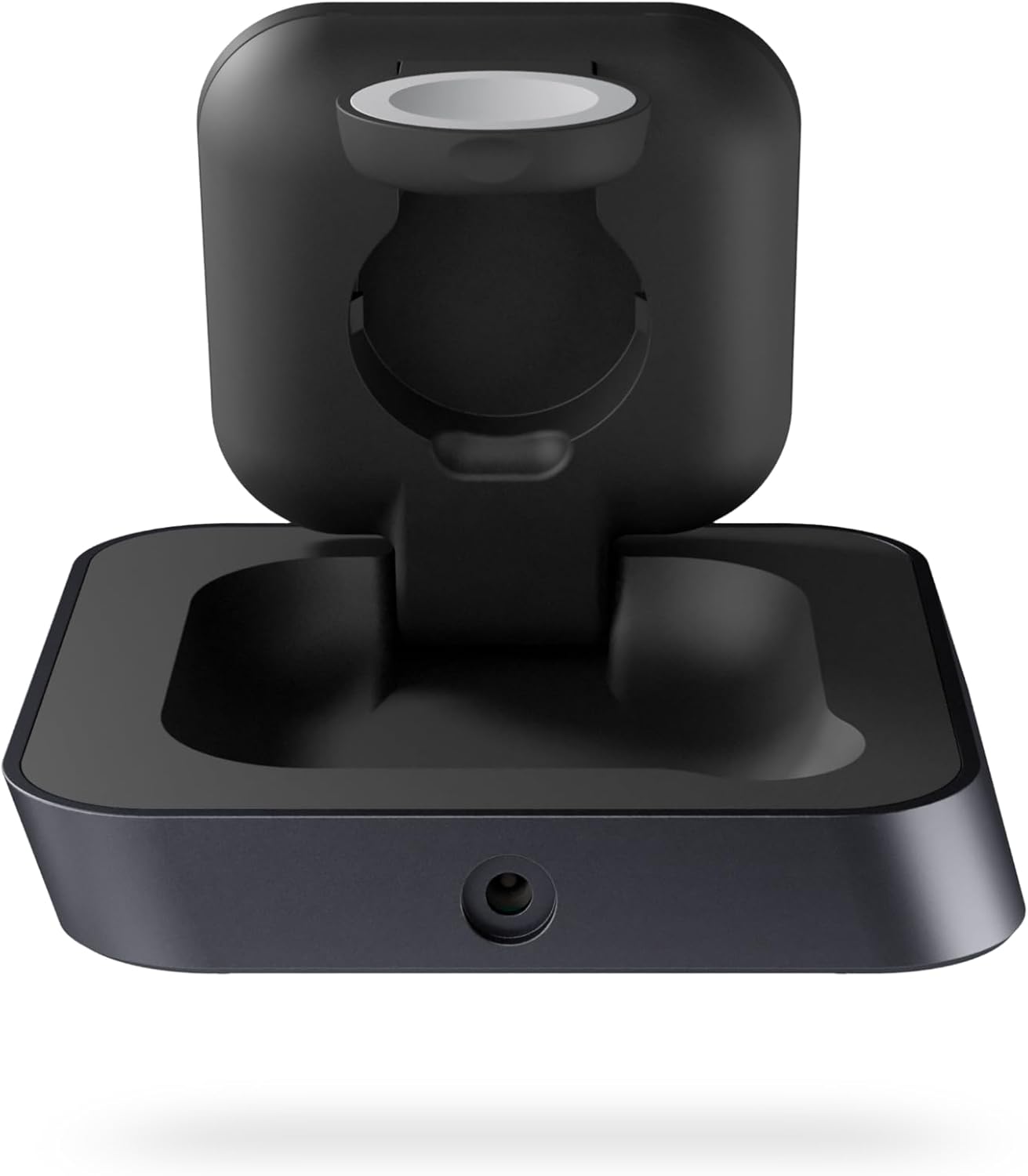
Сүрөт 3.1: Арткы view of the charger, highlighting the power input port.

Сүрөт 3.2: Каптал view of the charger with both the phone and watch charging modules extended.
4. Иштөө нускамалары
- Charging an iPhone or Qi2-compatible Phone: Place your iPhone (12 series or newer) or other Qi2-compatible smartphone horizontally onto the magnetic charging pad. The device will snap into place, ensuring proper alignment for up to 15W wireless charging. When an iPhone is placed horizontally, it will automatically activate Apple StandBy mode, displaying a digital alarm clock or other widgets.
- Apple саатын заряддоо: Place your Apple Watch onto the dedicated charging module. The magnetic connection will secure the watch and initiate charging at up to 5W.
- AirPods кубаттоо: Place your AirPods (3rd generation or AirPods Pro 2nd generation with MagSafe case) onto the flat base of the charger. The base provides a wireless charging area for your AirPods case.

Image 4.1: An iPhone displaying Apple StandBy mode while charging horizontally.

Image 4.2: The charger actively charging both an iPhone and an Apple Watch.
5. Техникалык тейлөө
To ensure optimal performance and longevity of your Zens Nightstand Charger Pro 2, follow these maintenance guidelines:
- Тазалоо: Keep the charging surfaces clean and free of dust or debris. Use a soft, dry cloth for cleaning. Avoid abrasive materials or harsh chemicals.
- Электр энергиясын өчүрүү: Ensure the charger is disconnected from the power source before cleaning.
- Сактагыч: When not in use or for travel, the charger can be folded into a compact form.
6. Кыйынчылыктарды
Жалпы маселелер жана чечимдер
- Түзмөк кубатталбай жатат:
- Кубат адаптери кубаттагычка да, иштеп жаткан розеткага да бекем туташтырылганын текшериңиз.
- Verify that your device is correctly aligned on the charging pad. For iPhones, ensure it snaps magnetically into place.
- Remove any thick phone cases (over 3 mm) that might interfere with wireless charging.
- Confirm your device is Qi2 or MagSafe compatible.
- Apple Watch charger is difficult to open/close:
- The Apple Watch charging module may be stiff initially. Gently apply pressure to open or close it. Avoid using excessive force or sharp objects to prevent damage. It may loosen with repeated use.
- Жай кубаттоо:
- Ensure you are using the included 20W universal power adapter. Using a lower-wattagэ адаптер жайыраак кубаттоо ылдамдыгына алып келиши мүмкүн.
- Check for any background applications on your device that might be consuming significant power during charging.
7. Техникалык шарттар
| Өзгөчөлүк | Деталь |
|---|---|
| Продукциянын өлчөмдөрү | 3.7 x 3.89 x 3.03 дюйм |
| Элемент Салмагы | 1.43 фунт |
| Модель номери | ZEDC28B/00 |
| Бренд | ZENS |
| Туташтыргыч түрү | баррель |
| Шайкеш түзмөктөр | All AirPods with a MagSafe case (3rd generation AirPods & AirPods Pro 2nd generation), All Apple Watch Series up to 5W, All Qi2 compatible phones up to 15W, iPhone 12, 13, 14, 15, and 16 |
| Камтылган компоненттер | 20W universal power adapter |
| Өзгөчө өзгөчөлүк | Convertible design, Magnetic Connection, Qi2 & Apple Watch certified, Supports Apple StandBy mode |
| Түс | Кара |
| Киргизүү көлөмүtage | 240 вольт |
| Ampөчүрүү | 4000 миллионamps |
| Жалпы USB порттору | 1 (for power input, not output) |
8. Кепилдик маалыматы
The Zens Nightstand Charger Pro 2 comes with a 3-year warranty, providing peace of mind regarding product quality and performance. Please retain your proof of purchase for warranty claims.
9. Колдоо
For further assistance, technical support, or warranty inquiries, please visit the official Zens website or contact their customer service department. Refer to the product packaging or Zens' official channels for the most up-to-date contact information.


