1. Киришүү
This manual provides detailed instructions for the safe and effective use of your VILTROX AF 16mm F1.8 Z Full Frame Lens. Please read this manual thoroughly before using the product to ensure optimal performance and longevity. This lens is designed for Nikon Z-Mount cameras, offering a wide-angle perspective with a large F1.8 aperture.
2. Коопсуздук маалыматы
- Do not look at the sun or other strong light sources through the lens, as this may cause permanent vision damage.
- Keep the lens away from water and moisture to prevent damage to internal electronic components.
- Линзаны түшүрүүдөн же катуу таасирлерге дуушар кылуудан качыңыз.
- Do not attempt to disassemble or repair the lens yourself. Contact authorized service personnel for repairs.
- Линзаны кургак, салкын жерде, түз күндүн нурунан жана экстремалдык температурадан алыс сактаңыз.
- Балдар жетпеген жерде сактаңыз.
3. Продукт бүтүп калдыview
The VILTROX AF 16mm F1.8 Z is a full-frame wide-angle prime lens featuring a fast F1.8 aperture, designed for Nikon Z-Mount mirrorless cameras. It incorporates advanced optical elements and a built-in LCD screen for convenient operation.
3.1 Линзанын компоненттери
- Линза капкагы: Алдыңкы элементти коргойт жана жаркыроону азайтат.
- Фокус шакеги: For manual focusing.
- Диафрагма шакеги: Adjusts the lens aperture.
- LCD дисплей: Shows aperture, focus distance, and other shooting parameters.
- AF/MF которгучу: Toggles between autofocus and manual focus.
- Function Buttons (Fn1, Fn2): Customizable buttons for quick access to camera functions.
- Click ON/OFF Switch: Enables or disables click stops on the aperture ring.
- Линзаны орнотуу: Линзаны камеранын корпусуна туташтырат.
- USB-C порту: Микропрограмма жаңыртуулары үчүн.
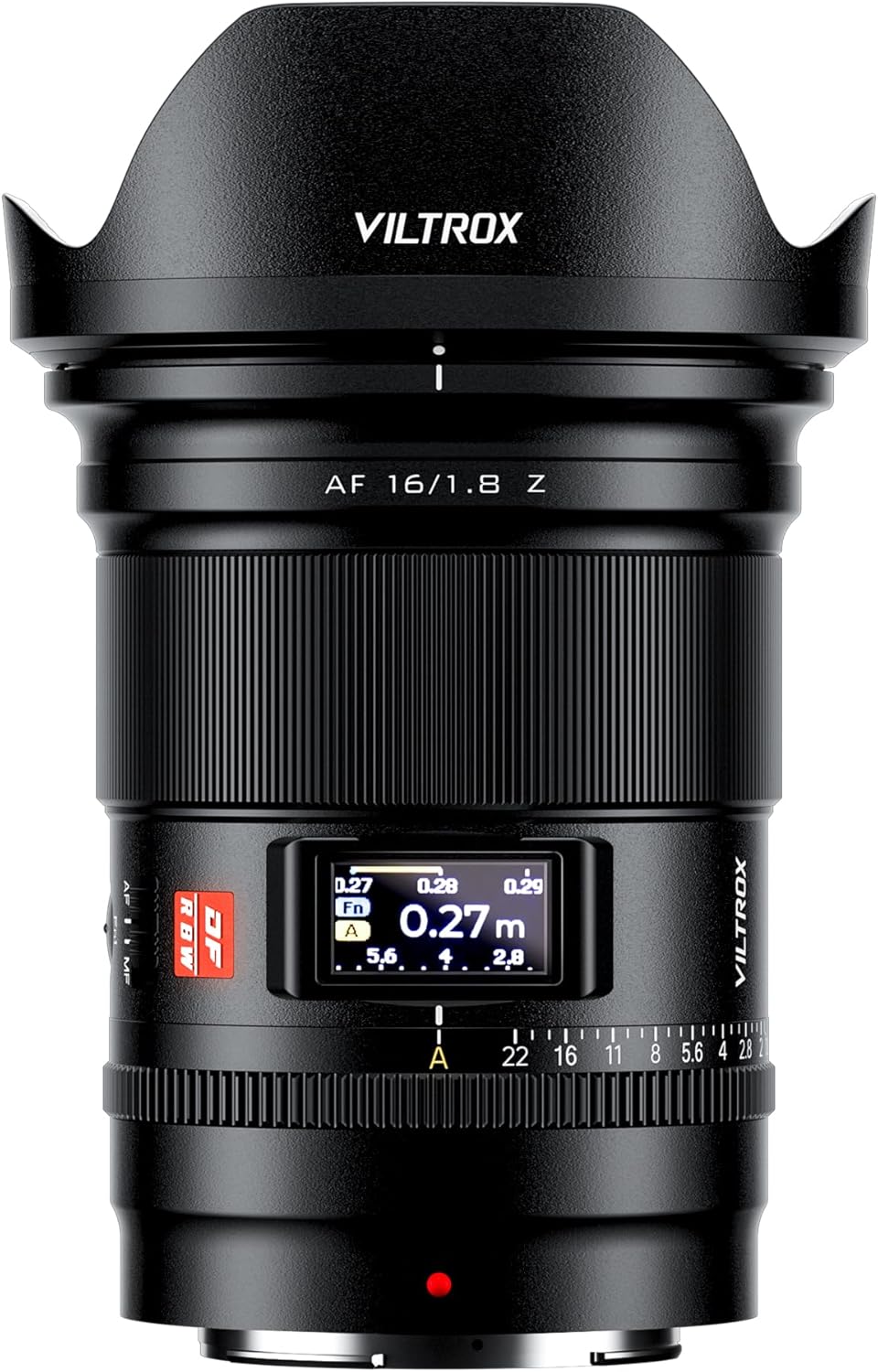
Сүрөт 3.1: Алдыңкы view of the VILTROX AF 16mm F1.8 Z lens with the lens hood attached.

Сүрөт 3.2: Алдыңкы view of the VILTROX AF 16mm F1.8 Z lens without the lens hood, showing the front element and filter thread.

3.3-сүрөт: Арткы view of the VILTROX AF 16mm F1.8 Z lens, showing the Nikon Z-mount and the USB-C port.

3.4-сүрөт: Каптал view of the VILTROX AF 16mm F1.8 Z lens, highlighting the AF/MF switch and function buttons.

3.5-сүрөт: Детальдуу view of the lens controls, including the CLICK switch, LCD display, and Fn buttons.
4. Орнотуу
4.1 Объективди бекитүү
- Камера да, линза да өчүрүлгөнүн текшериңиз.
- Арткы линзанын капкагын жана камера корпусунун капкагын алып салыңыз.
- Align the mounting mark on the lens (red dot) with the mounting mark on the camera body.
- Объективди камера орноткучуна кыстарыңыз жана аны чыкылдатканча саат жебеси боюнча айлантыңыз.
- Attach the lens hood by aligning its mark with the mark on the front of the lens and rotating until it locks.

Figure 4.1: The VILTROX AF 16mm F1.8 Z lens correctly mounted on a Nikon Z-Mount camera body.
4.2 Объективди ажыратуу
- Камера өчүк экенин текшериңиз.
- Press and hold the lens release button on the camera body.
- Линзаны камера корпусунан ажырагыча саат жебесине каршы айлантыңыз.
- Immediately attach the rear lens cap to the lens and the body cap to the camera to protect the sensors and lens elements.
4.3 Микропрограмма жаңыртуулары
Линзада микропрограмманы жаңыртуу үчүн USB-C порту бар. Расмий VILTROX сайтына кириңиз webсайт (www.viltrox.com) for the latest firmware and instructions. Ensure the lens is connected to a computer and follow the provided update procedure.
5. Операция
5.1 Автофокус (AF) жана кол менен фокустоо (MF)
Use the AF/MF switch on the lens barrel to select between autofocus and manual focus modes. In AF mode, the lens utilizes an STM stepping motor for precise and quiet focusing, supporting face and eye detection where available on your camera.
5.1-сүрөт: Линзанын цилиндриндеги AF/MF которгучунун жайгашкан жери.
5.2 Диафрагманы башкаруу
The lens features an aperture ring for direct control over the aperture. The CLICK ON/OFF switch allows you to enable or disable the click stops, providing smooth, stepless aperture changes for video recording or precise adjustments.
Figure 5.2: The CLICK ON/OFF switch and aperture ring for aperture control.
5.3 LCD дисплей
The built-in LCD display provides real-time information such as aperture value, focus distance, and depth of field. This allows for quick monitoring of key shooting parameters without needing to check the camera's screen.
Figure 5.3: The LCD display showing focus distance and aperture settings.
5.4 Function Buttons (Fn1, Fn2)
The two customizable function buttons (Fn1 and Fn2) can be assigned various camera functions through your camera's menu system. Refer to your camera's instruction manual for details on customizing these buttons.
Figure 5.4: Location of the Fn1 and Fn2 function buttons.
5.5 Optical Design and Performance
The lens features an optical design of 15 elements in 12 groups, including 3 aspherical elements and 4 ED (Extra-low Dispersion) glass elements. This construction aims to achieve high resolution from the center to the edges of the frame and effectively suppress chromatic aberrations and color fringing.

5.5-сүрөт: жарылган view illustrating the optical elements within the lens.
6. Техникалык тейлөө
- Линзанын бетин тазалоо: Use a soft, clean microfiber cloth specifically designed for optical lenses. For stubborn smudges, use a small amount of lens cleaning solution applied to the cloth, not directly to the lens.
- Линза корпусун тазалоо: Wipe the lens body with a soft, dry cloth. Do not use organic solvents like paint thinner or benzene.
- Сактагыч: When not in use, attach the front and rear lens caps and store the lens in a dry, well-ventilated area, away from direct sunlight and high temperatures. If storing for extended periods, place it in a sealed container with desiccant to prevent mold and mildew.
- Экстремалдуу шарттарды болтурбоо: Protect the lens from sudden temperature changes, which can cause condensation. If condensation occurs, allow the lens to acclimatize gradually in a dry environment before use.
7. Кыйынчылыктарды
| Көйгөй | Мүмкүн себеп | Чечим |
|---|---|---|
| Lens not recognized by camera / Aperture not detected. | Improper mounting; dirty electrical contacts; firmware issue. |
|
| Автофокус жай же так эмес. | Low light conditions; subject lacks contrast; AF/MF switch in MF position; outdated firmware. |
|
| LCD display is blank or not functioning. | Camera not powered on; lens not properly mounted; display setting. |
|
| "Click" sound from aperture ring is absent or present when not desired. | CLICK ON/OFF switch position. | Adjust the CLICK ON/OFF switch on the lens barrel to the desired position. "ON" for click stops, "OFF" for stepless aperture. |
8. Техникалык шарттар
| Модел | AF 16mm F1.8 Z |
| Фокустун узундугу | 16мм |
| Максималдуу диафрагма | F1.8 |
| Минималдуу диафрагма | F16 |
| Линза орнотуу | Nikon Z |
| Формат шайкештиги | Толук кадр |
| Оптикалык дизайн | 15 Elements in 12 Groups (3 Aspherical, 4 ED) |
| Автофокус мотору | STM тепкич мотору |
| Минималдуу Фокустоо Дистанциясы | 0.27 м (0.9 фут) |
| Чыпка өлчөмү | 77мм |
| Өлчөмдөрү (D x L) | Болжол менен 4.06 x 3.35 x 3.35 дюйм |
| Салмагы | Approximately 1.21 pounds (550g) |
| Камтылган аксессуарлар | Lens, Lens Hood, Front Lens Cap, Rear Lens Cap |
9. Кепилдик жана колдоо
VILTROX products typically come with a limited warranty. Please refer to the warranty card included with your product for specific terms and conditions, including the warranty period and coverage details. Retain your proof of purchase for warranty claims.
For technical support, service, or inquiries, please visit the official VILTROX webсайтка же кардарларды тейлөө бөлүмүнө кайрылыңыз:
- Официалдуу Webсайт: www.viltrox.com
- Өндүрүүчү: Shenzhen Jueying Technology Co., Ltd.
- Байланыш маалыматы: Продукциянын таңгагына же расмий маалыматка кайрылыңыз webакыркы байланыш маалыматы үчүн сайт.
10. Продукт видеолору
The following videos provide additional visual guidance and information about the VILTROX AF 16mm F1.8 Z lens.
Учурда бул продукт үчүн расмий сатуучу видеолору жок.


