Introduction
Welcome to the user manual for your new VERTU H1 Smart Watch. This guide provides detailed instructions on how to set up, operate, maintain, and troubleshoot your device. The VERTU H1 combines aerospace-grade carbon fiber and a sapphire crystal display with advanced smart features, including comprehensive health monitoring, extensive sports modes, and seamless Android compatibility. Please read this manual carefully to ensure optimal performance and longevity of your smartwatch.

Image: The VERTU H1 Smart Watch in white and gold, showcasing its elegant design and sapphire display.
Кутуда эмне бар
Upon opening your VERTU H1 Smart Watch package, please verify that all the following items are included:
- VERTU H1 Smart Watch (METAWATCH 1)
- Зымсыз заряддагыч
- Колдонуучунун Колдонмосу (бул документ)
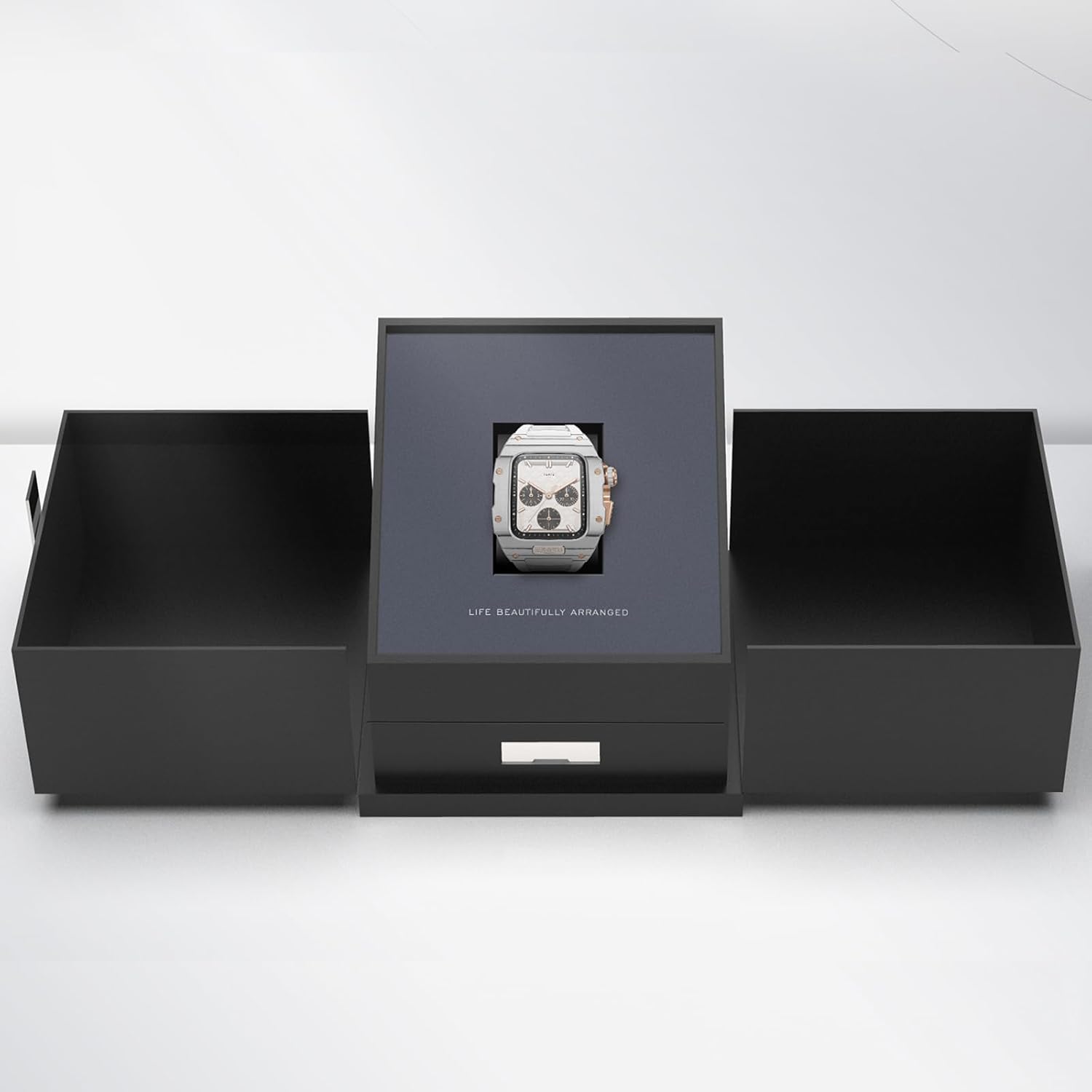
Image: The VERTU H1 Smart Watch presented within its elegant black packaging, indicating the unboxing experience.
Жайгашуу
1. Акылдуу саатты кубаттоо
Before first use, fully charge your VERTU H1 Smart Watch. Place the watch on the provided wireless charger. The screen will indicate charging status. A full charge typically takes approximately 2 hours.
2. Күйгүзүү / Өчүрүү
- Күйгүзүү: Press and hold the side button until the VERTU logo appears.
- Өчүрүү: Капталдагы баскычты басып, кармап туруңуз, андан кийин экрандан "Өчүрүү" дегенди тандаңыз.
3. Колдонмону орнотуу жана жупташтыруу
To unlock the full functionality of your VERTU H1, you need to pair it with your Android smartphone via the dedicated app.
- Scan the QR code in the manual or on the watch screen (if available) to download the 'VERTU WATCH' application from the Google Play Store.
- Смартфонуңузда Bluetooth иштетилгенин текшериңиз.
- Open the 'VERTU WATCH' app and follow the on-screen instructions to create an account or log in.
- In the app, select 'Add Device' or 'Pair New Device'. The app will search for your VERTU H1.
- Select your watch from the list of discovered devices. Confirm the pairing request on both your watch and smartphone.

Image: An illustration showing the internal chip of the VERTU H1 Smart Watch and its connection to the companion mobile application, symbolizing the pairing process.
4. Баштапкы конфигурация
After successful pairing, the app will guide you through initial settings such as language selection, time format, and personal profile setup (e.g., age, height, weight for accurate health and fitness tracking).
Иштөө нускамалары
Навигация
- Сенсордук экран: Swipe left/right, up/down to navigate through menus and notifications. Tap to select.
- Каптал баскычы: Башкы экранга кайтуу же түзмөктү ойготуу үчүн басыңыз. Кубат параметрлери үчүн көпкө басыңыз.
- Digital Crown: Rotate to scroll through lists or zoom in/out. Press to select or return to the previous screen.
Чакыруу жана жооп берүү
With the VERTU H1 connected to your smartphone, you can make and answer calls directly from your wrist.
- Чалууларга жооп берүү: Чалуу келгенде, саат экранындагы жашыл жооп берүү сүрөтчөсүн басыңыз.
- Чалууларды жасоо: Access the dialer or contacts list on your watch to initiate a call.
Эскертмелер
Receive notifications from your paired smartphone directly on your watch. Swipe down from the top of the screen to view акыркы эскертмелер.
Ыңгайлаштыруу
Саат тажрыйбаңызды жекелештириңиз:
- Бетти көрүү: Long press the home screen to change watch faces. More options are available in the 'VERTU WATCH' app.
- Орнотуулар: Access the settings menu on the watch to adjust brightness, vibration, and other preferences.
OTA жаңыртуулары
The VERTU H1 supports Over-The-Air (OTA) updates. Ensure your watch is connected to the app and has sufficient battery for seamless software upgrades, which enhance features and performance.
Ден соолукту көзөмөлдөө өзгөчөлүктөрү
The VERTU H1 Smart Watch provides continuous, real-time monitoring of vital health metrics to help you stay informed about your well-being.
Жүрөктүн кагышын көзөмөлдөө
The watch continuously tracks your heart rate throughout the day. View your current heart rate and historical data in the 'Heart Rate' section on the watch or in the app.
Кандагы кычкылтектин (SpO2) мониторинги
Monitor your blood oxygen levels to assess your respiratory health. Access the 'Oximetry' function on your watch for on-demand measurements or view trends in the app.

Image: The VERTU H1 Smart Watch screen showing detailed health metrics, including oximetry (blood oxygen saturation) and heart rate data, with graphs illustrating trends.
Уйкуга көз салуу
The watch automatically monitors your sleep patterns, including deep sleep, light sleep, and wake times. Review your sleep quality analysis in the 'Sleep' section of the app.

Image: The VERTU H1 Smart Watch displaying sleep tracking data, showing duration of deep sleep and overall sleep time.
Sedentary Reminder & Drinking Water Reminder
The watch can remind you to move after periods of inactivity and prompt you to drink water, promoting healthier habits throughout your day. Configure these reminders in the 'VERTU WATCH' app.
Fitness Tracking Features
The VERTU H1 is equipped with advanced features to support your fitness journey, offering comprehensive monitoring of your workout sessions.
100+ Спорт режимдери
Choose from over 100 built-in sports modes, including outdoor running, indoor running, outdoor walking, and many more. Select your activity to track specific metrics relevant to your workout.

Image: The VERTU H1 Smart Watch screen showing a list of available sports modes, including outdoor running, indoor running, and outdoor walking.
Активдүүлүккө көз салуу
The watch automatically tracks your daily activities, including steps taken, distance covered, and calories burned. View your daily activity rings and progress in the 'Daily Activities' section on the watch or in the app.
Камтылган GPS
For outdoor activities, the built-in GPS accurately records your route, distance, and pace, providing detailed insights into your performance without needing your phone.
Техникалык тейлөө
Акылдуу саатыңызды тазалоо
Regular cleaning helps maintain the appearance and functionality of your watch.
- Wipe the screen and case with a soft, lint-free cloth. If necessary, dampкездемени бир аз суу менен чайкаңыз.
- Clean the FKM strap with mild soap and water, then rinse thoroughly and dry.
- Avoid using harsh chemicals, abrasive materials, or compressed air, as these can damage the watch.
Сууга туруктуулук (IP68)
The VERTU H1 Smart Watch is IP68 waterproof, meaning it is protected against dust ingress and can withstand immersion in water up to 1.5 meters for 30 minutes. While suitable for daily wear and activities like swimming, it is not recommended for diving or high-pressure water activities. Avoid exposing the watch to hot water, steam, or corrosive liquids.
Батареяга кам көрүү
- Узак убакытка чейин толук зарядсызданбай, саатты үзгүлтүксүз заряддаңыз.
- Колдонулбаган убакта саатты салкын, кургак жерде сактаңыз.
- Use only the provided wireless charger.
Проблемаларды чечүү
If you encounter issues with your VERTU H1 Smart Watch, try the following solutions:
| Көйгөй | Мүмкүн чечим |
|---|---|
| Watch won't power on | Сааттын толук заряддалганын текшериңиз. Аны зымсыз кубаттагычка кеминде 30 мүнөт туташтырыңыз. |
| Смартфон менен жупташтыруу мүмкүн эмес | Ensure Bluetooth is enabled on your phone. Restart both the watch and the phone. Clear Bluetooth cache on your phone. Try pairing again through the 'VERTU WATCH' app. |
| Inaccurate health/fitness data | Ensure the watch is worn snugly on your wrist, about one finger's width above the wrist bone. Clean the sensor on the back of the watch. Update your personal information in the app. |
| Батареянын иштөө мөөнөтү кыска | Reduce screen brightness. Turn off unnecessary notifications. Limit continuous heart rate monitoring if not needed. Ensure no background apps are draining power. |
| Watch is unresponsive | Perform a force restart by pressing and holding the side button for approximately 10-15 seconds until the watch restarts. |
Эгер көйгөй чечилбесе, колдоо бөлүмүнө кайрылыңыз же кардарларды тейлөө кызматына кайрылыңыз.
Техникалык шарттар
| Өзгөчөлүк | Деталь |
|---|---|
| Модель аты | H1 (Internal: METAWATCH 1) |
| Бренд | VERTU |
| Screen Size | 1.85 Inches (Sapphire Crystal Display) |
| Иштин материалы | Aerospace-grade Carbon Fiber |
| Боо материалы | Fluoroelastomer (FKM) |
| Операция системасы | Android негизинде |
| Байланыш | Bluetooth |
| Батарея сыйымдуулугу | 260 мАч |
| Суу каршылык | IP68 |
| Өзгөчөлүктөр | Activity Tracker, Built-in GPS, Heart Rate/Blood Oxygen Detection, Phone Call, Sedentary Reminder, 100+ Sports Modes |
Кепилдик жана колдоо
Кепилдик маалымат
Your VERTU H1 Smart Watch comes with a standard manufacturer's warranty. Please refer to the warranty card included in your product packaging for specific terms, conditions, and duration. Keep your proof of purchase for warranty claims.
Кардарларды колдоо
For technical assistance, troubleshooting beyond this manual, or warranty inquiries, please contact VERTU customer support. Contact details can typically be found on the official VERTU webсайтында же продуктунун таңгагында.


