Introduction
This manual provides comprehensive instructions for the Parsonver SR3 Smart Watch, designed to help you understand its features, set it up, operate it effectively, and maintain it for optimal performance. Please read this manual thoroughly before using your device.

Image: The Parsonver SR3 Smart Watch in Rose Gold, showcasing its round display and silicone strap.
1. Орнотуу колдонмосу
1.1 Пакеттин мазмуну
Пакетте бардык буюмдар бар экенин текшериңиз:
- Parsonver SR3 акылдуу сааты
- Заряддоо кабели
- Колдонуучунун Колдонмосу (бул документ)
1.2 Аппаратты заряддоо
Before first use, fully charge the smartwatch. Connect the magnetic charging cable to the charging points on the back of the watch and plug the USB end into a compatible USB power adapter (not included).
- Заряддоо убактысы: Толук кубаттоо үчүн болжол менен 2 саат.
- Батареянын иштөө мөөнөтү: Up to 7 days of active use, up to 40 days standby.
1.3 Колдонмону орнотуу жана жупташтыруу
To unlock the full functionality of your Parsonver SR3 Smart Watch, you need to install the companion application on your smartphone.
- Колдонмону жүктөп алыңыз: Издөө "Inforwear" (or the specified app name in the product's documentation) in your smartphone's app store (Apple App Store for iOS, Google Play Store for Android).
- Шайкештик: Requires iOS 9.0+ or Android 6.0+.
- Bluetooth иштетүү: Смартфонуңузда Bluetooth иштетилгенин текшериңиз.
- Жупташтыруу: Open the app, create an account if prompted, and follow the on-screen instructions to search for and connect to your SR3 Smart Watch. The watch will display a pairing confirmation.
Note: The watch is not compatible with tablets or computers.
2. Иштөө нускамалары
2.1 Негизги навигация
The Parsonver SR3 features a 1.27-inch HD full-touch color screen for intuitive navigation.
- Өйдө/ылдый сүрүү: Менюларды жана эскертмелерди сыдырыңыз.
- Солго/Оңго сүрүү: Access quick widgets or different function screens.
- таптаңыз: Бир нерсени тандаңыз же аракетти ырастаңыз.
- Каптал баскычын басыңыз: Return to the home screen or power on/off (long press).
- Ойгонуу үчүн көтөрүү: Lift your wrist to automatically turn on the screen.

Image: The smartwatch screen showing an incoming call and various app icons, illustrating smart call and notification features.
2.2 Smart Calls & Notifications
The SR3 Smart Watch allows you to manage calls and receive notifications directly from your wrist.
- Чалууларды жасоо: Use the dialer on the watch or select from synced contacts to initiate calls.
- Чалууларга жооп берүү: Tap the green icon on the watch screen when an incoming call is displayed.
- Эскертмелер: Receive alerts for SMS, calls, and app notifications (Facebook, WhatsApp, Instagram, TikTok, Twitter, etc.). Ensure app notifications are enabled in your phone's settings and the companion app.
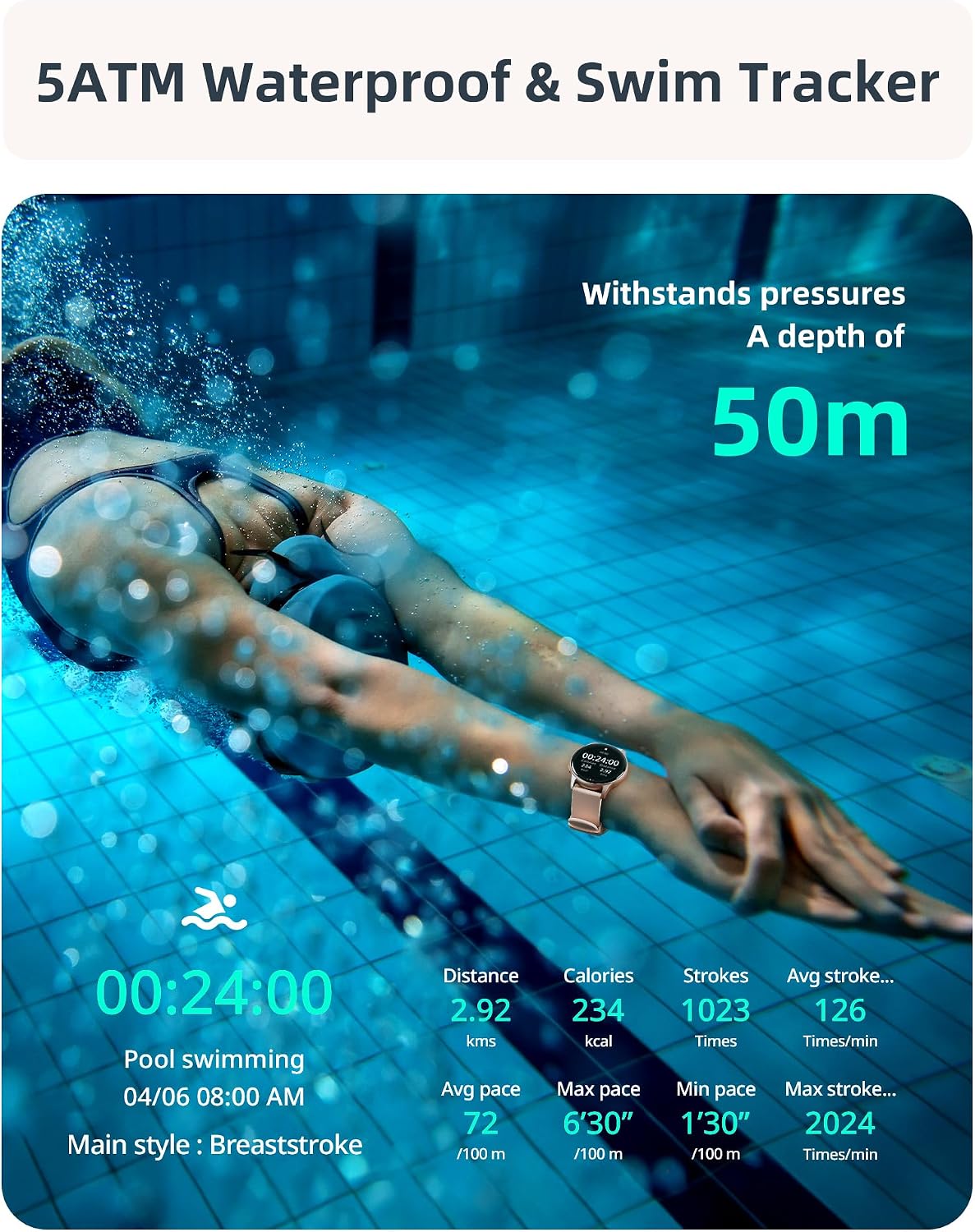
Image: A visual representation of the smartwatch's call management interface, including options for answering, dialing, viewing missed calls, and accessing contacts.
2.3 Ден соолуктун мониторинги
The SR3 Smart Watch provides comprehensive 24/7 health tracking using high-precision sensors.
- Жүрөктүн кагышын көзөмөлдөө: Үзгүлтүксүз жүрөктүн кагышын көзөмөлдөйт. View саат боюнча реалдуу убакыт дайындары же колдонмодогу деталдуу тренддер.
- Кандагы кычкылтектин (SpO2) мониторинги: Сиздин кандын кычкылтек менен каныккандыгын өлчөйт.
- Уйкунун мониторинги: Automatically tracks your sleep patterns, including deep sleep, light sleep, and awake times.
- Стресс мониторинги: Стресс деңгээлиңиз боюнча түшүнүктөрдү берет.
- Дем алуу көнүгүүлөрү: Эс алуу үчүн дем алуу көнүгүүлөрүн жасоо.
- Hydration & Activity Reminders: Set reminders to drink water and move throughout the day.
- Women's Health Tracker: Specific tracking features for women's health.

Image: A collage illustrating the various health monitoring features of the smartwatch, including heart rate, stress, sleep, and blood oxygen tracking.
2.4 Спорт режимдери жана активдүүлүктү көзөмөлдөө
The SR3 Smart Watch features an advanced 6-axis sensor and over 100 sport modes to accurately track your workouts.
- Automatic Run Detection: The watch can automatically detect when you start running.
- 100+ Спорт режимдери: Select from a wide range of activities like running, cycling, swimming, yoga, basketball, and more. You can choose up to 10 preferred modes in the app for quick access on the watch.
- Көзөмөлдөнгөн көрсөткүчтөр: Steps, calories burned, distance, average speed, pace, stroke count (for swimming), frequency, and SWOLF.
- Смартфон аркылуу GPS: For accurate outdoor activity tracking, ensure your phone's GPS is active and connected to the watch.

Image: A woman performing an exercise, with an overlay of the smartwatch displaying various sport modes and activity metrics like calories, steps, and distance.
2.5 5ATM Waterproof & Swim Tracking
The SR3 Smart Watch is rated 5ATM waterproof, making it suitable for swimming, diving, and other water activities.
- Суу каршылык: Withstands pressures equivalent to a depth of 50 meters.
- Swim Stroke Detection: Automatically identifies butterfly, backstroke, breaststroke, and freestyle.
- Swim Metrics: Tracks stroke count, frequency, and SWOLF.
Note: While 5ATM is suitable for swimming, it is not recommended for hot showers, saunas, or deep-sea diving due to steam or high-pressure water jets.
Image: A swimmer underwater, with the smartwatch visible, emphasizing its 5ATM waterproof rating and ability to track swimming metrics.
2.6 Ыңгайлаштыруу жана кошумча функциялар
- Бетти көрүү: Choose from over 200 customizable watch faces in the app or create your own using personal photos.
- Музыкалык башкаруу: Смартфонуңузда музыканы ойнотууну түз сааттан башкарыңыз.
- Камераны башкаруу: Саатты телефонуңуздун камерасы үчүн алыстан жапкыч катары колдонуңуз.
- Ойготкучтар жана таймерлер: Set alarms, use the stopwatch, and countdown timer.
- Аба ырайы жаңыртуулары: реалдуу убакыт аба ырайы маалымат алуу.
- Менин телефонумду тап: Адашып кеткен смартфонуңузду табыңыз.
- Помодоро таймери: A productivity timer feature.
- Жарыктыкты жөндөө: Оптималдуу экран жарыктыгын тууралаңыз viewing.
- Кыймылсыз эскертүүлөр: Кыймылсыз мезгилден кийин туруп, кыймылдоону эскертет.

Сүрөт: акылдуу сааттын экраныasing a variety of customizable watch faces, including one with a family photo, demonstrating the personalization options.

Image: A collection of icons representing the diverse additional features of the smartwatch, such as weather updates, reminders, alarms, music control, and camera remote.
3. Техникалык тейлөө
- Тазалоо: Саатты жана боону жумшак менен дайыма сүртүп туруңуз, damp кездеме. Катуу химиялык заттарды же абразивдүү материалдарды колдонуудан алыс болуңуз.
- Кургатуу: After swimming or exposure to water, ensure the watch is completely dry before charging or prolonged storage.
- Боону багуу: The liquid silicone strap is skin-friendly. Clean it regularly to prevent irritation.
- Сактагыч: Саатты күн нурунан жана экстремалдык температурадан алыс салкын, кургак жерде сактаңыз.
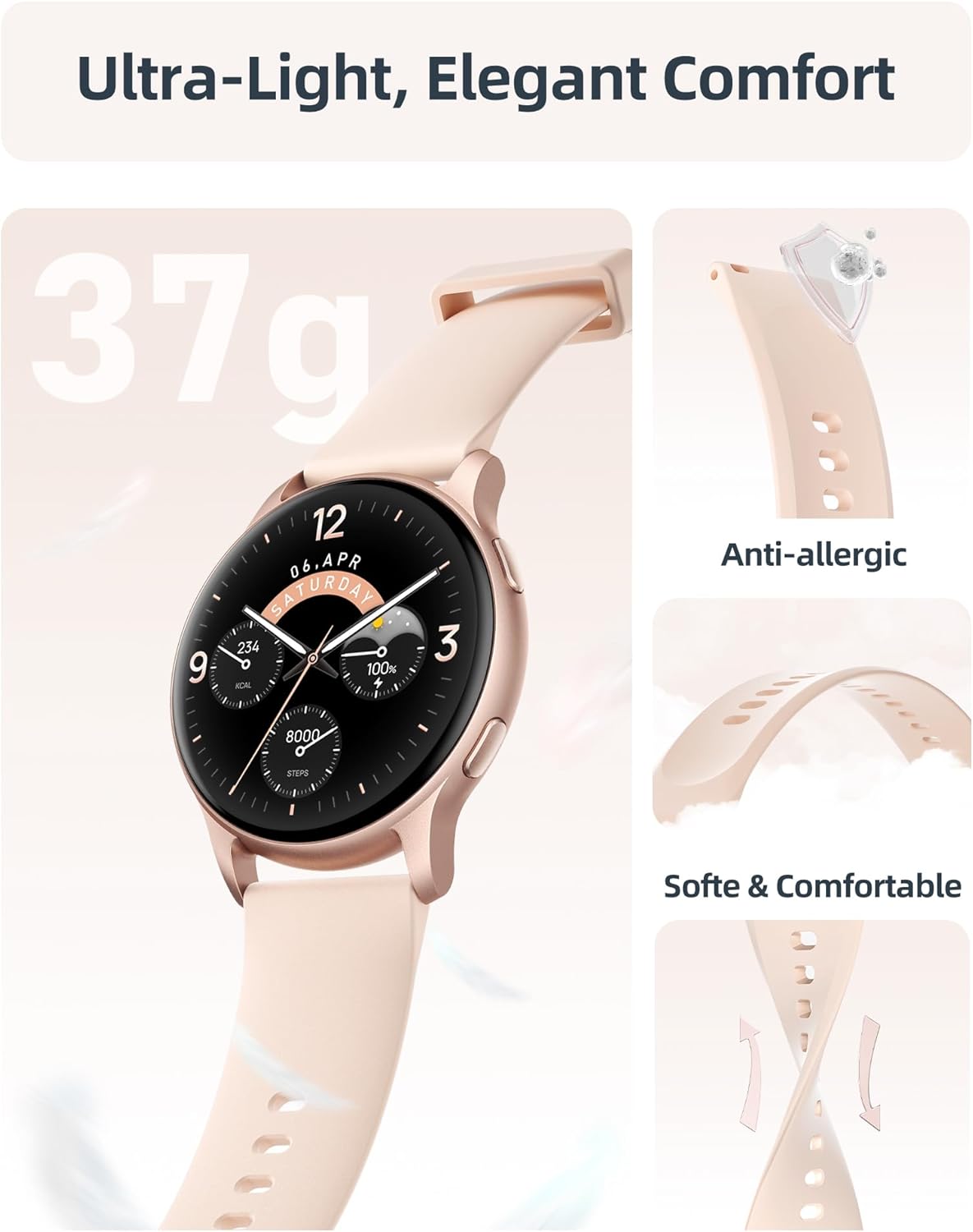
Сүрөт: деталдуу view of the smartwatch emphasizing its lightweight construction and the soft, anti-allergic liquid silicone strap, designed for comfort and durability.
4. Кыйынчылыктарды
| Көйгөй | Мүмкүн чечим |
|---|---|
| Watch not turning on. | Ensure the watch is fully charged. Connect to the charging cable and check if the charging indicator appears. |
| Смартфон менен жупташтыруу мүмкүн эмес. |
|
| Эскертмелер көрүнбөй жатат. |
|
| Туура эмес ден соолук маалыматы. |
|
| Батареянын иштөө мөөнөтү кыска. |
|
5. Техникалык шарттар
| Өзгөчөлүк | Деталь |
|---|---|
| Модель аты | SR3 |
| Дисплей | 1.27-inch HD Full Touch Color Screen (360x360 resolution) |
| Байланыш | Bluetooth 5.3 |
| Суу каршылык | 5ATM (50 метрге чейин) |
| Батарея сыйымдуулугу | 230 мАч литий-ион |
| Заряддоо убактысы | Болжол менен 2 саат |
| Батареянын иштөө мөөнөтү (активдүү колдонуу) | 5-7 күн |
| Батареянын иштөө мөөнөтү (күтүү режими) | 40 күнгө чейин |
| Операциялык системанын шайкештиги | iOS 9.0+ / Android 6.0+ |
| Сенсорлор | 6-axis sensor, Heart Rate, Blood Oxygen (SpO2) |
| Салмагы | 35 грамм |
| Боо материалы | Суюк силикон |
| Өлчөмдөр (D x W x H) | 10.24" x 1.73" x 0.35" (260 мм x 44 мм x 9 мм) |
6. Кепилдик жана колдоо
Parsonver provides a standard warranty for the SR3 Smart Watch. For specific warranty terms and conditions, please refer to the documentation included with your purchase or visit the official Parsonver webсайт.
Кардарларды колдоо
For any questions, technical assistance, or support, please contact Parsonver customer service. They offer 24/7 friendly support.
- Онлайн колдоо: зыярат кылыңыз Parsonver Store on Amazon FAQ жана байланыш маалыматы үчүн.
- Электрондук почта колдоо: Продуктуңуздун таңгагына же расмий өкүлгө кайрылыңыз webколдоо электрондук почта дареги үчүн сайт.


