1. Киришүү
Welcome to the user manual for your new TTfone TT880 Mobile Phone. This phone is designed with simplicity and ease of use in mind, making it ideal for seniors and the elderly. It features a large, separated keypad, an emergency assistance button, and an extra loud speaker for clear communication. Please read this manual carefully to understand all features and ensure proper operation.
2. Кутуда эмне бар
Upon opening your TTfone TT880 package, you should find the following items:
- TTfone TT880 мобилдик телефону
- Заряддалуучу батарея
- USB заряддоо кабели
- Колдонуучунун Колдонмосу (бул документ)

Image: The TTfone TT880 mobile phone, battery, and USB charging cable as typically found in the box.
3. Орнотуу
3.1. SIM картаны жана батареяны салуу
- Арткы капкакты алып салуу: Gently slide the back cover downwards from the top edge of the phone to remove it.
- SIM картаны салыңыз: Locate the SIM card slot. Insert your 2G compatible SIM card into the slot with the gold contacts facing down and the cut corner aligned as shown in the diagram. Ensure it clicks into place.
- Батарея салыңыз: Align the battery contacts with the terminals inside the phone. Gently press the battery down until it is securely seated.
- Арткы капкакты алмаштыруу: Place the back cover over the phone and slide it upwards until it clicks securely into place.
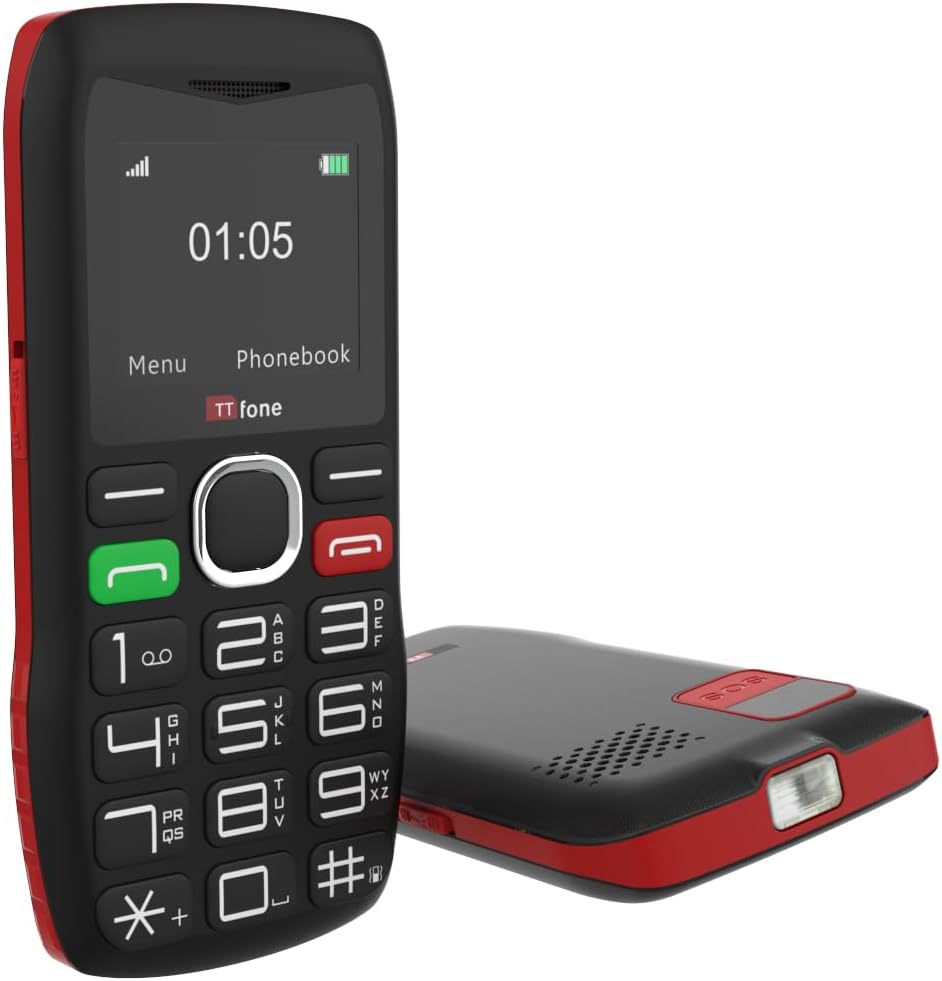
Сүрөт: Арткы view of the TTfone TT880, illustrating the location for SIM card and battery insertion.
3.2. Телефонду заряддоо
Before first use, fully charge your TTfone TT880. Use the provided USB charging cable.
- Connect the small end of the USB cable to the charging port on the side or bottom of the phone.
- Connect the larger end of the USB cable to a compatible USB power adapter (not included with USB cable version) or a computer's USB port.
- The battery indicator on the screen will show charging progress. A full charge typically takes a few hours.

Image: The TTfone TT880 phone being charged via its USB cable, showing the charging indicator on the screen.
4. Иштөө нускамалары
4.1. Күйгүзүү/өчүрүү
- Күйгүзүү үчүн: Press and hold the red End Call/Power button (✖) экран күйгөнгө чейин.
- Өчүрүү үчүн: Press and hold the red End Call/Power button (✖) until the power off options appear, then confirm.
4.2. Чалууларды кабыл алуу жана кабыл алуу
- Чалуу үчүн:
- Ариптакта аркылуу телефон номерин киргизиңиз.
- Press the green Call button (✆) to dial.
- Чакырууну кабыл алуу үчүн: When the phone rings, press the green Call button (✆) жооп берүү.
- Чалууну аяктоо үчүн: Press the red End Call button (✖).

Image: A person holding the TTfone TT880, highlighting its large, easy-to-use physical keys for comfortable dialing.
4.3. Emergency Assistance Button (SOS)
The TT880 features a dedicated SOS button for emergencies. When activated, it will call and send an SMS to pre-set emergency contacts.
- SOS байланыштарын орнотуу:
- Navigate to the 'SOS Settings' in the phone's menu.
- Add up to 5 emergency contact numbers. These numbers will be called in sequence until one answers.
- You can also customize the emergency SMS message.
- SOSту иштетүү: Press and hold the SOS button on the back of the phone for a few seconds. The phone will emit an alarm and begin dialing your emergency contacts.

Image: The TTfone TT880 with its SOS button prominently displayed, illustrating its use in an emergency scenario.
4.4. Фонарь функциясы
The TT880 includes a convenient torch function.
- Күйгүзүү/өчүрүү үчүн: Use the dedicated torch switch located on the side of the phone.
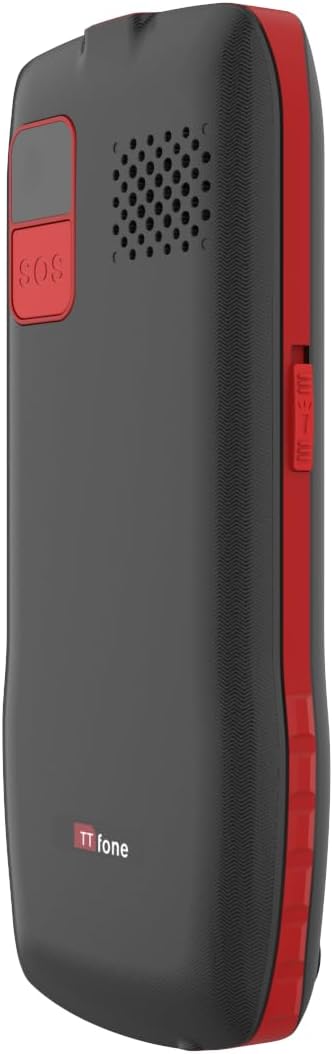
Image: The TTfone TT880 with its torch light illuminated, demonstrating its utility in low-light conditions.
4.5. Bluetooth байланышы
Pair your TT880 with other Bluetooth devices like headsets for hands-free communication.
- Navigate to 'Settings' > 'Bluetooth'.
- Bluetooth'ду күйгүзүңүз.
- тандоо 'Издөө devices' and choose your desired device from the list to pair.
5. Техникалык тейлөө
- Тазалоо: Телефондун бетин тазалоо үчүн жумшак, кургак чүпүрөктү колдонуңуз. Суюк тазалагычтардан же аэрозолдордон алыс болуңуз.
- Батареяга кам көрүү: To prolong battery life, avoid extreme temperatures. Do not leave the phone fully discharged for long periods.
- Сактагыч: If storing the phone for an extended period, charge the battery to about 50% and store in a cool, dry place.
6. Кыйынчылыктарды
| Көйгөй | Мүмкүн себеп | Чечим |
|---|---|---|
| Телефон күйбөйт. | Батарея заряды түгөнгөн же туура эмес салынган. | Батареяны заряддаңыз. Батарея туура салынганын текшериңиз. |
| Чалууларды кабыл алуу же жасоо мүмкүн эмес. | No network signal, SIM card not inserted, or SIM card not activated. | Check network signal strength. Reinsert SIM card. Contact your network provider to activate SIM. Ensure it's a 2G network. |
| Poor call quality / Low volume. | Weak signal, speaker blocked, or volume too low. | Move to an area with better signal. Ensure speaker is not blocked. Adjust call volume during a call. |
| SOS баскычы иштебей жатат. | SOS contacts not set up or invalid numbers. | Verify SOS settings and ensure valid numbers are programmed. |
7. Техникалык шарттар
- Модел: TT880
- Бренд: TTfone
- Экрандын өлчөмү: 1.8 дюйм
- Уюлдук технология: 2G
- Зымсыз байланыш оператору: Unlocked for All Carriers (2G networks only)
- Байланыш: Bluetooth, USB
- Батарея: 1 литий-иондук батарейка (кошулган)
- Өлчөмдөрү: 15.1 x 11.3 x 2.4 см
- Салмагы: 190 г
- Операция системасы: TTfone (Proprietary)
- SIM карта слоту: Жалгыз SIM
- Түсү: Кызыл
- Келип чыккан өлкө: Кытай
8. Кепилдик жана колдоо
For warranty information and customer support, please refer to the documentation provided with your purchase or visit the official TTfone webсайт. Ар кандай кепилдик дооматтары үчүн сатып алганыңыздын далилин сактаңыз.
Өндүрүүчү: TTfone
Байланыш: Please refer to the TTfone store on Amazon or their official webбайланыш маалыматы үчүн сайт.
Жеткирүү маалыматы: Please note that certain products may have delivery restrictions outside mainland UK. Confirm delivery eligibility at checkout.


