1. Коопсуздук маалыматы
Please read this instruction manual carefully before installation and use. Improper installation or use may cause damage to the product, TV, or personal injury. Ensure all components are present and undamaged before beginning installation. If any parts are missing or defective, do not proceed with installation and contact customer support.
- Do not exceed the maximum weight capacity of 88 lbs per screen.
- Ensure the mounting surface (ceiling) can safely support the combined weight of the mount and two TVs.
- Use appropriate tools and follow all steps precisely.
- Always have at least two people for installation, especially when lifting and mounting TVs.
- Орнотуу учурунда балдарды жана үй жаныбарларын жумуш аймагынан алыс кармаңыз.
2. Пакеттин мазмуну
Verify that all parts are included in your package:
- Шып плитасы
- Adjustable Height Pole (multiple sections)
- Horizontal Crossbar
- TV Mounting Brackets (2 sets)
- Hardware Kit (various screws, washers, anchors, wrenches)
If any components are missing, please contact Mount Plus customer service.
3. Tools Needed (Not Included)
- Филлипс бурагыч
- Бургулоо
- Розетка ачкычы
- Карандаш
- Stud Finder (жыгач шпилькаларды орнотуу үчүн)
4. Орнотуу боюнча нускамалар
Follow these steps carefully for proper installation of your Mount Plus CB-D600 ceiling mount.
4.1. Бүттүview компоненттери

This image shows the main components of the Mount Plus CB-D600 dual screen ceiling mount, including the ceiling plate, adjustable pole, horizontal crossbar, and TV mounting brackets.
4.2. Ceiling Plate Installation
Determine your ceiling type (wood stud or concrete) and follow the appropriate steps. Use a stud finder for wood ceilings to locate studs. Mark the drilling points accurately using the ceiling plate as a template.

This image illustrates the leveling adjustment feature, ensuring your mounted TVs are perfectly horizontal after installation.
4.3. Pole Assembly and Attachment
Assemble the adjustable pole sections and attach them securely to the installed ceiling plate. Ensure all screws are tightened to prevent wobbling.
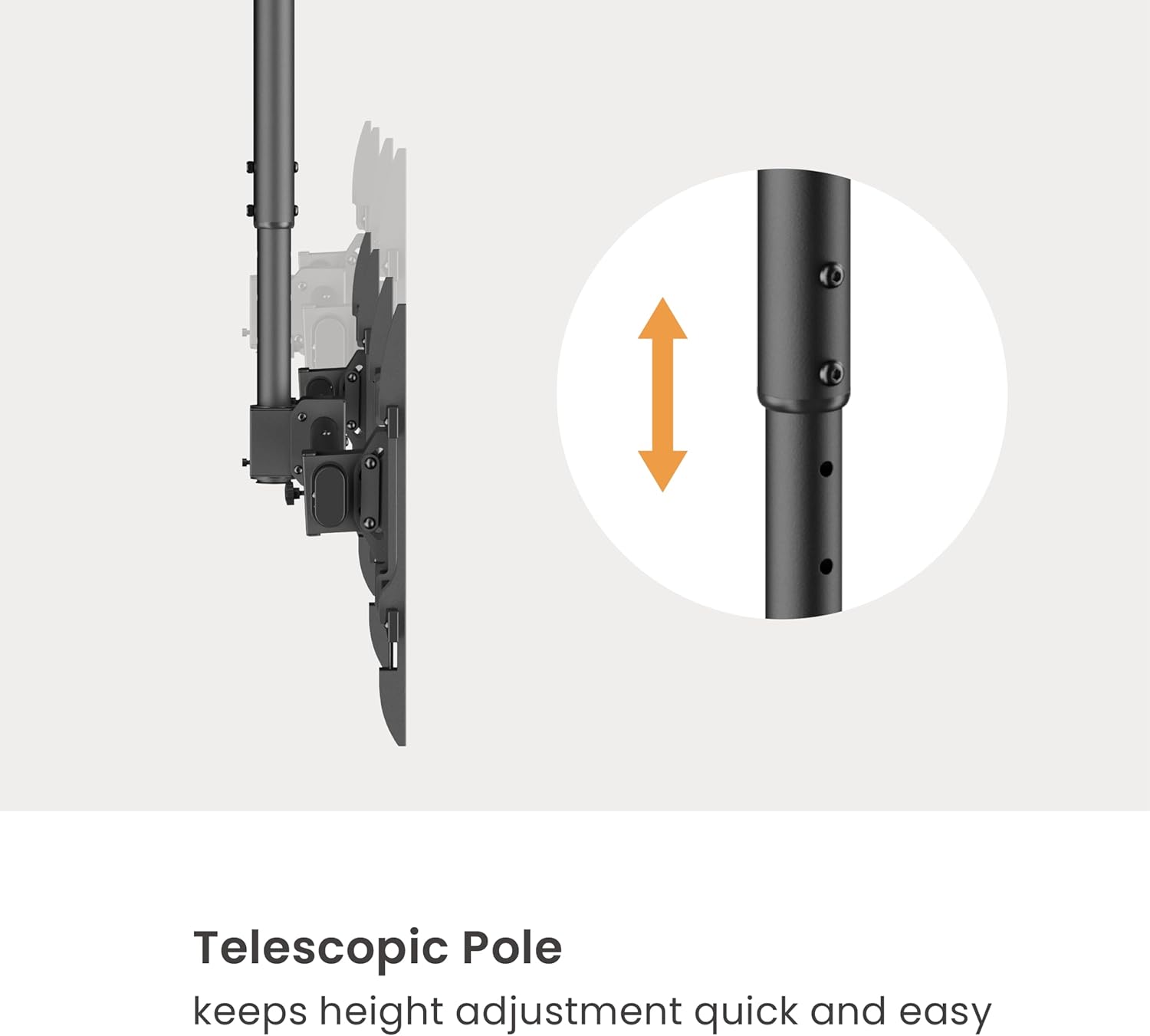
The telescopic pole allows for quick and easy height adjustment of the entire mount system.
4.4. Crossbar and TV Bracket Assembly
Attach the horizontal crossbar to the adjustable pole. Then, assemble the TV mounting brackets and attach them to the crossbar. Ensure the brackets are spaced correctly for your TV sizes.
4.5. Mounting the TVs
Carefully lift each TV and hook its VESA mounting holes onto the corresponding brackets. Secure the TVs to the brackets using the provided screws and washers. Double-check all connections for security.

This image demonstrates the dual screens mounted side-by-side, ideal for menu boards or multi-display setups.
4.6. Adjustments and Cable Management
Adjust the height, tilt, and swivel of the TVs to achieve your desired viewing angle. Use the integrated cable management system to conceal wires for a clean and neat appearance.

This image highlights the free tilting (0° to -25°) and swiveling (+180° to -180°) capabilities, offering maximum flexibility for optimal viewing.

The mount includes a cable management system to keep your installation tidy and professional.
4.7. Орнотуу боюнча видео көрсөтмө
For a visual step-by-step guide, please watch the official installation video:
Official installation video for the Mount Plus CB-D600 Side By Side Ceiling TV Mount. This video provides a comprehensive visual walkthrough of the assembly and mounting process.
5. Иштөө нускамалары
Once installed, the Mount Plus CB-D600 allows for various adjustments to optimize your viewтажрыйбасы:
- Бийиктигин тууралоо: The extending center pole can be adjusted from 18 inches to 34.5 inches from the ceiling bracket to the center of the TV. Loosen the locking screws on the pole, adjust to the desired height, and re-tighten securely.
- Эңкейүүнү тууралоо: Each screen can individually tilt from +0 to -25 degrees. Loosen the tilt adjustment screws on the TV brackets, set the desired angle, and re-tighten.
- Айланууну жөндөө: The entire ceiling mount can swivel +/- 180 degrees. Loosen the swivel locking mechanism, rotate the mount to the desired orientation, and re-tighten.
- Тегиздөөнү тууралоо: Fine-tune the horizontal alignment of the TVs using the leveling adjustment feature on the crossbar.
6. Техникалык тейлөө
To ensure the longevity and safe operation of your Mount Plus CB-D600, perform the following maintenance:
- Үзгүлтүксүз текшерүү: Бардык бурамаларды жана туташууларды бекем жана бекем кармап туруу үчүн мезгил-мезгили менен текшерип туруңуз. Бошоң туташуулар туруксуздукка алып келиши мүмкүн.
- Тазалоо: Dust the mount regularly with a soft, dry cloth. For stubborn marks, use a slightly damp кездеме менен жумшак жуугуч каражатты колдонуп, андан кийин дароо кургатып сүртүңүз. Абразивдүү тазалоочу каражаттарды же эриткичтерди колдонбоңуз.
- Майлоо: Moving parts generally do not require lubrication. If any movement becomes stiff, contact customer support for advice.
7. Кыйынчылыктарды
If you encounter issues with your Mount Plus CB-D600, refer to the following common problems and solutions:
| Көйгөй | Мүмкүн себеп | Чечим |
|---|---|---|
| Mount is wobbly or unstable. | Loose screws or improper installation. | Check all mounting screws and connections. Ensure they are tightened securely. Verify the ceiling structure can support the weight. |
| Телевизорлор тегиз эмес. | Leveling adjustment not set correctly. | Use the leveling adjustment feature on the crossbar to fine-tune the horizontal alignment. |
| Difficulty adjusting height/tilt/swivel. | Locking mechanisms are too tight or need adjustment. | Loosen the relevant locking screws or knobs before attempting to adjust. Re-tighten after adjustment. |
| Пакеттен тетиктер жок. | Таңгактоо катасы. | Do not proceed with installation. Contact Mount Plus customer support immediately for replacement parts. |
If the problem persists after attempting these solutions, please contact Mount Plus customer support for further assistance.
8. Техникалык шарттар
- Бренд: Mount Plus
- Модел: CB-D600
- Монтаж түрү: Шыпка орнотуу
- Кыймыл түрү: Айлануу, жантайтуу
- Материал: Металл
- Түсү: Metallic
- Шайкеш сыналгы өлчөмдөрү: 37" to 60" (per screen)
- Максималдуу Салмагы: 88 lbs per screen (total 176 lbs)
- VESA шайкештиги: 200x200, 300x200, 300x300, 400x200, 400x400, 600x400 (mm)
- Жөнгө салынуучу бийиктик: 18 inches to 34.5 inches (from ceiling to TV center)
- Ийилген бурч: +0 to -25 Degrees
- Айлануу бурчу: +/- 180 градус
- Элемент Салмагы: 26.3 фунт
- Келип чыккан өлкө: Кытай
9. Кепилдик жана колдоо
Mount Plus products are designed for durability and performance. For warranty information or technical support, please refer to the contact details provided on your product packaging or visit the official Mount Plus website. Please have your model number (CB-D600) and purchase date ready when contacting support.


