Introduction
This manual provides detailed instructions for the safe and effective use of your Vanguard Vesta GO 204CB Carbon Fiber Travel Tripod. Please read this manual thoroughly before operation and retain it for future reference.
Пакеттин мазмуну
- Vanguard Vesta GO 204CB Tripod
- VEO BH-45 Ball Head (integrated)
- Смартфон кармагыч
- Deluxe Soft Carrying Bag
Компоненттер бүттүview
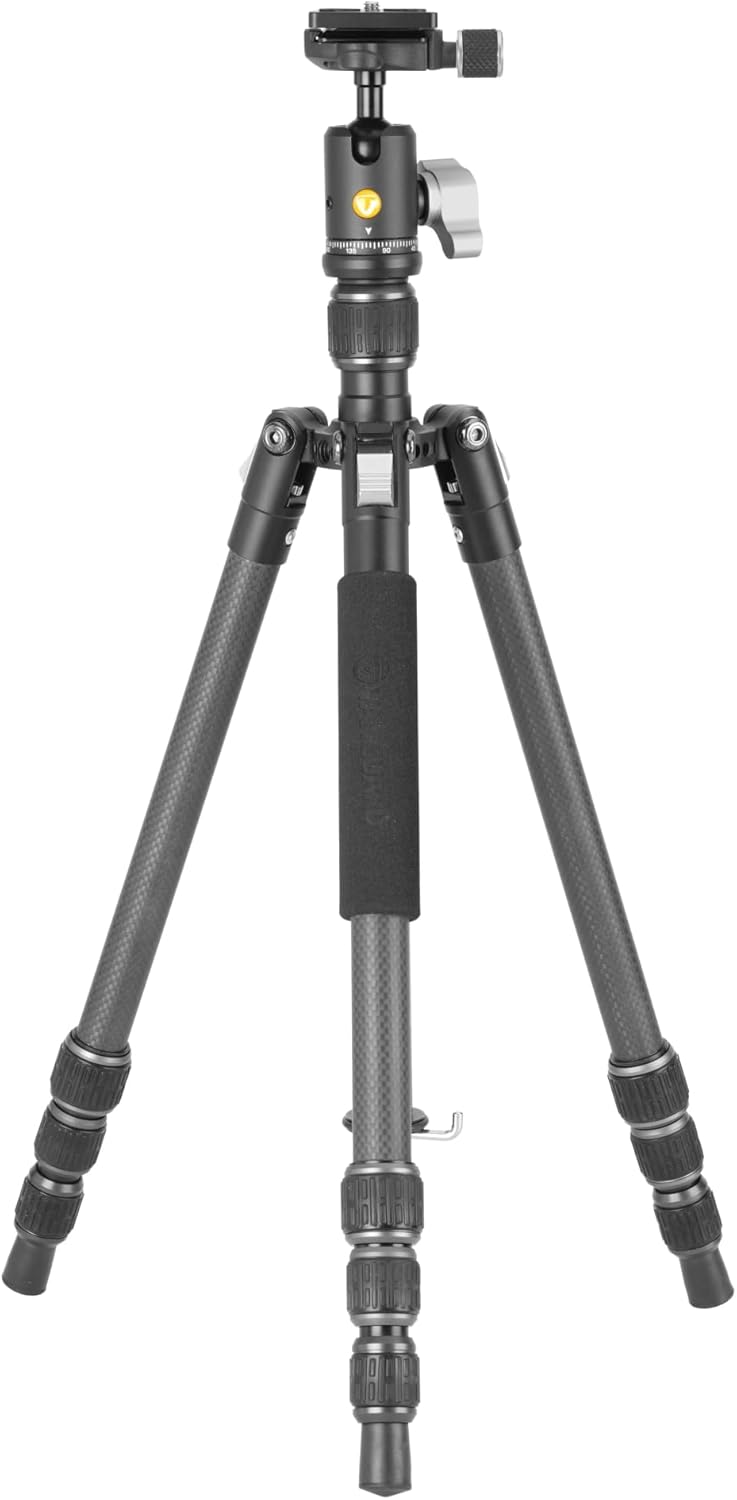
Familiarize yourself with the main components of your tripod:
- Топтун башы: For precise camera positioning and panning.
- Quick Release Plate (QS-74): For quick attachment and detachment of your camera.
- Center Column: Extends for additional height, includes a built-in short column for low-angle shooting.
- Бут бөлүмдөрү: Carbon fiber construction with twist locks for height adjustment.
- Leg Angle Selectors: Allow adjustment of leg spread for stability on various terrains.
- Жазгы жүктөлгөн илмек: Located at the bottom of the center column for adding stability weight.
- Көбүктүү кармагыч: Provides comfortable handling, especially in cold conditions.
Жайгашуу
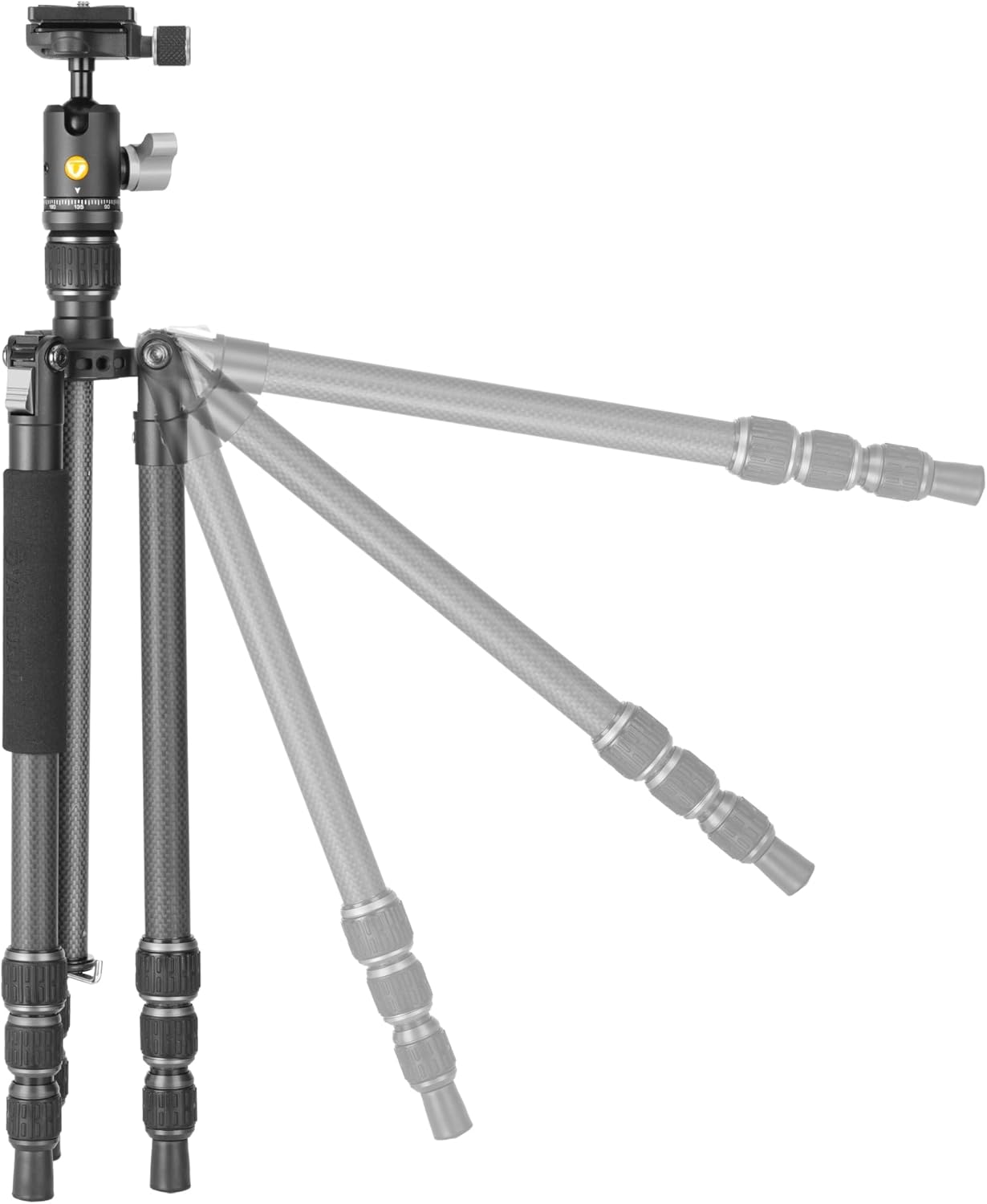
1. Штативди жайып салуу
- Release the leg locks and extend the legs outwards.
- Adjust the leg angles using the leg angle selectors located at the top of each leg. There are three available angles (20, 50, and 80 degrees) to suit different shooting requirements and terrains.
- Extend the leg sections by twisting the leg locks counter-clockwise to loosen, pulling out the desired section, and then twisting clockwise to secure. Repeat for all leg sections on each leg.
2. Attaching Your Camera or Device
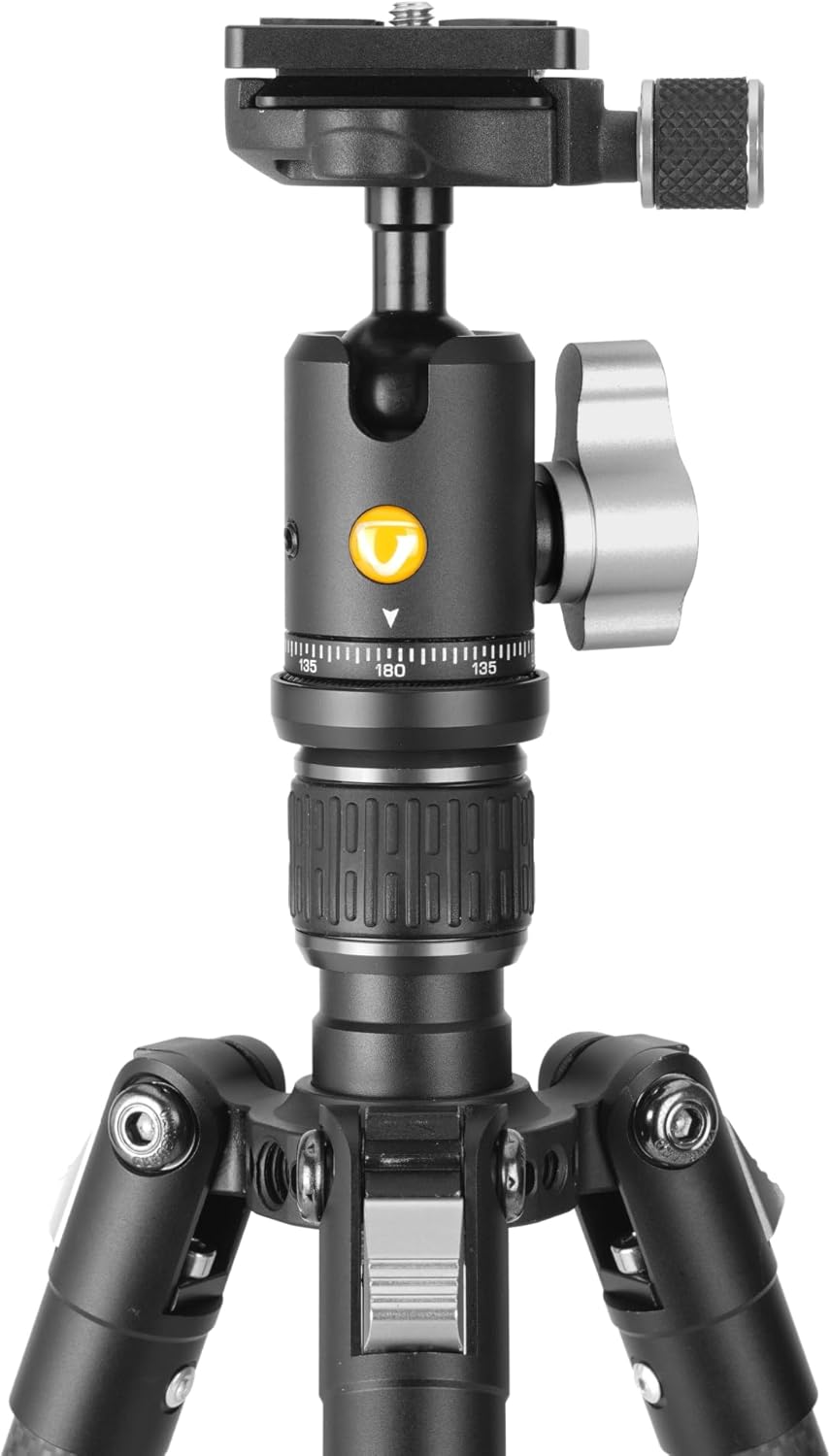
- Ensure the quick release plate (QS-74) is securely attached to the bottom of your camera or device.
- Тез чыгаруу clamp on the VEO BH-45 ball head.
- Slide the quick release plate with your camera into the clamp ал ордуна чыкмайынча.
- Тез чыгаруу clamp to secure your device.
3. Смартфон кармагычын колдонуу
The included smartphone holder can be attached to the quick release plate for use with mobile devices.
- Attach the smartphone holder to the quick release plate.
- Secure your smartphone within the holder.
- Mount the quick release plate with the smartphone holder onto the ball head as described in step 2.


Operating the Tripod
1. Шар башын тууралоо
The VEO BH-45 ball head features a single locking knob for friction control and panning. Loosen the knob to adjust the camera's angle and pan, then tighten to secure it in position.
2. Using the Center Column
To extend the center column, loosen the center column lock and pull the column upwards. Tighten the lock to secure it at the desired height. For low-angle shooting, the center column can be inverted or removed and replaced with the built-in short column.
3. Enhancing Stability with the Spring-Loaded Hook
For increased stability, especially in windy conditions or when using heavy equipment, you can hang a weight (e.g., your camera bag) from the spring-loaded hook located at the bottom of the center column.

Техникалык тейлөө
- Тазалоо: Штативди жумшак, d менен сүртүңүзamp cloth after each use, especially if used in dusty, sandy, or wet environments. Avoid harsh chemicals.
- Майлоо: The twist leg locks are designed to be silent and easy to clean. Avoid applying lubricants to the leg sections or locks, as this can attract dirt and impair function.
- Сактагыч: Store the tripod in its deluxe soft carrying bag in a dry, cool place away from direct sunlight.
- Текшерүү: Periodically check all screws, knobs, and connections to ensure they are tight and secure.

Проблемаларды чечүү
| Көйгөй | Мүмкүн себеп | Чечим |
|---|---|---|
| Буттун бөлүктөрү жылмакай созулбайт/таркалбайт. | Dirt or debris inside leg locks. | Clean leg sections and twist locks thoroughly. Ensure locks are fully loosened before extending/retracting. |
| Camera feels unstable on ball head. | Quick release plate not fully secured or ball head lock not tightened. | Ensure the quick release plate is properly seated and the clamp is tightened. Verify the ball head locking knob is fully engaged. |
| Tripod wobbles. | Legs not fully extended/locked, uneven surface, or insufficient weight. | Ensure all leg sections are fully extended and twist locks are tightened. Adjust leg angles for stability on uneven ground. Consider hanging a weight from the spring-loaded hook. |
Техникалык шарттар
| Өзгөчөлүк | Деталь |
|---|---|
| Модель аты | Vesta GO 204CB |
| Материал | Carbon Fiber |
| Элемент Салмагы | 2 фунт (0.91 кг) |
| Салмак чеги (максималдуу жүк) | 6.6 фунт (3 кг) |
| Максималдуу бийиктик | 54.5 дюйм (138.4 см) |
| Катталган узундук | 15.2 дюйм (38.6 см) |
| Low Angle Height | 8.3 дюйм (21.1 см) |
| Буттун диаметри | 20 мм |
| Бут бурчтары | 20, 50, and 80 degrees |
| Tripod баш түрү | Ball Head (VEO BH-45) |
| Quick Чыгарган Plate | Arca-compatible QS-74 |
| Шайкеш түзмөктөр | Camera, Smartphone, Spotting Scope |
Кепилдик жана колдоо
Кепилдик жөнүндө маалымат алуу, техникалык колдоо же view additional products, please visit the official Vanguard webсайтка же кардарларды тейлөө бөлүмүнө кайрылыңыз. Сиз да зыярат кылсаңыз болот VANGUARD Store on Amazon.


