1. Киришүү
The EazeID M950 is a versatile label maker designed for home, office, and school use. It offers two primary printing modes: direct input via its integrated QWERTY keyboard and wireless control through the 'Print Master' mobile application via Bluetooth. Featuring a rechargeable battery and a backlit LCD screen, the M950 provides convenience and clarity for all your labeling needs. This manual provides detailed instructions for setting up, operating, and maintaining your device.
2. Пакеттин мазмуну
Төмөндө тизмеленген нерселердин баары пакетиңизге камтылганын текшериңиз:
- 1 x EazeID M950 Label Maker
- 1 x 3M21 Black on White Label tape (12mm*4M)
- 1 x Type-C маалымат кабели
- 1 x Таңгактоо кутучасы
- 1 х Колдонуучунун колдонмосу (бул документ)

Figure 2.1: EazeID M950 Label Maker package contents.
3. Продукт бүтүп калдыview
The EazeID M950 Label Maker features a compact design with an integrated QWERTY keyboard and a backlit LCD screen for ease of use. It utilizes thermal printing technology, eliminating the need for ink or toner.

Сүрөт 3.1: Алдыңкы view of the EazeID M950 Label Maker and accessories.

Figure 3.2: Key features and components of the EazeID M950 Label Maker.
4. Орнотуу
4.1 Аппаратты заряддоо
The M950 Label Maker is equipped with a built-in 1200mAh rechargeable lithium battery. Before first use, or when the battery is low, charge the device using the provided Type-C USB cable.
- Connect the Type-C end of the cable to the charging port on the side of the label maker.
- Connect the USB-A end of the cable to a 5V-2A charging adapter (not included) or a compatible USB port.
- The device will indicate charging status on the LCD screen. A full charge typically takes 1-2 hours.
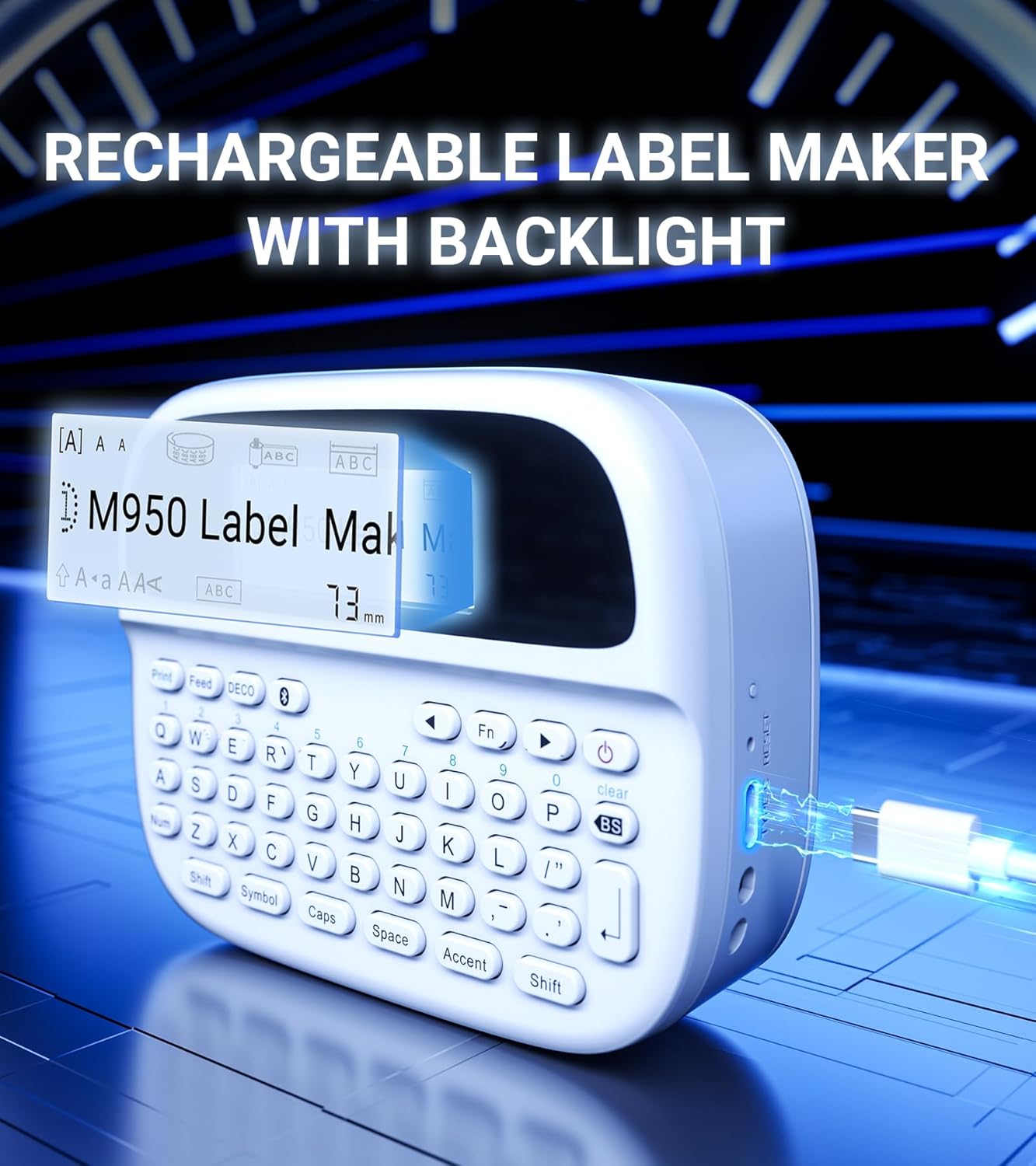
Figure 4.1: Charging the EazeID M950 Label Maker.
4.2 Этикетка лентасын орнотуу
To install or replace the label tape cassette:
- Энбелги жасоочу өчүрүлгөнүн текшериңиз.
- Locate the tape compartment cover on the top of the device. Gently open the cover.
- Insert the label tape cassette into the compartment, ensuring it clicks into place. The tape should feed smoothly out of the slot.
- Тасма бөлүмүнүн капкагын бекем жабыңыз.

4.2-сүрөт: Ички view of the M950 label maker showing tape cassette placement.
5. Иштөө нускамалары
5.1 Күйгүзүү/өчүрүү
- Күйгүзүү үчүн: басып, кармап туруңуз Күч button (usually marked with a power symbol) until the LCD screen illuminates.
- Өчүрүү үчүн: басып, кармап туруңуз Күч экран өчкөнгө чейин баскычын кайра басыңыз.
5.2 Direct Printing via QWERTY Keyboard
The M950 features an ergonomic QWERTY keyboard for direct label creation.
- Күйгүзүү: Энбелги жасоочуну күйгүзүңүз.
- Input Text: Use the QWERTY keyboard to type your desired label text. The text will appear on the backlit LCD screen.
- Formatting Options: Use the function keys (e.g., Fn, Символ, Caps, Акцент) to access various fonts, sizes, symbols, and other formatting options.
- Басып чыгаруу: басыңыз Басып чыгаруу этикетканы түзүү үчүн баскычты басыңыз.
- Кесүү: Use the built-in cutter to cleanly separate the printed label from the tape roll.

Figure 5.1: Using the QWERTY keyboard for direct label printing.
5.3 Bluetooth App Printing (Print Master App)
For advanced features and customization, connect your M950 to the 'Print Master' app via Bluetooth.
- Колдонмону жүктөп алуу: Download the 'Print Master' app from your device's app store (available on Android and iOS).
- Power On & Bluetooth: Turn on the label maker and ensure Bluetooth is enabled on both the label maker and your smartphone.
- Туташуу: Open the 'Print Master' app. The app will search for nearby EazeID label makers. Select 'EazeID M950' from the list to connect.
- Дизайн энбелгиси: Use the app's interface to create your label. The app offers a vast library of customizable templates, over 1000 patterns, 100+ frames, 100+ fonts, barcodes, and QR codes.
- Басып чыгаруу: Once your label is designed, tap the 'Print' icon in the app.
- Кесүү: Use the built-in cutter on the label maker to separate the printed label.

Figure 5.2: The EazeID M950 supports both keyboard and Bluetooth app printing modes.

Figure 5.3: Connecting to the 'Print Master' app via Bluetooth.
6. Техникалык тейлөө
6.1 Аппаратты тазалоо
To ensure optimal performance and longevity of your label maker:
- Тазалоодон мурун аппаратты өчүрүңүз.
- Use a soft, dry cloth to wipe the exterior of the label maker.
- For the print head, gently wipe with a cotton swab lightly dampизопропил спирти менен жасалган. Колдонуудан мурун аны толугу менен кургатуу керек.
- Абразивдүү тазалагычтарды же эриткичтерди колдонбоңуз.
6.2 Батареяга кам көрүү
Батареянын иштөө мөөнөтүн көбөйтүү үчүн:
- Батареяны бат-баттан толук кубаттап калуудан алыс болуңуз.
- Аппаратты дайыма колдонууда болбосо да, үзгүлтүксүз заряддаңыз.
- Аппаратты узак убакыт бою колдонбогондо салкын, кургак жерде сактаңыз.
7. Кыйынчылыктарды
If you encounter issues with your EazeID M950 Label Maker, refer to the following common problems and solutions:
| Көйгөй | Мүмкүн себеп | Чечим |
|---|---|---|
| Түзмөк күйбөйт | Батареянын аздыгы; Аппараттын бузулушу | Түзмөктү кеминде 30 мүнөт кубаттаңыз. Эгер дагы эле жооп бербесе, колдоо кызматына кайрылыңыз. |
| Басмасы жок же солгун басылган | Tape installed incorrectly; Print head dirty; Low battery | Reinstall tape cassette. Clean the print head. Charge the device. |
| Bluetooth байланышы ишке ашпай калды | Bluetooth off; App not updated; Device too far | Ensure Bluetooth is enabled on both devices. Update 'Print Master' app. Move label maker closer to smartphone. Restart both devices. |
| Labels are difficult to peel | Specific label tape characteristic | Ensure you are using genuine EazeID label tape. Try bending the label backing slightly to separate. |
8. Техникалык шарттар
Technical specifications for the EazeID M950 Label Maker:
- Модель аты: EazeID M950 Label Maker
- Басып чыгаруу технологиясы: Термикалык
- Басып чыгаруу чечими: 203 DPI
- Байланыш: Bluetooth, USB түрү C
- Максималдуу медиа өлчөмү: 12мм (0.47 дюйм)
- Батарея: 1200 мАч литий-ион (кайра заряддоого болот, камтылган)
- Башкаруу ыкмасы: App (Print Master), QWERTY Keyboard
- Өзгөчөлүктөр: Backlit LCD Screen, Built-in Cutter, Portable
- Продукциянын өлчөмдөрү: Болжол менен 1 x 1 x 1 дюйм
- Элемент Салмагы: 1.06 фунт
- Камтылган компоненттер: Label maker, tape, USB-C cable, user manual

Figure 8.1: EazeID M950 Label Maker dimensions and key features.
9. Кепилдик жана колдоо
The EazeID M950 Label Maker comes with a limited warranty. For specific warranty terms and conditions, please refer to the warranty card included in your product packaging or visit the official EazeID webсайт.
For technical support, troubleshooting assistance, or inquiries about replacement parts and accessories, please contact EazeID customer service through the contact information provided on the official webсайт же сатып алуу платформаңыз.


