1. Киришүү
This manual provides detailed instructions for the TEEHO Keyless Entry Keypad Door Lock with Handle, model TE003. Please read this manual thoroughly before installation and operation to ensure proper function and longevity of your lock.
1.1 Пакеттин мазмуну
Орнотууну баштоодон мурун бардык компоненттер бар экендигин текшериңиз.
- Keypad Door Knob (Exterior Assembly)
- Ички тутканы чогултуу
- Монтаждоо плитасы
- Бурамалар (ар кандай өлчөмдөгү)
- Лач
- Strike Plate
- 2 Камдык ачкычтар
- Колдонмо (бул документ)

Image 1.1: TEEHO Keyless Entry Keypad Door Lock with Handle and included backup keys.
2. Техникалык шарттар
The TEEHO TE003 lock is designed for robust performance and ease of use. Below are its key specifications and features.
| Өзгөчөлүк | Description |
|---|---|
| Бренд | ТЕЕХО |
| Модель аты | TE003 |
| Кулпу түрү | Keypad, Combination Lock |
| Материал | Алюминий |
| Өлчөмдөрү (L x W x Y) | 5.43 x 3 x 3.5 дюйм |
| Элемент Салмагы | 2.73 фунт |
| Power Source | Batteries Required (Not Included) |
| Өзгөчөлүктөр | Passage Mode, Back-Lit Keypad, 20 Individual User Codes, One-time Access, Auto Lock, One-touch Lock, Anti-peeping Password, Vacation Mode, Mute Mode, Wrong Entry Limit, IP54 Waterproof |
| Сертификаттар | ANSI Grade 3 Certified, BHMA Certified |

Image 2.1: The lock features IP54 waterproofing and resistance to extreme temperatures.

Image 2.2: The lock is BHMA and ANSI Grade 3 certified, indicating durability and security through various tests.
3. Орнотуу
The TEEHO TE003 lock is designed for easy installation, typically requiring only a screwdriver and approximately 10 minutes. No drilling is required for standard installations.
3.1 Орнотууга чейинки текшерүүлөр
Before installation, confirm your door's dimensions match the lock's requirements:
- Эшик калыңдыгы: 1-3/8" to 2" (35mm-50mm)
- Артка: 2-3/8" (60мм) же 2-3/4" (70мм)
- Latchbolt Throw: 3/4" (20 мм)
- Тешик диаметри: 2-1/8" (54мм)

Image 3.1: Confirm door fit before purchase by checking these critical dimensions.

Image 3.2: Detailed measurements for backset, bore diameter, hole diameter, and door thickness.
3.2 Орнотуу кадамдары
Follow the step-by-step instructions provided in the included quick start guide for precise installation. Ensure all components are aligned correctly for optimal performance. The lock automatically identifies left and right-handed doors.

Image 3.3: The lock automatically adjusts for left or right-handed door configurations.

Image 3.4: Installation is straightforward and can be completed with a single screwdriver.

Image 3.5: The lock is compatible with various existing door hardware configurations.
4. Операция
The TEEHO TE003 offers multiple convenient ways to secure and access your door.
4.1 Кулпуну ачуу ыкмалары
- Баскычтоп коду: Program up to 20 unique user passwords for regular access.
- Физикалык ачкычтар: Use the two provided backup keys for traditional unlocking.
- One-Time Code: Generate temporary codes for guests or service personnel that expire after a single use.
- Өтүү режими: Disable automatic locking for continuous access during specific periods.

Image 4.1: Multiple unlocking options provide flexibility and convenience.

Image 4.2: Program up to 20 unique user codes for various individuals.

Image 4.3: Easily share temporary access codes with others.
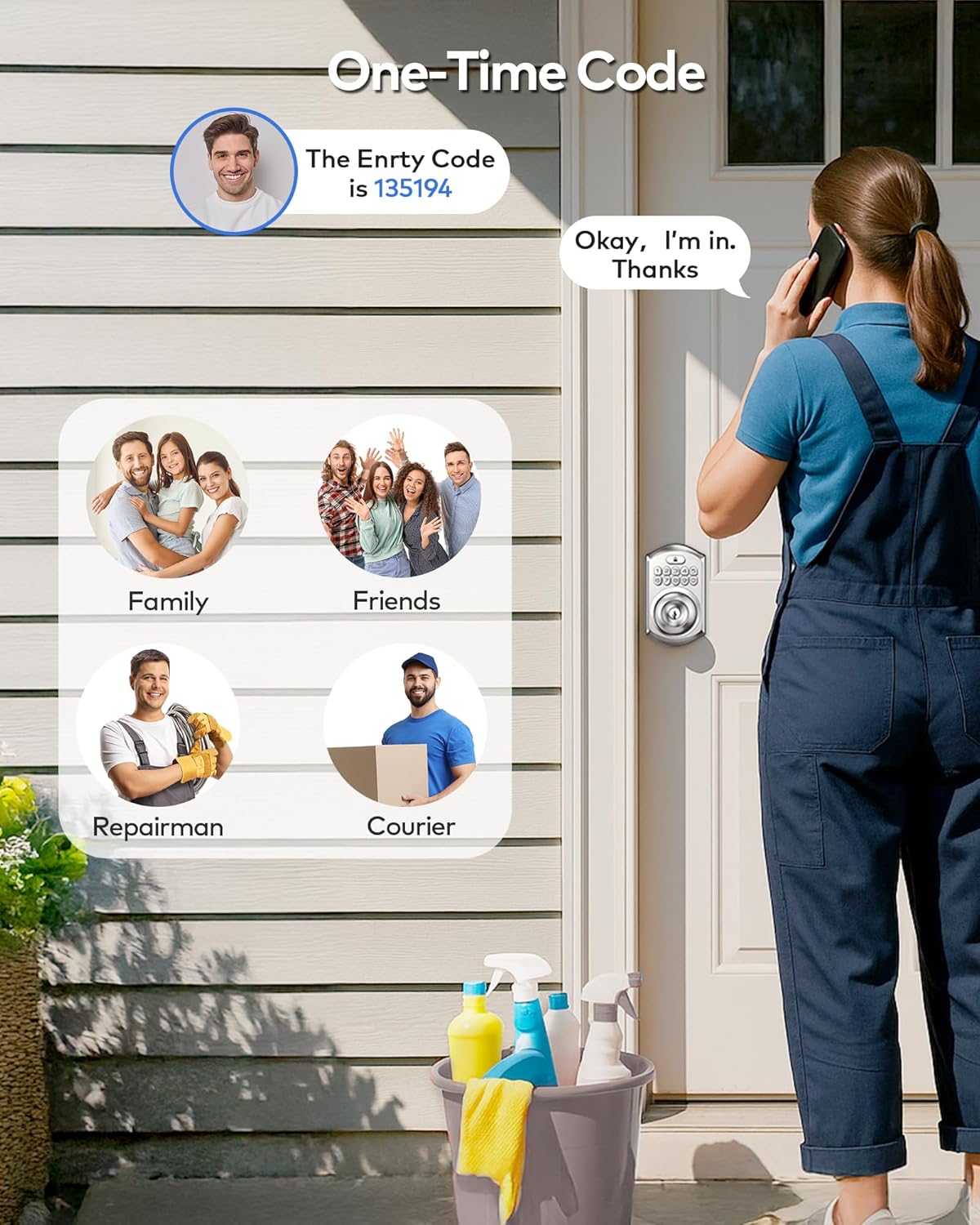
Image 4.4: One-time codes are ideal for temporary access for visitors or service providers.

Image 4.5: Backup keys provide an alternative entry method.
4.2 Бөгөттөө ыкмалары
- Автоматтык кулпулоо: The lock can be set to automatically lock within 10-99 seconds after the door closes.
- Бир тийүү кулпусу: Manually lock the door from the outside by holding any key on the keypad for 2 seconds.

Image 4.6: The lock offers both automatic and one-touch manual locking.

Image 4.7: Activate one-touch locking by holding any key for 2 seconds.

Image 4.8: The auto-lock feature can be enabled or disabled as needed.

Image 4.9: Disable auto-lock for periods of frequent entry and exit.
4.3 Өркүндөтүлгөн функциялар
- Карап чыгууга каршы сырсөз: Enter random digits before or after your actual code to prevent others from guessing your password.
- Туура эмес кодду киргизүү чеги: The lock will temporarily disable after multiple incorrect code attempts, enhancing security.
- Эс алуу режими: A security feature for extended absences.
- Үнсүз режим: Silence keypad tones for quiet operation.

Image 4.10: Use the anti-peeping feature to protect your code from onlookers.

Image 4.11: Enable mute mode for silent keypad operation.

Image 4.12: Vacation mode provides enhanced security when you are away.

Image 4.13: The interior handle includes a privacy lock for added security from within.
5. Техникалык тейлөө
5.1 Батареяны алмаштыруу
The TEEHO TE003 lock requires batteries for operation. Rechargeable batteries are not recommended. The lock features a low battery alert to notify you when replacement is needed.

Image 5.1: The lock provides a low battery alert and features a backlit keypad for visibility.
5.2 Тазалоо
Кулпуну тазалоо үчүн жумшак, гamp кездеме. Абразивдүү тазалагычтардан же эриткичтерден алыс болуңуз, алар жасалгага же электрондук компоненттерге зыян келтирет.
6. Кыйынчылыктарды
If you encounter issues with your TEEHO TE003 lock, consider the following common solutions:
- Кулпу жооп бербей жатат: Батареянын деңгээлин текшерип, зарыл болсо, алмаштырыңыз. Клавиатуранын таза жана таштандысыз экенине ынаныңыз.
- Lock not latching properly: Verify that the installation alignment is correct. Minor adjustments to the strike plate or latch may be needed. Environmental factors like door frame swelling can affect alignment over time.
- Код иштебейт: Re-enter the code carefully. Ensure you are not in vacation mode or that the one-time code has not expired.
- Баскычтоп жооп бербей жатат: If the keypad is completely unresponsive, check battery connections.
For persistent issues, please refer to the warranty and support section for customer service contact information.
7. Кепилдик жана колдоо
TEEHO is committed to customer satisfaction and provides comprehensive support for your product.
7.1 Кепилдик маалыматы
TEEHO offers a 30-day customer commitment, а 1 жылдык продукт колдоо on all parts, and lifetime after-sales customer service.
7.2 Кардарларды тейлөө
For assistance, please contact TEEHO customer service:
- Online Phone Support: Дүйшөмбүдөн жумага чейин, PST саат 9:5дөн XNUMX:XNUMXгө чейин
- Online Email Service: 24/7 жеткиликтүү
Refer to your product packaging or the official TEEHO webконкреттүү байланыш маалыматы үчүн сайт.


