1. Киришүү
Welcome to the user manual for the GekoGear Orbit C110 7" Infotainment Display. This device integrates a high-definition display with advanced dash cam and backup camera functionalities, designed to enhance your driving experience and safety. Please read this manual thoroughly before operating the device to ensure proper installation and usage.
2. Негизги өзгөчөлүктөрү
- 7-Inch IPS Touchscreen: A vibrant 7-inch IPS display provides clear visuals and intuitive touch control for all functions.
- Зымсыз Apple CarPlay & Android Auto: Seamlessly integrate your smartphone for navigation, music, calls, and more, wirelessly.
- Front and Rear 1080p Dashcams: Capture high-definition video recordings from both the front and rear of your vehicle, providing comprehensive coverage for security and evidence.
- Backup Camera with Reverse Assist: The included backup camera displays a clear view of the rear, complete with guidelines for safe and easy parking.
- Бир нече орнотуу параметрлери: Flexible installation with options for dashboard or windshield mounting using an adhesive pad or suction cup.
3. Пакеттин мазмуну
Пакетиңизде бардык буюмдар бар экенин текшериңиз:
- GekoGear Orbit C110 Infotainment Display
- Front Dash Camera (integrated)
- Rear Backup Camera
- Электр кабели
- Орнотуу үчүн жабышчаак пленка
- Сорох кубогын таһыгар
- Колдонуучунун Колдонмосу (бул документ)
4. Орнотуу жана орнотуу
4.1 Монтаждоо ордун тандоо
Select a location on your dashboard or windshield that does not obstruct your view of the road or interfere with airbag deployment. Ensure the chosen spot allows for easy access to the touchscreen.

Figure 4.1: Multiple mounting options for the Orbit C110, including an adhesive pad for dashboard placement and a suction cup for windshield mounting.
4.2 Негизги блокту орнотуу
- Clean the chosen mounting surface thoroughly to ensure proper adhesion.
- Attach the adhesive pad to the base of the main unit's stand, or secure the suction cup mount to the windshield.
- Press the unit firmly onto the prepared surface.
4.3 Арткы камераны туташтыруу
The rear camera provides a view of the area behind your vehicle, especially useful for parking. It typically connects to the main unit via a cable and can be mounted near the license plate or on the rear window.

Figure 4.2: The backup camera view displayed on the Orbit C110, showing parking guidelines for assistance.
4.4 Кубат туташтыруу
Connect the provided power cable to the Orbit C110 and then to your vehicle's 12V power outlet (cigarette lighter socket). Ensure the cable is routed safely and does not interfere with driving controls.
5. Иштөө нускамалары
5.1 Күйгүзүү/өчүрүү
The device will typically power on automatically when your vehicle starts. To manually power off, press and hold the power button located on the side of the unit.
5.2 Сенсордук экран интерфейсинде навигация
The 7-inch IPS touchscreen allows for intuitive control. Tap icons to select applications, swipe to navigate menus, and pinch-to-zoom on maps (where applicable).

Figure 5.1: Interacting with the 7-inch IPS touchscreen for navigation and other functions.
5.3 Зымсыз Apple CarPlay & Android Auto
Смартфонуңузду зымсыз туташтыруу үчүн:
- Смартфонуңузда Bluetooth жана Wi-Fi иштетилгенин текшериңиз.
- On the Orbit C110, select the "CarPlay" or "Android Auto" icon.
- Түзмөгүңүздү жупташтыруу үчүн экрандагы көрсөтмөлөрдү аткарыңыз.

Figure 5.2: The main interface of the Orbit C110, highlighting connectivity options like Apple CarPlay and Android Auto.
5.4 Камера менен иштөө
The integrated front and rear dashcams automatically begin recording when the device powers on. Recordings are saved to a microSD card (not included). Ensure a compatible microSD card is inserted for continuous recording.

Figure 5.3: The dual-channel display of the Orbit C110, showing simultaneous views from the front and rear dash cameras.
5.5 Backup Camera Activation
Унаа артка которулганда дисплей автоматтык түрдө резервдик камерага өтөт view, showing real-time footage and dynamic parking guidelines.
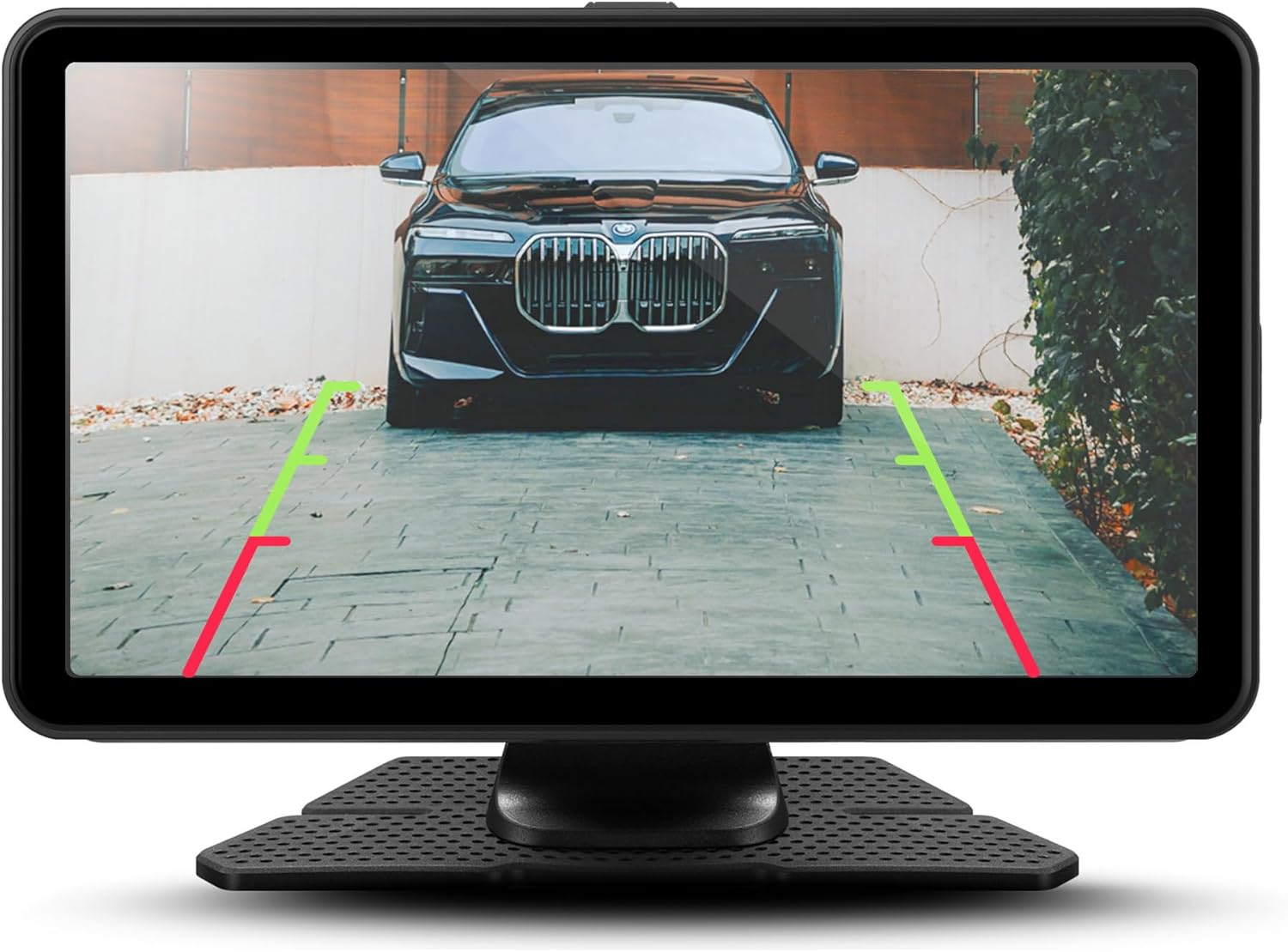
5.4-сүрөт: Детальдуу view of the backup camera feed on the Orbit C110, assisting with precise parking.
6. Техникалык тейлөө
- Экранды тазалоо: Сенсордук экранды тазалоо үчүн жумшак, түксүз чүпүрөктү колдонуңуз. Абразивдүү тазалагычтарды же эриткичтерди колдонбоңуз.
- MicroSD картасы: Periodically format the microSD card (at least once a month) to ensure optimal recording performance and prevent data corruption. Back up any important footage форматтоодон мурун.
- Камера линзалары: Keep the front and rear camera lenses clean from dust and smudges for clear video quality.
7. Кыйынчылыктарды
| Көйгөй | Мүмкүн себеп | Чечим |
|---|---|---|
| Түзмөк күйбөйт. | Электр энергиясына туташуу жок же электр кабели бузук. | Check power cable connection to the device and vehicle's 12V outlet. Ensure the vehicle's ignition is on. |
| Видеорегистратор жаздырбай жатат. | No microSD card, full microSD card, or corrupted card. | Insert a compatible microSD card. Format the card. Replace the card if corrupted. |
| Зымсыз CarPlay/Android Auto туташпай жатат. | Bluetooth/Wi-Fi off on phone, incorrect pairing, or software glitch. | Ensure Bluetooth and Wi-Fi are on. Re-pair the device. Restart both the Orbit C110 and your smartphone. |
| Камдык камера көрсөтүлбөй жатат. | Rear camera cable disconnected or faulty camera. | Check the connection of the rear camera cable to the main unit. Ensure the vehicle is in reverse. |
8. Техникалык шарттар
| Өзгөчөлүк | Деталь |
|---|---|
| Модел | Орбита C110 |
| Дисплей өлчөмү | 7 дюйм |
| Дисплей түрү | IPS LCD сенсордук экран |
| Видеорегистратордун чечилиши | 1080p (Front & Rear) |
| Байланыш | Зымсыз Apple CarPlay, зымсыз Android Auto |
| Өлчөмдөр (Продукт) | 7 x 1.5 x 4.5 дюйм |
| Элемент Салмагы | 3.45 фунт |
| Өндүрүүчү | Adesso, Inc. |
9. Кепилдик жана колдоо
For warranty information and technical support, please refer to the official myGEKOgear webсайтка же түздөн-түз кардарларды тейлөөгө кайрылыңыз. Сатып алуу квитанциясын кепилдик дооматтары үчүн сатып алуунун далили катары сактаңыз.
Расмий продукт Video:
Видео 9.1: Продукциянын расмий көргөзмөсүasing the features and functionality of the myGEKOgear ORBIT C110 7-inch Infotainment Display with Dash Cam and Backup Cam.