1. Introduction and Overview
The TTfone TT880 is a mobile phone designed for simplicity and ease of use, particularly for seniors. It features large, well-separated buttons, a clear display, and essential functions for reliable communication. Key features include an SOS emergency button, a loud speaker, and an integrated flashlight.

The TTfone TT880 mobile phone shown alongside its included mains charger, ready for initial setup.
2. Орнотуу
2.1. Пакеттин мазмуну
Пакетиңизде төмөнкү заттар бар экенин текшериңиз:
- TTfone TT880 мобилдик телефону
- Заряддалуучу батарея
- USB Type-C кубаттоочу кабель
- Mains Charger (if included with your specific model)
- User Manual
2.2. Батареяны жана SIM картаны орнотуу
- Арткы капкакты алып салуу: Телефондун арткы капкагын акырын жылдырыңыз же тартып алыңыз.
- SIM картаны салыңыз: Locate the SIM card slot. Insert your activated 2G SIM card into the designated slot, ensuring the gold contacts face downwards and the cut corner aligns correctly.
- Батарея салыңыз: Place the rechargeable battery into the battery compartment, aligning the gold contacts on the battery with the contacts in the phone.
- Арткы капкакты алмаштыруу: Арткы капкакты ордуна бекем орнотулганга чейин этияттык менен кайра бекитиңиз.
2.3. Телефонду заряддоо
Before first use, fully charge the phone battery. A full charge typically takes approximately 3 hours.
- Connect the USB Type-C charging cable to the charging port at the bottom of the phone.
- Connect the other end of the USB cable to the included mains charger or a compatible USB power adapter.
- Plug the charger into a wall outlet. The battery indicator on the phone screen will show charging status.
- Толук заряддалгандан кийин заряддагычты ажыратыңыз.

The TTfone TT880 connected via its USB-C port for charging, with the screen indicating battery percentage.
2.4. Күйгүзүү / Өчүрүү
- Күйгүзүү үчүн: басып, кармап туруңуз Жашыл чалуу баскычы экран жарыктанганга чейин.
- Өчүрүү үчүн: басып, кармап туруңуз Кызыл түстөгү чалууну аяктоо баскычы until the phone powers down.
3. Телефонду иштетүү
3.1. Баскычтоп жана навигация
The TT880 features a large, easy-to-use keypad with speaking keys for enhanced accessibility.

The TTfone TT880 features a simplified keypad with large, well-separated buttons for easy dialing and navigation.
- Number Keys (0-9, *, #): Номерлерди терүү жана текст киргизүү үчүн колдонулат.
- Green Call Button: Чалууну баштайт же кирүүчү чалууга жооп берет.
- Red End Call Button: Ends a call or returns to the idle screen.
- Чабыттоо баскычтары: The central circular button with up/down/left/right arrows is used to navigate menus. The center button within the circle typically acts as a 'Select' or 'OK' button.
- Меню баскычы: Accesses the main menu of the phone.
- Телефон китепчесинин баскычы: Directly accesses your saved contacts.
3.2. Чалууларды кабыл алуу жана кабыл алуу
- Чалуу үчүн: Телефон номерин баскычтопту колдонуп киргизип, баскычты басыңыз Жашыл чалуу баскычы.
- Чалууга жооп берүү үчүн: Телефон шыңгыраганда, басыңыз Жашыл чалуу баскычы.
- Чалууну аяктоо үчүн: басыңыз Кызыл түстөгү чалууну аяктоо баскычы.
3.3. SMS билдирүүлөрдү жөнөтүү жана алуу
- To Send an SMS: Navigate to the 'Messages' menu, select 'Write Message', enter your text using the keypad, and then select 'Send' to a contact or entered number.
- To Read an SMS: New messages will typically appear as a notification. Navigate to the 'Messages' menu and select 'Inbox' to view кабыл алынган билдирүүлөр.
3.4. SOS өзгөчө кырдаал функциясы
The TT880 features a dedicated SOS button for emergencies. This function allows you to quickly contact pre-defined numbers.

The dedicated SOS button on the back of the TTfone TT880 allows for quick activation of emergency calls and messages to pre-set contacts.
- SOS номерлерин орнотуу: Access the 'SOS Settings' in the phone's menu to add up to five emergency contact numbers. These contacts will receive an SMS and/or a call when the SOS button is pressed.
- SOSту иштетүү: Шашылыш учурда, баскычын басып, кармап туруңуз SOS баскычы on the back of the phone for a few seconds. The phone will automatically send an emergency SMS to the pre-set numbers and then begin dialing them in sequence until one is answered.
3.5. Фонар
The TT880 includes a convenient built-in flashlight.
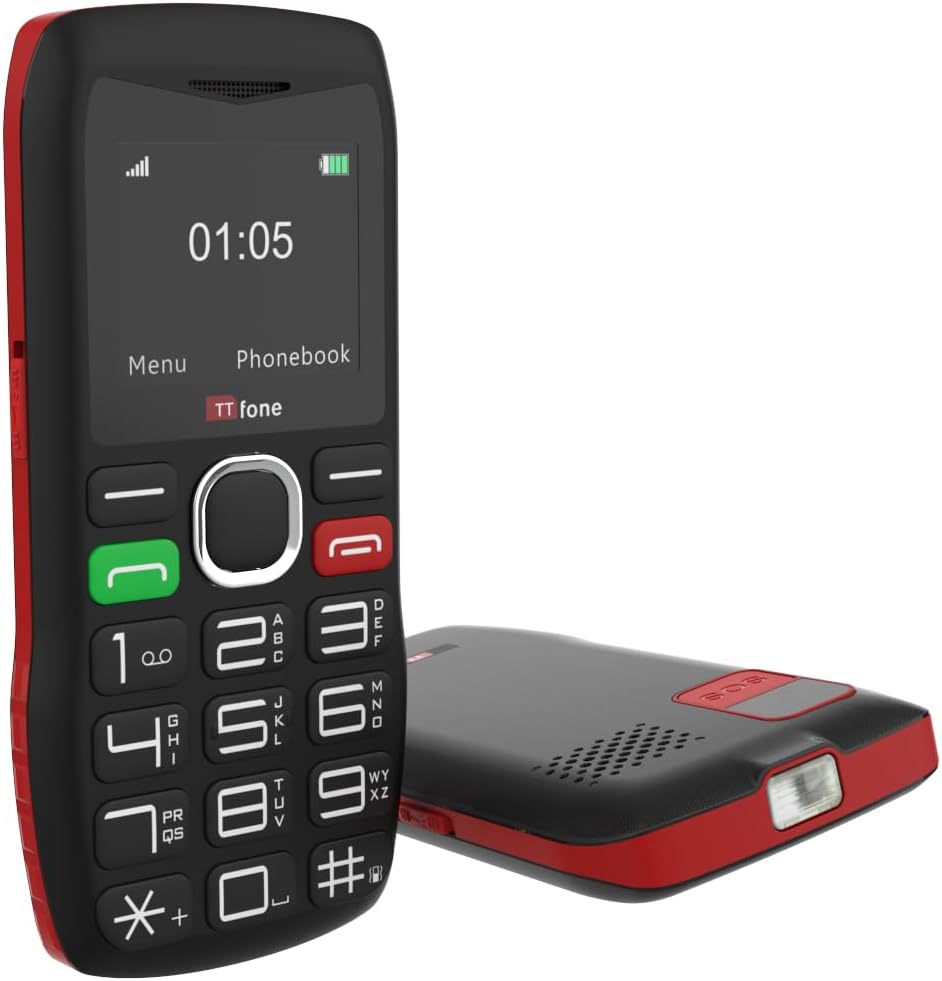
The TTfone TT880 includes a built-in flashlight, activated by a dedicated switch for convenience in low-light conditions.
- Күйгүзүү/өчүрүү үчүн: Locate the dedicated flashlight switch on the side of the phone. Slide the switch to activate or deactivate the flashlight.
3.6. Үндү башкаруу
The phone features an extra loud speaker for clear audio during calls.
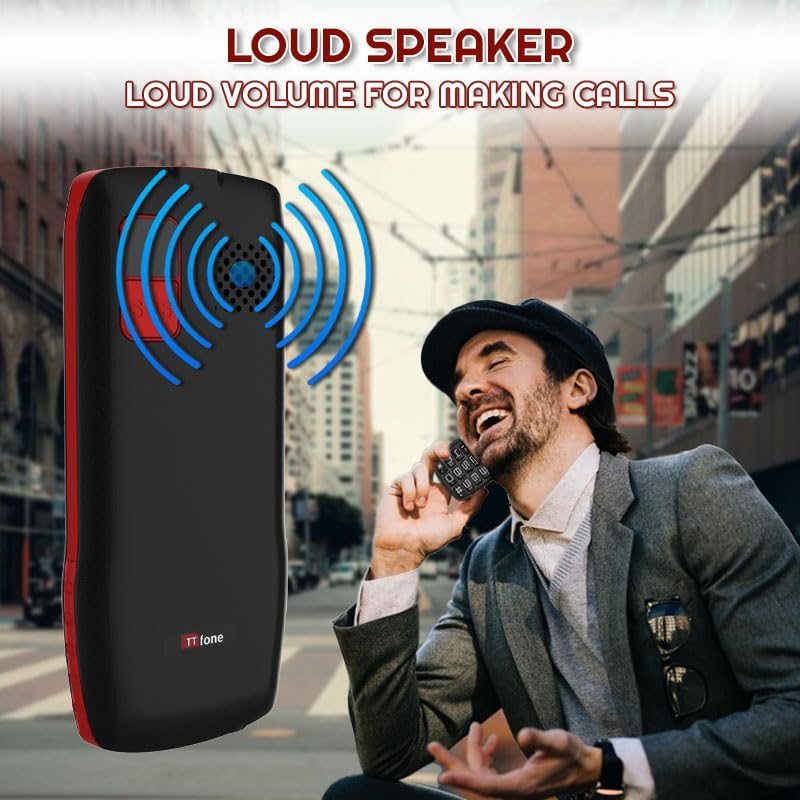
The TTfone TT880 is equipped with an extra loud speaker, designed to enhance call clarity and hands-free communication.
- During a call, use the volume up/down buttons (usually on the side of the phone) to adjust the earpiece or loudspeaker volume.
- Ringtone and notification volumes can be adjusted through the 'Settings' menu.
3.7. Телефон китепчеси
Тез жетүү үчүн көп чалынган номерлерди телефон китепчесине сактап коюңуз.
- Байланыш кошуу үчүн: Go to 'Phonebook' from the main menu, select 'Add New Contact', enter the name and number, then save.
- To Call a Contact: Access the 'Phonebook', select the desired contact, and press the Жашыл чалуу баскычы.
3.8. Bluetooth байланышы
The TT880 supports Bluetooth for connecting to compatible devices like headsets.
- To Enable Bluetooth: Navigate to 'Settings' > 'Bluetooth' and turn it 'On'.
- To Pair a Device: тандоо 'Издөө devices' and choose your desired Bluetooth device from the list. Follow on-screen prompts to complete pairing.
4. Техникалык тейлөө
4.1. Тазалоо
To maintain the phone's condition, wipe it regularly with a soft, dry cloth. Avoid using harsh chemicals or abrasive cleaners.
4.2. Батареяга кам көрүү
- Батареяны экстремалдуу температурага тийгизүүдөн сактаңыз.
- Батареяны тешип же зыян келтирбеңиз.
- If the phone will not be used for an extended period, charge it periodically to prevent deep discharge.
4.3. Айлана-чөйрөнү коргоо
The TT880 has an IP54 rating, indicating some resistance to dust and splashing water. However, it is not waterproof. Avoid submerging the phone in water or exposing it to heavy rain.
5. Кыйынчылыктарды
If you encounter issues with your TTfone TT880, refer to the following common problems and solutions:
| Көйгөй | Мүмкүн чечим |
|---|---|
| Телефон күйбөйт | Ensure the battery is correctly installed and fully charged. Press and hold the Green Call button for several seconds. |
| Чалууларды кабыл алуу же жасоо мүмкүн эмес | Check if the SIM card is properly inserted and activated. Verify that you have network signal. Ensure the phone is not in airplane mode. |
| Poor call quality or low volume | Adjust the call volume using the side buttons during a call. Ensure the speaker is not obstructed. Move to an area with better network coverage. |
| SOS баскычы иштебей жатат | Verify that emergency contact numbers are correctly set in the SOS settings. Ensure the phone has network signal. |
| Батарея бат эле түгөнөт | Ensure the phone is fully charged. Reduce screen brightness. Close unused applications. If the issue persists, the battery may need replacement. |
| Телефон заряддалбай жатат | Check if the charging cable and adapter are securely connected and undamaged. Try a different power outlet or USB port. Ensure the charging port on the phone is clean. |
6. Техникалык шарттар
Below are the technical specifications for the TTfone TT880 mobile phone:
| Өзгөчөлүк | Деталь |
|---|---|
| Бренд | TTfone |
| Модел | TT880 |
| Дисплей өлчөмү | 1.8 дюйм |
| Дисплей түрү | LCD |
| Display Resolution | 128 x 160 пиксель |
| Батарея сыйымдуулугу | 800 мАч литий-ион |
| Average Battery Life (Talk Time) | 6 саатка чейин |
| Батареянын орточо иштөө мөөнөтү (күтүү режиминде) | Up to 72 hours (3 days) / Up to 5 days (as per product description) |
| Заряддоо убактысы | Болжол менен 3 саат |
| Мобилдик технология | 2G |
| Байланыш | Bluetooth, USB Type-C |
| Өзгөчөлүктөр | Easy to operate, Long battery life, SOS emergency call button, USB Type-C, No camera, Loud speaker, Flashlight |
| RAM эс тутуму | 32 MB |
| Flash Memory Capacity | 32 MB |
| Өлчөмдөрү (пакет) | 26.2 x 18 x 3.4 см |
| Салмагы (пакет) | 240 г |
| IP рейтинги | IP54 (чаңга жана чачыратууга туруктуу) |
7. Кепилдик жана колдоо
7.1. Кепилдик маалыматы
The TTfone TT880 is manufactured by TTfone. For specific warranty terms and conditions, please refer to the warranty card included with your product or contact TTfone directly. Keep your proof of purchase for warranty claims.
7.2. Кардарларды колдоо кызматы
If you require further assistance or encounter issues not covered in this manual, please contact TTfone customer support. Contact details can typically be found on the manufacturer's webсайтында же продуктунун таңгагында.


