Introduction
Сатып алганыңыз үчүн рахматasing the Greadio Portable CD and Cassette Player Boombox. This device offers multiple audio playback options including CD, cassette, FM radio, Bluetooth, USB, AUX, and TF/SD card. Please read this manual carefully before use to ensure proper operation and to maximize your listening experience.

Сүрөт: бүттүview of the Greadio CD-W16 Boombox highlighting its various functions.
Жайгашуу
Пакеттен чыгаруу
Бардык компоненттерди таңгактан кылдаттык менен алып салыңыз. Бардык элементтер бар экенин текшериңиз:
- Greadio CD-W16 Portable CD and Cassette Player
- Алыстан башкаруу
- C түрүндөгү кубаттоочу кабель
- Колдонуучунун Колдонмосу (бул документ)
Кубат жана кубаттоо
The boombox is equipped with a built-in 5000mAh rechargeable lithium-ion battery. For initial use, it is recommended to fully charge the device.
- Connect the provided Type-C charging cable to the charging port on the boombox.
- Кабелдин экинчи учун 5V/2A USB кубат адаптерине туташтырыңыз (кошулмага кирбейт).
- The charging indicator will illuminate. A full charge typically takes approximately 3 hours.
- Once fully charged, the device can provide up to 16 hours of playback time.
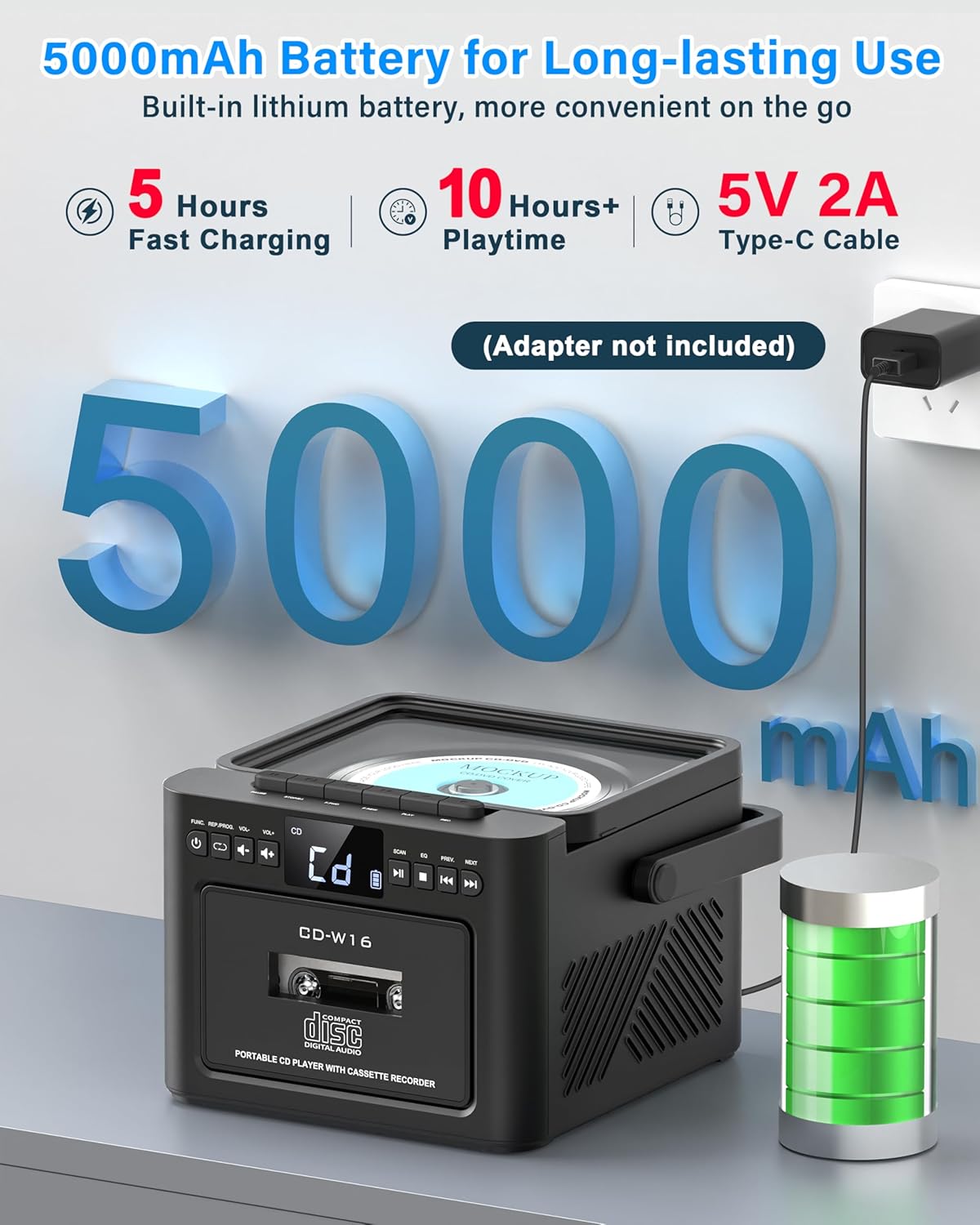
Image: Illustrates the 5000mAh battery and Type-C charging process.
Алыстан башкаруу
Insert two AAA batteries (not included) into the remote control. The remote allows for convenient operation of various functions from a distance.
Иштөө нускамалары
Жалпы көзөмөл
The boombox features an LED display and various buttons for control. Refer to the device's front panel for button layout. Use the 'MODE' button to switch between different playback sources (CD, Cassette, FM, Bluetooth, USB, AUX, TF/SD).
CD ойнотуу
- CD бөлүктүн капкагын ачыңыз.
- Place a CD (compatible with CD, CD-R, CD-RW formats) onto the spindle with the label side facing up.
- CD бөлүктүн капкагын жабыңыз.
- Select 'CD' mode using the 'MODE' button.
- Press the 'PLAY/PAUSE' button to start playback.
- Use the 'PREV' and 'NEXT' buttons to skip tracks. Hold them to fast forward or rewind.
Программалоо функциясы: In CD mode, press the 'PROG' button to create a custom playlist of up to 20 tracks. Select tracks using 'PREV/NEXT' and confirm with 'PROG'.
Кайталоо режими: Press the 'REPEAT' button to cycle through repeat options: repeat single track, repeat all tracks, or shuffle.

Image: Demonstrates CD playback and remote control usage.

Image: Programming function in CD/USB Mode.

Image: Repeat function options.
Кассетаны ойнотуу жана жаздыруу
- Кассеталык бөлүмдүн эшигин ачыңыз.
- кассетаны салыңыз.
- Кассета бөлүмүнүн эшигин жабыңыз.
- Select 'TAPE' mode using the 'MODE' button.
- Use the cassette control buttons (Play, Stop, Fast Forward, Rewind) to operate.
Жаздыруу: In TAPE mode, you can record audio from other sources (CD, USB, Bluetooth, AUX, Radio) onto a blank cassette. Ensure a blank cassette is inserted and press the 'RECORD' button while the desired source is playing.

Image: Cassette playback and recording capabilities.
FM радиосу
- Оптималдуу кабыл алуу үчүн телескоптук антеннаны узартыңыз.
- Select 'FM' mode using the 'MODE' button.
- Press the 'SCAN' button to automatically search and save available FM stations (up to 30 presets).
- Use the 'PREV' and 'NEXT' buttons to navigate through saved stations or manually tune.
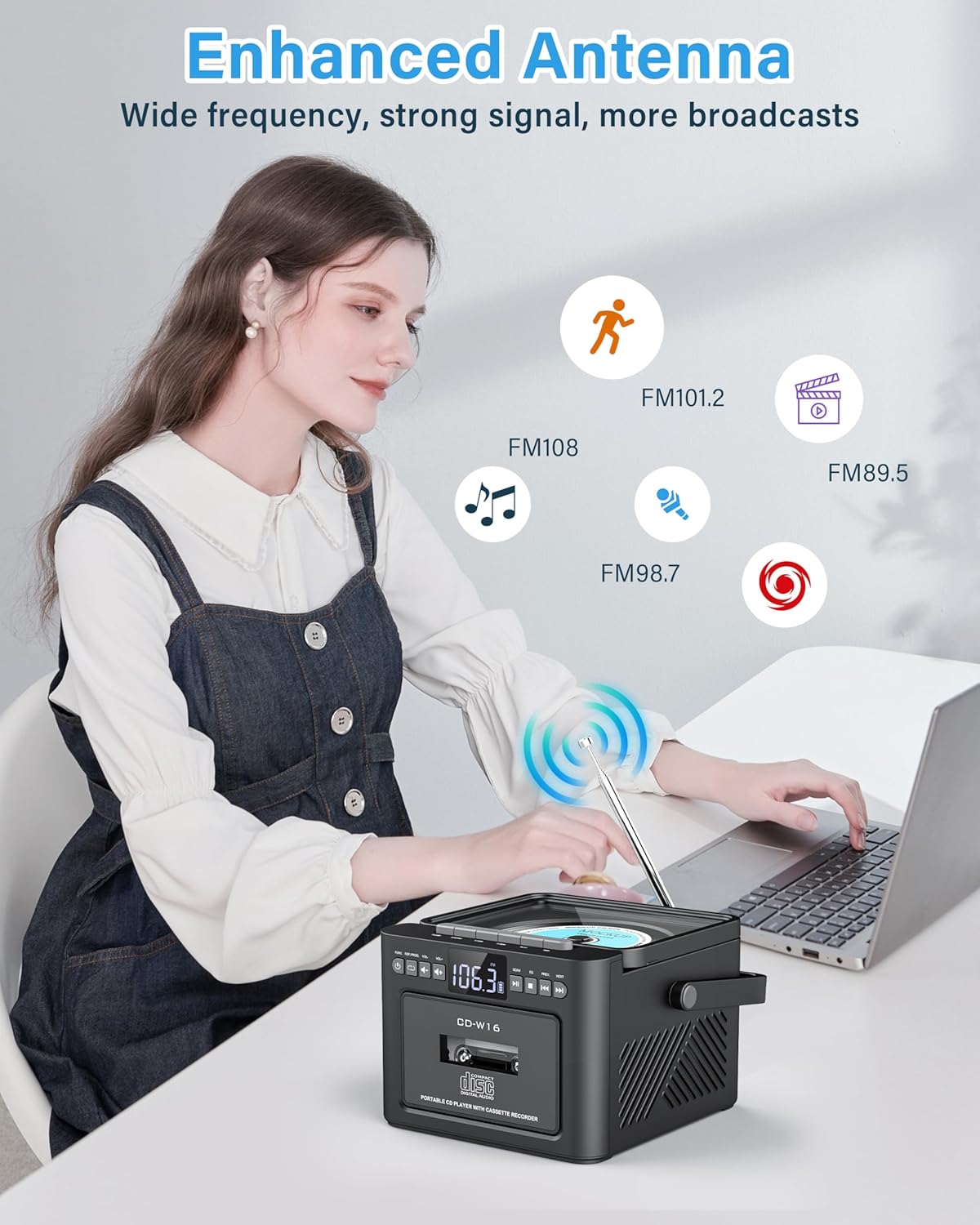
Image: Enhanced antenna for FM radio reception.
Bluetooth режими
The boombox supports Bluetooth 5.1 for both transmitting and receiving audio.
Bluetooth Receiver Mode (Playing audio from your phone/tablet)
- Select 'BT' mode using the 'MODE' button. The LED display will show 'BLUE' and flash, indicating it's ready for pairing.
- On your mobile device, enable Bluetooth and search for 'Greadio CD-W16'.
- Select 'Greadio CD-W16' to pair. Once connected, the 'BLUE' indicator will stop flashing.
- You can now play audio from your device through the boombox.
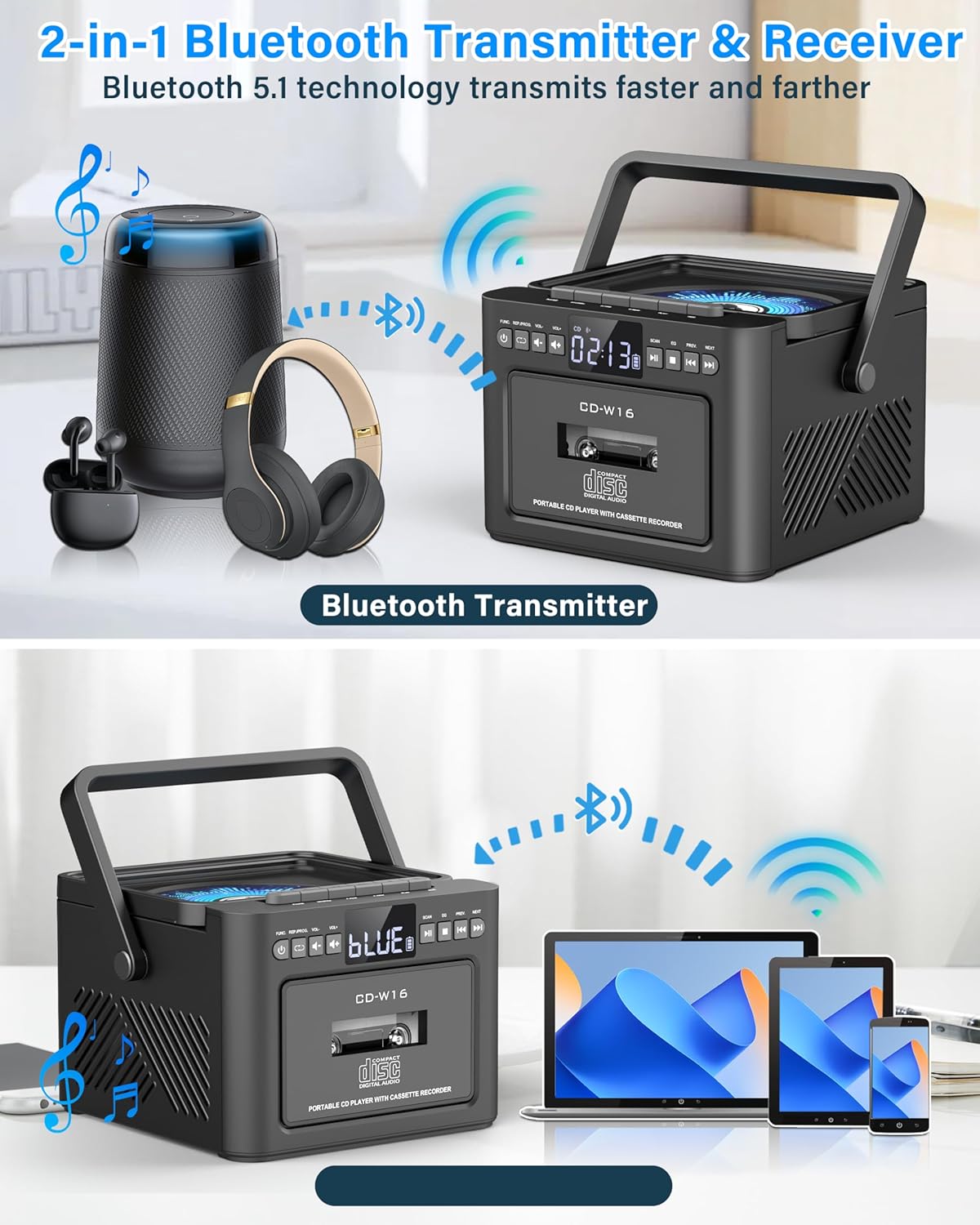
Image: Bluetooth Transmitter & Receiver functionality.
Bluetooth Transmitter Mode (Sending audio from boombox to headphones/speakers)
- Bluetooth гарнитураңыз же динамигиңиз жупташтыруу режиминде экенин текшериңиз.
- On the boombox, select the desired audio source (CD, Cassette, USB, TF/SD).
- Press and hold the Bluetooth button on the boombox to enter transmitting mode. The boombox will search for nearby Bluetooth devices.
- Once connected, audio from the boombox will play through your paired Bluetooth headphones or speaker.
USB/TF/SD Card Playback
- Insert a USB flash drive into the USB port or a TF/SD card into the card slot. The device supports cards up to 32GB and MP3 format.
- Select 'USB' or 'TF' mode using the 'MODE' button.
- The device will automatically begin playing MP3 files.
- Use the 'PREV' and 'NEXT' buttons to navigate tracks.
AUX киргизүү
- Connect an external audio device (e.g., smartphone, MP3 player) to the AUX-IN port using a 3.5mm audio cable (not included).
- Select 'AUX' mode using the 'MODE' button.
- Туташкан тышкы түзмөгүңүздөн аудиону ойнотуңуз.

Image: Multi-mode playback options including AUX, USB, and TF card.
Sound Settings (EQ Modes)
The boombox features dual 5W stereo speakers and 5 Equalizer (EQ) modes to customize your audio experience. Press the 'EQ' button to cycle through the available modes:
- НОРМалдуу: Standard sound profile.
- РОК: Рок музыкасы үчүн жакшыртылган бас жана жогорку жыштыктар.
- POP: Optimized for pop music.
- Джаз: Balanced sound for jazz.
- КЛАСС: Suited for classical music.
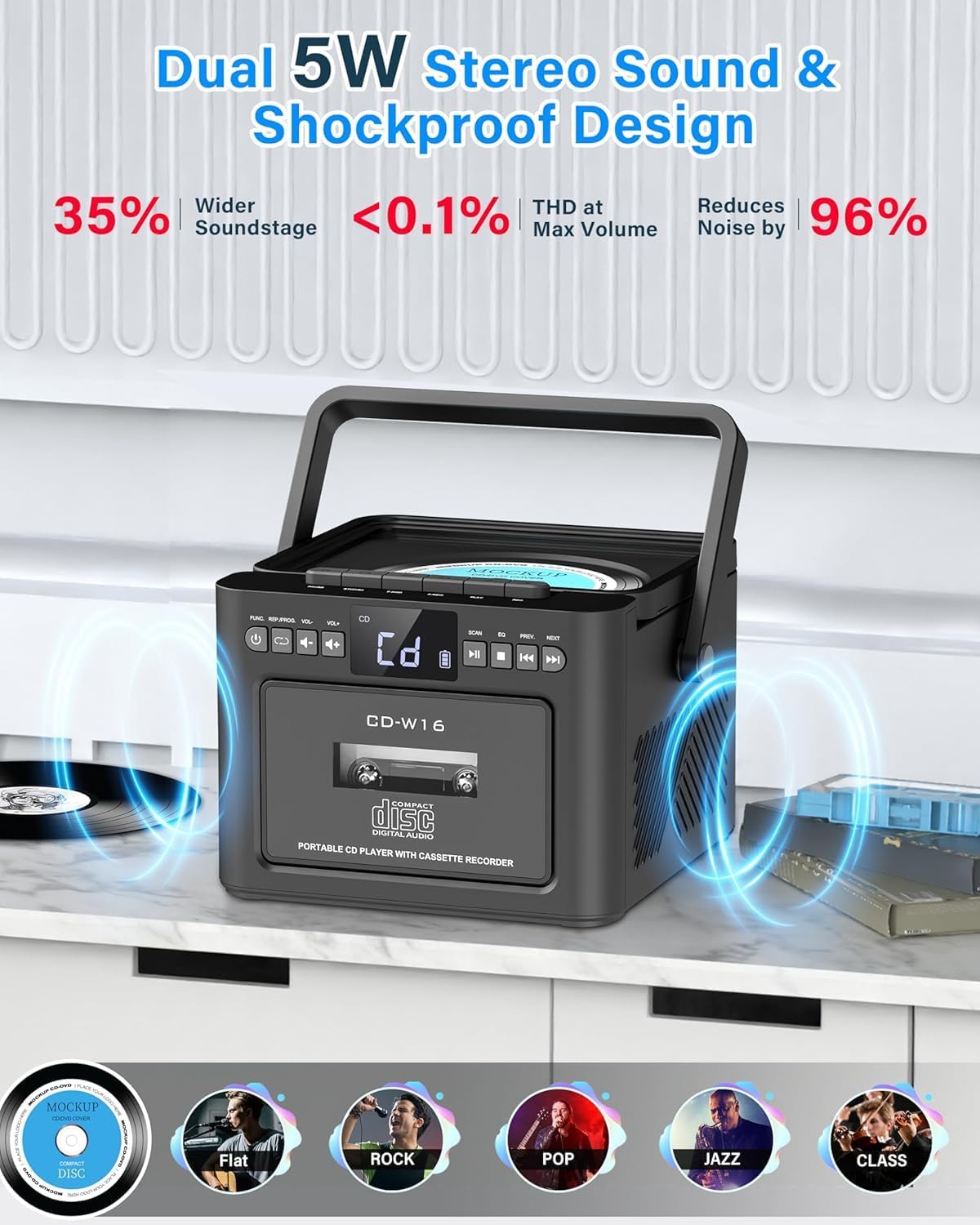
Image: Dual 5W stereo sound and EQ modes.
Уйку таймери
You can set a sleep timer to automatically turn off the boombox after a specified period, conserving battery life.
- Press the 'SLEEP' button.
- Repeatedly press 'SLEEP' to cycle through timer options (e.g., 10, 20, 30, 60, 90, 120 minutes).
- The boombox will automatically power off after the selected time.

Image: Sleep Timer function.
Техникалык тейлөө
Тазалоо
- Wipe the exterior of the boombox with a soft, dry cloth.
- Абразивдүү тазалагычтарды, момдорду же эриткичтерди колдонбоңуз, анткени алар финишке зыян келтириши мүмкүн.
- CD линзасы үчүн атайын CD линзасын тазалагычты колдонуңуз.
- Кассета башын тазалоо үчүн кассета башын тазалоочу комплектти колдонуңуз.
Батареяга кам көрүү
- Батареянын иштөө мөөнөтүн узартуу үчүн, бат-баттан батарейканы толук зарядсыздандырбаңыз.
- Recharge the battery when the low battery indicator appears.
- If the device will not be used for an extended period, charge it to approximately 50% before storage and recharge every few months.
CD and Cassette Care
- Handle CDs and cassettes by their edges to avoid fingerprints and scratches.
- Store CDs in their cases and cassettes in their original packaging or suitable storage boxes.
- Keep media away from direct sunlight, heat, and excessive dust.
Проблемаларды чечүү
| Көйгөй | Мүмкүн себеп | Чечим |
|---|---|---|
| Күч жок | Батарея түгөндү; Кубат кабели туташтырылган эмес. | Recharge the battery; Ensure Type-C cable is securely connected. |
| Үн жок | Volume is too low; Incorrect mode selected; Headphones connected. | Increase volume; Select correct playback mode; Disconnect headphones if using speakers. |
| CD ойнотулбай жатат же ойнотулбай жатат | CD is dirty or scratched; CD inserted incorrectly; Incompatible CD format. | Clean or replace CD; Insert CD with label side up; Ensure CD is CD/CD-R/CD-RW format. |
| Cassette not playing | Cassette inserted incorrectly; Tape is damaged. | Ensure cassette is inserted correctly; Try a different cassette. |
| Bluetooth жупташтыруу ишке ашпай калды | Boombox not in pairing mode; Device too far; Bluetooth disabled on external device. | Ensure boombox is in BT mode and flashing; Move devices closer; Enable Bluetooth on your device. |
| FM радиосун кабыл алуу начар | Антенна узартылган эмес; Алсыз сигнал аймагы. | Телескопиялык антеннаны толугу менен сунуп, тууралаңыз; Түзмөктү башка жерге жылдырып көрүңүз. |
Техникалык шарттар
- Бренд: Greadio
- Модел: CD-W16
- Чыгуу кубаттуулугу: Кош 5 Вт стерео динамиктер
- Батарея: Камтылган 5000mAh литий-ион
- Заряддоо: Type-C, 5V/2A
- Заряддоо убактысы: Болжол менен 3 саат
- Ойнотуу убактысы: 16 саатка чейин
- Байланыш: Bluetooth 5.1, USB, AUX-IN, TF/SD Card
- Колдоого алынган аудио форматтары: CD, CD-R, CD-RW, MP3 (USB/TF/SD)
- FM радио жыштыгы: 87.5-108.0 МГц
- USB/TF/SD Card Capacity: 32 ГБ чейин
- Өлчөмдөрү (L x W x Y): 19.2 x 13.11 x 19.2 см (7.56 x 5.16 x 7.56 дюйм)
- Салмагы: 1.52 кг (3.35 фунт)
- Камтылган аксессуарлар: User Manual, Type-C Cable, Remote Control
Кепилдик жана колдоо
Кепилдик маалымат
This Greadio product comes with a 12-month warranty from the date of purchase. Additionally, a 30-day money-back guarantee is provided.
Кардарларды колдоо
For any questions, technical assistance, or warranty claims, please contact Greadio customer service. 24/7 customer support is available.
Refer to the product packaging or the official Greadio webконкреттүү байланыш маалыматы үчүн сайт.


