1. Киришүү
The KADAMS Pomodoro Productivity Interval Timer (Model K6219) is a versatile time management tool designed to enhance focus and efficiency across various activities. It features three distinct modes: Pomodoro, Countdown, and Count-Up, making it suitable for study sessions, gym workouts, cooking, and more. This manual provides comprehensive instructions for setting up, operating, and maintaining your timer.
2. Продукт бүтүп калдыview
2.1 Компоненттер
- KADAMS Pomodoro Productivity Interval Timer Unit
- Instruction Manual
2.2 Негизги өзгөчөлүктөрү
- 3 Иштөө режимдери: Easily switch between Pomodoro, Countdown, and Count-Up modes.
- Customizable Pomodoro: Adjust work and rest periods to fit your specific needs.
- Progress Visualization: A circular display shows total countdown time, and a progress bar indicates time remaining in the current work or rest period.
- Game Controller Design: Intuitive analog sticks for setting rounds, work time, and rest time.
- Multi-usage Compatibility: Ideal for exam preparation, HIIT, CrossFit, Cardio, Weightlifting, Strength Training, Tabata, and more.
- 2 Монтаждоо параметрлери: Features a versatile flip stand for desk use and magnetic pads for attachment to metallic surfaces.
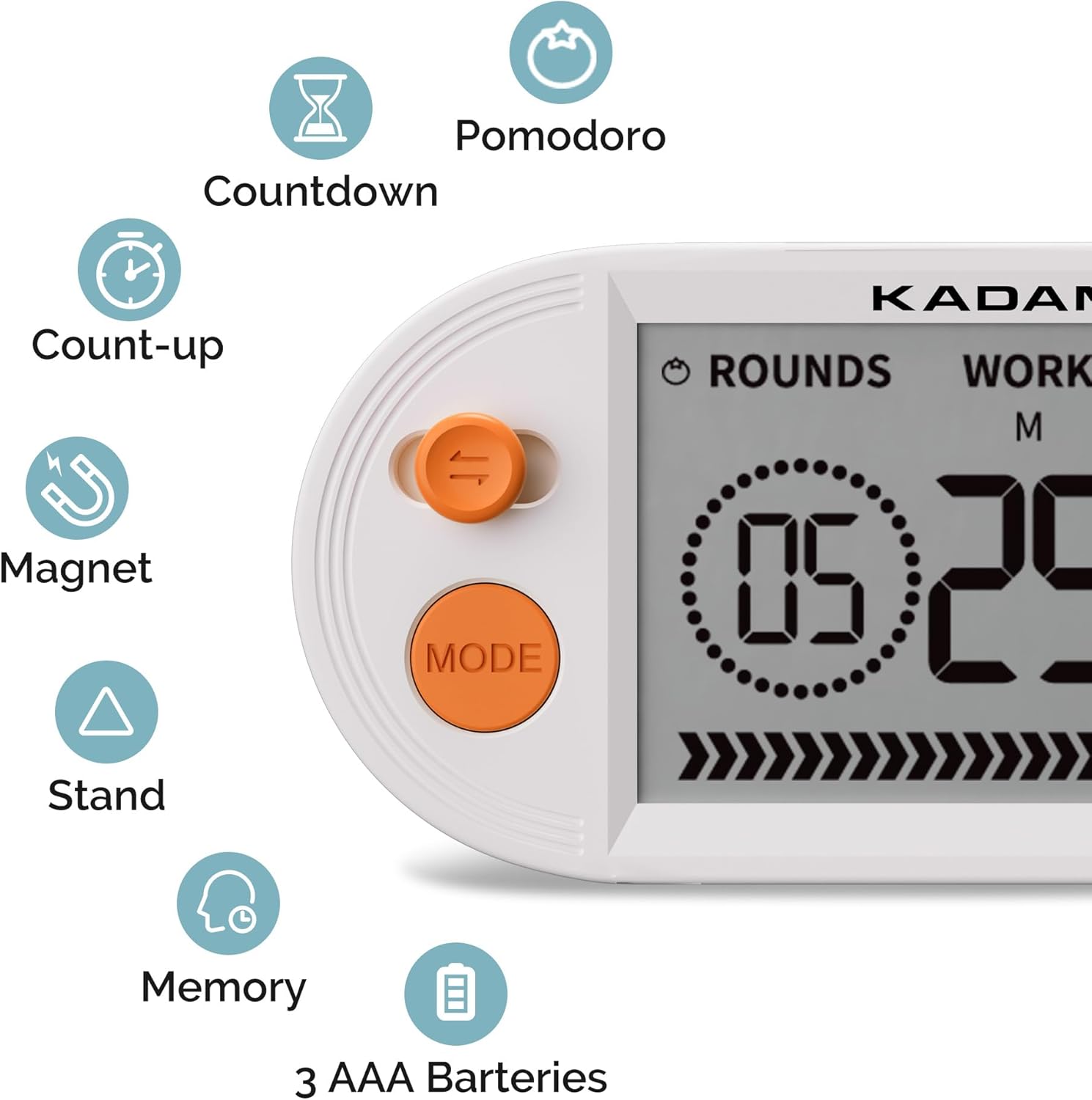
Figure 1: ашыкview of KADAMS Timer features including its three modes, magnetic back, and flip stand.

Figure 2: The timer's versatile design allows for magnetic mounting or use with its integrated flip stand.
3. Орнотуу
3.1 Батареяны орнотуу
The KADAMS timer requires 3 AAA batteries (not included). Follow these steps to install them:
- Таймердин артындагы батарея бөлүкчөсүн табыңыз.
- Open the battery cover by sliding it off or gently prying it open.
- Insert 3 AAA batteries, ensuring correct polarity (+ and - ends match the indicators).
- Батареянын капкагын бекем орнотуңуз.

Figure 3: Open the flip stand to access the battery compartment.

Figure 4: Slide the battery cover downwards to open.

Figure 5: Insert three AAA batteries, observing correct polarity.
4. Иштөө нускамалары
4.1 Күйгүзүү/өчүрүү
The timer automatically powers on once batteries are installed. To conserve battery life, the display will dim after a period of inactivity. To fully power off, remove the batteries.
4.2 Режимди тандоо
басыңыз РЕЖИМ button on the left side of the timer to cycle through the available modes: Pomodoro, Countdown, and Count-Up.
4.3 Pomodoro Mode
This mode allows you to set work and rest intervals for focused productivity. The display shows 'ROUNDS', 'WORK', and 'REST'.
- Басыңыз РЕЖИМ until 'ROUNDS' is displayed. Use the left analog stick to adjust the number of Pomodoro rounds.
- басыңыз OK button to confirm and move to 'WORK' time setting. Use the right analog stick to set the work duration (minutes and seconds).
- Басыңыз OK again to confirm and move to 'REST' time setting. Use the right analog stick to set the rest duration.
- Басыңыз OK one last time to confirm all settings. The timer is now ready.
- Press the right analog stick (Play/Pause) to start the Pomodoro sequence. The timer will count down the work period, then the rest period, for the set number of rounds.

Figure 6: Setting the number of rounds in Pomodoro mode.

Figure 7: Setting the work duration for each Pomodoro round.

Figure 8: Setting the rest duration between Pomodoro work periods.
4.4 Артка саноо режими
To use the Countdown mode:
- Басыңыз РЕЖИМ until 'COUNTDOWN' is displayed.
- Use the analog sticks to set your desired countdown time (minutes and seconds).
- Press the right analog stick (Play/Pause) to start the countdown.
4.5 Count-Up Mode
To use the Count-Up mode:
- Басыңыз РЕЖИМ until 'COUNT-UP' is displayed.
- Press the right analog stick (Play/Pause) to start counting up from zero.
4.6 Volume and Brightness Adjustment
The timer features adjustable volume and screen brightness. Refer to the included quick start guide for specific button combinations to modify these settings.
Video 1: Demonstrates the KADAMS timer's three modes (Pomodoro, countdown, count-up) and its suitability for HIIT and study focus.
5. Техникалык тейлөө
5.1 Тазалоо
To clean your KADAMS timer, gently wipe the surface with a soft, dry cloth. Avoid using abrasive cleaners or solvents, as these may damage the display or casing.
5.2 Сактоо
When not in use for extended periods, store the timer in a cool, dry place. Remove batteries if storing for several months to prevent leakage.
6. Кыйынчылыктарды
6.1 Жалпы маселелер жана чечимдер
- Timer not powering on: Батареялар туура орнотулганын жана заряды түгөнүп калбаганын текшериңиз. Зарыл болсо, жаңы AAA батарейкалары менен алмаштырыңыз.
- Дисплей күңүрт же окулбайт: Check battery level. If batteries are low, replace them. Adjust screen brightness settings if applicable.
- Ойготкуч өтө акырын иштеп жатат же үнү чыкпай жатат: Verify that the volume setting is not muted or set too low. Adjust the volume as needed.
- Баскычтар жооп бербейт: Ensure the timer is not in a locked mode (if applicable, refer to quick start guide). Remove and reinsert batteries to perform a soft reset.
7. Техникалык шарттар
| Өзгөчөлүк | Деталь |
|---|---|
| Бренд | КАДАМС |
| Модель номери | K6219 |
| Түс | Ачык күрөң |
| Материал | Акрилонитрил бутадиен стирол, LCD |
| Продукциянын өлчөмдөрү | 6.1"D x 1.1"W x 2.7"H |
| Элемент Салмагы | 6.4 унция (0.18 килограмм) |
| Орнотуулардын саны | 3 (Pomodoro, Countdown, Count-Up) |
| Screen Size | 5.7 дюйм |
| Батареялар талап кылынат | Ооба (3 AAA батарейкасы) |
| Камтылган компоненттер | Таймер бирдиги |
8. Кепилдик жана колдоо
8.1 Кепилдик маалыматы
This KADAMS product comes with a 1-year warranty from the date of purchase. Please retain your proof of purchase for warranty claims.
8.2 Кардарларды колдоо
For any questions, technical assistance, or warranty claims, please contact KADAMS customer support through the retailer's platform or visit the official KADAMS webбайланыш маалыматы үчүн сайт.


