1. Киришүү
The Roborock S8 MaxV Ultra is an advanced robotic cleaner designed to provide comprehensive automated cleaning for your home. It integrates powerful vacuuming with intelligent mopping capabilities, supported by an innovative RockDock Ultra for hands-free maintenance. This manual provides essential information for setting up, operating, maintaining, and troubleshooting your device to ensure optimal performance.

Figure 1: Roborock S8 MaxV Ultra Robotic Cleaner and RockDock Ultra. The image displays the white robotic vacuum cleaner alongside its matching white docking station, with a smartphone screen showing the accompanying mobile application.
2. Орнотуу
2.1 Пакеттен чыгаруу
Бардык компоненттерди таңгактан этияттык менен алып салыңыз. Роботтон жана RockDock Ultraдан бардык коргоочу пленкаларды жана таңгактоочу материалдарды алып салыңыз.
2.2 Dock Placement
Place the RockDock Ultra on a hard, level surface against a wall. Ensure there is at least 0.5 meters (1.6 feet) of clear space on both sides of the dock and 1.5 meters (4.9 feet) in front of it. Avoid placing the dock in direct sunlight or near heat sources. Connect the power cable to the dock and plug it into a power outlet.
2.3 Алгачкы заряддоо
Place the robot onto the RockDock Ultra. The robot will automatically align and begin charging. For first use, it is recommended to fully charge the robot before operation. The indicator light on the robot will show charging status.
2.4 Колдонмо туташуусу
Download the Roborock app from your mobile device's app store. Follow the in-app instructions to add your S8 MaxV Ultra. This typically involves connecting to the robot's Wi-Fi hotspot and then connecting the robot to your home Wi-Fi network. The app allows for advanced control, scheduling, and feature management.

Figure 2: The 8-in-1 RockDock Ultra. This diagram highlights the key functionalities of the docking station, including intelligent dirt detection, auto detergent dispenser, heated air drying, hot water mop washing, auto dust emptying, dock self-cleaning, auto tank refilling, and 30% faster charging with off-peak charging.
3. Операция
3.1 Тазалоону баштоо жана токтотуу
Press the power button on the robot or use the Roborock app to start a cleaning cycle. Press the button again or use the app to pause/resume cleaning. To send the robot back to the dock, press the home button on the robot or use the app.
3.2 Тазалоо режимдери
The S8 MaxV Ultra supports various cleaning modes configurable via the app:
- Вакуум гана: Кургак калдыктарды чогултуу үчүн.
- Швабра гана: For wet cleaning without vacuuming.
- Чаң соргуч: Бир убакта чаң соргуч жана сүртүү.
- Ыңгайлаштырылган: Define specific areas or rooms for cleaning.
3.3 Smart өзгөчөлүктөрү
- Reactive AI 2.0 Obstacle Recognition: The robot uses advanced AI to identify and avoid up to 73 types of objects, preventing entanglement and ensuring smooth navigation.
- Video Call & Cruise: Utilize the built-in camera for real-time video calls to check on your home or pets, and remotely control the robot's movement.
- "Hello Rocky" Voice Assistant: Control the robot with voice commands for starting/stopping cleaning, adjusting modes, and more.

Figure 3: Reactive AI 2.0 Obstacle Recognition. The image illustrates the robot's ability to detect and navigate around common household obstacles like shoes and slippers, showcasing its intelligent mapping and object identification features.

Figure 4: Video Call & Cruise Functionality. This image displays a smartphone screen with a live video feed from the robot, demonstrating its capability for video calls and remote cruising, allowing users to monitor their home or pets.
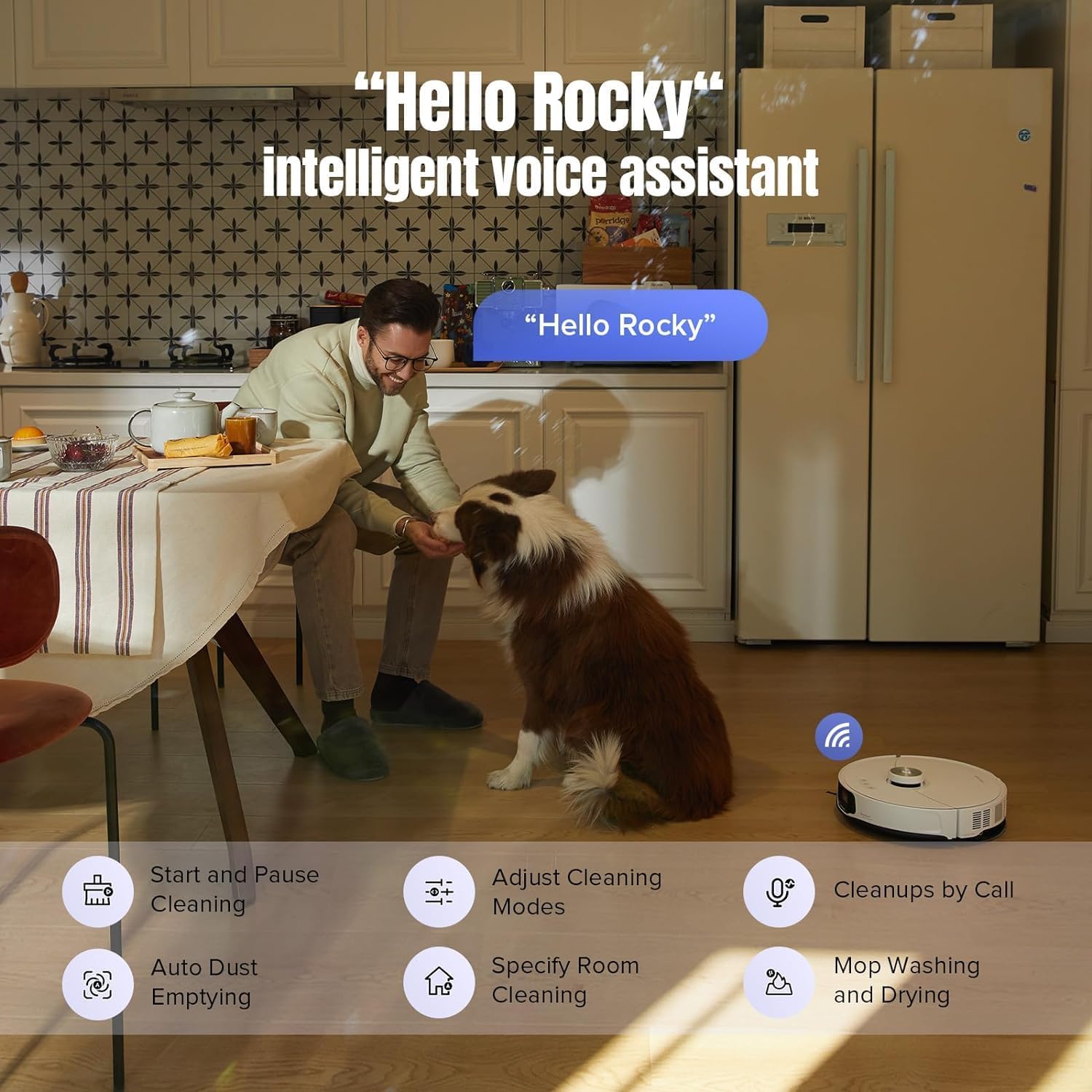
Figure 5: "Hello Rocky" Intelligent Voice Assistant. The image shows a person interacting with the robot, with a speech bubble indicating the voice command "Hello Rocky," illustrating the convenience of voice control for various cleaning functions.
3.4 Тазалоо көрсөткүчтөрү
- 10,000Pa Extreme Suction: Equipped with powerful suction and dual-roller brushes to effectively remove dirt and dust from various surfaces.
- FlexiArm Side Brush: An extendable side brush ensures 100% internal corner coverage and cleans within 1.68mm of edges, providing thorough corner-to-edge cleaning.
- VibraRise® 3.0 Mopping System: Features two vibration modules for sonic mopping at 4000 times/min. The mop module can lift up to 20mm above surfaces to avoid wetting carpets.
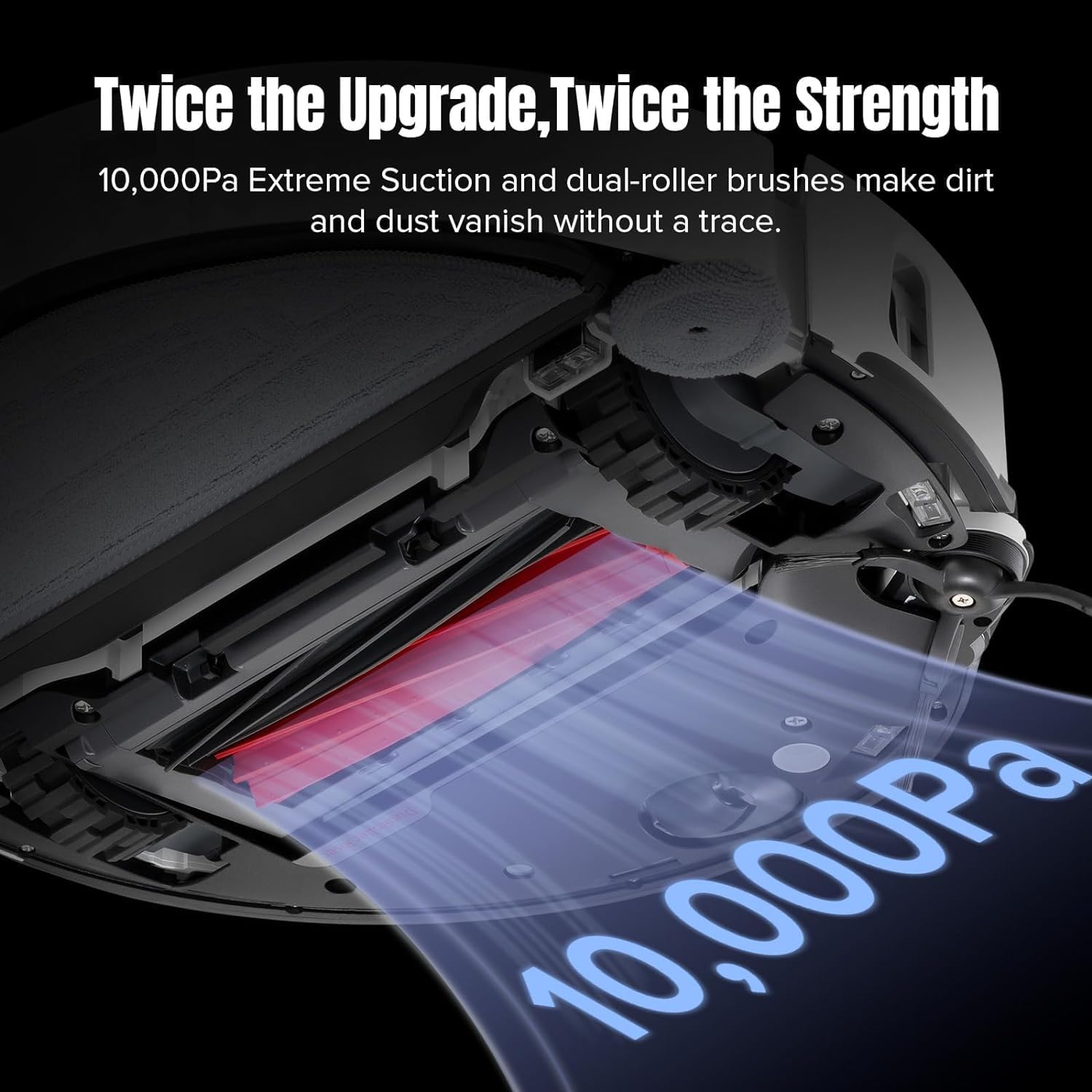
Figure 6: 10,000Pa Extreme Suction. This image visually represents the powerful suction capability of the robot, showing how it effectively lifts dirt and debris from the floor using its dual-roller brushes.
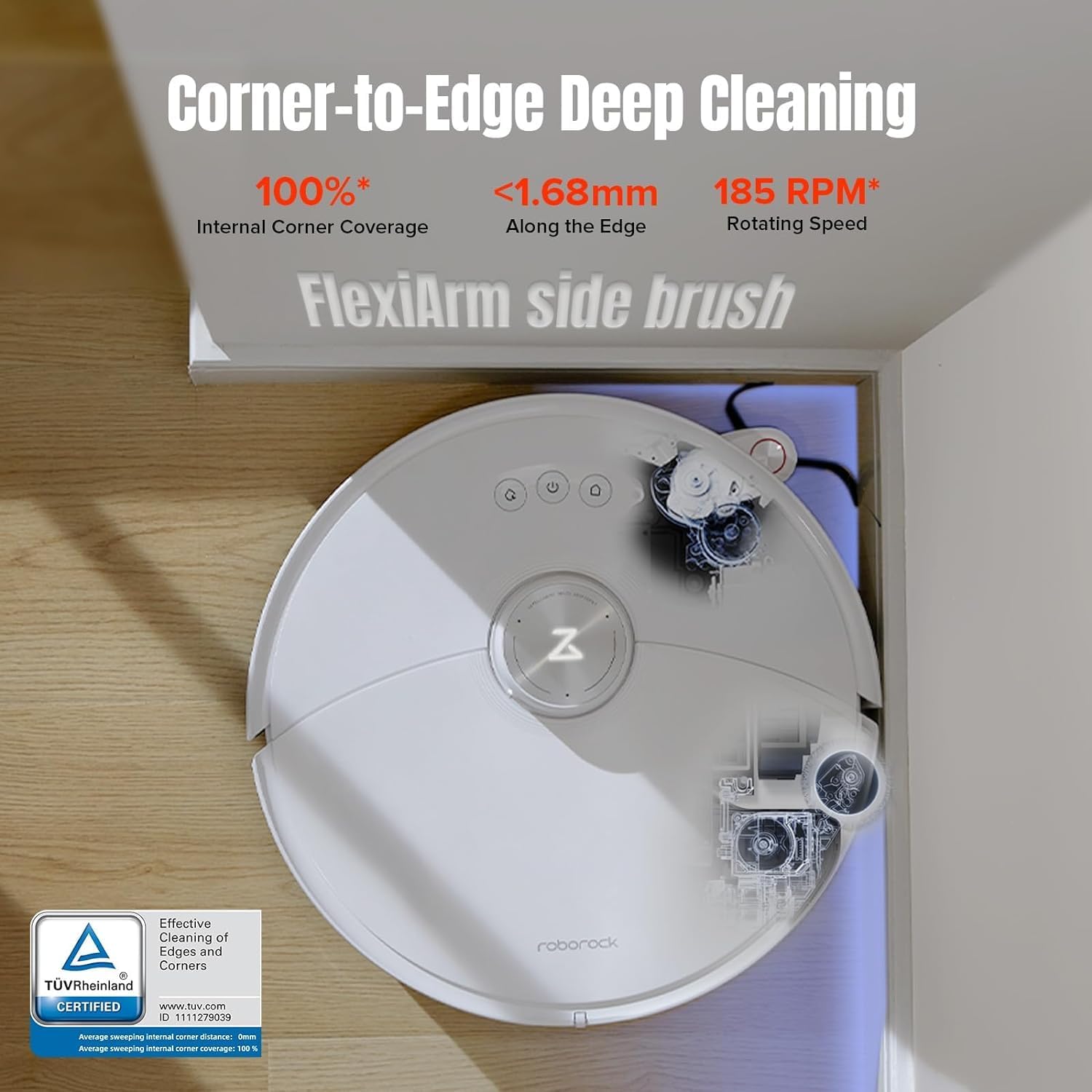
Figure 7: Corner-to-Edge Deep Cleaning. The image shows the robot cleaning a corner, highlighting its FlexiArm side brush that extends to achieve 100% internal corner coverage and close-edge cleaning.

Figure 8: VibraRise® 3.0 Mopping System. This visual explains the advanced mopping technology, including two vibration modules for sonic mopping and the ability of the mop to lift 20mm above surfaces to prevent carpet wetting.
4. Техникалык тейлөө
Regular maintenance is crucial for the optimal performance and longevity of your Roborock S8 MaxV Ultra. Perform these tasks as recommended:
4.1 Чаң челек жана чыпка
- Бош таштанды челек: The RockDock Ultra automatically empties the robot's dustbin. Check the dock's dustbag periodically and replace it when full.
- Таза чыпка: Remove the filter from the dustbin and tap it to remove loose dirt. Rinse the filter under water if necessary, and allow it to air dry completely before reinserting.
4.2 Water Tanks and Mop Pad
- Таза суу куюлган бактын толтуруу: Ensure the clean water tank in the dock is filled with clean water.
- Кир суу резервуарын бошотуу: Regularly empty the dirty water tank in the dock to prevent odors and maintain hygiene.
- Таза швабра: The dock performs hot water mop washing and heated air drying. Periodically remove the mop pad from the robot and hand wash it or machine wash it for deeper cleaning.
4.3 кисти
- Негизги щетка: Remove the main brush cover and clean any hair or debris tangled around the brush. Use the cleaning tool provided.
- Каптал щетка: Check the side brush for tangled hair or debris and clean as needed.
4.4 Сенсорлор жана заряддоо контакттары
- Сенсорлор: Wipe all sensors (cliff sensors, wall sensor, LiDAR sensor window) on the robot with a soft, dry cloth.
- Заряддоо байланыштары: Clean the charging contacts on both the robot and the dock with a dry cloth to ensure proper connection.
5. Кыйынчылыктарды
If you encounter issues with your Roborock S8 MaxV Ultra, refer to the following common problems and solutions:
- Робот заряддалбай жатат: Ensure the dock is powered on and the robot is correctly aligned with the charging contacts. Clean the charging contacts on both the robot and the dock.
- Робот башталбай жатат: Check if the battery level is sufficient. If low, place it on the dock to charge. Ensure no objects are obstructing the robot's path or wheels.
- Начар тазалоо көрсөткүчтөрү: Empty the dustbin and clean the filter. Check and clean the main brush and side brush for tangled hair or debris. Ensure water tanks are filled for mopping.
- Робот бат-баттан тыгылып калат: Clear obstacles from the cleaning area. Clean the cliff sensors and other navigation sensors. Ensure sufficient lighting for optimal navigation.
- Колдонмого туташуу маселелери: Ensure your home Wi-Fi network is stable and the robot is within range. Restart the robot and your router. Re-attempt the app connection process.
- адаттан тыш үндөр: Check the main brush, side brush, and wheels for any foreign objects or debris that might be causing the noise.
For persistent issues, consult the Roborock app for specific error messages or visit the official Roborock support webсайт.
6. Техникалык шарттар
| Өзгөчөлүк | Деталь |
|---|---|
| Модель аты | S8 MaxV Ultra |
| Бренд | Roborock |
| Түс | Ак |
| Продукциянын өлчөмдөрү | 49.7 x 40 x 50.7 cm (Robot + Dock) |
| Элемент Салмагы | 18.3 килограмм |
| Соруу күчү | 10,000 Pa (Extreme Suction) |
| Ызы-чуу деңгээли | 67 дБ |
| Навигация | LiDAR Navigation, Reactive AI 2.0 Obstacle Avoidance |
| Моппинг системасы | VibraRise® 3.0 (4000 times/min Sonic Mopping, 20mm Mop Lift) |
| Доктун өзгөчөлүктөрү | 8-in-1 RockDock Ultra (Auto Dust Emptying, Auto Tank Refilling, Auto Detergent Dispenser, Hot Water Mop Washing, Heated Air Drying, Dock Self-cleaning, Intelligent Dirt Detection, Faster Charging) |
| Башкаруу ыкмасы | App, Voice Control ("Hello Rocky") |
| Power Source | Батарея менен иштейт |
7. Кепилдик жана колдоо
For detailed warranty information, including coverage period and terms, please refer to the warranty card included with your product packaging or visit the official Roborock website. For technical support, frequently asked questions, or to contact customer service, please visit the Roborock support page or use the help section within the Roborock mobile application.
Official Roborock Webсайт: https://us.roborock.com/


