Introduction
The TOPTRO TR26 Mini Projector is a portable, high-definition projector designed for home and outdoor entertainment. It supports 4K and 1080P Full HD content, offering a large screen display of up to 200 inches. Featuring automatic keystone correction, WiFi 6, and Bluetooth 5.2 connectivity, it provides a versatile and immersive viewing experience. This manual provides detailed instructions for setup, operation, maintenance, and troubleshooting.
Эмне камтылган
Сураныч, кутудан чыгарганда пакеттин мазмунун текшерип, бардык буюмдар бар экенин текшериңиз:
- TOPTRO TR26 Mini Projector
- Штатив
- Алыстан башкаруу
- Электр кабели
- HDMI кабели
- Тазалоо комплекти
- Колдонуучунун Колдонмосу (бул документ)

Image: The compact TOPTRO TR26 Mini Projector with its tripod, demonstrating its portability.
Жайгашуу
- Жайгашкан жери: Place the projector on a stable, flat surface. The included tripod can be used for optimal positioning. Ensure there is adequate ventilation around the projector.
- Кубат туташуу: Connect the power cord to the projector's power input and then to a power outlet.
- Баштапкы күйгүзүү: Аппаратты иштетүү үчүн проектордун же пульттун кубат баскычын басыңыз.
- Фокусту тууралоо: Проекцияланган сүрөт даана жана курч болгонго чейин проектордун линзасындагы фокус шакекчесин тууралаңыз.
- Негизги ташты оңдоо: The TR26 features automatic vertical keystone correction (±30°). For manual adjustment or fine-tuning, navigate to the 'Setting' menu using the remote control.
- Screen Size Adjustment: The projector supports an 80% zoom function. Use the remote control to adjust the projected image size to fit your screen or wall.

Image: The projector automatically adjusts the image shape for a perfect rectangular display, even when placed at an angle.
Иштөө нускамалары
Туташуу параметрлери
The TOPTRO TR26 offers multiple ways to connect your devices:
- HDMI: Connect devices like TV sticks, gaming consoles (PS5), laptops, or PCs using an HDMI cable. Select 'HDMI' input from the projector's main menu.
- USB: Insert USB sticks to play media files directly. Select 'Media' from the main menu to browse files.
- Audio Output (3.5mm): Аудиону жакшыртуу үчүн тышкы динамиктерди же кулакчындарды туташтырыңыз.
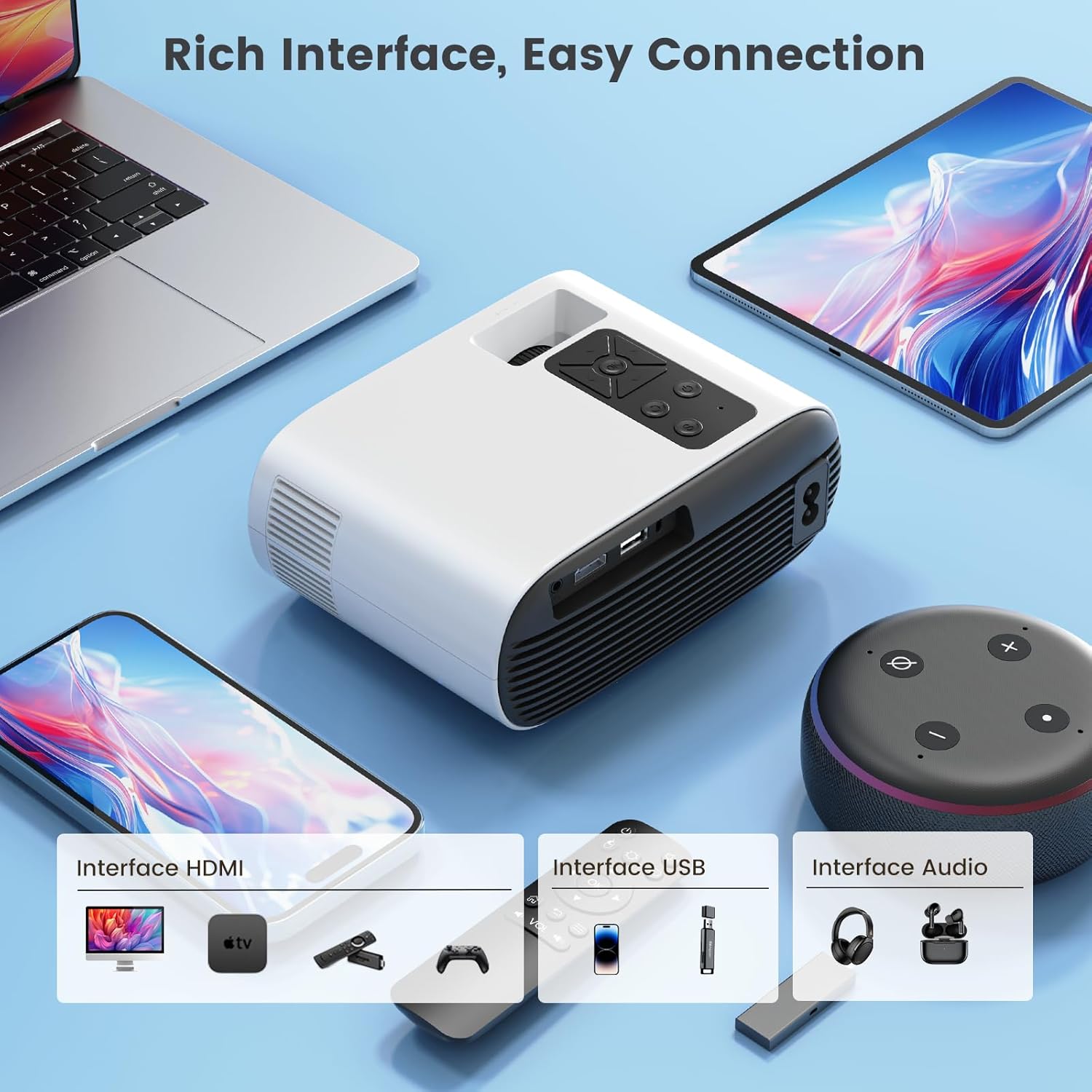
Сүрөт: бүттүview of the projector's input interfaces for easy connection to various devices.
Wireless Screen Mirroring (WiFi 6)
The projector supports 5G/2.4G dual-band WiFi 6 for smooth wireless screen mirroring from iOS, Android, and Windows devices.
- Ensure your mobile device and the projector are connected to the same WiFi network.
- On the projector's main menu, select 'Wireless Screen'.
- Follow the on-screen instructions specific to your device (iOS/Android/Windows) to initiate screen mirroring.
Note on Copyrighted Content:
Due to HDCP copyright protection, direct screen mirroring from apps like Netflix, Prime Video, Disney+, etc., is not supported. For streaming copyrighted content, it is recommended to use an external streaming device such as an Amazon Fire TV Stick or Google Chromecast TV stick connected via HDMI. The TR26 mini projector also does not support Dolby sound effects; please ensure Dolby sound is turned off on your source device if experiencing audio issues.

Image: Seamless wireless screen mirroring for faster and smoother content transmission.
Bluetooth 5.2 туташуу
Connect Bluetooth headphones or speakers for an enhanced audio experience.
- On the projector's main menu, select 'Bluetooth'.
- Bluetooth аудио аспабыңыз жупташтыруу режиминде экенин текшериңиз.
- Select your device from the list of available devices on the projector screen to connect.
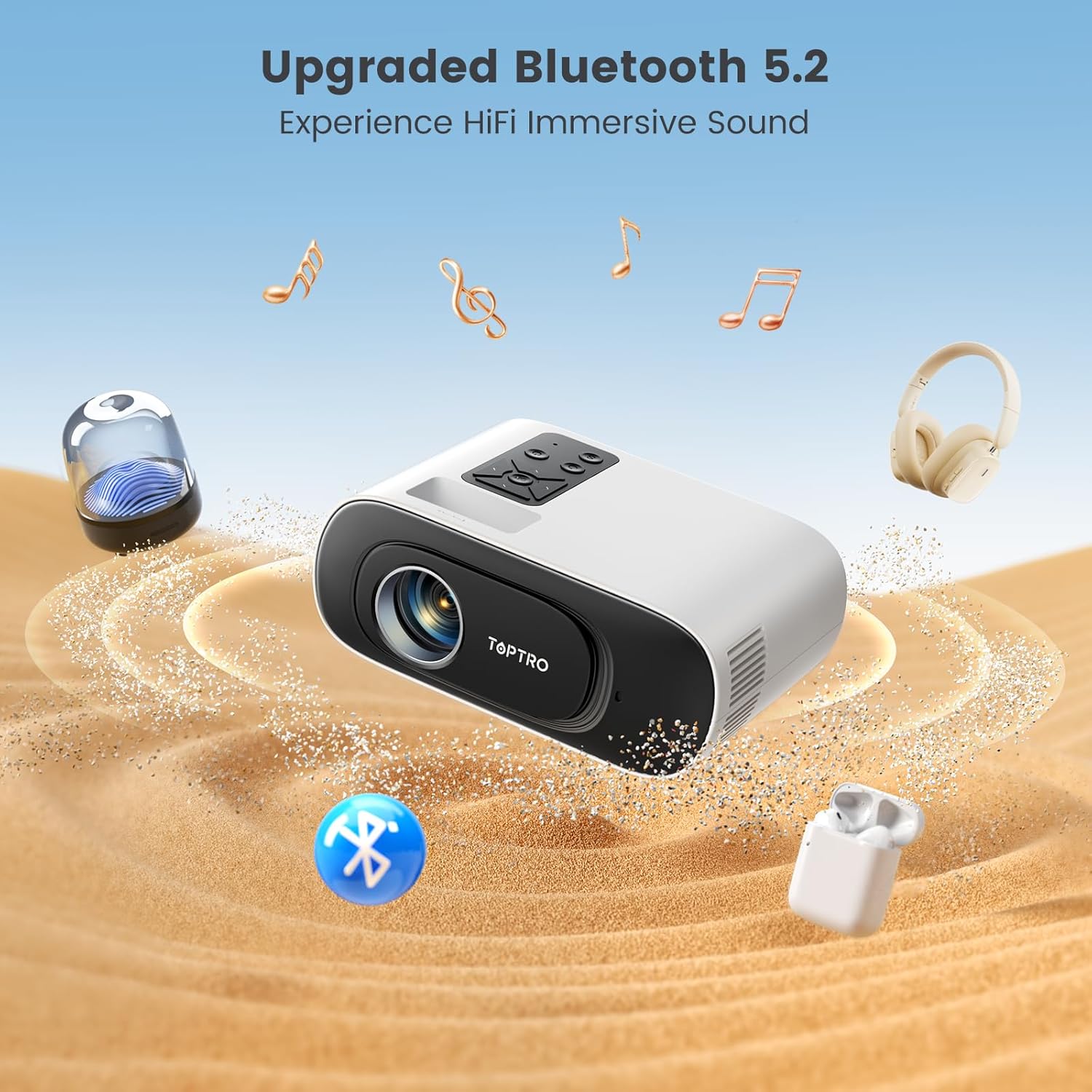
Image: The projector's Bluetooth 5.2 capability allows for wireless connection to external audio devices for immersive sound.
Техникалык тейлөө
Regular maintenance ensures optimal performance and longevity of your projector. The advanced LED light source lamp 30,000 XNUMX саатка чейин иштөө мөөнөтү бар.
Cleaning the Inner Screen (Removing Black Spots)
If you notice black spots on your projected image, it may be due to dust on the inner screen. Follow these steps to clean it:
- Электрди өчүрүү жана розеткадан ажыратыңыз: Ensure the projector is turned off and unplugged from the power source before proceeding.
- Access Dust Screen Cover: Gently turn the projector bottom up. Locate the dust screen cover on the underside.
- Pry Off Cover: Use a narrow and thin tool (like a small screwdriver or the provided cleaning tool) to carefully pry off the dust screen cover.
- Clean Inner Screen: Use a clean cotton swab to gently clean the inner screen (there are typically three panels inside).
- Verify Cleaning: Turn on the projector and observe the screen to confirm that the dust spots have been removed.
- Капкакты алмаштыруу: After cleaning, gently cover the dust screen cover back into place.
Video: A step-by-step guide on how to clean the inner screen of the TOPTRO TR26 projector to remove black spots caused by dust.
Жалпы тазалоо
- Use a soft, dry cloth to clean the exterior of the projector.
- Линза үчүн, чийилип калбашы үчүн, линзаны тазалоочу атайын чүпүрөктү жана эритмени колдонуңуз.
- Абразивдүү тазалагычтарды же эриткичтерди колдонбоңуз.
Проблемаларды чечүү
| Көйгөй | Мүмкүн болгон себеп / Чечим |
|---|---|
| Сүрөт жок же бүдөмүк сүрөт |
|
| Үн жок |
|
| Cannot screen mirror Netflix/Prime Video |
|
| Black spots on projected image |
|
Техникалык шарттар
| Өзгөчөлүк | Деталь |
|---|---|
| Модел | TR26 |
| Дисплей технологиясы | LCD |
| Native Resolution | 1280 x 720 Pixels (Supports 4K, 1080P Full HD) |
| Сүрөттүн жарыктыгы | 20000 Lumens |
| Сүрөттүн карама-катышы | 20000:1 |
| Аспект катышы | 16:9, 4:3 |
| Байланыш | Bluetooth 5.2, Wi-Fi 6 (5G/2.4G), USB, HDMI |
| Өзгөчөлүктөр | Built-In Speaker, Portable, Built-In Wi-Fi, Auto Keystone Correction |
| Lamp Жашоо | 30,000 саатка чейин |
| Продукциянын өлчөмдөрү | 17.4 x 13.8 x 7.3 см |
| Элемент Салмагы | 600 грамм |
| Энергияны керектөө | 24 Ватт |
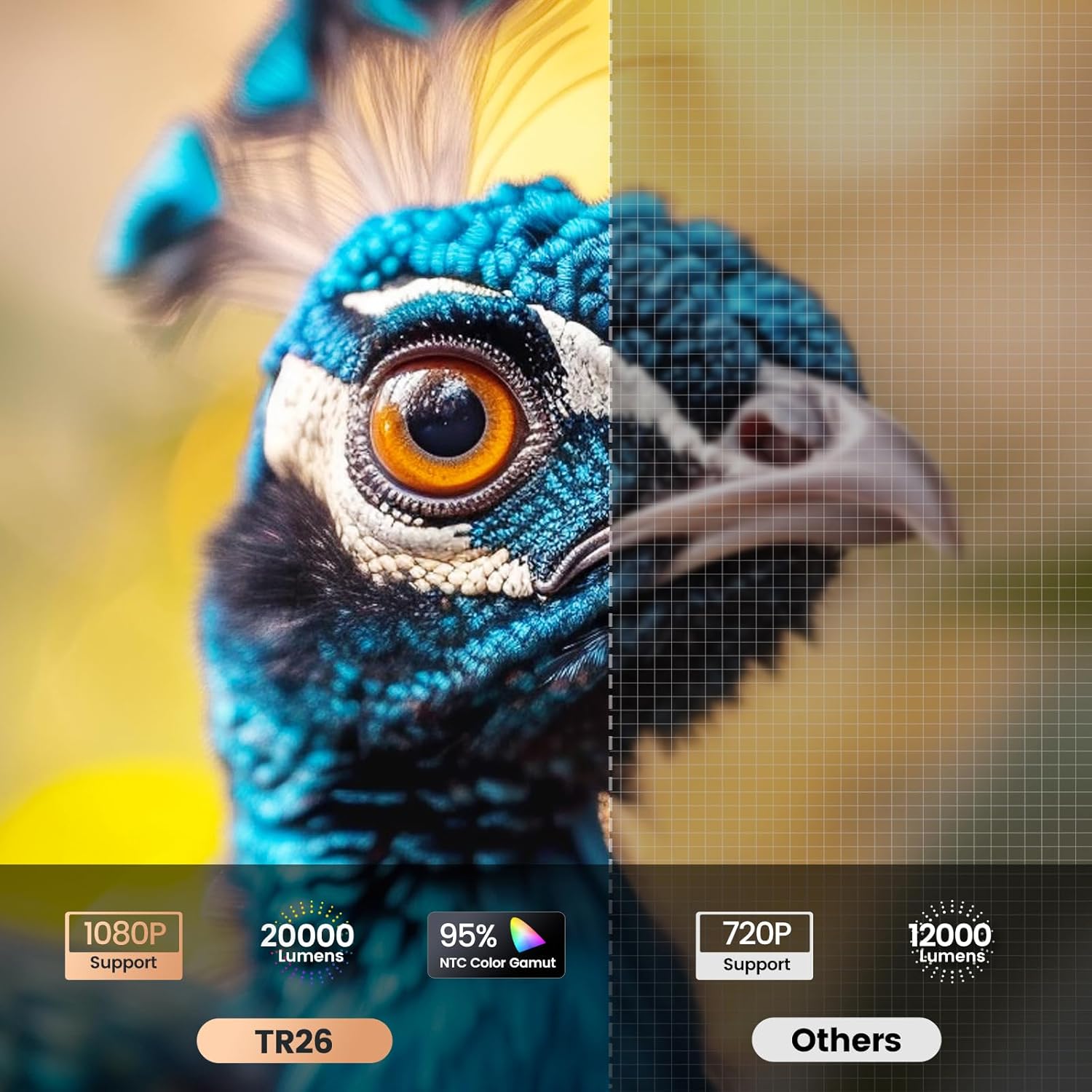
Image: Visual comparison highlighting the TR26's higher resolution and brightness.
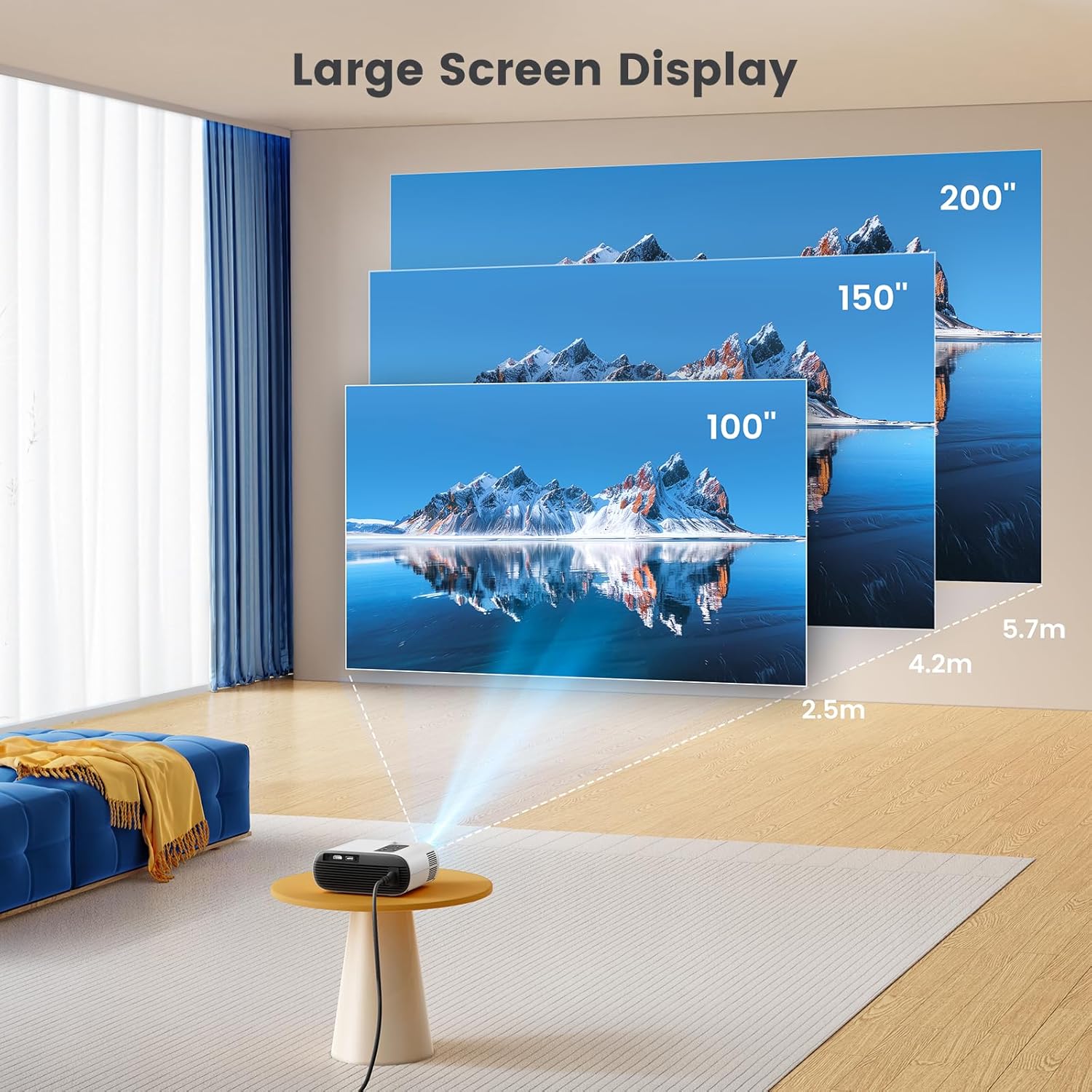
Image: Illustration of the large screen display capabilities of the projector.
Кепилдик жана колдоо
TOPTRO is committed to providing excellent customer service and product support.
- Кепилдик: TOPTRO offers a 1-year free replacement and a 3-year warranty for the TR26 projector.
- Техникалык колдоо: Technical support is available at all times. If you encounter any problems during use, please contact TOPTRO via email.
For further assistance, please refer to the contact information provided with your product packaging or visit the official TOPTRO webсайт.


