1. Киришүү
This manual provides detailed instructions for the safe and efficient operation of your HANLIM Portable CD Player, Model HL-108. Please read this manual thoroughly before using the product and retain it for future reference.

1-сүрөт: Фронт view of the HANLIM Portable CD Player HL-108. This image displays the main unit with its control panel, LCD screen, and integrated handle.
2. Коопсуздук нускамалары
- Аппаратты жамгырга, нымдуулукка же экстремалдык температурага дуушар кылбаңыз.
- Аппаратты жылуулук булактарынын жанына же тике күн нуруна коюудан алыс болуңуз.
- в ачпагылаasing; бардык тейлөөлөрдү квалификациялуу кызматкерлерге тапшырыңыз.
- Агрегатты күчтүү магнит талаасынан алыс кармаңыз.
- Берилген электр кабелин гана колдонуңуз.
- Ашыкча ысып кетүүнүн алдын алуу үчүн туура желдетүүнү камсыз кылыңыз.
3. Пакеттин мазмуну
Сураныч, бардык элементтер бар экенин текшериңиз:
- HANLIM Portable CD Player HL-108
- Электр кабели (1.2м)
- Алыстан башкаруу (батареялар камтылган эмес)
- User Manual

2-сүрөт: The HANLIM Portable CD Player HL-108 shown with its included accessories: the power cable, remote control, and user manual.
4. Продукт бүтүп калдыview
The HANLIM Portable CD Player HL-108 features a compact design with multiple playback options and connectivity ports.
4.1 Алдыңкы панелдин башкаруу элементтери
- LCD дисплей: Учурдагы режимди, трек маалыматын жана FM жыштыгын көрсөтөт.
- MODE баскычы: Switches between CD, FM, Bluetooth, USB, and AUX modes.
- Күтүү режиминдеги баскыч: Аппаратты күйгүзөт же өчүрөт.
- Play/Pause/Scan Button: Медианы ойнотот/тындырат же FM радио станцияларын сканерлейт.
- Previous/CH- Button: Skips to previous track/station.
- Next/CH+ Button: Skips to next track/station.
- Үн баскычы: Аудионун үнүн тууралайт.
- USB порт: USB дискти ойнотуу үчүн.
- Наушник уячасы (3.5 мм): Жеке угуу үчүн.
4.2 Арткы панелдин туташуулары
- AUX IN (3.5 мм): Тышкы аудио түзмөктөрдү туташтыруу.
- MIC порт: Connect a microphone for singing.
- AC кубаттуулугун киргизүү: Connect the power cable for charging or continuous power.
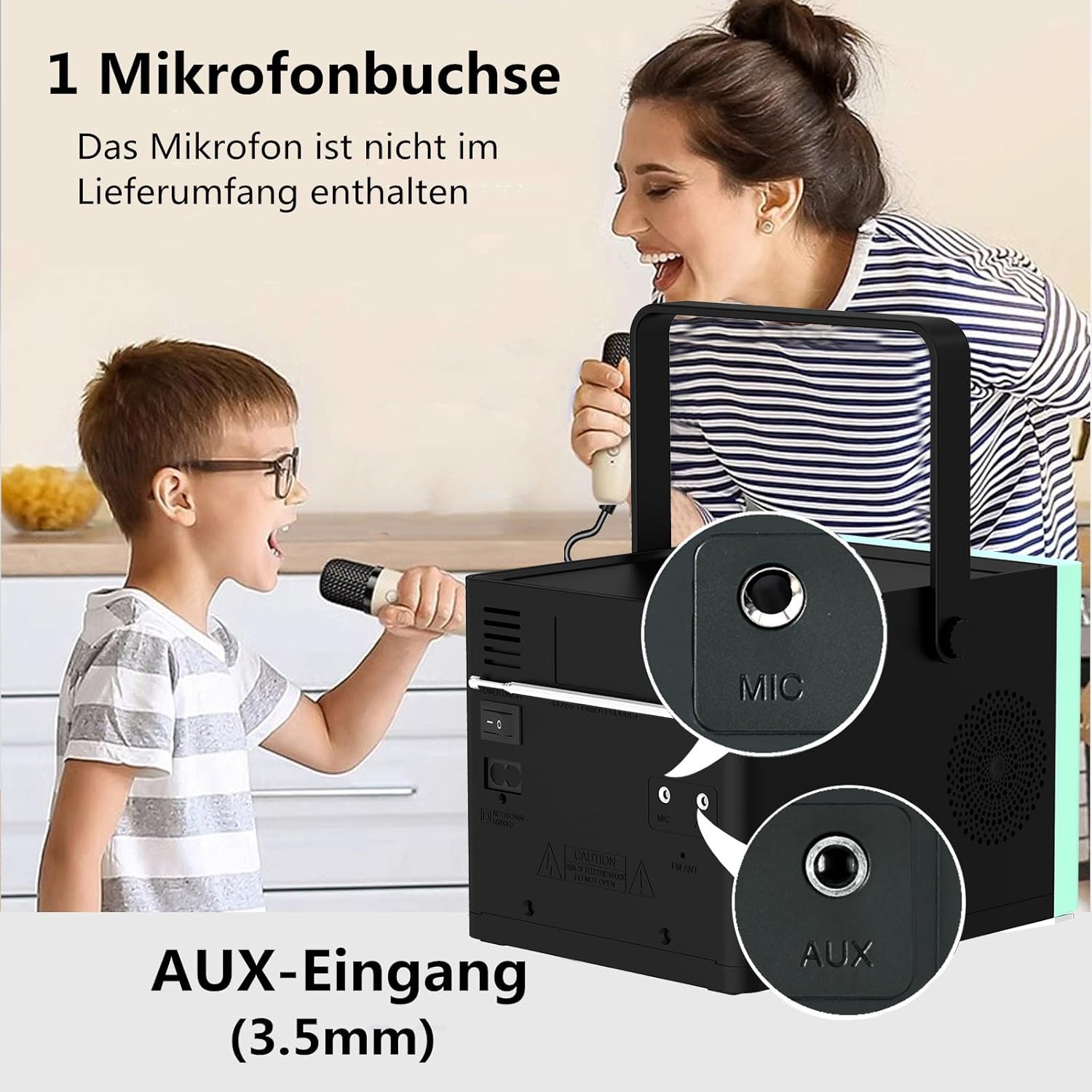
3-сүрөт: Арткы view of the HANLIM Portable CD Player HL-108, highlighting the microphone input and AUX input ports.
5. Орнотуу
5.1 Күйгүзүү жана заряддоо
- Connect the provided power cable to the AC power input on the rear of the unit and plug it into a wall outlet.
- The built-in 2000mAh battery will begin charging automatically. A full charge provides approximately 4.5 to 5 hours of playback at maximum volume.
- басыңыз ЖАНЫМДА БОЛ аппаратты иштетүү үчүн баскыч.
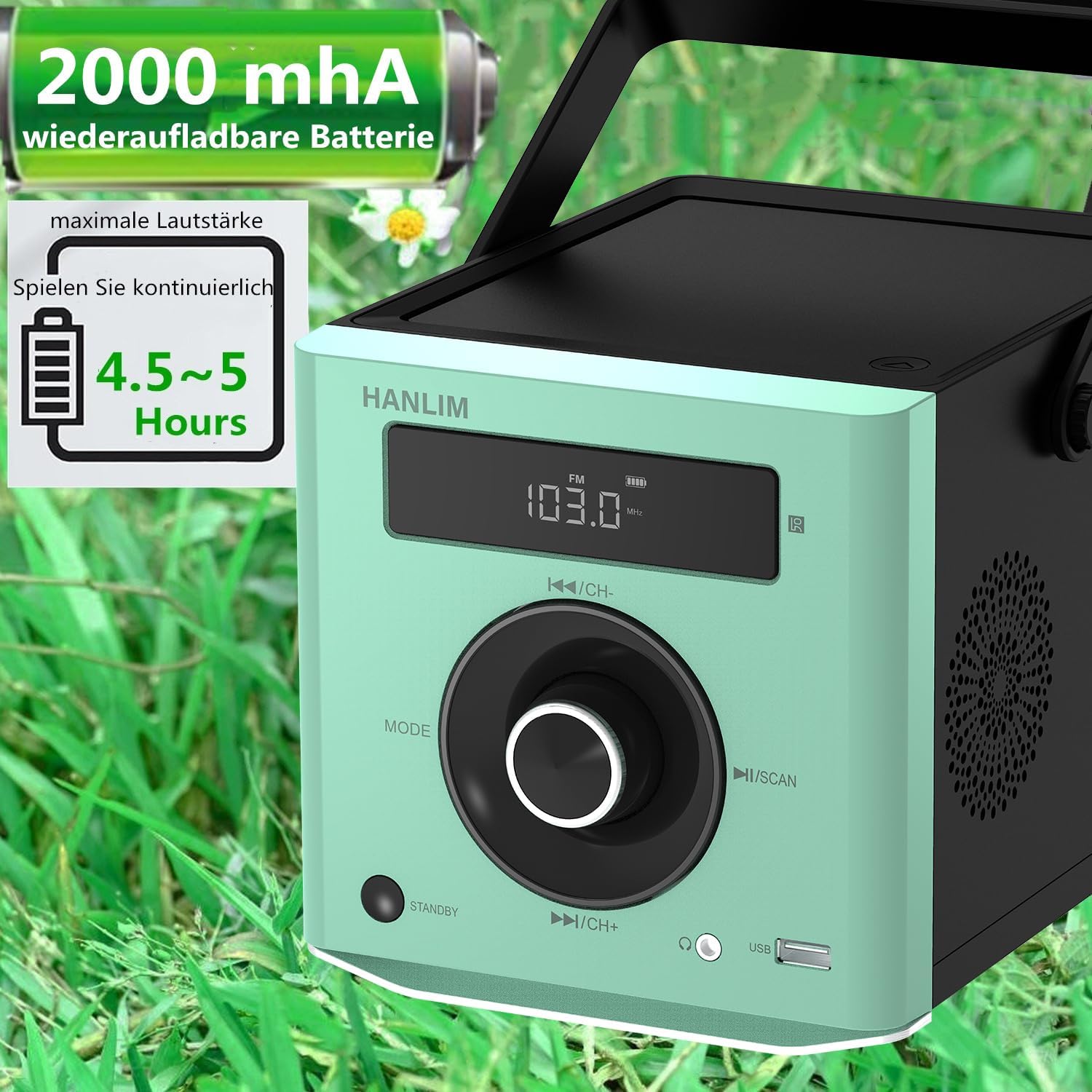
4-сүрөт: The HANLIM Portable CD Player HL-108 displaying battery charge status and indicating 4.5-5 hours of continuous playback.
6. Иштөө нускамалары
6.1 CD ойнотуу
- CD бөлүмүнүн капкагын ачыңыз.
- Place a CD (CD/CD-R/CD-RW/MP3 format) onto the spindle, label side up.
- CD бөлүктүн капкагын жабыңыз.
- басыңыз РЕЖИМ button until "CD" is displayed.
- басыңыз Ойнотуу/Тыныгуу ойнотууну баштоо үчүн
- колдонуу Мурунку/Кийинки тректерди өткөрүп жиберүү үчүн баскычтар.
- Кайталоо функциясы: Press the repeat button on the remote control to cycle through repeat one, repeat all, or random play.
- Continue Playback: The unit will resume playback from where it was last stopped, useful for language learning.
6.2 FM радиосу
- басыңыз РЕЖИМ баскычын "FM" көрсөтүлгөнчө басыңыз.
- басып, кармап туруңуз Скандоо button to automatically scan and store available FM stations (87.5-108MHz). Up to 20 stations can be stored.
- колдонуу CH- жана CH+ баскычтар сакталган станциялар боюнча чабыттоо.

5-сүрөт: The HANLIM Portable CD Player HL-108 showing the FM radio frequency on its display.
6.3 Bluetooth байланышы
- басыңыз РЕЖИМ button until "Bluetooth" is displayed. The unit will enter pairing mode.
- On your device (phone, tablet, computer), enable Bluetooth and search for "HANLIM HL-108".
- Select the device to pair. Once connected, you will hear a confirmation sound.
- Note: Bluetooth headphones are not supported for connection to this CD player.

6-сүрөт: The HANLIM Portable CD Player HL-108 illustrating its Bluetooth connectivity, USB port, and headphone jack.
6.4 USB ойнотуу
- Insert a USB flash drive (up to 32GB, supporting MP3/WMA formats) into the USB port.
- басыңыз РЕЖИМ button until "USB" is displayed.
- Ойнотуу автоматтык түрдө башталат. Колдонуңуз Мурунку/Кийинки тректерди өтүү үчүн баскычтар.
6.5 AUX киргизүү
- Connect an external audio device (e.g., phone, computer) to the AUX IN port using a 3.5mm audio cable (not included).
- басыңыз РЕЖИМ баскычын "AUX" көрсөтүлгөнгө чейин басыңыз.
- Туташкан түзмөгүңүздөн ойнотууну көзөмөлдөө.
6.6 Наушник уячасы
For private listening, connect 3.5mm headphones to the headphone jack on the front panel.
6.7 Microphone Port
Connect a microphone (not included) to the MIC port on the rear panel for singing along to music.
6.8 Үн орнотуулары (эквалайзер)
The unit offers 5 sound qualities: Pop, Jazz, Rock, Classical, and Flat. Use the EQ button on the remote control to cycle through these modes and adjust the audio output to your preference.
7. Техникалык тейлөө
- Тазалоо: Агрегатты жумшак, кургак чүпүрөк менен сүртүңүз. Абразивдүү тазалагычтарды же эриткичтерди колдонбоңуз.
- CD Care: CDлерди четинен кармаңыз. Кир компакт-дисктерди ортосунан сыртка карай сүртүп, жумшак, түксүз чүпүрөк менен тазалаңыз.
- Батареяга кам көрүү: For optimal battery life, avoid fully discharging the battery frequently. If storing for extended periods, charge the battery to about 50% every few months.
8. Кыйынчылыктарды
| Көйгөй | Мүмкүн себеп | Чечим |
|---|---|---|
| Түзмөк күйбөйт. | Battery is depleted or power cable is not connected. | Connect the power cable and allow the battery to charge, or operate directly from AC power. |
| Үн жок. | Volume is too low, headphones connected, or incorrect mode selected. | Increase volume, disconnect headphones, or ensure the correct input mode (CD, FM, BT, USB, AUX) is selected. |
| CD ойнобойт же өткөрүп жибербейт. | CD кир, чийилген же туура эмес салынган. | Clean the CD, try a different CD, or reinsert the CD correctly. Ensure the CD compartment is fully closed. |
| Bluetooth жупташуусу болбой жатат. | Device is too far, Bluetooth is off on the device, or unit is not in pairing mode. | Ensure the unit is in Bluetooth mode, your device's Bluetooth is on, and they are within range. Try restarting both devices. |
| FM радиосун кабыл алуу начар. | Сигналдын же антеннанын начар абалы. | Adjust the unit's position or extend the antenna for better reception. |
9. Техникалык шарттар
| Өзгөчөлүк | Спецификация |
|---|---|
| Бренд | ХАНЛИМ |
| Модел | HL-108 |
| Продукциянын өлчөмдөрү | 15.5 x 20.5 x 16 см (6.1 x 8.1 x 6.3 дюйм) |
| Элемент Салмагы | 1.7 кг (3.75 фунт) |
| Power Output | 20 Вт |
| Батарея | Built-in 2000mAh rechargeable Lithium Ion |
| Батареянын иштөө мөөнөтү | Up to 5 hours (at maximum volume) |
| Колдоого алынган CD форматтары | CD, CD-R, CD-RW, MP3 |
| FM радиосунун жыштыгы | 87.5-108 МГц |
| USB колдоо | Up to 32GB, MP3/WMA formats |
| Байланыш | Bluetooth, USB, AUX (3.5mm), Headphone Jack (3.5mm), Microphone Port |
| Дисплей түрү | LCD |
| Өзгөчөлүктөр | Bluetooth, CD-R/RW Compatible, Equalizer, Portable, Rechargeable |
10. Кепилдик жана колдоо
This HANLIM product comes with a бир жылдык кепилдик сатып алынган күндөн тартып. Бул кепилдик өндүрүштүн кемчиликтерин жана нормалдуу колдонуудагы чеберчиликти камтыйт.
For technical support, warranty claims, or service inquiries, please contact your retailer or the HANLIM customer service department through the contact information provided at the point of purchase.


