1. Киришүү
Thank you for choosing the THOMSON 24-inch HD Google TV (Model 24HG2S14CW). This manual provides essential information for setting up, operating, and maintaining your new television. Please read these instructions carefully before using the product to ensure safe and optimal performance.
Experience complete entertainment for the whole family with the Thomson 24-inch HD Google TV. Google TV simplifies your entertainment experience by organizing content from your apps and subscriptions per user. Create multiple user profiles and benefit from organized recommendations. Enjoy a wide range of smart features, including access to over 400,000 movies and TV shows from numerous available apps, smart voice control with Google Assistant, and integrated Google Cast for wireless streaming of movies, music, and videos from compatible devices. Its elegant design with a 3-sided bezel-less frame allows you to fully concentrate on the on-screen action. Dolby Audio technology creates a dynamic sound experience. The integrated triple tuner allows reception via satellite antenna, terrestrial antenna, or cable, meaning you can receive all available channels without additional equipment. The ergonomic remote control with backlighting allows you to keep track of everything, even in dim lighting, and a dedicated 'Favorite' button provides quick access to your preferred app.
2. Коопсуздук маалыматы
Өрт, электр тогуна урунуу жана жаракат алуу коркунучун азайтуу үчүн бул продуктуну колдонууда ар дайым негизги коопсуздук чараларын сактаңыз.
- Кубат булагы: Ensure the TV is connected to a power supply that matches the voltage specified on the rating label. For 12V operation, use only the provided 12V adapter.
- Вентиляция: Вентиляция тешиктерин жаап албаңыз. Ашыкча ысып кетүүнүн алдын алуу үчүн телевизордун айланасында туура аба агымы үчүн жетиштүү орун калтырыңыз.
- Жайгашкан жери: Телевизорду туруктуу, тегиз жерге коюңуз. Аны күн нуру түз тийген жерге, жылуулук булактарынын жанына же нымдуулугу жогору же чаңдуу чөйрөгө койбоңуз.
- Суу жана ным: Телевизорду жамгырга же нымга тийгизбеңиз. Сыналгыга ваза сыяктуу суюктуктар толтурулган нерселерди койбоңуз.
- Тазалоо: Тазалоодон мурун сыналгыдан ажыратыңыз. Жумшак, кургак чүпүрөктү колдонуңуз. Суюк тазалагычтарды же аэрозоль тазалагычтарды колдонбоңуз.
- Тейлөө: Бул продуктту өзүңүз тейлөөгө аракет кылбаңыз. Бардык тейлөөнү квалификациялуу тейлөө кызматкерлерине тапшырыңыз.
3. Пакеттин мазмуну
Сураныч, бардык буюмдар пакетиңизге камтылганын текшериңиз:
- THOMSON 24-inch HD Google TV
- Алыстан башкаруу (батареялар менен)
- Power Adapter (for standard AC outlet)
- 12V Power Cable (for camping/caravan use)
- Телевизор үчүн стенддер (2 даана)
- Телевизор стенддери үчүн бурамалар
- Quick Start Guide
- Көрсөтмө (бул документ)
4. Орнотуу
4.1 Физикалык орнотуу
Стенддерди тиркөө:
- Экранга зыян келтирбөө үчүн телевизорду кылдаттык менен жумшак, таза бетке ылдый караңыз.
- Align the stands with the screw holes on the bottom of the TV.
- Берилген бурамалар менен стенддерди бекитиңиз. Алардын бекем бекитилишин камсыз кылыңыз.
The TV offers two stand positions to fit various furniture widths. Refer to the image below for guidance.

Дубалга орнотуу (кошумча):
If you plan to wall mount your TV, please consult a professional installer. Ensure the wall mount is compatible with the TV's VESA mounting pattern and weight.
4.2 Кубатты туташтыруу
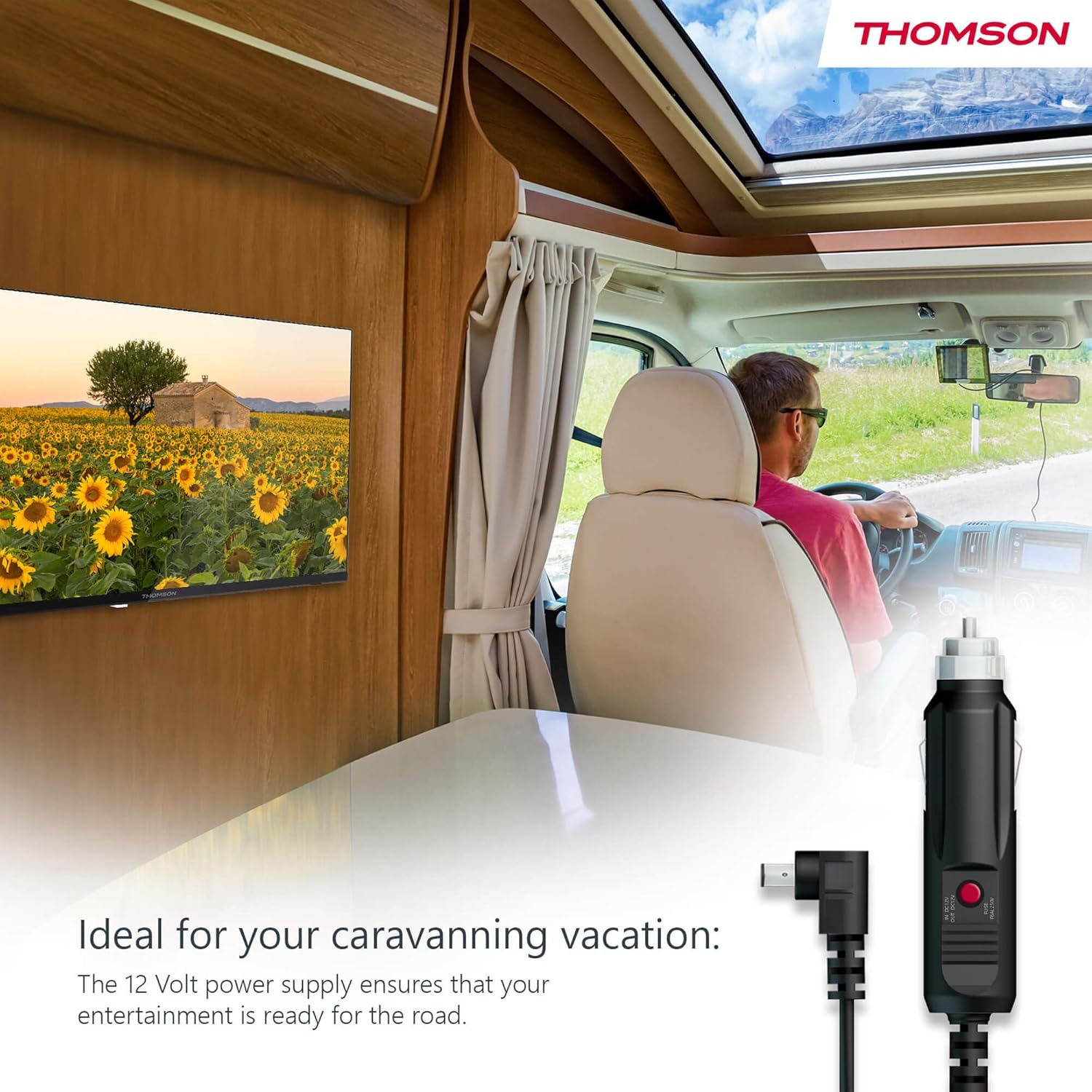
Your THOMSON TV supports both standard AC power and 12V DC power, making it ideal for camping or caravan use.
- Standard AC Power: Connect the provided power adapter to the TV's power input and then plug it into a standard wall outlet.
- 12V DC Power (Camping): For mobile use, connect the 12V power cable to the TV's power input and then to a compatible 12V power source in your vehicle or caravan.
4.3 Connecting Antennas/Cables
The integrated triple tuner allows reception via DVB-T (terrestrial antenna), cable, or satellite antenna.
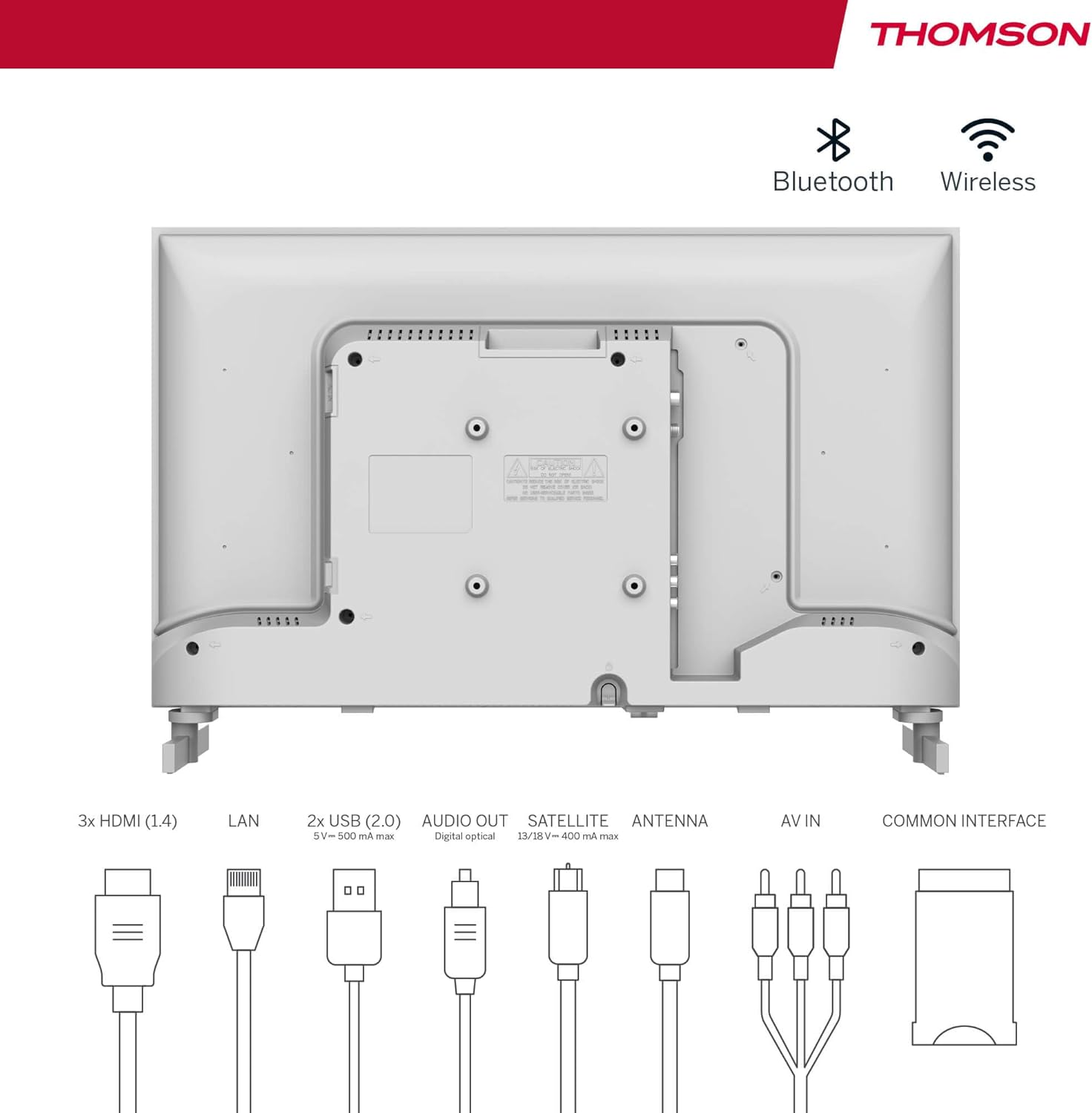
- Terrestrial Antenna: Connect a DVB-T/T2 antenna cable to the 'ANTENNA' input on the TV.
- Кабелдик телевидение: Connect your cable TV coaxial cable to the 'ANTENNA' input on the TV.
- Спутник антеннасы: Connect your satellite dish cable to the 'SATELLITE' input on the TV.
4.4 Тышкы түзмөктөрдү туташтыруу
- HDMI түзмөктөрү: Connect Blu-ray players, game consoles, or other HDMI devices to the HDMI ports (3 available).
- USB түзмөктөрү: Connect USB drives for media playback or software updates to the USB ports (2 available).
- Аудио чыгышы: Use the digital optical audio output to connect to a soundbar or home theater system.
- AV ичинде: For older devices, use the AV In ports.
- LAN: Зымдуу интернет байланышы үчүн Ethernet кабелин LAN портуна туташтырыңыз.
- CI+ модулу: Insert a CI+ module and smart card (if required by your service provider) into the Common Interface slot.
4.5 Баштапкы орнотуу (Google TV)
- Power on the TV. The initial setup wizard will guide you through the process.
- Каалаган тилиңизди тандаңыз.
- Connect to a Wi-Fi network or use a wired LAN connection.
- Google TV функцияларына, колдонмолоруна жана жекелештирилген сунуштарына кирүү үчүн Google аккаунтуңуз менен кириңиз.
- Follow the on-screen prompts to set up Google Assistant and tune channels (for antenna/cable/satellite).
5. Сыналгыңызды иштетүү
5.1 Алыстан башкаруу
The included remote control is designed for intuitive navigation of your Google TV.

- Арткы жарык баскычтары: The remote features backlighting for easy use in dark environments.
- Үн менен башкаруу: Press the Google Assistant button and speak into the remote to control your TV, search for content, or ask questions.
- Favorite App Button: Use the star button to quickly access your most frequently used application.
- Profile Которуу: Ар кандай колдонуучулардын кесипкөй адистеринин ортосунда оңой которулуңузfiles set up on your Google TV.

5.2 Google TV интерфейси
Google TV organizes content from your streaming services and apps into a single, easy-to-navigate interface.

- Жекелештирилген сунуштар: The 'For You' tab provides content suggestions based on your viewing habits across all your streaming services.
- Колдонмолор: Access a wide range of applications from the Google Play Store, including popular streaming platforms.
- Китепкана: Find your purchased movies and shows from Google Play.
- Profiles: Өзүнчө колдонуучу адисин түзүңүзfiles for each family member to get personalized content and recommendations.
5.3 Google Cast
Integrated Google Cast allows you to wirelessly stream movies, music, and videos from compatible devices (smartphones, tablets, computers) directly to your TV screen.
- Түзмөгүңүз менен телевизоруңуз бир Wi-Fi тармагына туташып турганын текшериңиз.
- Open a Cast-enabled app on your device (e.g., YouTube, Netflix).
- "Тышкы экранга чыгаруу" сүрөтчөсүн таптаңыз (▶) within the app and select your THOMSON TV.
5.4 Dolby Audio
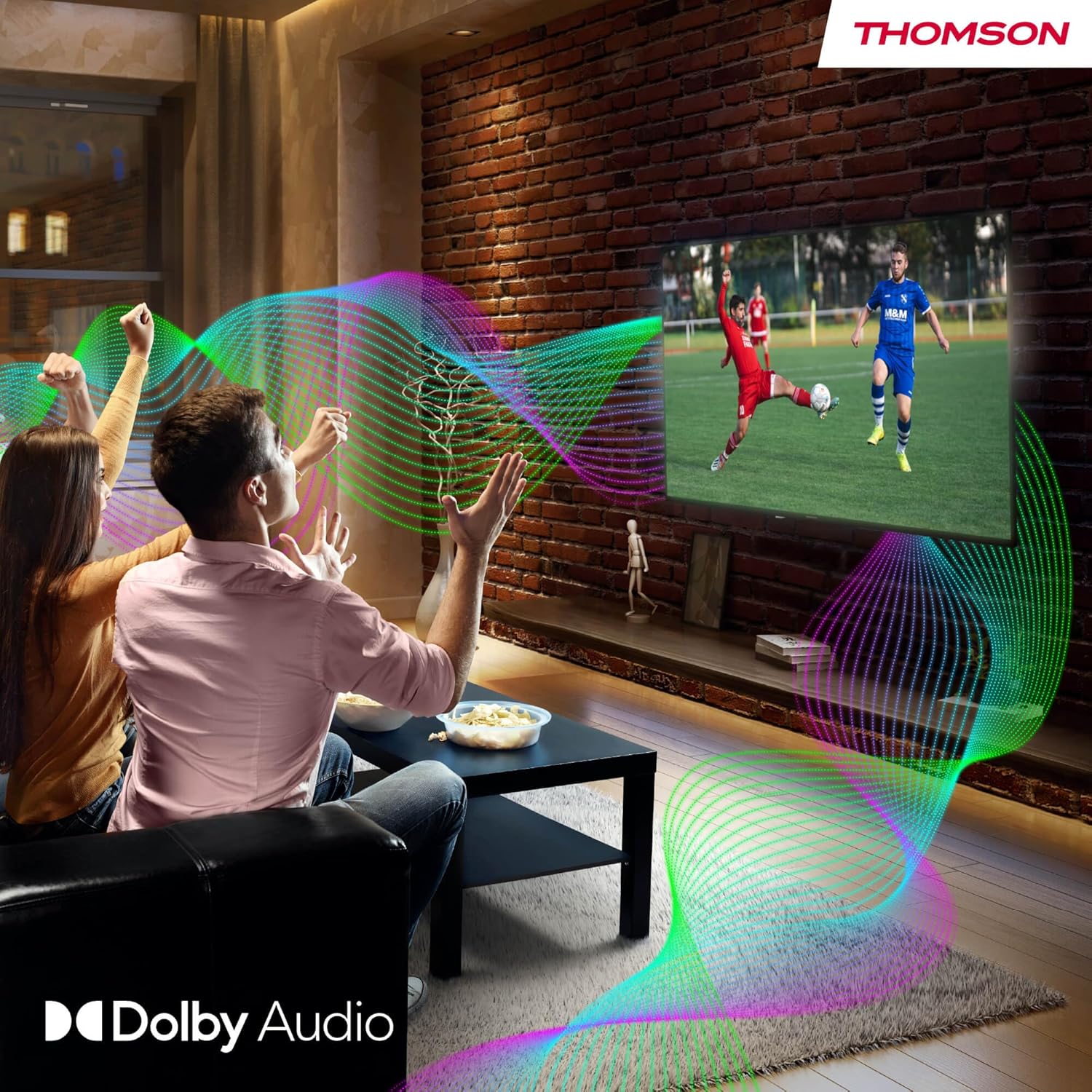
Your TV features Dolby Audio technology for an enhanced sound experience, delivering clear dialogue and immersive audio.
6. Техникалык тейлөө
- Экранды тазалоо: Экранды жумшак, түксүз чүпүрөк менен акырын сүртүңүз. өжөр белгилери үчүн, бир аз гampen the cloth with water or a specialized screen cleaner (ensure it's safe for LED screens). Never spray liquid directly onto the screen.
- Телевизордун корпусун тазалоо: Use a soft, dry cloth to wipe the exterior of the TV.
- Программалык камсыздоо жаңыртуулары: Your Google TV will periodically check for and install software updates. Ensure your TV is connected to the internet for these updates.
- Кабелдик башкаруу: Keep cables tidy and organized to prevent damage and ensure proper ventilation.
7. Кыйынчылыктарды
Эгерде сиз телевизоруңузда кандайдыр бир көйгөйлөргө туш болсоңуз, төмөнкү кеңири таралган көйгөйлөрдү жана чечимдерди караңыз:
| Көйгөй | Мүмкүн чечим |
|---|---|
| Күч жок | Check if the power cable is securely connected to the TV and the power outlet. Ensure the outlet is working. Try a different power source. |
| Сүрөт жок, бирок үн бар | Киргизүү булагын текшериңиз. Тышкы түзмөктөр туура туташтырылганын жана күйгүзүлгөнүн текшериңиз. |
| Үн жок, бирок сүрөт бар | Check the volume level. Ensure mute is not activated. Check audio output settings and external audio device connections. |
| Пульт иштебей жатат | Check and replace batteries. Ensure there are no obstructions between the remote and the TV. |
| Wi-Fi'га туташпай жатат | Роутериңиз күйүп жана иштеп жатканын текшериңиз. Wi-Fi сырсөзүн кайра киргизиңиз. Телевизорду жана роутерди өчүрүп-күйгүзүп көрүңүз. |
| Сүрөттүн сапаты начар | Check antenna/cable connections. Adjust picture settings. For streaming content, check internet speed. |
8. Техникалык шарттар
| Өзгөчөлүк | Деталь |
|---|---|
| Бренд | Томсон |
| Модель номери | 24HG2S14CW |
| Screen Size | 24 дюйм (60 см) |
| Резолюция | HD (1366 x 768) |
| Дисплей технологиясы | LED |
| Жаңыртуу ылдамдыгы | 60 Гц |
| Операция системасы | Google TV |
| Үн менен башкаруу | Google Жардамчы |
| Аудио технологиясы | Dolby Audio |
| HDR колдоо | HDR10 |
| Байланыш | Wi-Fi, Bluetooth 5.1, HDMI (3 ports), USB (2 ports), LAN, Digital Optical Audio Out, AV In, CI+ |
| Тюнер түрү | Triple Tuner (DVB-T/T2, DVB-C, DVB-S/S2) |
| Электр камсыздоо | 12V DC / Standard AC |
| Түс | Ак |
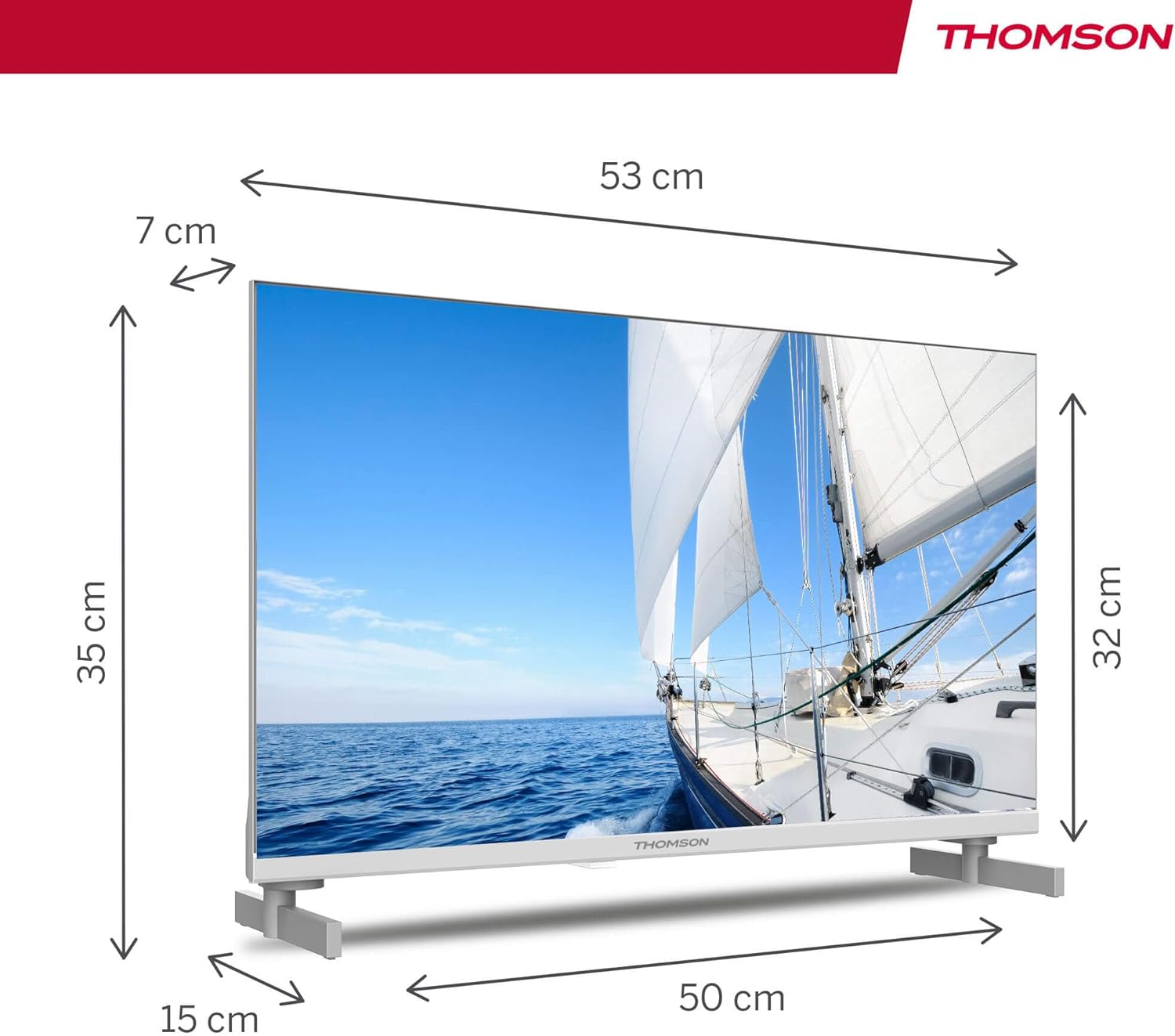
| Продукциянын өлчөмдөрү (L x W x Y) | 53.48 x 15.05 x 35.32 см |
| Салмагы | 3.5 кг |
| Энергия эффективдүүлүгү классы | E |
| Power Consumption (1000h) | 18 кВт.саат |

9. Кепилдик жана колдоо
THOMSON products are designed and manufactured to the highest quality standards. This product is covered by a manufacturer's warranty. Please refer to the warranty card included in your package for specific terms and conditions, including the warranty period and coverage details.
For technical support, troubleshooting assistance, or warranty claims, please contact THOMSON customer service through their official webсайтты же кепилдик документтериңизде көрсөтүлгөн байланыш маалыматын.


