1. Киришүү
This manual provides instructions for the setup, operation, and maintenance of your Peakeep Slim Digital Mirror Alarm Clock, model MHP6030. Please read this manual thoroughly before using the product to ensure proper function and longevity.
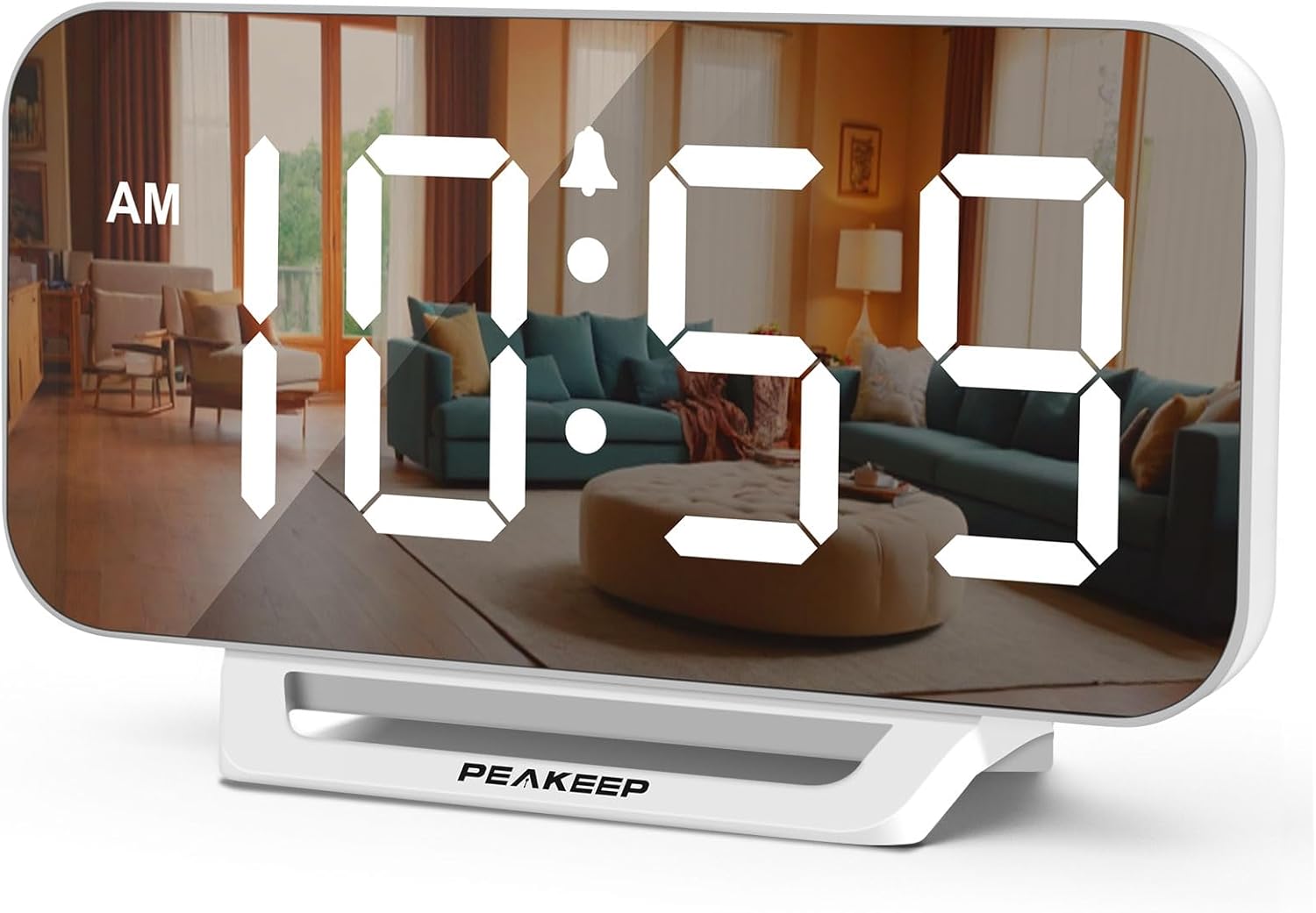
Image 1.1: The Peakeep Slim Digital Mirror Alarm Clock, model MHP6030, showing the time 10:59 AM on its reflective display.
2. Пакеттин мазмуну
Төмөндө тизмеленген нерселердин баары пакетиңизге камтылганын текшериңиз:
- Peakeep Slim Digital Mirror Alarm Clock (MHP6030)
- AC/DC Power Adapter (Type-C, 60-inch cord)
- Колдонуучунун Колдонмосу (бул документ)

Image 2.1: The alarm clock with its dimensions (6.2 inches wide, 3.5 inches high) and the included Type-C power adapter.
3. Продукт бүтүп калдыview
Familiarize yourself with the clock's buttons and ports.

Сүрөт 3.1: Арткы view of the clock, highlighting the control buttons and the DC IN port.
Башкаруу баскычтары:
- УБАКЫТТЫ ОРНОТУУ: Убакытты орнотуу режимине кирүү үчүн колдонулат.
- ДИММЕР: Дисплейдин жарыктыгын тууралайт.
- + / ON/OFF: Increases values during setting; turns alarm on/off.
- - / 12/24HR: Decreases values during setting; switches between 12-hour and 24-hour format.
- Көлөмү: Adjusts the alarm volume.
- Сигналды коюу: Ойготкучту орнотуу режимине кирүү үчүн колдонулат.
- SNOOZE/LIGHT (Top Bar): Activates snooze during an alarm; temporarily lights up the screen for 20 seconds when on battery backup.
Порттор:
- DC IN: Type-C port for connecting the power adapter.
4. Орнотуу
4.1 Кубат туташтыруу
- Connect the provided Type-C power adapter cable to the 'DC IN' port on the back of the clock.
- Plug the adapter into a standard electrical outlet. The display will illuminate.

Image 4.1: The clock receiving power from a wall outlet using the Type-C adapter.
4.2 Батареянын резервдик көчүрмөсүн орнотуу
The clock requires 4 AAA batteries (not included) for backup functionality. These batteries preserve time and alarm settings during a power outage and allow the alarm to function.
- Сааттын артындагы батарея отсегин табыңыз.
- Батарея уясынын капкагын ачыңыз.
- Insert 4 new AAA batteries, observing the correct polarity (+/-) as indicated inside the compartment.
- Батарея уясынын капкагын бекем жабыңыз.
5. Иштөө нускамалары
5.1 Убакытты коюу
- басып, кармап туруңуз УБАКЫТТЫ ОРНОТУУ баскычын сааттын цифралары жарк этмейинче басыңыз.
- колдонуу + or - саатты тууралоо үчүн баскычтар.
- Басыңыз УБАКЫТТЫ ОРНОТУУ Саатты ырастоо жана мүнөт коюуга өтүү үчүн кайрадан басыңыз. Мүнөт сандары күйүп-өчүп турат.
- колдонуу + or - мүнөттөрдү тууралоо үчүн баскычтар.
- Басыңыз УБАКЫТТЫ ОРНОТУУ Убакытты үнөмдөө жана убакытты орнотуу режиминен чыгуу үчүн дагы бир жолу басыңыз.
5.2 12/24 саат форматы
To switch between 12-hour and 24-hour display formats:
- Кадимки убакытты көрсөтүү режиминде басыңыз - / 12/24HR button. The display will toggle between 12-hour (with AM/PM indicator) and 24-hour formats.

Image 5.1: The clock displaying time in both 12-hour (top) and 24-hour (bottom) formats.
5.3 Сигналды коюу
- басып, кармап туруңуз Сигналды орнотуу ойготкуч сааттын цифралары жарк этмейинче басыңыз.
- колдонуу + or - ойготкуч саатын тууралоо үчүн баскычтар.
- Басыңыз Сигналды орнотуу again to confirm the alarm hour and move to alarm minute setting. The minute digits will flash.
- колдонуу + or - ойготкуч мүнөттөрдү тууралоо үчүн баскычтар.
- Басыңыз Сигналды орнотуу once more to save the alarm time. The alarm indicator icon will appear on the display, indicating the alarm is active.
5.4 Ойготкучту күйгүзүү/өчүрүү
- Кадимки убакытты көрсөтүү режиминде басыңыз + / ON/OFF button to toggle the alarm on or off. The alarm indicator icon will appear when the alarm is active and disappear when it is off.
5.5 Дисплейдин жарыктыгын жөндөө (Dimmer)
The clock features 6 levels of display brightness, including an 'OFF' setting.
- In normal time display mode, repeatedly press the DIMMER button to cycle through the 6 brightness levels (L5 to L1) and the 'OFF' setting.

Image 5.2: Visual representation of the six adjustable brightness levels (L5 being brightest, OFF being completely dark).
5.6 Ойготкучтун үнүн тууралоо
The alarm has 5 adjustable volume levels, ranging from 55 dB to 100 dB.
- In normal time display mode, repeatedly press the VOLUME button to cycle through the 5 alarm volume levels (U01 to U05).

Image 5.3: Illustration of the five alarm volume levels, from U01 (55dB) to U05 (100dB).
5.7 Тындыруу функциясы
Ойготкуч кагылганда:
- басыңыз SNOOZE / LIGHT bar on the top of the clock to activate the snooze function. The alarm will pause for 9 minutes and then sound again.
- To turn off the alarm completely, press any button on the back of the clock.
6. Battery Backup Function
The 4 AAA batteries (not included) serve as a backup power source. In the event of a power outage:
- The clock's display will turn off to conserve battery power.
- All time and alarm settings will be retained.
- The alarm will still sound at the set time.
- басуу SNOOZE / LIGHT bar on top will temporarily illuminate the screen for 20 seconds to check the time.

Image 6.1: The clock illustrating its battery backup feature, showing how settings are saved and the screen can be temporarily lit during a power outage.
7. Техникалык тейлөө
- Сааттын бетин жумшак, кургак чүпүрөк менен тазалаңыз. Абразивдүү тазалоочу каражаттарды же эриткичтерди колдонбоңуз.
- Саатты өтө жогорку температурага, түз күн нуруна же жогорку нымдуулукка дуушар кылбаңыз.
- Эгер саат көпкө чейин колдонулбаса, агып кетүүнүн алдын алуу үчүн AAA камдык батарейкаларын алып салыңыз.
8. Кыйынчылыктарды
| Көйгөй | Мүмкүн себеп | Чечим |
|---|---|---|
| Дисплей бош. | Эч кандай электр байланышы же кубаты жокtage. | Ensure the power adapter is securely plugged into the clock and a working outlet. If on battery backup, press the SNOOZE/LIGHT bar to temporarily illuminate. |
| Ойготкуч угулбайт. | Ойготкуч иштетилген эмес же үн өтө төмөн. | басыңыз + / ON/OFF button to ensure the alarm icon is displayed. Adjust alarm volume using the VOLUME button. Check backup batteries if operating during a power outage. |
| Убакыт туура эмес. | Time was not set correctly or power interruption without backup batteries. | Reset the time using the УБАКЫТТЫ ОРНОТУУ button. Ensure backup batteries are installed and functional. |
| Дисплей өтө жарык/күңүрт. | Жарыктык деңгээлин тууралоо керек. | басыңыз DIMMER button repeatedly to cycle through brightness levels. |
9. Техникалык шарттар
| Өзгөчөлүк | Деталь |
|---|---|
| Модель номери | MHP6030 |
| Дисплей түрү | Digital LED |
| Дисплей өлчөмү | 6 дюйм (узундугу) x 3 дюйм (туурасы) |
| Продукциянын өлчөмдөрү | 6"W x 3.5"H |
| Power Source | Corded Electric (AC/DC adapter included) |
| Батареянын камдык көчүрмөсү | 4 x AAA батарейкалар (киргизилген эмес) |
| Жарыктык деңгээли | 6 (L5 to OFF) |
| Сигнализациянын үн деңгээли | 5 (55-100 дБ) |
| Тындыруунун узактыгы | 9 мүнөт |
| Убакыт форматы | 12 сааттык / 24 сааттык тандоо |
| Материал | Пластик |
| Элемент Салмагы | 6.4 унция |
10. Кепилдик жана колдоо
For warranty information or technical support, please refer to the contact details provided with your purchase documentation or visit the official Peakeep webсайт. Сатып алганыңыздын далили катары сатып алуу дүмүрчөгүңүздү сактаңыз.


