1. Киришүү
This manual provides detailed instructions for the setup, operation, and maintenance of your TECPHILE B023-Black Bluetooth Wireless Foldable Keyboard. Please read this manual thoroughly before using the product to ensure proper functionality and longevity.
2. Пакеттин мазмуну
Продукцияңыздын таңгагында бардык элементтер бар экенин текшериңиз:
- 1 x TECPHILE B023-Black Foldable Keyboard
- 1 х USB-C кубаттоо кабели
- 1 x Adjustable Phone Stand
- 1 х Колдонуучунун колдонмосу (бул документ)
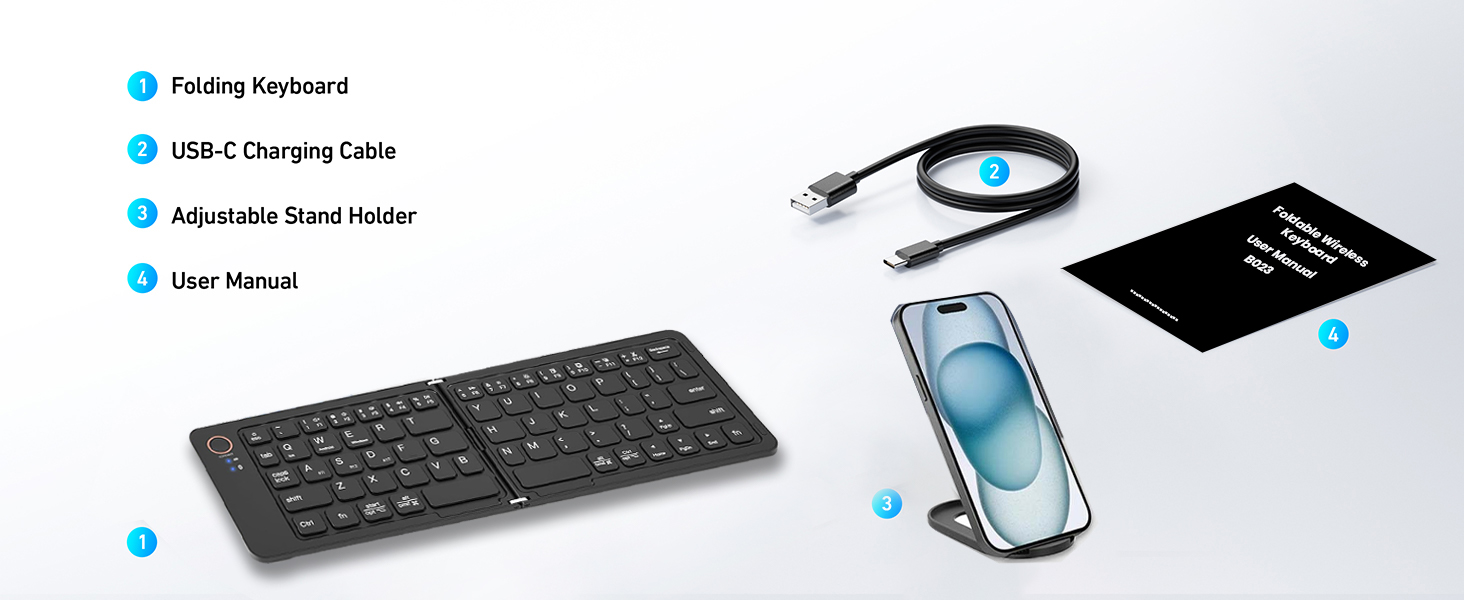
Figure 2.1: Contents of the TECPHILE B023-Black Foldable Keyboard package.
3. Техникалык шарттар
| Өзгөчөлүк | Description |
|---|---|
| Модел | B023-Кара |
| Байланыш | Bluetooth 5.1 |
| Шайкеш операциялык системалар | iOS, Android, Windows, Mac OS |
| Батарея сыйымдуулугу | 140mAh литий-ион (кошулган) |
| Үзгүлтүксүз колдонуу убактысы | 40 саатка чейин |
| Күтүү убактысы | 180 күнгө чейин |
| Заряддоо порту | USB Type-C |
| Заряддоо убактысы | 2-3 саат |
| Иштөө диапазону | 10 метрге чейин |
| Өлчөмү (Бүктөлгөн) | Болжол менен 17 x 9.5 x 1.5 см |
| Өлчөмдөрү (бүктөлбөгөн) | Болжол менен 28 x 9.5 x 0.75 см (11 x 3.7 x 0.3 дюйм) |
| Салмагы | Болжол менен 170 г |
| Материал | Пластик |
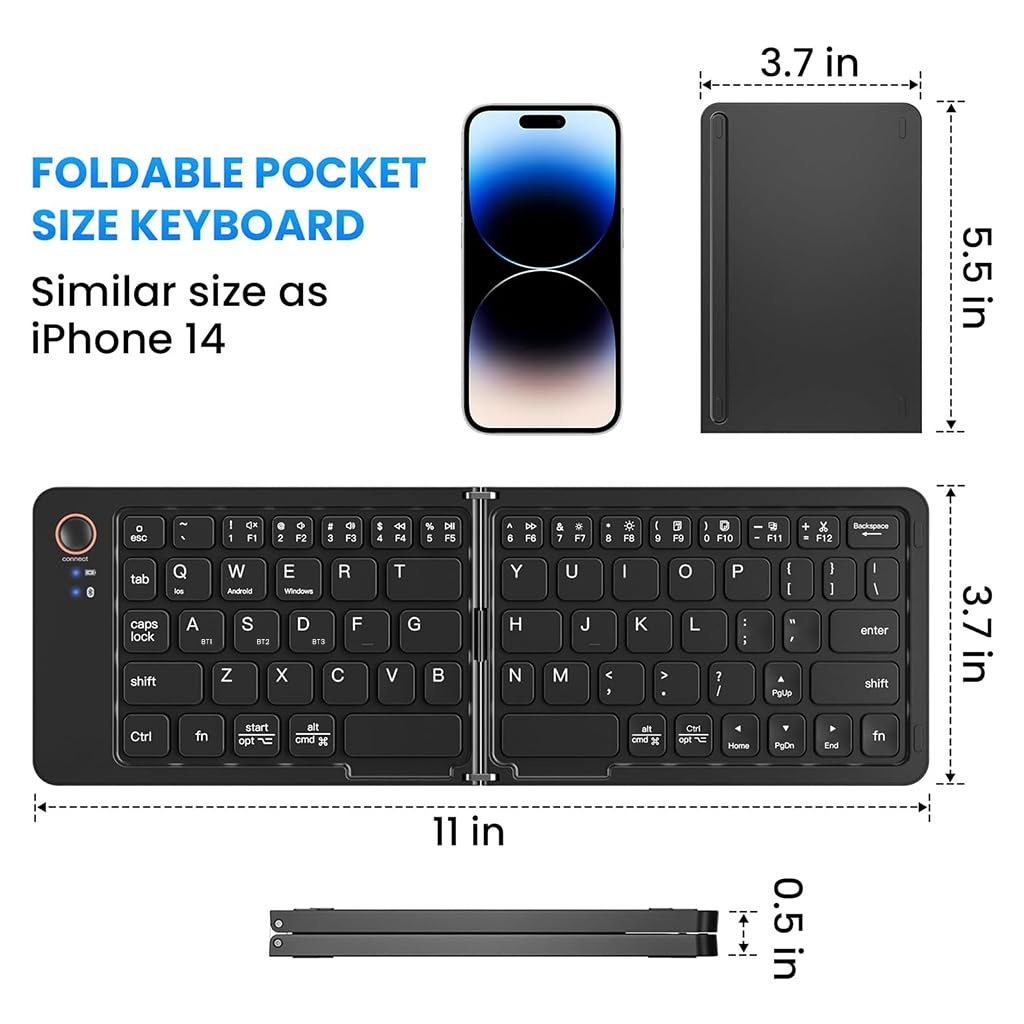
Figure 3.1: Folded and unfolded dimensions of the keyboard.
4. Орнотуу
4.1. Баскычтопту заряддоо
Before initial use, fully charge the keyboard. Connect the supplied USB-C charging cable to the keyboard's charging port and the other end to a USB power source (e.g., computer, wall adapter). The LED indicator will show charging status and turn off when fully charged.
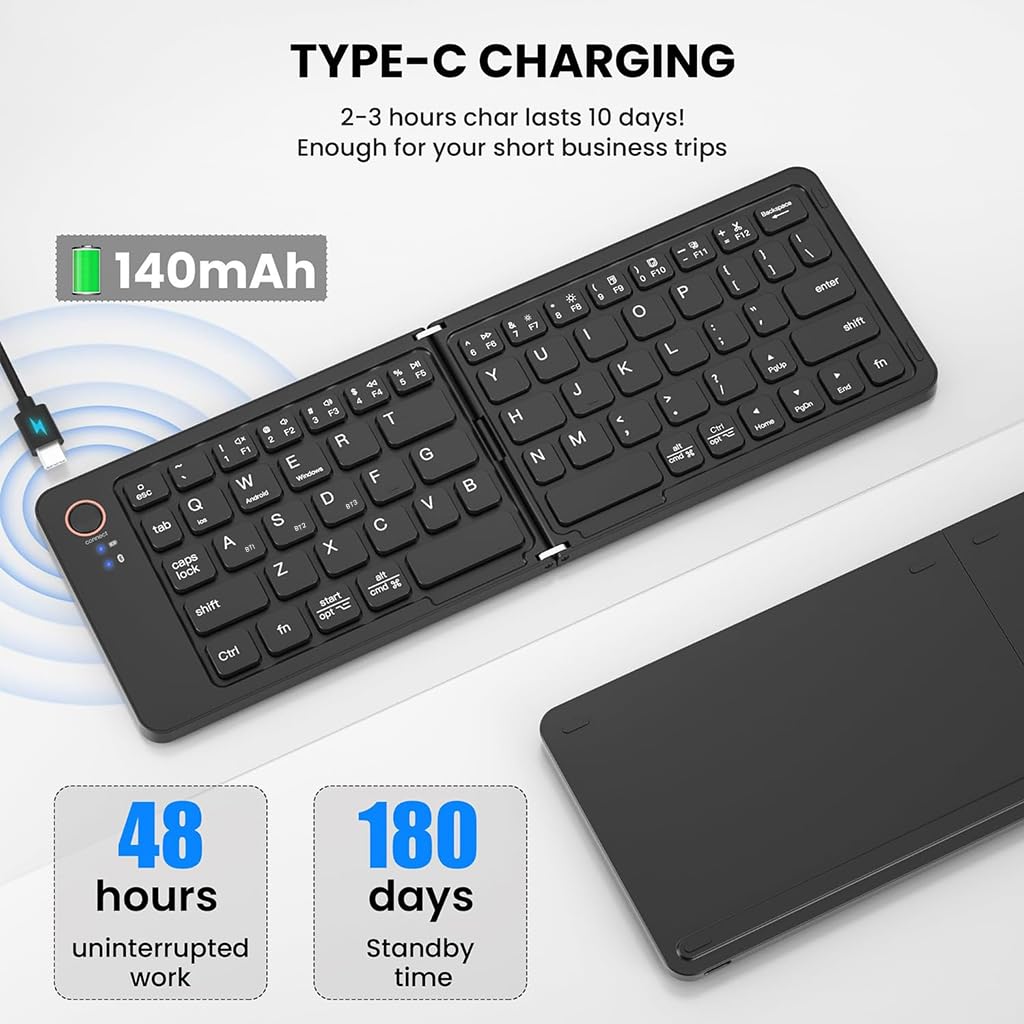
Figure 4.1: Keyboard connected for Type-C charging.
4.2. Күйгүзүү/өчүрүү
The keyboard features an automatic power on/off function. Simply unfold the keyboard to power it on, and fold it to power it off. A magnetic closure ensures it stays securely folded when not in use.
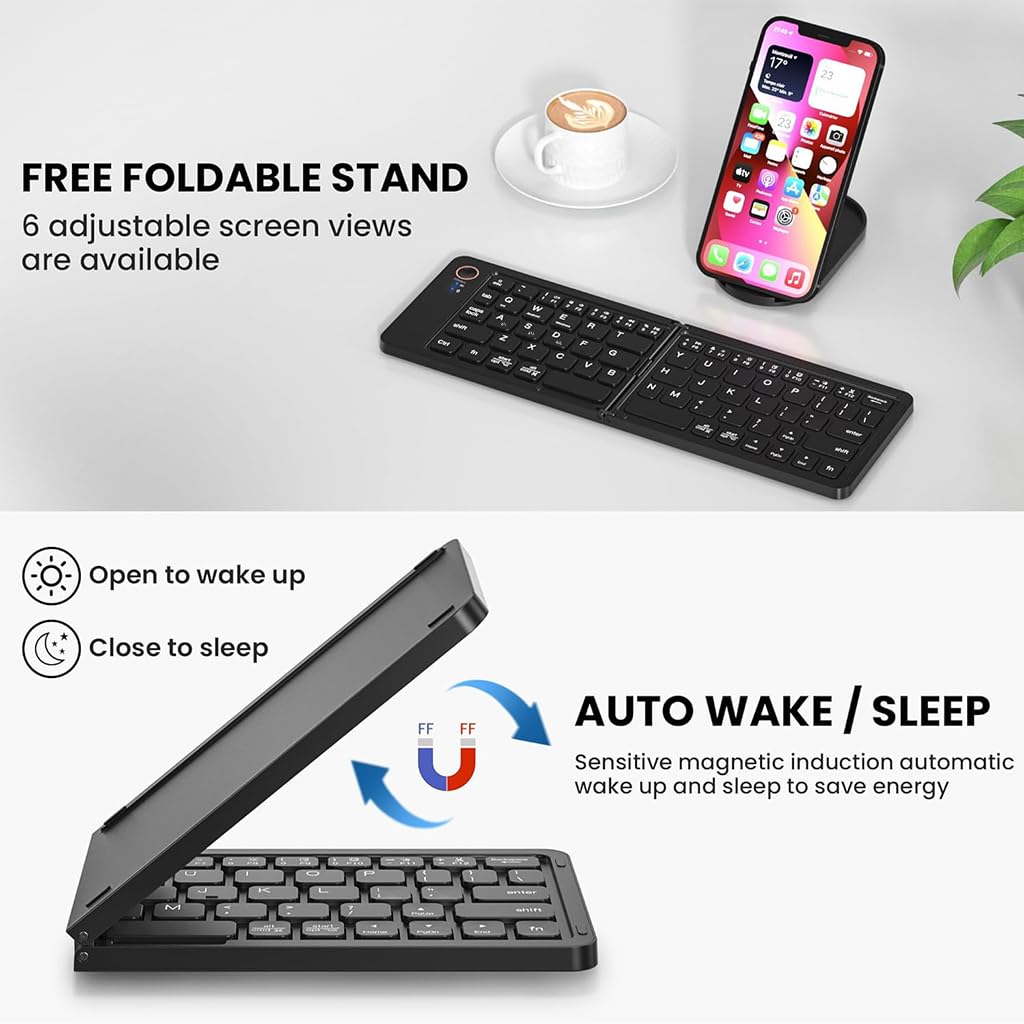
Figure 4.2: Auto wake/sleep functionality.
4.3. Bluetooth Жупташтыруу
The keyboard supports multi-device connectivity, allowing you to pair with up to three devices simultaneously.
- Баскычтопту жазыңыз to power it on. The Bluetooth indicator light will begin to flash.
- Түзмөгүңүздө (смартфон, планшет, ноутбук) Bluetooth жөндөөлөрүнө өтүңүз.
- Тандоо 'B023-Black Keyboard' жеткиликтүү түзмөктөрдүн тизмесинен.
- Эгер суралса, түзмөгүңүздө көрсөтүлгөн жупташтыруу кодун киргизиңиз.
- Once connected, the Bluetooth indicator light will stop flashing.
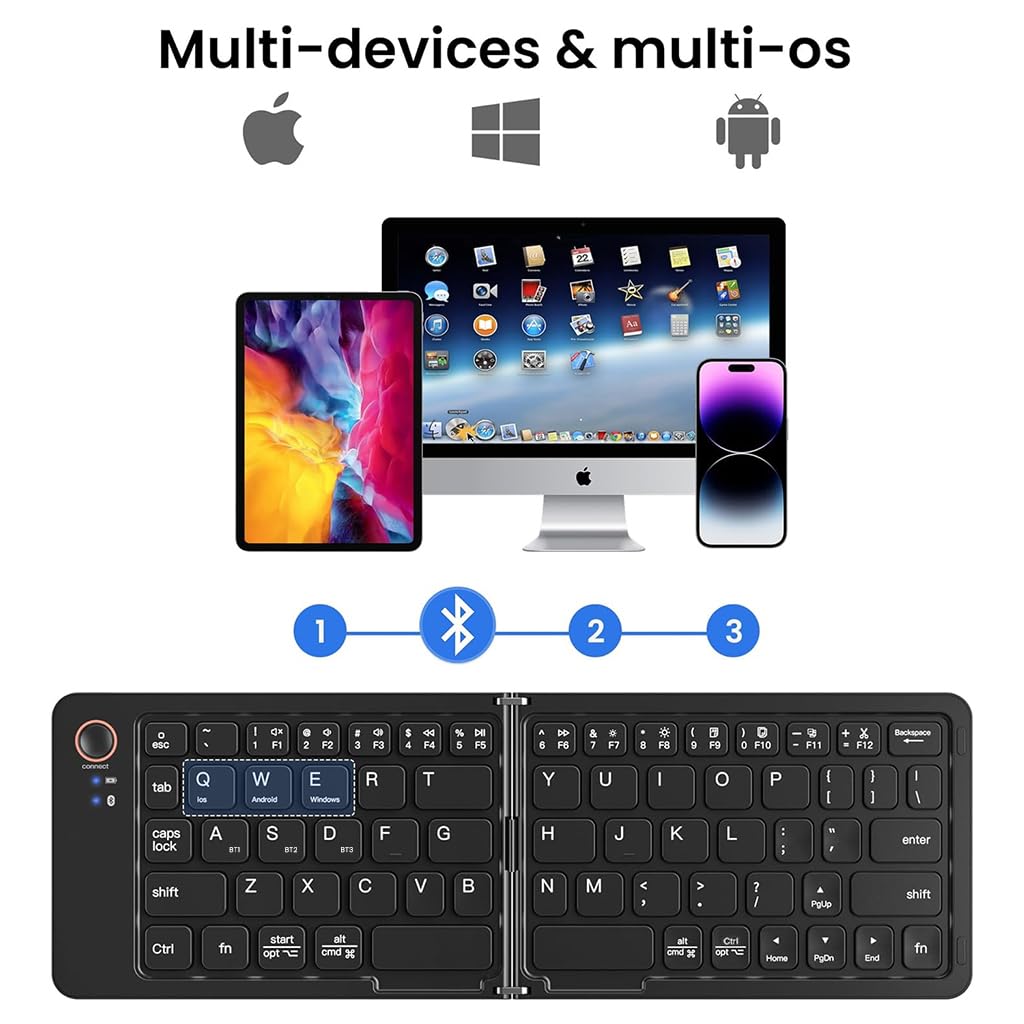
Figure 4.3: Multi-device Bluetooth connectivity.
4.4. Түзмөктөрдүн ортосунда которулуу
To switch between paired devices (up to three), press the corresponding function key:
- Басыңыз fn+1 for Device 1
- Басыңыз fn+2 for Device 2
- Басыңыз fn+3 for Device 3
4.5. Операциялык системаны которуу
The keyboard is compatible with various operating systems. To optimize key functions for your specific OS, press the following key combinations:
- Басыңыз Fn + Q iOS үчүн
- Басыңыз Fn + W Android үчүн
- Басыңыз Fn + E Windows үчүн
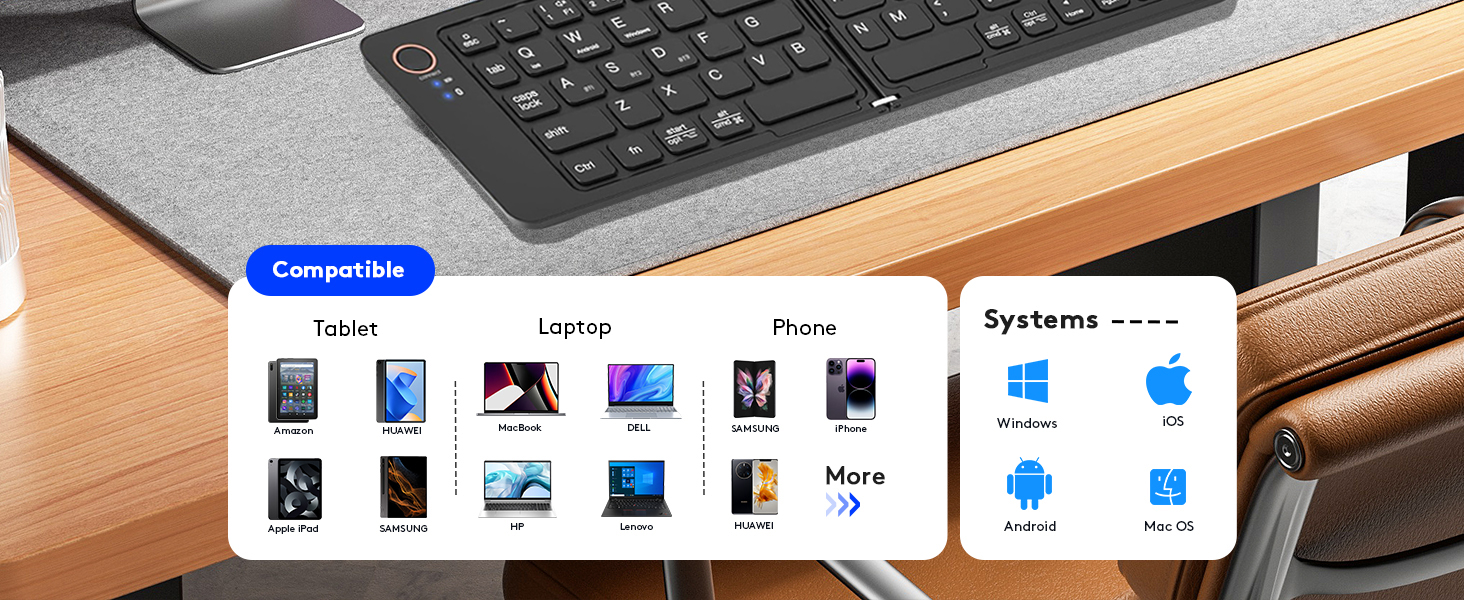
Figure 4.4: Keyboard compatibility across devices and operating systems.
5. Баскычтопту иштетүү
5.1. Негизги функциялар
The keyboard layout is standard QWERTY. Most keys function as they would on a full-sized keyboard. Special function keys (F1-F12) may require pressing the Fn key simultaneously, depending on your operating system setting.
5.2. LED көрсөткүчтөрү
- Bluetooth көрсөткүчү: Flashes during pairing, solid when connected, off when disconnected.
- Caps Lock көрсөткүчү: Caps Lock иштетилгенде күйөт.
- Заряддоо көрсөткүчү: Заряддоо учурунда күйөт, толук заряддалганда өчөт.
5.3. Using the Adjustable Phone Stand
The included adjustable phone stand can be used to hold your smartphone or tablet at a comfortable viewing angle while using the keyboard. It is crafted from sturdy plastic and offers multiple viewбурчтар.

Figure 5.1: Keyboard in use with the adjustable phone stand.
6. Техникалык тейлөө
6.1. Тазалоо
Баскычтопту тазалоо үчүн бетти жумшак, г менен акырын сүртүңүзamp cloth. Avoid using harsh chemicals or abrasive materials that could damage the finish. Ensure the keyboard is powered off and disconnected from any charging source before cleaning.
6.2. Сактоо
When not in use, fold the keyboard to protect the keys and conserve battery life. Store it in a cool, dry place away from direct sunlight and extreme temperatures. The compact, foldable design makes it easy to store in a bag or pocket.
Figure 6.1: Keyboard stored in a backpack.
7. Кыйынчылыктарды
- Баскычтоп Bluetooth аркылуу туташпай жатат:
Ensure the keyboard is charged and powered on (unfolded). Make sure Bluetooth is enabled on your device and the keyboard is within the 10-meter operating range. Try unpairing and re-pairing the keyboard. If connecting to a new device, ensure previous connections are not active on other devices. - Баскычтар жооп бербей жатат же туура эмес терип жатат:
Check the battery level. Ensure the correct operating system mode is selected (Fn+Q for iOS, Fn+W for Android, Fn+E for Windows). If certain keys like 'Y' and 'Z' are swapped, your device's keyboard layout might be set to a non-standard English layout (e.g., QWERTZ). Adjust your device's keyboard language settings to 'English (US)' or the appropriate standard layout. - Keyboard not charging:
Verify that the USB-C cable is securely connected to both the keyboard and the power source. Try using a different USB-C cable or power adapter. - Auto sleep mode not working:
The keyboard enters auto sleep mode after 10 minutes of inactivity. If it's not sleeping, ensure no keys are being accidentally pressed. It will automatically wake and reconnect when any key is pressed.
8. Кепилдик жана колдоо
For warranty information or technical support, please refer to the contact details provided on the product packaging or visit the official TECPHILE webсайт. Сатып алуу квитанциясын кепилдик дооматтары үчүн сатып алуунун далили катары сактаңыз.
Өндүрүүчү: ТЕХНИКАЛЫК
Кардарларды тейлөө электрондук почтасы: Customercare@conceptkart.com
9. Коопсуздук маалыматы
- Баскычтопту сууга же ашыкча нымдуулукка дуушар кылбаңыз.
- Баскычтопту түшүрүүдөн же катуу таасирлерге дуушар кылуудан качыңыз.
- Do not attempt to disassemble or repair the keyboard yourself. This will void the warranty.
- Keep the keyboard away from extreme temperatures and direct heat sources.
- Батареяны жергиликтүү эрежелерге ылайык жок кылыңыз. Өрттөбө.


