1. Киришүү
This manual provides detailed instructions for the Headwolf WPad5 Android 14 Tablet. Please read this guide thoroughly before using your device to ensure proper operation and to maximize its features. Keep this manual for future reference.
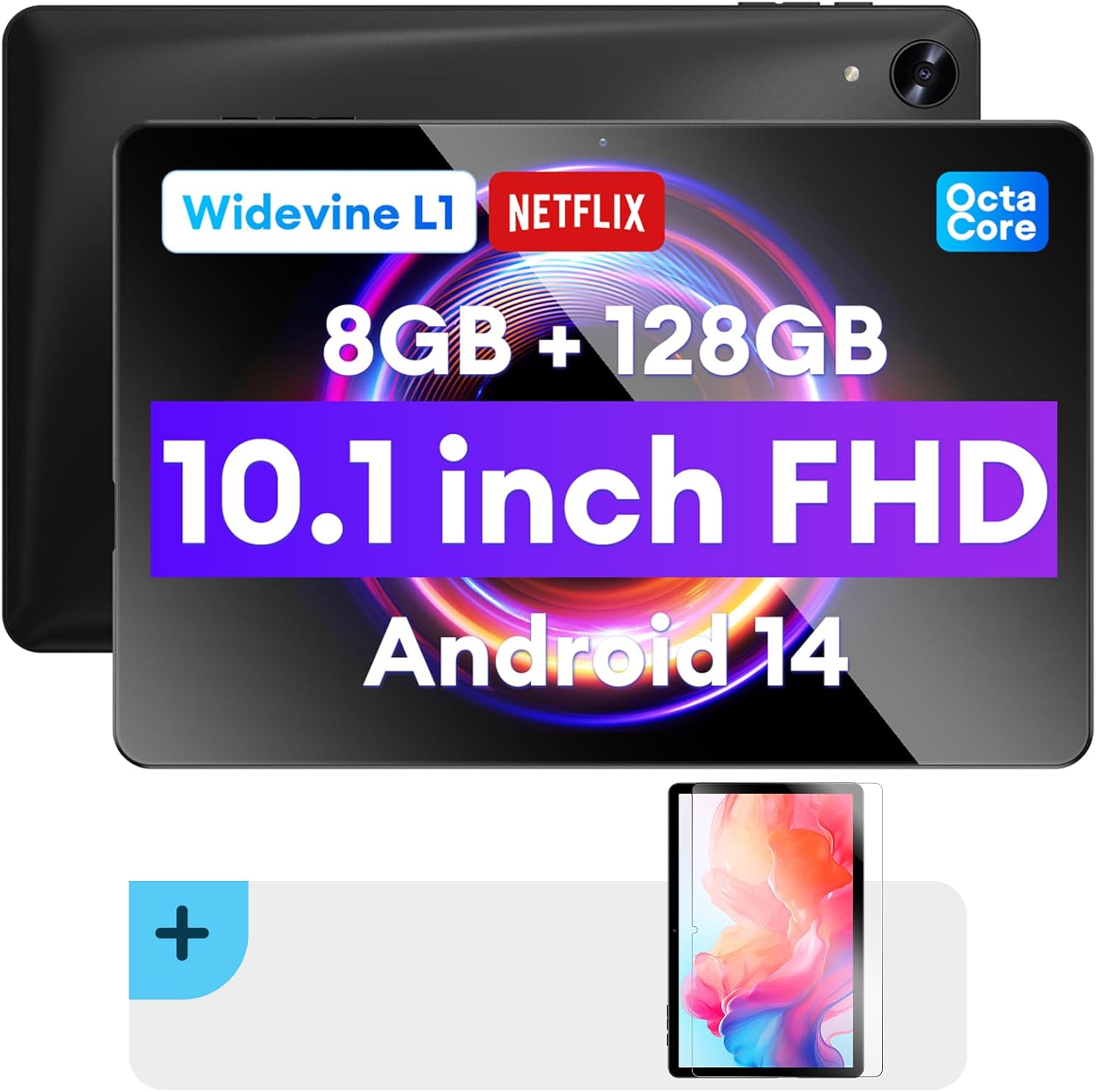
Сүрөт: алдыңкы жана арткы view of the Headwolf WPad5 tablet, showcasing its 10.1-inch FHD display, 8GB RAM + 128GB ROM, Widevine L1 support, Octa-Core processor, and Android 14 operating system.

Сүрөт: An overview of the Headwolf WPad5 tablet's main features, including its 10.1-inch 1920x1200 IPS FHD display, Unisoc T606 Octa-Core CPU, 8GB RAM + 128GB ROM, 5500mAh battery, 2.4G/5G WiFi, Android 14, dual stereo speakers, dual camera, and Widevine L1 support for Netflix.
2. Орнотуу
2.1 Кутуда эмне бар
Upon unboxing your Headwolf WPad5 tablet, please verify that all the following items are included:
- Headwolf WPad5 Tablet
- Type-C кабели
- AC адаптер
- User Manual
- 2-pack Screen Protector

Image: A visual representation of the Headwolf WPad5 tablet and its accessories (manual, Type-C cable, AC adapter). It also highlights the tablet's physical features such as the 3.5mm headphone jack, rear camera, power button, volume buttons, TF card slot, and Type-C port.
2.2 Планшетти заряддоо
Before initial use, fully charge your tablet. Connect the Type-C cable to the tablet's Type-C port and the other end to the AC adapter. Plug the AC adapter into a power outlet. The battery indicator on the screen will show charging status.
2.3 Күйгүзүү/өчүрүү
- Күйгүзүү үчүн: Press and hold the Power button located on the side of the tablet until the Headwolf logo appears on the screen.
- Өчүрүү үчүн: Кубат баскычын басып, кубат менюсу чыкканга чейин кармап туруңуз. Параметрлерден "Өчүрүү" дегенди тандаңыз.
- Кайра баштоо үчүн: From the power menu, select "Restart".
2.4 Screen Protector Installation
Your tablet comes with two screen protectors. Follow these steps for installation:
- Clean the tablet screen thoroughly with a microfiber cloth to remove dust and smudges.
- Peel off the protective film from the adhesive side of the screen protector.
- Carefully align the screen protector with the tablet's screen, ensuring the cutouts for the camera and sensors match.
- Gently lay the protector onto the screen, starting from one edge and slowly lowering it.
- Use a soft card (e.g., a credit card wrapped in cloth) to smooth out any air bubbles, pushing them towards the edges.
- Remove the top protective film (if present).
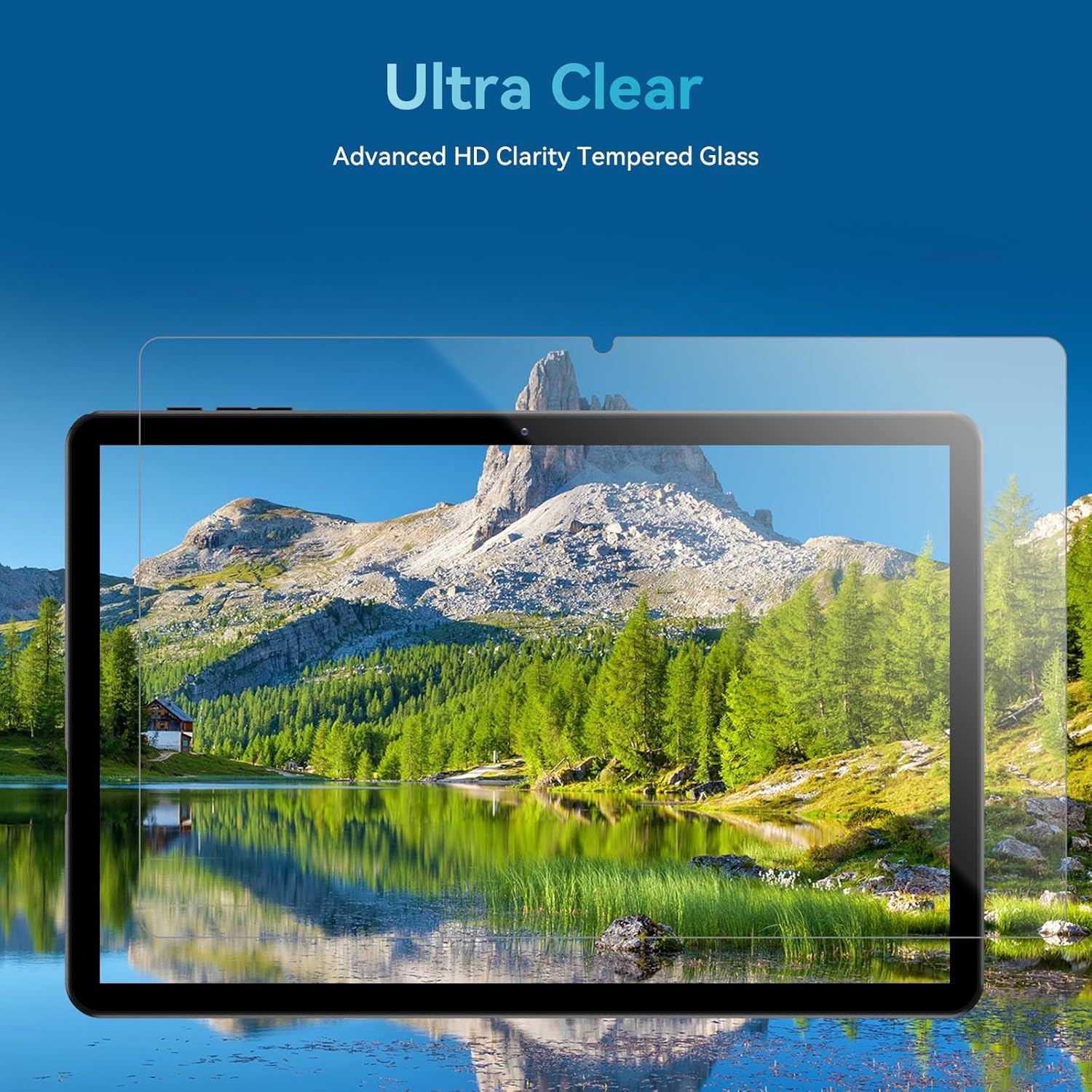
Image: The Headwolf WPad5 tablet with an "Ultra Clear" advanced HD clarity tempered glass screen protector being shown, indicating its protective function and clear display.
3. Планшетиңизди иштетүү
3.1 Android 14 операциялык системасы
The Headwolf WPad5 runs on the latest Android 14 operating system, offering enhanced performance, improved privacy features, and a customizable user interface.
- GMS Free App Download: Access millions of applications through the Google Play Store.
- Бөлүнгөн экран функциясы: Enhance productivity by using two apps simultaneously.
- UI ыңгайлаштыруу: Personalize your interface with various themes, widgets, and settings.
- Купуялыкты коргоо: Advanced features to ensure your personal data remains secure and confidential.
- Personalized Screen Settings: Empower all users with enhanced usability options.

Image: A graphic illustrating the key features of the Android 14 system on the Headwolf WPad5, such as GMS free app download, UI customization, personalized screen settings, and privacy protection, enhancing user experience.
3.2 Display and Widevine L1 Certification
The tablet features a 10.1-inch FHD 1920x1200 IPS display, providing clear and vibrant visuals. With Widevine L1 certification, you can stream high-definition content from popular platforms like Netflix, Amazon Prime Video, Disney+, and YouTube without interruptions or quality degradation.

Image: A visual demonstrating the Widevine L1 certification on the Headwolf WPad5 tablet, showing high-quality streaming from services like YouTube, Netflix, Amazon Prime Video, Disney+, and Hulu, ensuring a premium viewтажрыйбасы.
3.3 Аткаруу жана сактоо
Powered by an octa-core Unisoc T606 CPU, the WPad5 ensures smooth multitasking and gaming. It comes with 8GB RAM (achieved via 4GB physical RAM + 4GB expansion) and 128GB of internal storage. The storage can be expanded up to 2TB using a microSD card (not included).

Image: A diagram detailing the Unisoc T606 Octa-Core CPU with 2.0 GHz peak frequency and Mali-G57 GPU, highlighting its high performance, efficient processing, and low heat generation for gaming and high-quality display.

Image: A graphic illustrating the generous storage capacity of the Headwolf WPad5, featuring 8GB RAM (4+4GB) and 128GB ROM, expandable up to 2TB via TF card, suitable for storing software, photos, music, videos, and e-books.
3.4 Байланыш
The WPad5 offers versatile connectivity options:
- Wi-Fi: Dual-band (2.4GHz/5GHz) 802.11ac for fast and stable internet connection.
- Bluetooth: Зымсыз аксессуарларды туташтыруу үчүн 5.0 версиясы.
- 3.5 мм гарнитура уячасы: Зымдуу аудио чыгаруу үчүн.
- GPS: 4-mode satellite positioning for precise location services. For offline navigation, download maps via Wi-Fi before traveling to areas without internet access.

Image: The Headwolf WPad5 tablet displaying a navigation map, illustrating its 4-mode satellite positioning capability for precise location services and route guidance.
3.5 Камералар
The tablet is equipped with dual cameras:
- Арткы камера: Сүрөт жана видео тартуу үчүн 8 мегапиксел.
- Алдыңкы камера: 5MP, ideal for video calls and online meetings.

Сүрөт: Коллаж көрсөтүүasing the capabilities of the Headwolf WPad5's 8MP rear camera for capturing landscapes and moments, and the 5MP front camera for video conferencing and meetings, demonstrating its versatility.
3.6 Батареянын иштөө мөөнөтү
The WPad5 is powered by a 5500mAh battery, providing approximately 6-8 hours of playtime per charge, depending on usage.
3.7 Кошумча функциялар
- Бөлүнгөн экран: Run two applications side-by-side for enhanced productivity.
- Жүзүнөн ачуу: Бетти таануу аркылуу планшетиңиздин кулпусун коопсуз ачыңыз.
- Экранды чагылдыруу: Cast your tablet's display to a larger screen wirelessly.
- Dual Box Stereo Speakers: Enjoy immersive audio with enhanced sound quality.
Сүрөт: Графикалык көргөзмөasing various features of the Headwolf WPad5 tablet, including Split Screen functionality for multitasking, 2.4G/5G Dual Band WiFi for connectivity, Face Unlock for security, and Screen Mirroring for casting content to external displays.
4. Техникалык тейлөө
4.1 Батареяга кам көрүү
- Батареяны бат-баттан толук түгөтүп коюудан алыс болуңуз.
- Планшетти экстремалдык температурага тийгизбеңиз.
- Берилген кубаттагычты же сертификатталган шайкеш кубаттагычты гана колдонуңуз.
- The 5500mAh battery includes overcurrent, short circuit, over-discharge, and output protection for safety.

Image: A visual highlighting the 5500mAh battery of the Headwolf WPad5 and its built-in protection features: overcurrent protection, short circuit protection, over-discharge protection, and output protection, ensuring safe and reliable power.
4.2 Планшетиңизди тазалоо
- Планшеттин экранын жана корпусун тазалоо үчүн жумшак, түксүз чүпүрөктү колдонуңуз.
- өжөр тактар үчүн, бир аз гampчүпүрөккө суу же электроника үчүн атайын иштелип чыккан экран тазалагыч.
- Катуу химиялык заттарды, абразивдүү материалдарды же аэрозолдук спрейлерди колдонуудан алыс болуңуз.
4.3 Программалык камсыздоо жаңыртуулары
Regularly check for and install software updates to ensure your tablet has the latest features, security patches, and performance improvements. You can usually find this option in the tablet's Settings menu under "System" or "About tablet".
5. Кыйынчылыктарды
5.1 Жалпы маселелер жана чечимдер
| Маселе | Мүмкүн чечим |
|---|---|
| Планшет күйбөйт | Батарея заряддалганын текшериңиз. Кубаттоочу түзүлүштү туташтырып, кайра күйгүзүүгө аракет кылуудан мурун бир нече мүнөт күтө туруңуз. Эгер жооп бербесе, өчүрүп-күйгүзүү үчүн кубат баскычын 10-15 секунд басып туруңуз. |
| Wi-Fi туташуу маселелери | Restart your Wi-Fi router and the tablet. Forget the Wi-Fi network on your tablet and reconnect. Ensure you are within range of the Wi-Fi signal. |
| Колдонмолор бузулуп же катып жатат | Clear the app's cache and data in Settings > Apps. Update the app to its latest version. If the issue persists, uninstall and reinstall the app. |
| Жай аткаруу | Close unnecessary background apps. Clear cache data regularly. Consider uninstalling unused apps. Ensure sufficient free storage space. |
| Экран жооп бербей жатат | Планшетті өчүрүп-күйгүзүңүз. Эгер көйгөй чечилбесе, заводдук жөндөөлөргө кайтарыңыз (маалыматтар жоголот). |
5.2 Заводдук абалга кайтаруу
A factory reset will erase all data from your tablet and restore it to its original factory settings. Улантуудан мурун бардык маанилүү маалыматтардын камдык көчүрмөсүн жасаңыз.
- барыңыз Орнотуулар.
- багыттоо Система > Параметрлерди баштапкы абалга келтирүү.
- Тандоо Бардык дайындарды өчүрүү (дескриптке кайтаруу).
- Тандооңузду ырастап, экрандагы көрсөтмөлөрдү аткарыңыз.
6. Техникалык шарттар
| Өзгөчөлүк | Деталь |
|---|---|
| Модель аты | WPad5 |
| Операция системасы | Android 14 |
| Screen Size | 10.1 дюйм |
| Screen Resolution | 1920 x 1200 (FHD) |
| Процессор | Unisoc T606 сегиз ядролуу |
| RAM | 8 ГБ (4 ГБ + 4 ГБ кеңейтүү) |
| Ички сактагыч | 128 ГБ |
| Кеңейтүүчү сактагыч | microSD карта аркылуу 2 ТБ чейин |
| Арткы камера | 8 депутат |
| Алдыңкы камера | 5 депутат |
| Батарея сыйымдуулугу | 5500mAh |
| Зымсыз байланыш | 802.11ac (Dual-band 2.4GHz/5GHz) |
| Bluetooth | Bluetooth 5.0 |
| Порттар | C түрү, 3.5 мм кулакчын уячасы |
| Түс | Кара |
| Өзгөчөлүктөр | Widevine L1, GPS, Face Unlock, Dual Stereo Speakers, Split Screen, Screen Mirroring |
7. Кепилдик жана колдоо
Headwolf provides a one-year repair and replacement warranty for your WPad5 tablet. For any technical assistance, product inquiries, or warranty claims, please contact our dedicated customer service and technical support team.
- Кардарларды тейлөө: Available 24 hours. Please refer to the contact information provided with your purchase or on the official Headwolf webсайт.
- Техникалык колдоо: Available for assistance with setup, troubleshooting, and feature usage.
- Онлайн ресурстар: зыярат кылыңыз Headwolf Store on Amazon кошумча продукт маалымат жана колдоо үчүн.


