1. Киришүү
This manual provides essential information for the installation, operation, and maintenance of your ZOTAC Gaming GeForce RTX 3050 6GB GDDR6 Solo graphics card. This super compact graphics card is built on the NVIDIA Ampere architecture, featuring enhanced RT Cores and Tensor Cores, streaming multiprocessors, and GDDR6 memory for optimized gaming performance.

Figure 1: ZOTAC Gaming GeForce RTX 3050 6GB GDDR6 Solo Graphics Card and Retail Packaging
2. Негизги өзгөчөлүктөрү
- NVIDIA Ampere Architecture: Incorporates 2nd Gen Ray Tracing Cores and 3rd Gen Tensor Cores for advanced graphics.
- Memory: Equipped with 6GB 96-bit GDDR6 memory, operating at 14 Gbps.
- Compact Design: Features a super compact, dual-slot design that fits in 99% of available PC cases.
- Power Efficiency: PCIe Bus Powered with a 70-watt max power consumption.
- Display Support: 8K Ready, supports up to 4 displays simultaneously via 3 x DisplayPort 1.4a and 1 x HDMI 2.1 connectors.
- Software Compatibility: Supports Game Ready and NVIDIA Studio Drivers, PCI Express® Gen 4, Microsoft DirectX® 12 Ultimate, Vulkan API, OpenGL 4.6, and Windows 11 / Windows 10 64-bit.
3. Пакеттин мазмуну
Продукцияңыздын таңгагында бардык элементтер бар экенин текшериңиз:
- ZOTAC GAMING GeForce RTX 3050 6GB GDDR6 Solo graphics card
- Колдонуучунун Колдонмосу (бул документ)
4. Техникалык шарттар
| Спецификация | Деталь |
|---|---|
| Графикалык сопроцессор | NVIDIA GeForce RTX 3050 |
| Memory Size | 6 ГБ GDDR6 |
| Memory Bus | 96-бит |
| Memory Clock | 14.0 Гбит/сек |
| Кыймылдаткычты күчөтүүчү саат | 1470 МГц |
| CUDA өзөктөрү | 2304 |
| PCI Express | 4.0 x8 |
| Видео чыгаруу интерфейси | 3 x DisplayPort 1.4a, 1 x HDMI 2.1 |
| Max Screen Resolution | 7680x4320 |
| HDCP колдоо | 2.3 |
| Максималдуу энергия керектөө | 70 ватт |
| Сунушталган PSU | 450 ватт |
| Өлчөмдөрү (узундугу) | 150.8 мм (5.9 дюйм) |
| Өлчөмдөрү (Бийиктик) | 115.1 мм (4.5 дюйм) |
| Өлчөмдөрү (туурасы) | 2 slot (39.2 mm / 1.5 in) |
5. Орнотуу
5.1. Физикалык орнотуу
- Өчүрүү жана өчүрүү: Компьютериңиз толугу менен өчүрүлгөнүн жана розеткадан ажыратылганын текшериңиз.
- Ачык PC Case: Эне платага кирүү үчүн компьютериңиздин каптал панелин алып салыңыз.
- PCIe уячасын табыңыз: Identify an available PCI Express 4.0 x8 or x16 slot on your motherboard.
- Slot капкактарын алып салуу: Remove the necessary expansion slot covers from the back of your PC case that correspond to the chosen PCIe slot. This graphics card occupies two slots.
- Графикалык картаны салыңыз: Графикалык картаны PCIe уячасы менен кылдаттык менен тегиздеп, ал бекем орнотулганга чейин бекем басыңыз. Уячанын кармоочу клипсинен чыкылдаган үн чыгышы керек.
- Secure Graphics Card: Fasten the graphics card to the PC case using the screws from the removed slot covers.
- Туташуу кубаты: Connect the 6-pin PCIe power connector from your power supply unit (PSU) to the graphics card. A 450-watt PSU is recommended.
- Компьютердин корпусун жабуу: Компьютериңиздин каптал панелин алмаштырыңыз.
- Дисплейди туташтыруу: Монитор(лор)уңузду графикалык картанын DisplayPort же HDMI чыгууларына туташтырыңыз.

2-сүрөт: Жогорку view of the ZOTAC Gaming GeForce RTX 3050 Graphics Card, showing the cooling fans.

3-сүрөт: Бурчтуу view of the ZOTAC Gaming GeForce RTX 3050 Graphics Card, highlighting the 6-pin power connector.

4-сүрөт: Арткы view of the ZOTAC Gaming GeForce RTX 3050 Graphics Card, showing the DisplayPort and HDMI outputs.
5.2. Драйверди орнотуу
- Күйгүзүү: Reconnect your computer to the power outlet and turn it on.
- Драйверлерди жүктөп алыңыз: Расмий NVIDIAга барыңыз webсайт (www.nvidia.com/drivers) to download the latest Game Ready or Studio Drivers for your GeForce RTX 3050 graphics card.
- Драйверлерди орнотуу: Драйверди орнотууну аяктоо үчүн экрандагы көрсөтмөлөрдү аткарыңыз. Суралса, компьютериңизди өчүрүп-күйгүзүңүз.
6. Графикалык картаңызды иштетүү
Once installed and drivers are updated, your ZOTAC Gaming GeForce RTX 3050 is ready for use. It supports up to four displays simultaneously. Connect your monitors to the available DisplayPort 1.4a or HDMI 2.1 ports. For optimal performance in gaming, ensure your display settings match the capabilities of your monitor and graphics card.
- Single Monitor Setup: Connect your primary monitor to any available port.
- Көп мониторду орнотуу: Connect additional monitors to the remaining ports. Configure display settings within your operating system (e.g., Windows Display Settings) to extend or duplicate your desktop.
- High Refresh Rate/Resolution: Utilize DisplayPort 1.4a or HDMI 2.1 for 4K 120Hz HDR or 8K 60Hz HDR experiences, if supported by your monitor.
7. Техникалык тейлөө
- Драйвер жаңыртуулары: NVIDIAны үзгүлтүксүз текшериңиз website for the latest driver updates to ensure optimal performance and compatibility with new games and software.
- Тазалоо: Periodically clean the graphics card fans and heatsink to prevent dust buildup, which can affect cooling efficiency. Use compressed air and ensure the system is powered off before cleaning.
- Системанын аба агымы: Ensure your PC case has adequate airflow to help dissipate heat generated by the graphics card.
8. Кыйынчылыктарды
- Дисплей чыгышы жок: Ensure the graphics card is fully seated in the PCIe slot and the power connector is securely attached. Verify that your monitor is connected to the graphics card and not the motherboard's integrated graphics ports.
- Айдоочу маселелери: If you experience display artifacts or crashes, try reinstalling the latest graphics drivers. You may need to use a driver uninstaller utility to completely remove old drivers first.
- Аткаруу көйгөйлөрү: Check that your power supply meets the recommended 450-watt requirement. Ensure your PC case has good airflow to prevent thermal throttling. Verify game settings are appropriate for your system.
- Системанын туруксуздугу: If your system is unstable after installation, ensure all components are properly seated and connected. Check for any BIOS/UEFI updates for your motherboard.
9. Кепилдик жана колдоо
For customer service, technical support, or general inquiries regarding your ZOTAC Gaming GeForce RTX 3050 graphics card, please visit the dedicated support page at www.zotac.com/support.
Кепилдик маалыматы: Төмөнкү учурларда продукттун гарантиясынын же тейлөө кызматы узартылбайт:
- The product is repaired, modified, or altered, unless such repair, modification, or alteration is authorized in writing by ZOTAC Technology Limited.
- The serial number of the product is damaged or missing.
- The customer does not complete the product registration within 28 days of the purchase date.
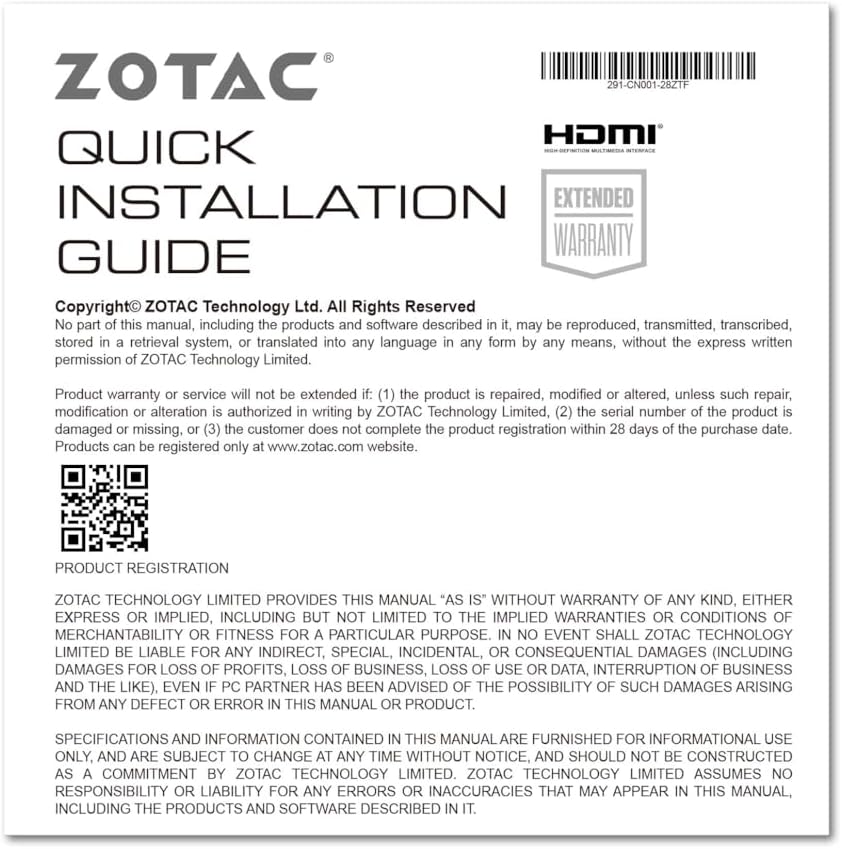
Figure 5: Excerpt from the ZOTAC Quick Installation Guide, detailing product registration and warranty terms.


