1. Киришүү
Сатып алганыңыз үчүн рахматasing the Technical Pro TPSPARK28-2 Portable Rechargeable Bluetooth Speaker. This manual provides essential information for the safe and efficient operation of your speaker system. Please read it thoroughly before use and retain it for future reference.

Image 1.1: Two Technical Pro TPSPARK28-2 speakers, showcasing their design and LED woofers.
2. Коопсуздук нускамалары
- Динамикти сууга, нымдуулукка же экстремалдык температурага дуушар кылбаңыз.
- Динамикти жылуулук булактарынын жанына же күндүн түз тийген жерине койбоңуз.
- Динамикти бөлүктөргө бөлүүгө же өзгөртүүгө аракет кылбаңыз. Бардык тейлөө иштерин квалификациялуу адистерге тапшырыңыз.
- Көрсөтүлгөн кубаттоо көлөмүн гана колдонуңузtage and cable.
- Динамикти балдардан жана үй жаныбарларынан алыс кармаңыз.
- Иштеп жатканда динамиктин айланасында туура желдетүүнү камсыз кылыңыз.
3. Пакеттин мазмуну
Пакетте бардык буюмдар бар экенин текшериңиз:
- Technical Pro TPSPARK28-2 Portable Bluetooth Speaker (2 units)
- USB заряддоо кабели
- Instruction Manual
4. Продукт бүтүп калдыview
4.1 Динамиктин өзгөчөлүктөрү
- Dual 8-inch woofers with dynamic LED lighting
- True Wireless Stereo (TWS) for connecting two speakers
- Зымсыз аудио агым үчүн Bluetooth байланышы
- USB and SD Card inputs for direct media playback
- FM Radio tuner
- Караоке үчүн микрофон киргизүү
- Камтылган кайра заряддалуучу батарея

Image 4.1: Key features of the TPSPARK28-2 speaker.
4.2 Башкаруу панели жана порттор

Сүрөт 4.2: Детальдуу view of the control panel and input/output ports.
- USB порт: USB дискти ойнотуу үчүн.
- Күйгүзүү/өчүрүү: Динамикти күйгүзөт же өчүрөт.
- DC 5V Charging Point: USB заряддоо кабелин бул жерге туташтырыңыз.
- LED дисплей: Учурдагы режимди жана трек маалыматын көрсөтөт.
- Playback Controllers: Buttons for Play/Pause, Next/Previous Track, Mode selection.
- SD карта уячасы: SD карта ойнотуу үчүн.
- Микрофон киргизүү: Микрофонду туташтыруу үчүн 6.35 мм уяча.
- AUX киргизүү: тышкы аудио түзмөктөр үчүн 3.5 мм уячасы.
5. Орнотуу
5.1 Динамикти заряддоо
Before first use, fully charge the speaker. Connect the USB charging cable to the DC 5V charging point on the speaker and the other end to a compatible USB power adapter (not included) or a computer USB port. The LED indicator will show charging status.
5.2 Күйгүзүү/өчүрүү
To power on the speaker, toggle the On/Off switch to the 'ON' position. To power off, toggle it to the 'OFF' position.
5.3 Чыныгы зымсыз стерео (TWS) жупташтыруу
TWS allows you to connect two TPSPARK28-2 speakers wirelessly for a stereo sound experience.
- Эки динамик тең күйгүзүлүп, Bluetooth режиминде экенин текшериңиз.
- On one speaker (this will be the primary speaker), press and hold the TWS button (often combined with the Play/Pause button or a dedicated TWS button, refer to your specific unit's button layout).
- The primary speaker will search for the secondary speaker. Once connected, you will hear an audible confirmation.
- Now, connect your Bluetooth device to the primary speaker. Both speakers will play audio in stereo.

Image 5.1: TWS wireless connection setup.
6. Иштөө нускамалары
6.1 Bluetooth режими
- Power on the speaker. It will automatically enter Bluetooth pairing mode, indicated by a flashing 'BLUE' on the LED display.
- Мобилдик түзмөгүңүздө Bluetooth иштетип, жеткиликтүү түзмөктөрдү издеңиз.
- Select 'TPSPARK28-2' from the list. Once connected, you will hear a confirmation tone, and 'BLUE' will stop flashing.
- Эми сиз түзмөгүңүздөн аудиону динамик аркылуу ойной аласыз.
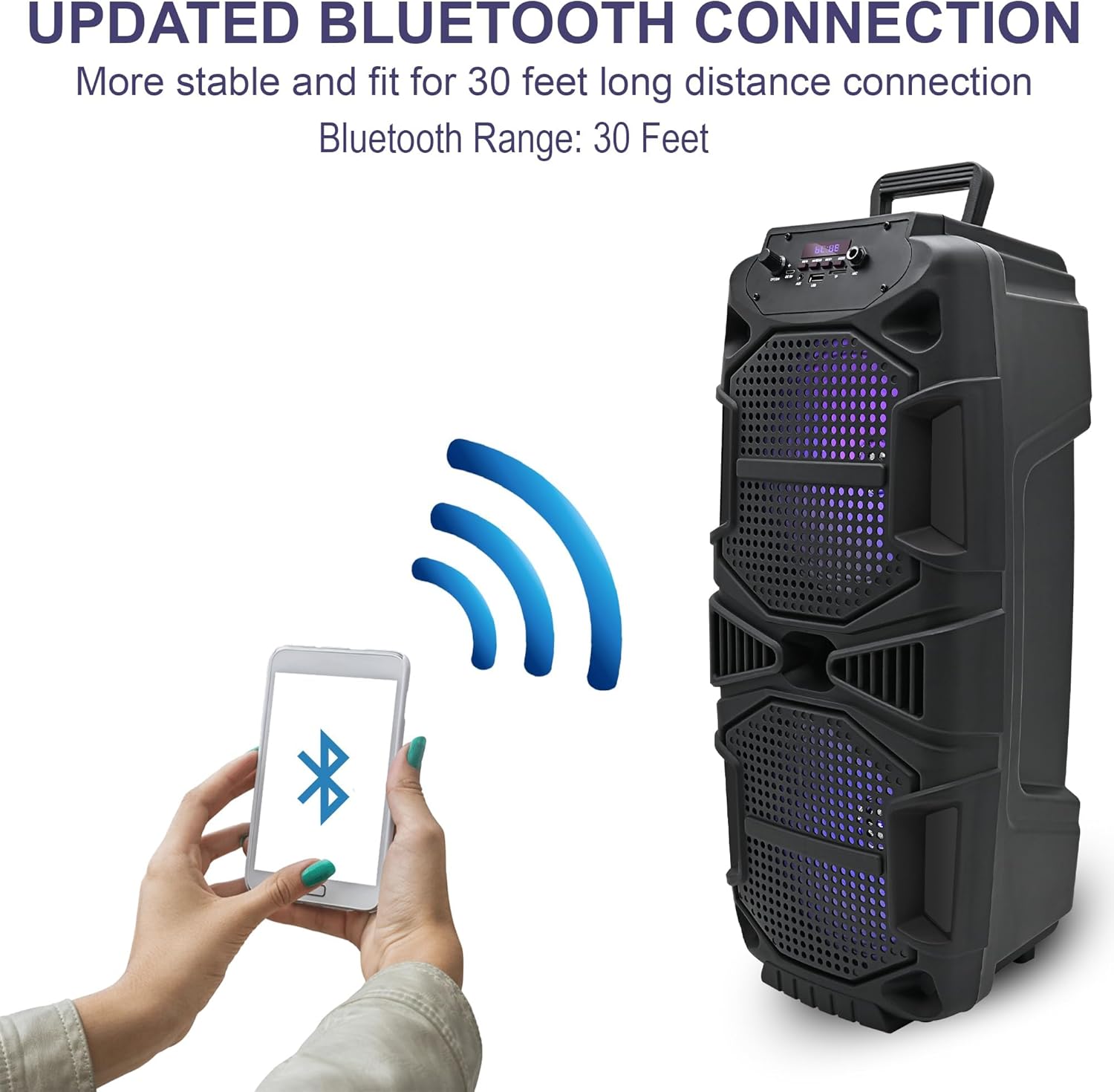
Image 6.1: Bluetooth connection process.
6.2 USB/SD карта режими
- Insert a USB drive or SD card into the respective port.
- The speaker will automatically switch to USB or SD card mode and begin playing audio. If not, press the 'Mode' button to select the correct input.
- Use the playback control buttons (Play/Pause, Next/Previous) to manage your music.
6.3 FM радио режими
- LED дисплейде 'FM' пайда болгонго чейин 'Режим' баскычын басыңыз.
- FM станцияларын автоматтык түрдө издөөнү баштоо үчүн "Ойнотуу/Тындыруу" баскычын басып, кармап туруңуз. Динамик табылган бардык станцияларды сактап калат.
- Сакталган станциялар боюнча чабыттоо үчүн Кийинки/Мурунку баскычтарын колдонуңуз.
6.4 Микрофон киргизүү
Connect a microphone (not included) to the 'Mic Input' jack. Adjust the microphone volume using the dedicated knob on the control panel (if available) or the main volume control.

Image 6.2: Speaker in use for karaoke.
6.5 LED жарыктары
The speaker features dynamic LED woofers that synchronize with the music. There is no specific control for the LED lights; they operate automatically when the speaker is on and playing audio.
7. Техникалык тейлөө
- Тазалоо: Динамиктин сыртын тазалоо үчүн жумшак, кургак чүпүрөктү колдонуңуз. Суюк тазалагычтарды же абразивдүү материалдарды колдонбоңуз.
- Сактагыч: Колдонулбаган учурда динамикти салкын, кургак жерде, күндүн түз тийген нурларынан жана өтө жогорку температурадан алыс сактаңыз.
- Батареяга кам көрүү: Батареянын иштөө мөөнөтүн узартуу үчүн, батареяны тез-тез толук зарядсыздандырбаңыз. Динамикти үзгүлтүксүз колдонбосоңуз да, аны үзгүлтүксүз заряддап туруңуз.
8. Кыйынчылыктарды
| Көйгөй | Мүмкүн чечим |
|---|---|
| Динамик күйбөйт. | Батарея заряддалганын текшериңиз. Динамикти USB кубаттоо кабели аркылуу кубат булагына туташтырыңыз. |
| Үн жок. | Динамиктин жана туташкан түзмөгүңүздүн үн деңгээлин текшериңиз. Туура киргизүү режими тандалганын текшериңиз. |
| Bluetooth түзмөгү туташа албайт. | Ensure the speaker is in Bluetooth pairing mode. Turn off and on Bluetooth on your device. Move your device closer to the speaker. |
| TWS жупташтыруу ишке ашпай калды. | Ensure both speakers are in Bluetooth mode and within close proximity. Repeat the TWS pairing steps. |
| USB/SD карта ойнобой жатат. | Ensure the USB drive or SD card is inserted correctly and contains compatible audio files (e.g., MP3). Press the 'Mode' button to select the correct input. |
9. Техникалык шарттар
| Өзгөчөлүк | Деталь |
|---|---|
| Модель аты | TPSPARK28-2 |
| Динамик түрү | Вуфер |
| Динамик өлчөмү | 8 дюйм (Вуфердин диаметри) |
| Peak Power (Per Speaker) | 400 Ватт |
| Байланыш технологиясы | Bluetooth, USB |
| Зымсыз байланыш | Bluetooth |
| Bluetooth диапазону | 30 Фут |
| Power Source | Батарея менен иштейт |
| Продукциянын өлчөмдөрү (ар бири) | 9.3"D x 8.6"W x 22"H |
| Элемент Салмагы (Ар бири) | 4.5 фунт |
| Камтылган компоненттер | Bluetooth, USB, SD Card, and FM radio functionality |

Image 9.1: Speaker dimensions.
10. Кепилдик маалыматы
This product comes with a Limited Warranty. For specific details regarding warranty coverage, terms, and conditions, please refer to the warranty card included with your purchase or contact Technical Pro customer support.
11. Колдоо
For further assistance, technical support, or inquiries, please visit the official Technical Pro webсайтка же кардарларды тейлөө бөлүмүнө кайрылыңыз. Байланыш маалыматы, адатта, продуктунун таңгагынан же бренддин расмий өкүлүнөн тапса болот webсайт.


