1. Киришүү
This manual provides detailed instructions for the safe and effective operation of your Pxton 777S, 888S, and 666S series two-way radios. Please read this manual thoroughly before using the device to ensure optimal performance and longevity.
2. Продукт бүтүп калдыview жана компоненттер
Familiarize yourself with the various parts of your Pxton two-way radio.
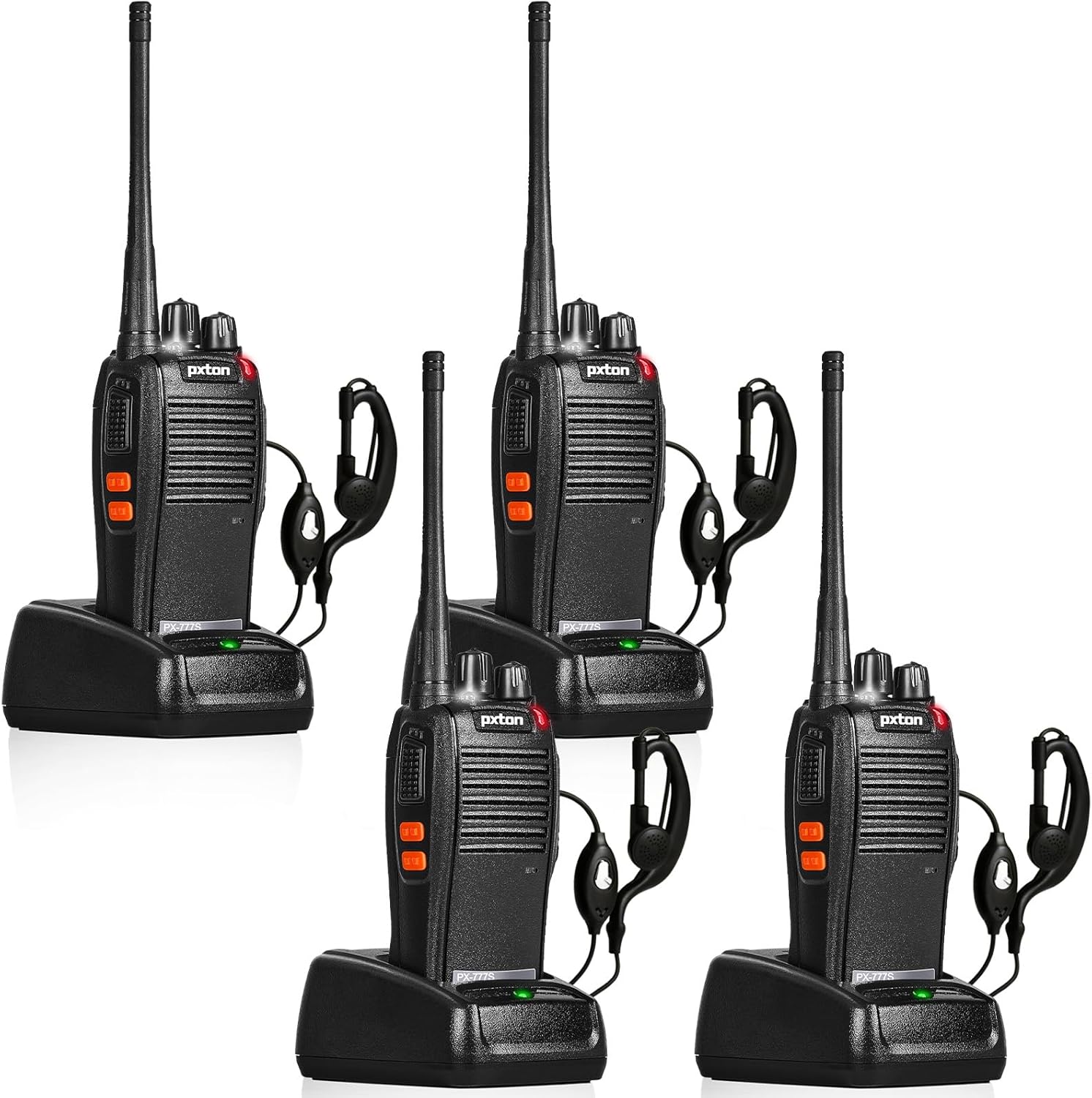
2.1-сүрөт: Pxton PX-777S Walkie-Talkie Components. This image illustrates the key parts of the radio, including the Integrated Sensitive Antenna, Flashlight, LED Indicator, PTT Button, Clear Speaker, Built-in Microphone, Power Switch/Volume Control, Channel Switch, SP/MIC Jacks, MONI Button, and Flashlight Button.
- Integrated Sensitive Antenna: Сигналдарды берүү жана кабыл алуу үчүн.
- Кубатты которгуч/Үнү башкаруу: Радиону күйгүзүү/өчүрүү жана үнүн тууралоо үчүн айландырыңыз.
- Каналды которуштуруу: Rotate to select one of the 16 available channels.
- PTT (баскыч менен сүйлөшүү) баскычы: Өтүү үчүн басып туруңуз, кабыл алуу үчүн коё бериңиз.
- MONI (Monitor) Button: Press to temporarily disable squelch and listen for weak signals.
- Кол чырак баскычы: Activates the built-in LED flashlight.
- SP/MIC Jacks: Ports for connecting external speaker-microphones or earpieces.
- LED көрсөткүчү: Displays status (e.g., transmitting, receiving, low battery).
- Камтылган микрофон: For voice input during transmission.
- Clear Speaker: Аудио чыгаруу үчүн.
3. Орнотуу
3.1 Батареяны орнотуу жана заряддоо
The walkie-talkie is equipped with a 1500mAh Li-ion battery. Ensure the battery is fully charged before first use.
- Батареяны орнотуу: Align the battery with the compartment on the back of the radio and slide it into place until it clicks.
- Батареяны заряддоо: Place the radio into the provided charging cradle. Ensure the charging contacts on the radio align with those on the cradle. The LED indicator on the charger will show charging status.

3.1-сүрөт: Battery Specifications and Charging. This image displays the 1500mAh Li-ion battery, indicating a typical use time of 1-2 days, continuous use of 8-12 hours, and a full charging time of 3-4 hours. Standby time is 5-7 days.
A full charge typically takes 3-4 hours. Under normal usage, a full charge can provide up to 120 hours of standby time or up to 12 hours of continuous usage.
3.2 Аксессуарларды тиркөө
- Earpiece/Speaker-Microphone: Insert the earpiece or speaker-microphone plug into the SP/MIC jacks on the side of the radio.
- Кур клип: Attach the belt clip to the back of the radio using the provided screws for convenient carrying.
4. Иштөө нускамалары
4.1 Негизги операция
- Күйгүзүү/өчүрүү: Rotate the Power Switch/Volume Control knob clockwise to turn the radio on. Rotate counter-clockwise until a click is heard to turn it off.
- Үндү тууралоо: Rotate the Power Switch/Volume Control knob to adjust the listening volume.
- Каналды тандоо: Rotate the Channel Switch knob to select one of the 16 available channels. Ensure all radios in your group are on the same channel for communication.
- Өткөрүү (Сүйлөшүү): Press and hold the PTT (Push-to-Talk) button. Speak clearly into the microphone. Release the PTT button to listen for a response.
- Кабыл алуу (угуу): When not transmitting, the radio is in receive mode.
4.2 Өркүндөтүлгөн функциялар
- VOX (Үн менен башкарылуучу берүү): Allows hands-free operation. When VOX is enabled and your voice reaches a certain sensitivity level, the radio will automatically transmit. The radio features 5 levels of VOX sensitivity adjustment.
- TOT (Убакыт бүткөн таймер): Prevents a user from occupying a channel for too long. If transmission exceeds a preset time, the radio will stop transmitting and emit an alert tone.
- Шашылыш сигнализация: Activates an audible alarm to signal distress. Consult your specific model's programming guide for activation methods.
- Ызы-чууну азайтуу: Фондогу ызы-чууну азайтуу аркылуу аудионун ачыктыгын жакшыртат.
- Automatic Squelch: Automatically mutes weak signals or background noise to ensure clear communication.
- Батареянын аздыгы жөнүндө эскертүү: The radio will indicate when the battery level is low, prompting you to recharge.
- Энергияны үнөмдөө режими: Automatically reduces power consumption when the radio is idle to extend battery life.
- Скандоо: Allows the radio to automatically scan through channels to find active conversations.
- Мониторинг: Press the MONI button to temporarily disable squelch, allowing you to hear all signals on the current channel, including very weak ones.
- LED фонарик: Press the Flashlight Button to turn the built-in LED flashlight on or off.
5. Техникалык тейлөө
5.1 Батареяга кам көрүү
- Always use the original charger and battery provided by Pxton.
- Do not disassemble, short-circuit, or expose the battery to extreme temperatures or fire.
- Recharge the battery when the low battery alert is activated.
- If storing the radio for an extended period, charge the battery to approximately 50% and remove it from the radio.
5.2 Тазалоо
- Радионун бетин жумшак, d менен тазалаңызamp кездеме. Катуу химиялык заттарды же абразивдүү тазалагычтарды колдонбоңуз.
- Ensure the radio is dry before charging or operating.
6. Кыйынчылыктарды
| Көйгөй | Мүмкүн себеп | Чечим |
|---|---|---|
| Күч жок | Battery depleted or not installed correctly | Charge the battery; ensure battery is properly installed. |
| Өткөрүп же кабыл албайт | Incorrect channel; out of range; low battery | Verify channel setting; move closer to other radios; recharge battery. |
| Аудио сапаты начар | Volume too low/high; interference; out of range | Adjust volume; move away from interference sources; move closer to other radios. |
| Радио тынымсыз сигнал берип жатат | Low battery alert; TOT activated | Recharge battery; release PTT button if transmitting for too long. |
7. Техникалык шарттар
| Өзгөчөлүк | Деталь |
|---|---|
| FCC ID | 2AX68GTR8 |
| Каналдардын саны | 16 |
| Батарея сыйымдуулугу | 1500mAh Li-ion |
| Батареянын иштөө мөөнөтү (Типтүү колдонуу) | 1-2 күн |
| Батарея өмүрү (үзгүлтүксүз колдонуу) | 8-12 саат |
| Толук заряддоо убактысы | 3-4 саат |
| Күтүү убактысы | 5-7 күн |
| Түс | Кара |
| Өзгөчөлүктөр | Keypad Lock, Lightweight, Long Range, VOX, TOT, Emergency Alarm, Noise Reduction, Automatic Squelch, Low Battery Alert, Power-Saving Mode, Scanning, Monitoring, LED Flashlight |
| Камтылган компоненттер | Walkie talkies, rechargeable batteries |
7.1 Шайкештик
The Pxton PX-777S walkie-talkie is compatible with the PX-888S, PX-666S, and PX-888S Pro models. They can work together and use the same programming tools and programming cables (programming cable sold separately).
8. Various Applications
These two-way radios are suitable for a wide range of professional and recreational applications:

8.1-сүрөт: Suitable for Multiple Scenarios. This image illustrates the versatility of the walkie-talkies in settings such as mountaineering/hiking, school stadiums, police security teams, bars/ballrooms, car patrol, and various festivals/outdoor gatherings.
- Karaoke bars, nightclubs, hotels, malls, supermarkets
- Sports arenas, schools, restaurants, warehouses, construction sites
- Convenience stores, logistics, tourism, outdoor camping, hiking, resorts
- Security patrol, car patrol, emergency rescues
- Large-scale events like Christmas, Independence Day, Easter, Thanksgiving, Super Bowl, Oktoberfest, music festivals, and more.
9. Кепилдик жана колдоо
Pxton offers a 30-day unconditional replacement and refund policy from the date of purchase. Additionally, lifelong after-sales service is provided for your product.
If you encounter any issues or have questions regarding your Pxton two-way radios, please do not hesitate to contact Pxton customer support. We are committed to helping you resolve any problems you may experience.


