1. Киришүү
Thank you for choosing the Aolon GT5 Pro Smart Watch. This manual provides essential information for setting up, operating, and maintaining your device. Please read it carefully to ensure optimal performance and longevity of your smart watch.
2. Пакеттин мазмуну
Пакетти ачканда, төмөндө көрсөтүлгөн бардык буюмдардын бар экендигин текшериңиз:
- Aolon GT5 Pro Smart Watch (with one strap attached)
- Additional Strap (e.g., leather or silicone, depending on variant)
- Магниттик кубаттоочу кабель
- User Manual

Image: Contents of the Aolon GT5 Pro Smart Watch package, showing the watch, an extra strap, a magnetic charging cable, and the user manual.
3. Продукт бүтүп калдыview
The Aolon GT5 Pro Smart Watch features a robust design with a 1.6-inch HD display and multiple physical buttons for intuitive control, especially during outdoor activities.
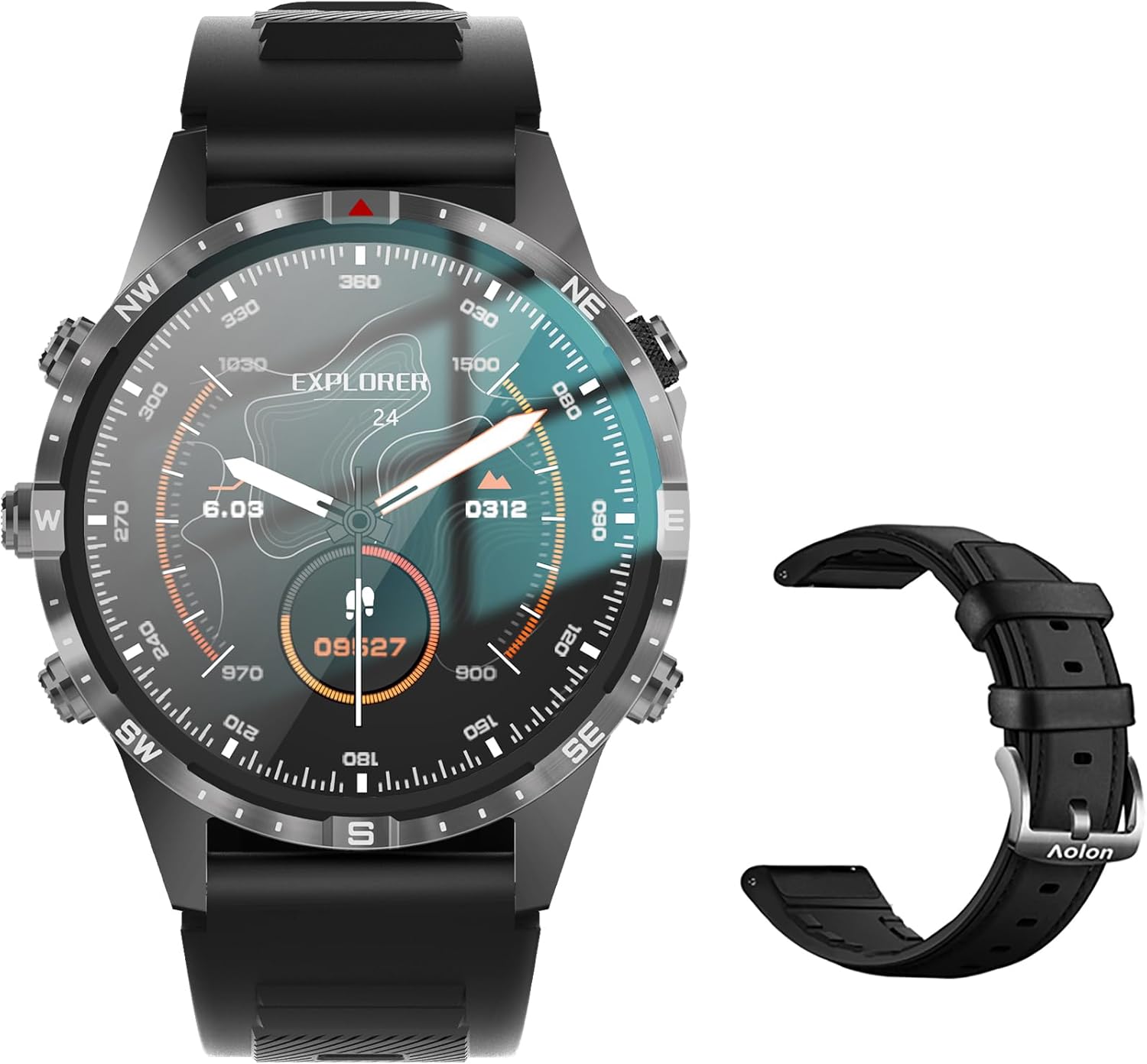
Image: The Aolon GT5 Pro Smart Watch displaying a compass-like watch face, alongside an additional black leather strap.
3.1. Компоненттерди көрүү
- Дисплей: 1.6-inch HD Large Screen (360x360 resolution IPS HD with ultra-narrow bezel).
- Баскычтар: 5 independent physical buttons for precise control and navigation.
- Сенсорлор: Heart rate sensor, blood oxygen sensor, motion sensor.
- Динамик жана микрофон: Bluetooth чалуу функциясы үчүн.

Сүрөт: жакын план view of the Aolon GT5 Pro Smart Watch screen, emphasizing its 1.6-inch HD display with 360x360 pixel resolution and narrow bezel.
4. Орнотуу
4.1. Акылдуу саатты кубаттоо
Before first use, fully charge your Aolon GT5 Pro Smart Watch. Connect the magnetic charging cable to the charging points on the back of the watch and plug the USB end into a power adapter (not included) or a computer's USB port.
- Заряддоо убактысы: толук кубаттоо үчүн болжол менен 1.5 саат.
- Battery Life: Up to 7-10 days with typical use, 30 days standby time.

Image: Visual representation of the Aolon GT5 Pro's battery performance, indicating 30 days standby, 7-10 days typical use, and 1.5 hours charging time.
4.2. Колдонмону орнотуу жана жупташтыруу
Акылдуу саатыңыздын толук мүмкүнчүлүктөрүн ачуу үчүн смартфонуңузга кошумча колдонмону жүктөп алыңыз.
- Колдонмону жүктөп алыңыз: Scan the QR code in the manual or on the watch screen, or search for the app name (usually mentioned in the quick start guide) in your phone's app store (App Store for iOS, Google Play Store for Android).
- Катталуу/Кирүү: Каттоо эсебин түзүү же кирүү үчүн колдонмону ачып, экрандагы нускамаларды аткарыңыз.
- Саатты жупташтыруу: Ensure Bluetooth is enabled on your smartphone. In the app, navigate to the device pairing section and select your Aolon GT5 Pro from the list of available devices. Confirm the pairing request on both your phone and watch.
5. Иштөө нускамалары
5.1. Негизги навигация
- Өйдө/ылдый сүрүү: Менюларды жана эскертмелерди сыдырыңыз.
- Солго/Оңго сүрүү: Access quick functions or different widgets.
- Баскычтар: Use the 5 independent buttons for specific functions like power on/off, back, or quick access to sports modes. Refer to the quick start guide for specific button assignments.
- Tap Screen: Select items or confirm actions.
5.2. Bluetooth чалуу
The Aolon GT5 Pro supports Bluetooth calling, allowing you to make and receive calls directly from your wrist.
- Саатыңыз телефонуңузга Bluetooth аркылуу туташып турганын текшериңиз.
- Access the call function on your watch to dial numbers or answer incoming calls.
- Receive message notifications from your phone's apps directly on your watch.

Image: The Aolon GT5 Pro Smart Watch showing its Bluetooth calling feature, with icons representing call, music, and contact functions.
5.3. Спорт режимдери
The watch supports over 100 sports modes, including swimming, running, cycling, and yoga. Select your desired activity to track specific metrics.
- Navigate to the Sports section on your watch.
- Choose your activity. The watch will record data such as calories burned, steps, distance, and pace.
- Connect to your phone's GPS via the app for detailed route tracking.
5.4. Ден соолуктун мониторинги
The Aolon GT5 Pro continuously monitors various health metrics.
- Жүрөктүн кагышы: Dynamic heart rate measurement 24/7.
- Кандагы кычкылтек: Low power consumption blood oxygen level monitoring.
- Уйкуга көз салуу: Records your sleep status in real-time, providing data on deep, light, and awake times.

Image: The Aolon GT5 Pro Smart Watch screen showing health monitoring features, including heart rate, blood pressure, and blood oxygen levels.

Image: The Aolon GT5 Pro Smart Watch screen illustrating sleep quality monitoring, detailing sleep stages жана узактыгы.
5.5. Compass Navigation
Utilize the built-in guide needle navigation for accurate direction during outdoor activities.
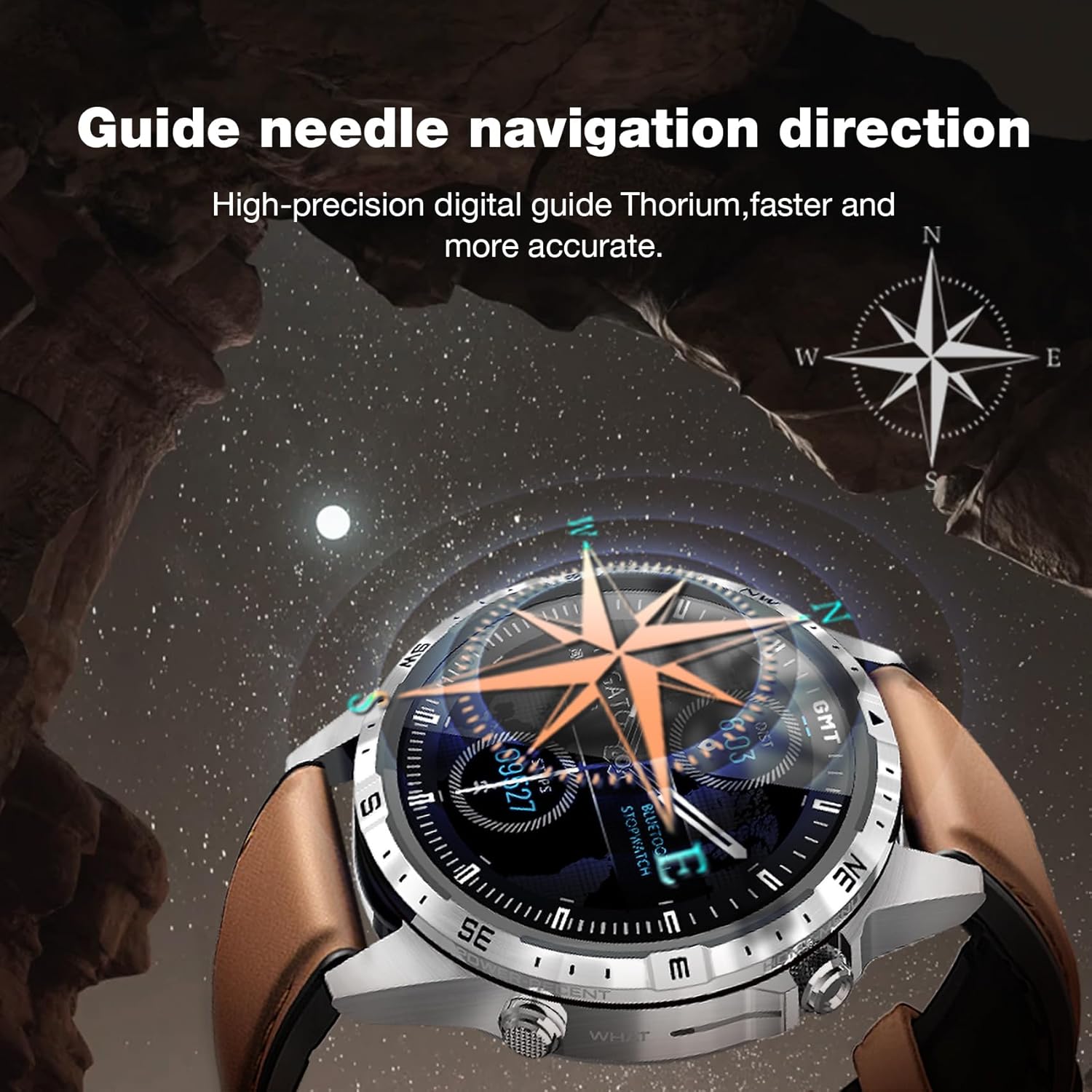
Image: The Aolon GT5 Pro Smart Watch showing its guide needle navigation feature, providing high-precision digital direction.
5.6. Башка функциялар
The watch includes various other essential functions:
- Музыкалык башкаруу
- Аба ырайы
- Секундомер
- Камераны алыстан башкаруу
- Ambient Sound Monitoring
- Менин телефонумду тап
- Ойготкуч саат
- Кыймылсыз эстеткич
- Дары эскертүү
- Women's Menstrual Health Tips
5.7. Сааттын жүзүн өзгөртүү
Personalize your watch by choosing from multiple types of dials available through the watch or the companion app.

Image: A selection of diverse watch faces for the Aolon GT5 Pro, demonstrating customization options.
6. Техникалык тейлөө
6.1. Саатты тазалоо
- Сааттын экранын жана корпусун жумшак, түксүз чүпүрөк менен сүртүңүз.
- өжөр кир үчүн, бир аз гampчүпүрөктү суу менен. Катуу химиялык заттарды же абразивдүү материалдарды колдонуудан алыс болуңуз.
- Заряддоодон мурун заряддоо контакттары таза жана кургак экенин текшериңиз.
6.2. Сууга туруктуулук
The Aolon GT5 Pro is IP67 waterproof. This means it is protected against dust and can withstand immersion in water up to 1 meter for 30 minutes.
- It is suitable for daily use, such as washing hands, face, or sweating during exercise.
- Avoid hot water, steam, or prolonged immersion in water.
- баскычтарды суу астында иштетпеңиз.
6.3. Strap Care and Replacement
The watch comes with standard dual straps (silicone and leather). Clean straps regularly. The silicone strap is ideal for sports, while the leather strap offers a more formal look. Straps can be easily switched without tools.
7. Кыйынчылыктарды
If you encounter issues with your Aolon GT5 Pro Smart Watch, refer to the following common solutions:
| Көйгөй | Чечим |
|---|---|
| Саат күйбөйт | Саат толук заряддалганын текшериңиз. Кубат баскычын бир нече секунд басып, кармап туруңуз. |
| Смартфон менен жупташтыруу мүмкүн эмес | Ensure Bluetooth is enabled on your phone. Restart both the watch and phone. Make sure the watch is not already paired with another device. Check app permissions. |
| Туура эмес ден соолук маалыматы | Сааттын билегиңизге бекем тагылганын, өтө тар же өтө кенен эмес экенин текшериңиз. Сааттын арткы бетиндеги сенсордук аймакты тазалаңыз. |
| Билдирмелер алынган жок | Check app notification settings on your phone and within the watch app. Ensure the watch is connected via Bluetooth. |
| Батареянын иштөө мөөнөтү кыска | Reduce screen brightness, turn off unnecessary features (e.g., continuous heart rate monitoring if not needed), and ensure proper charging. |
8. Техникалык шарттар
| Өзгөчөлүк | Деталь |
|---|---|
| Модел | GT5 Pro |
| Дисплей | 1.6-inch HD IPS, 360x360 Pixel Resolution |
| Батарея сыйымдуулугу | 340 мАч литий полимери |
| Батареянын иштөө мөөнөтү | 7-10 күн (адатта колдонуу), 30 күн (күтүү режиминде) |
| Заряддоо убактысы | Болжол менен 1.5 саат |
| Суу каршылык | IP67 |
| Байланыш | Bluetooth |
| Шайкештик | Android жана iOS |
| Өлчөмдөр | 16.3 x 10 x 2.5 cm (Package); Watch: 47.5mm diameter, 22mm strap width |
| Салмагы | 180 г (Пакет) |
9. Коопсуздук маалыматы
- Саатты ажыратууга же өзгөртүүгө аракет кылбаңыз.
- Саатты экстремалдык температурадан жана түз күндүн нурунан алыс кармаңыз.
- Consult a medical professional before starting any new exercise regimen or if you have pre-existing health conditions. The health data provided by the watch is for reference only and should not be used for medical diagnosis or treatment.
- Балдар жетпеген жерде сактаңыз.
10. Кепилдик жана колдоо
For warranty information and customer support, please refer to the warranty card included in your package or visit the official AOLON webсайт. Бул колдонмодо каралбаган кандайдыр бир маселелерге туш болсоңуз, жардам алуу үчүн кардарларды тейлөө кызматына кайрылыңыз.


