1. Киришүү
Thank you for choosing the LYEAA KS42 Wireless Dual-Color Game Controller. This manual provides detailed instructions on how to set up, operate, maintain, and troubleshoot your new gamepad. Designed for seamless compatibility with Nintendo Switch, Switch OLED, and Switch Lite, the KS42 offers a precise and immersive gaming experience with its 6-axis gyroscope and comfortable design.
Пакеттин мазмуну:
- 1 x LYEAA KS42 Wireless Game Controller
- 1 x 1M Data Cable (USB-C)
- 1 x Instruction Manual

Image 1.1: The LYEAA KS42 Wireless Dual-Color Game Controller, showcasing its black finish and ergonomic design.
2. Продукт бүтүп калдыview
The LYEAA KS42 controller features a split design, allowing for flexible use. Each half is equipped with essential controls for an optimal gaming experience.

Image 2.1: Icons representing key features of the LYEAA KS42 controller: Wireless Connection, Motion Sensing, Vibration Feedback, TURBO Function, and Precise Joysticks.
Контроллердин компоненттери:
- Сол контроллер: Directional Pad (D-Pad), Left Analog Stick, L/ZL Buttons, Capture Button, Minus (-) Button.
- Оң башкаруучу: A/B/X/Y Buttons, Right Analog Stick, R/ZR Buttons, Home Button, Plus (+) Button.
- Борбордук бөлүм: Indicator Lights, Charging Port (USB-C).
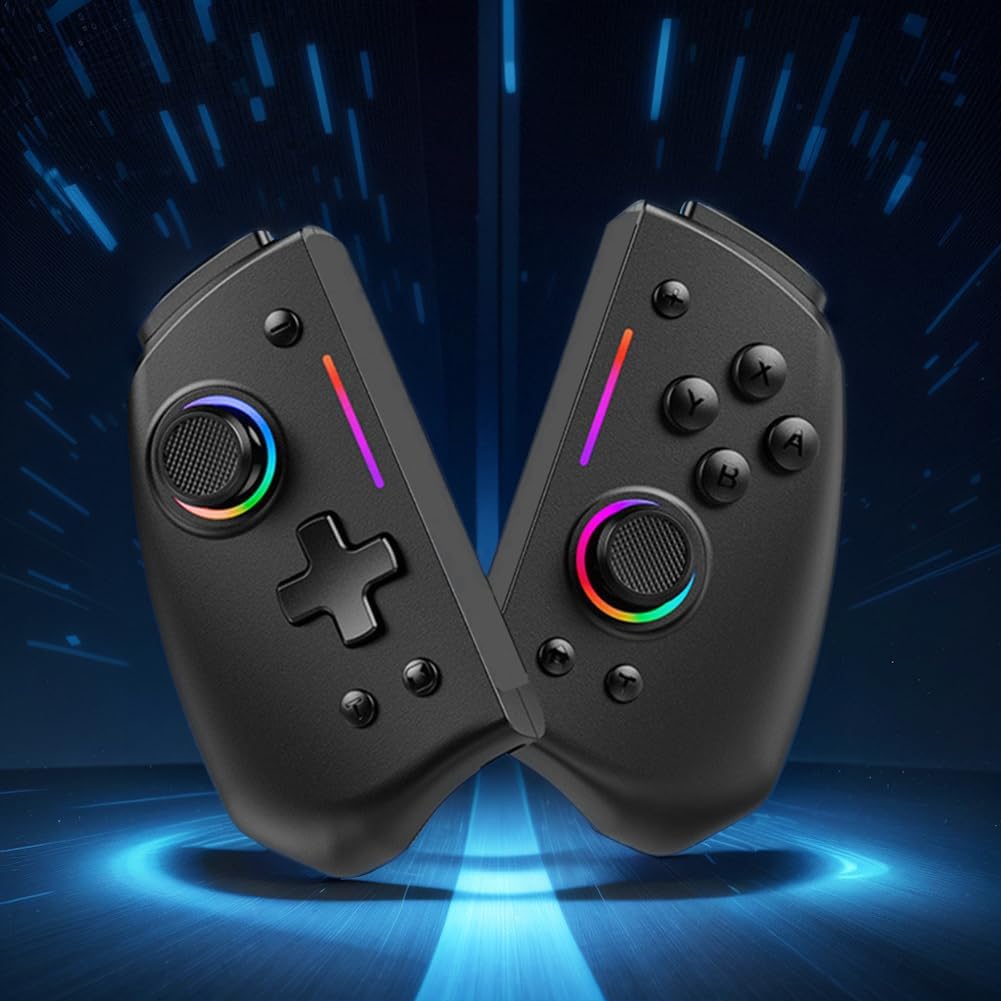
Сүрөт 2.2: А view of the LYEAA KS42 controller split into its two halves, highlighting its modular design.
3. Техникалык шарттар
| Өзгөчөлүк | Деталь |
|---|---|
| Модел | KS42 |
| Шайкештик | Nintendo Switch, Switch OLED, Switch Lite |
| Байланыш | Зымсыз |
| Батарея сыйымдуулугу | 500 мАч |
| Заряддоо убактысы | Болжол менен 3 саат |
| Ойнотуу убактысы | 6.5 саатка чейин |
| Продукт Салмагы | 178 г (0.39 фунт) |
| Product Dimensions (Single Side) | 109.00 x 65.00 x 54.00 мм (4.29 x 2.56 x 2.13 дюйм) |
| Пакеттин өлчөмдөрү | 145 x 145 x 65 мм (5.71 x 5.71 x 2.56 дюйм) |
| Өзгөчөлүктөр | 6-axis Gyroscope, Vibration Feedback, TURBO Function |
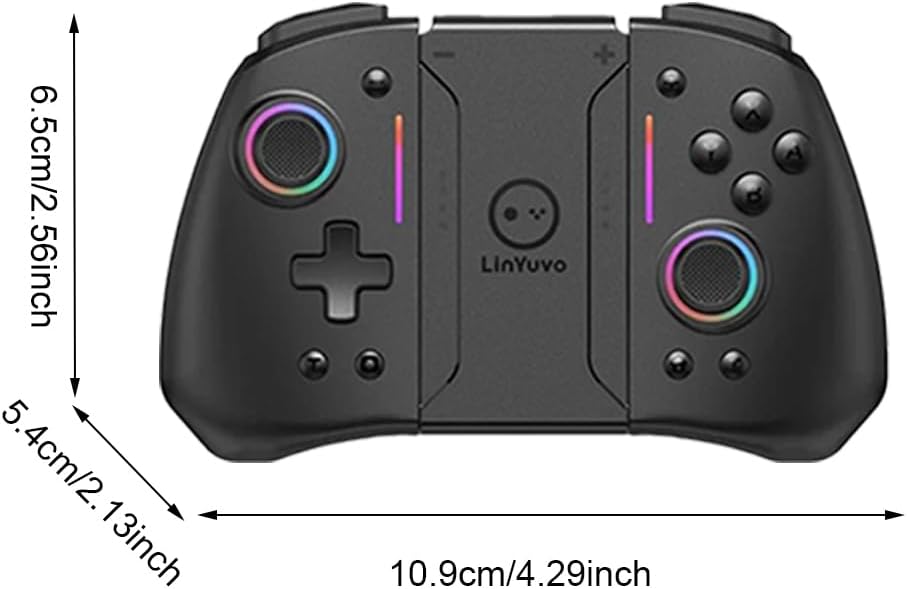
Image 3.1: Diagram illustrating the dimensions of the LYEAA KS42 controller in centimeters and inches.
4. Орнотуу
4.1 Контроллерди заряддоо
Before first use, fully charge the controller. Use the provided USB-C data cable to connect the controller to a USB power source (e.g., Nintendo Switch dock, computer USB port, or a USB wall adapter).
- The indicator lights on the controller will show charging status.
- Charging typically takes about 3 hours for a full charge.
- Once fully charged, the indicator lights will change or turn off, depending on the controller's state.
4.2 Connecting to Nintendo Switch/OLED/Lite
The LYEAA KS42 controller connects wirelessly to your Nintendo Switch console.
- On your Nintendo Switch console, go to the HOME Menu.
- Тандоо "Контроллерлер", анда "Тартипти/Тартипти өзгөртүү".
- Бул экранда турганда, баскычын басып кармап туруңуз Башкы бет баскычы on the LYEAA KS42 controller for a few seconds until the indicator lights start flashing rapidly.
- The controller will automatically pair with your Switch. Once connected, the indicator lights will become solid.
- You can now detach the Joy-Cons from your Switch (if applicable) and insert the Switch console into the LYEAA KS42 controller's central slot for handheld mode, or use it wirelessly.
Note: The controller supports automatic power-on and connectivity once paired.
5. Иштөө нускамалары
5.1 Негизги башкаруу каражаттары
Familiarize yourself with the standard button layout:
- Аналогдук таякчалар: Кыймылды жана камераны башкаруу үчүн.
- D-Pad: Багыттоо киргизүү үчүн, меню навигациясы.
- A/B/X/Y баскычтары: Action buttons, typically for confirm, cancel, jump, etc.
- Сол/Оң/Жалгыз/Жалгыз баскычтар: Shoulder and trigger buttons for various in-game actions.
- Плюс (+) / Минус (-) баскычтары: Equivalent to Start/Select or menu buttons.
- Үй баскычы: Returns to the Switch HOME Menu.
- Тартуу баскычы: Takes screenshots or video clips (game dependent).

Image 5.1: A user holding the LYEAA KS42 controller, demonstrating its comfortable grip during gameplay.
5.2 Өркүндөтүлгөн функциялар
- 6-октуу гироскоп: The controller features a built-in 6-axis gyroscope for precise motion control. This allows for immersive gameplay in titles that support motion sensing. No special setup is required; the gyroscope activates automatically when supported by the game.
- Дирилдөө боюнча пикир: Experience enhanced immersion with haptic feedback. The controller's vibration motors provide tactile responses to in-game events. This feature is automatically enabled.
- TURBO функциясы: The TURBO function allows for rapid, automatic pressing of a button.
- To activate TURBO: Press and hold the desired action button (e.g., A, B, X, Y, L, R, ZL, ZR), then press the TURBO баскычы (refer to controller diagram for location, typically a dedicated button or a combination).
- To deactivate TURBO: Repeat the same process.

Image 5.2: The LYEAA KS42 controller positioned with various game screenshots floating above, illustrating its compatibility with diverse gaming titles.
6. Техникалык тейлөө
Proper care will extend the life of your LYEAA KS42 controller.
- Тазалоо: Башкаргычты жумшак, кургак чүпүрөк менен сүртүңүз. Өтө кир болсо, бир аз сүртүңүзampen the cloth with water or a mild electronic cleaner. Avoid excessive moisture. Do not use harsh chemicals or abrasive materials.
- Сактагыч: Store the controller in a cool, dry place away from direct sunlight and extreme temperatures. When not in use for extended periods, ensure the controller is fully charged before storing.
- Батареяга кам көрүү: To maintain battery health, avoid completely draining the battery frequently. Recharge the controller when the low battery indicator appears. If storing for a long time, charge it at least once every three months.
- Колдонуу: Avoid dropping the controller or subjecting it to strong impacts. Do not attempt to disassemble the controller, as this will void any potential warranty.
7. Кыйынчылыктарды
| Көйгөй | Мүмкүн болгон себеп / Чечим |
|---|---|
| Controller does not connect to Switch. |
|
| Controller does not charge. |
|
| Баскычтар же джойстиктер жооп бербейт. |
|
| Motion control (gyroscope) is not working. |
|
8. Кепилдик жана колдоо
LYEAA products are designed for reliability and performance. While specific warranty details are not provided in this manual, please retain your proof of purchase for any potential warranty claims. For product support, troubleshooting assistance beyond this manual, or inquiries about returns, please contact the seller or refer to the retailer's return policy where you purchased the product. Amazon.es typically offers a 30-day return policy for eligible items.
For the latest information and support, please visit the official LYEAA website or contact their customer service directly if available.
