
1. Киришүү
This manual provides detailed instructions for the proper use and maintenance of your Sandberg Pocket Radio FM+AM Recharge, Model 421-02. Please read this manual thoroughly before operating the device to ensure optimal performance and longevity.
2. Продукт бүтүп калдыview
The Sandberg Pocket Radio is a compact, portable device designed for receiving FM and AM radio broadcasts. It features a built-in rechargeable battery and a digital display for easy tuning.
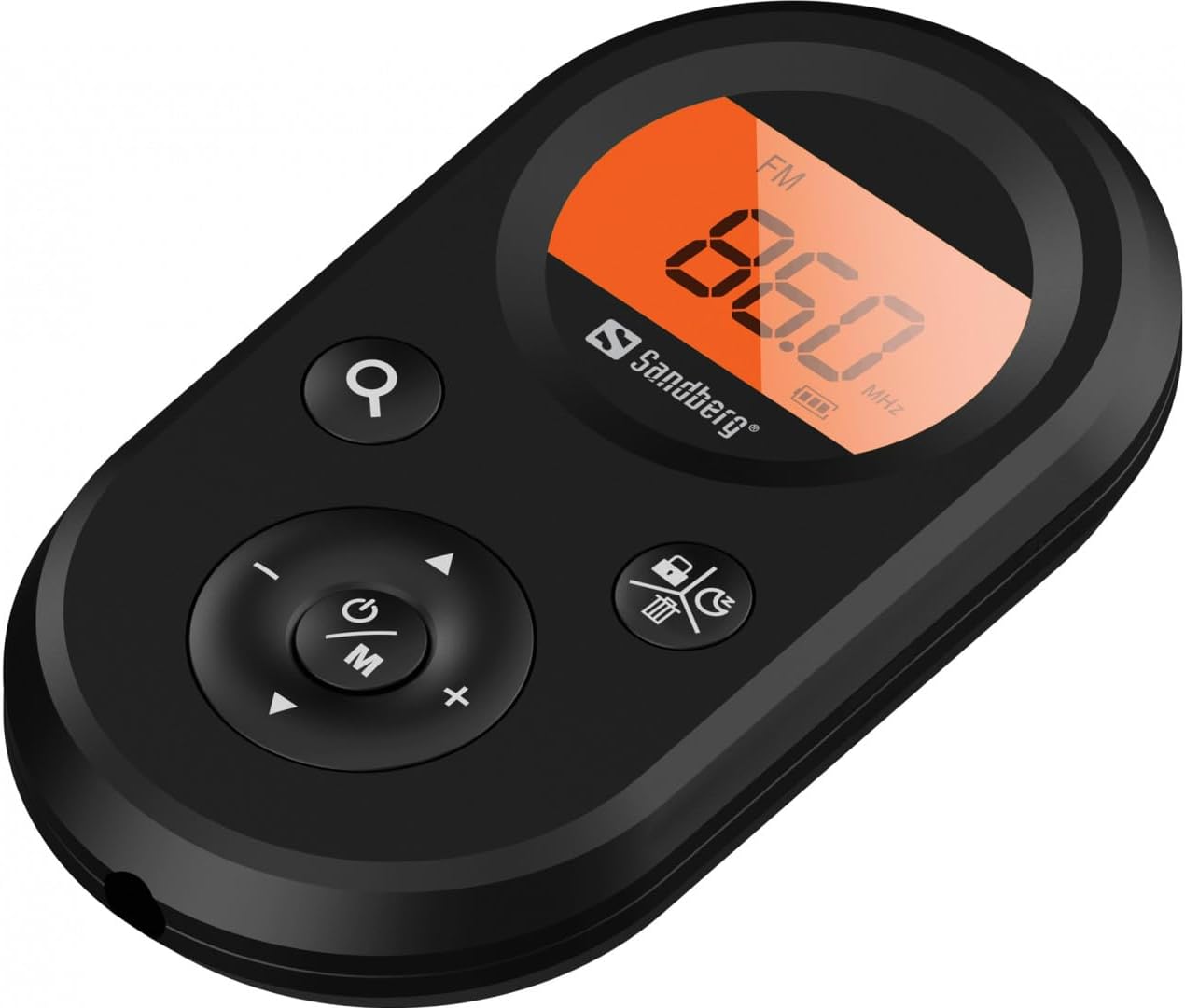
Сүрөт 1: Алдыңкы view of the Sandberg Pocket Radio, displaying the frequency and controls.
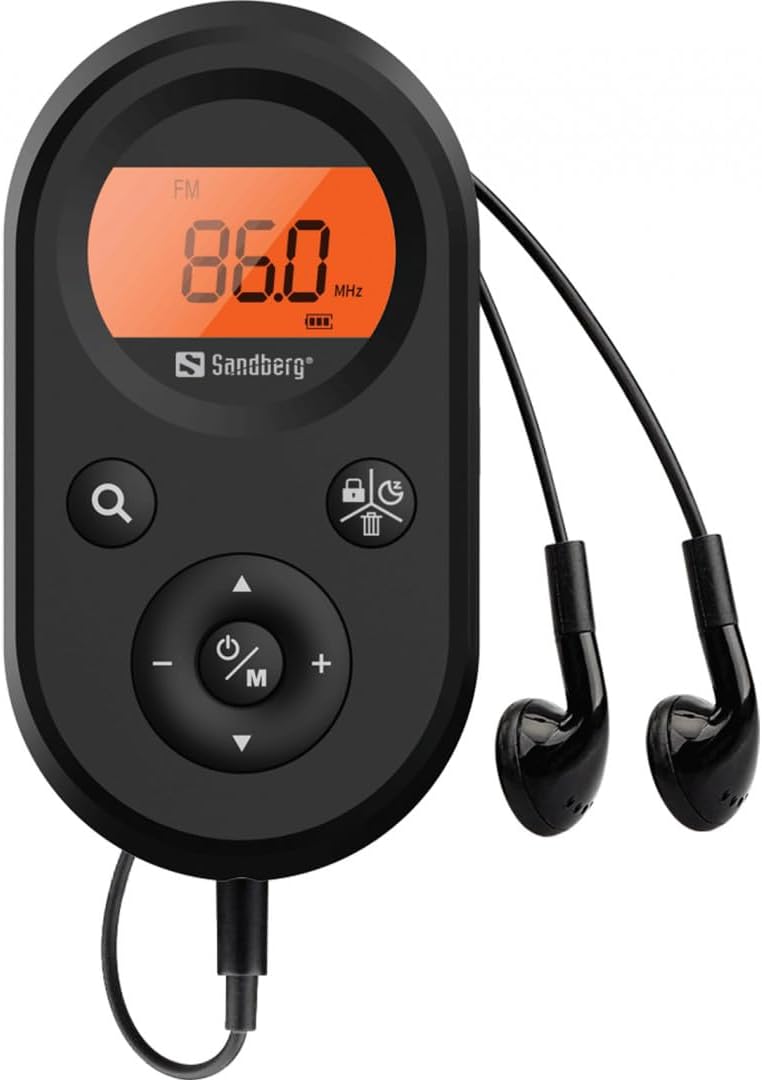
Figure 2: The radio connected to the included earphones, which also function as the FM antenna.
Пакеттин мазмуну:
- 1 x Sandberg Pocket Radio FM+AM Recharge (Model 421-02)
- 1 х Наушник
- 1 x Charging cable (USB-A to USB-C, 50 cm)
3. Орнотуу
3.1 Батареяны заряддоо
- Connect the small end of the included USB-C charging cable to the charging port on the radio.
- Кабелдин стандарттуу USB-A учун USB кубат адаптерине (кошулмада жок) же компьютердин USB портуна туташтырыңыз.
- The radio's display will indicate charging status. A full charge typically takes a few hours.
- Disconnect the charging cable once the battery is fully charged.
3.2 Connecting Earphones
The included earphones are essential for operation as they serve as the antenna for FM reception. Without them, FM reception will be severely limited or non-existent.
- Insert the 3.5mm jack of the earphones into the earphone port on the radio.
- Туташуу коопсуз экенин текшериңиз.
4. Иштөө нускамалары
4.1 Күйгүзүү/өчүрүү
- Радиону күйгүзүү үчүн, баскычын басып кармап туруңуз Power/Mode (ⓘ/M) button for approximately 2-3 seconds. The display will light up.
- Радиону өчүрүү үчүн, баскычын басып кармап туруңуз Power/Mode (ⓘ/M) button again for approximately 2-3 seconds. The display will turn off.
4.2 Mode Selection (FM/AM)
- While the radio is powered on, short press the Power/Mode (ⓘ/M) button to switch between FM and AM radio bands. The current band will be indicated on the display.
4.3 Тюнинг станциялары
- Автоматтык сканерлөө: To automatically scan for and store available stations, press and hold the Search (⌕) button. The radio will scan through the frequency range and save stations with strong signals.
- Кол менен жөндөө: To manually tune to a specific frequency, short press the Өйдө (▲) or Төмөн (▼) buttons to adjust the frequency incrementally.
4.4 Үндү башкаруу
- Үнүн көбөйтүү үчүн, басыңыз Үнүн жогорулатуу (+) баскычы.
- Үнүн азайтуу үчүн, басыңыз Үнүн азайтуу (-) баскычы.
4.5 Маалыматты көрсөтүү
The digital display shows the current radio band (FM or AM), the tuned frequency, and the battery level indicator.
5. Техникалык тейлөө
5.1 Тазалоо
- Радионун сыртын жумшак, кургак чүпүрөк менен сүртүңүз.
- Do not use abrasive cleaners, solvents, or strong chemicals, as these can damage the surface.
- Ар кандай тешиктерге ным кирүүдөн сактаңыз.
5.2 Батареяга кам көрүү
- Батареянын иштөө мөөнөтүн узартуу үчүн, бат-баттан батарейканы толук зарядсыздандырбаңыз.
- Радиону узак убакыт бою колдонбогон учурда салкын, кургак жерде сактаңыз.
- Терең разрядка жол бербөө үчүн узак убакыт сакталган болсо, батареяны мезгил-мезгили менен кайра заряддаңыз.
6. Кыйынчылыктарды
- Кубат жок: Ensure the battery is charged. Connect the radio to a power source using the USB-C cable.
- Үн жок: Check that the earphones are securely plugged in. Adjust the volume using the Үнүн жогорулатуу (+) баскычы.
- FM кабыл алуу начар: Ensure the earphones are fully plugged in, as they function as the FM antenna. Try repositioning the radio or the earphone cable for better signal.
- Cannot Save Favorite Stations: This model does not support saving favorite radio stations. Stations are found via automatic scan or manual tuning each time.
- Дисплей иштебейт: If the display is blank or flickering, try recharging the battery. If the issue persists, contact customer support.
7. Техникалык шарттар
| Өзгөчөлүк | Спецификация |
|---|---|
| Модель номери | 421-02 |
| AM жыштык диапазону | 522-1710 KHz (9KHz) / 520-170KHz (10KHz) |
| FM жыштык диапазону | 76-108 МГц |
| AM Сезгичтиги | <20мВ/м |
| FM Signal to Noise Ratio | >40дб |
| Максималдуу чыгаруу күчү | 6.5мВт |
| Батарея сыйымдуулугу | 5000 mAh, 3.7V (1.85 Wh) |
| Байланыш технологиясы | Auxiliary (for earphones/antenna) |
| Power Source | Батарея менен иштейт |
| Элемент Салмагы | 60 грамм (2.12 унция) |
8. Кепилдик жана колдоо
Sandberg products are manufactured to high quality standards. For information regarding warranty terms and conditions, or for technical support, please refer to the official Sandberg webсайтка же түздөн-түз кардарларды тейлөөгө кайрылыңыз. Сатып алганыңыздын далили катары сатып алуу дүмүрчөгүңүздү сактаңыз.