Introduction
This manual provides detailed instructions for setting up, operating, and maintaining your Ajazz AK820MAX 75% Mechanical Keyboard. Please read this manual thoroughly before using the product to ensure optimal performance and longevity.
Продукт өзгөчөлүктөрү
- TFT Smart Display & Knob: Features a high-definition TFT color screen displaying time, connectivity modes, battery status, and custom GIF animations. The integrated knob allows for quick adjustments.
- Gasket Structure & PCB Single Key Slotting: Designed with a gasket structure and 1.2mm thick PCB single key slotting for enhanced resilience, stability, and a softer, more elastic typing feel. Multiple internal fillings reduce noise for a pure and pleasant sound.
- Tri-Mode туташуу: Supports wireless connectivity via Bluetooth 5.1, 2.4GHz, or a wired Type-C USB cable. Easily switch between modes for efficient multitasking across various devices.
- Узак мөөнөттүү батарея: Equipped with an 8000mAh battery for extended use without frequent recharging.
- RGB Backlighting with Music Rhythm: Offers 20 customizable backlighting effects, including a mode that synchronizes with music playback.
- 75% Hot-Swappable Layout: A compact 75% layout saves desktop space. The 3/5-pin PCB mounting design allows for easy hot-swapping of mechanical switches, enabling customization of typing preferences.
Пакеттин мазмуну
Кутудан чыгарганда, төмөнкү нерселердин бардыгы бар экенин текшериңиз:
- Ajazz AK820MAX Mechanical Keyboard
- USB Type-C кабели
- User Manual

Image: The Ajazz AK820MAX keyboard, USB-C cable, and user manual as they appear when unboxed.
Жайгашуу
- Баскычтопту заряддоо: Connect the provided USB Type-C cable to the keyboard's Type-C port and the other end to a USB power source (e.g., computer, wall adapter). The TFT display will indicate charging status.
- Adjusting Keyboard Angle: Flip the keyboard over and extend the adjustable feet on the underside to achieve your preferred typing angle.
- Selecting Connectivity Mode:
- Зымдуу режим: Connect the USB Type-C cable to your computer. The keyboard will automatically switch to wired mode.
- 2.4 ГГц зымсыз режими: Locate the 2.4GHz receiver (usually stored in a slot on the keyboard's underside). Plug the receiver into an available USB port on your computer. Switch the mode selector on the keyboard to 2.4G.
- Bluetooth режими: Switch the mode selector on the keyboard to BT. On your device (PC, laptop, tablet), search for Bluetooth devices and select "AK820MAX" to pair.

Сүрөт: каптал view of the keyboard highlighting the USB-C port and switches for selecting wired, 2.4G, or Bluetooth connectivity modes.

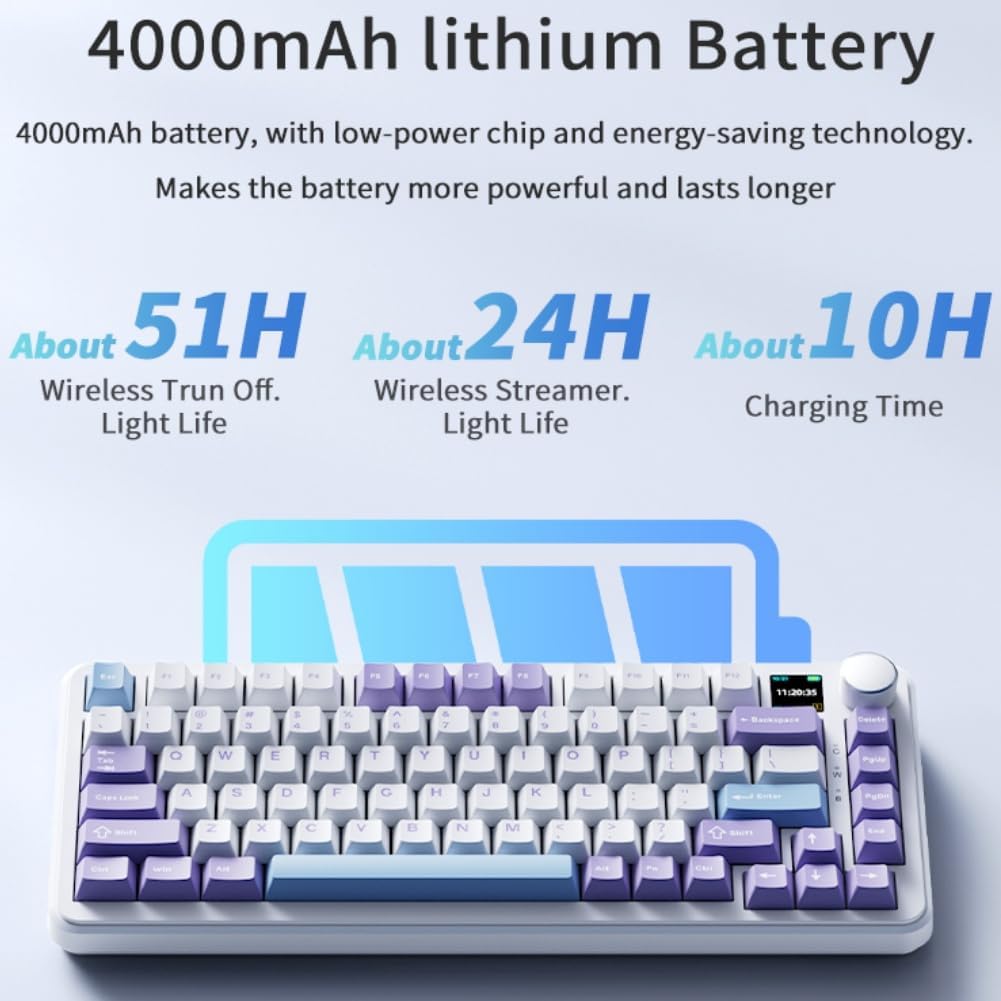
Image: The keyboard displaying battery life information on its TFT screen, indicating approximate usage times for wireless with lights off and wireless streamer light life, along with charging time.
Иштөө нускамалары
TFT Smart Display and Knob Functions
The integrated TFT color screen and multi-function knob provide quick access to various settings:
- Knob Rotation: Rotate the knob to navigate through menu options or adjust values (e.g., brightness, speed).
- Knob Press: Press the knob to confirm a selection or enter a menu.
- Маалыматты көрсөтүү: The screen shows current time, active connectivity mode (wired, 2.4G, BT), and battery level.
- Custom GIF Animations: The display supports custom colorful GIF animations. Refer to the software for customization options.

Image: A close-up of the keyboard's 0.85-inch TFT color screen, illustrating its capability to display settings such as backlight brightness, speed, color, and effect modes.
RGB арткы жарыкты башкаруу
The keyboard features 20 backlighting effects. Use the knob or dedicated function keys (refer to the keyboard's keycap legends or software) to:
- Change lighting effects.
- Жарыктуулук деңгээлин тууралаңыз.
- Modify animation speed.
- Select specific colors.
- Activate music rhythm mode, where lighting fluctuates with audio.
Ысык алмаштыруучу которгучтар
The AK820MAX supports hot-swappable mechanical switches, allowing you to change switches without soldering.
- Carefully remove the keycap using a keycap puller.
- Use a switch puller to gently remove the switch from the PCB.
- Жаңы өчүргүчтүн төөнөгүчтөрүн платадагы тешиктер менен тегиздеп, ал ордуна чыкылдаган үн чыкканча бекем басыңыз. Төөнөгүчтөрдүн ийилбегенин текшериңиз.
- Баскыч капкагын алмаштырыңыз.
Сүрөт: жакын план view of the keyboard's hot-swappable key switches, demonstrating the ease with which switches can be changed to customize typing preferences.

Сүрөт: деталдуу view of the keyboard's PCB, showcasing the 1.2mm thick single key slot design for improved switch stability and feel.

Image: A diagram illustrating the internal gasket structure of the keyboard, which contributes to a softer and more elastic typing experience.

Image: A cross-section diagram detailing the five-layer internal filling, including silicone bottom pad, IXPE switch pad, and PET voice actor pad, designed to reduce noise and produce a pure sound.
Техникалык тейлөө
- Тазалоо: Use a soft, dry cloth to wipe the keyboard surface. For deeper cleaning, remove keycaps and use compressed air to clear debris.
- Switch Care: Avoid spilling liquids on the keyboard. If a switch feels inconsistent, it may need to be replaced or lubricated.
- Сактагыч: Клавиатураны күн нурунан жана экстремалдык температурадан алыс, салкын, кургак жерде сактаңыз.
Проблемаларды чечүү
- Баскычтоп жооп бербейт:
- Баскычтоп кубатталганын текшериңиз.
- Check the connectivity mode switch (wired, 2.4G, BT) matches your connection type.
- 2.4 ГГц үчүн, кабыл алгыч туура сайылганын текшериңиз.
- Bluetooth үчүн, клавиатура жупташтырылганын жана анын жеткиликтүүлүк аралыгында экенин текшериңиз. Кайра жупташтырып көрүңүз.
- Зымсыз көйгөйлөрдү болтурбоо үчүн USB-C кабели аркылуу туташтырып көрүңүз.
- RGB Lights Not Working/Incorrect:
- Check brightness settings using the knob or software.
- Ensure the keyboard software is up to date.
- Reset lighting effects to default via software or keyboard shortcuts (refer to specific key combinations if available).
- Катталбаган ачкычтар:
- If a specific key is not working, try hot-swapping the switch with a known working one to determine if the switch or PCB socket is faulty.
- Баскычтоптун капкагы туура орнотулганын текшериңиз.
Техникалык шарттар
| Өзгөчөлүк | Деталь |
|---|---|
| Модель номери | AK820MAX |
| Макет | 75% (81 ачкыч) |
| Байланыш | Bluetooth 5.1, 2.4GHz Wireless, USB Type-C Wired |
| Которуу түрү | Hot-swappable Mechanical (Avocado Switch) |
| Арткы жарыктандыруу | RGB (20 effects, music rhythm) |
| Дисплей | 0.85-inch TFT Color Smart Display |
| Батарея сыйымдуулугу | 8000mAh Lithium Polymer (rechargeable) |
| Шайкеш түзмөктөр | Компьютер, ноутбук, планшет |
| Өлчөмдөр | 15.75 x 6.89 x 2.71 дюйм |
| Элемент Салмагы | 2.75 фунт |
| Өндүрүүчү | Odpaltoy |
Кепилдик жана колдоо
For warranty information and technical support, please refer to the warranty card included with your product or contact the manufacturer directly. You can also visit the official Ajazz webКөп берилүүчү суроолор жана кошумча ресурстар үчүн сайт.
Manufacturer: Odpaltoy
Contact: Please refer to the contact information provided in the product packaging or on the manufacturer's official webколдоо боюнча суроолор үчүн сайт.


