
1. Продукт бүтүп калдыview
The BOBLOV A26 is a compact and portable body camera designed for reliable video recording in various professional and personal settings. It features 1080P HD video resolution, advanced night vision, and a long-lasting battery, making it suitable for extended use. Its rotatable lens offers flexible recording angles, and support for external memory ensures ample storage for your footage.
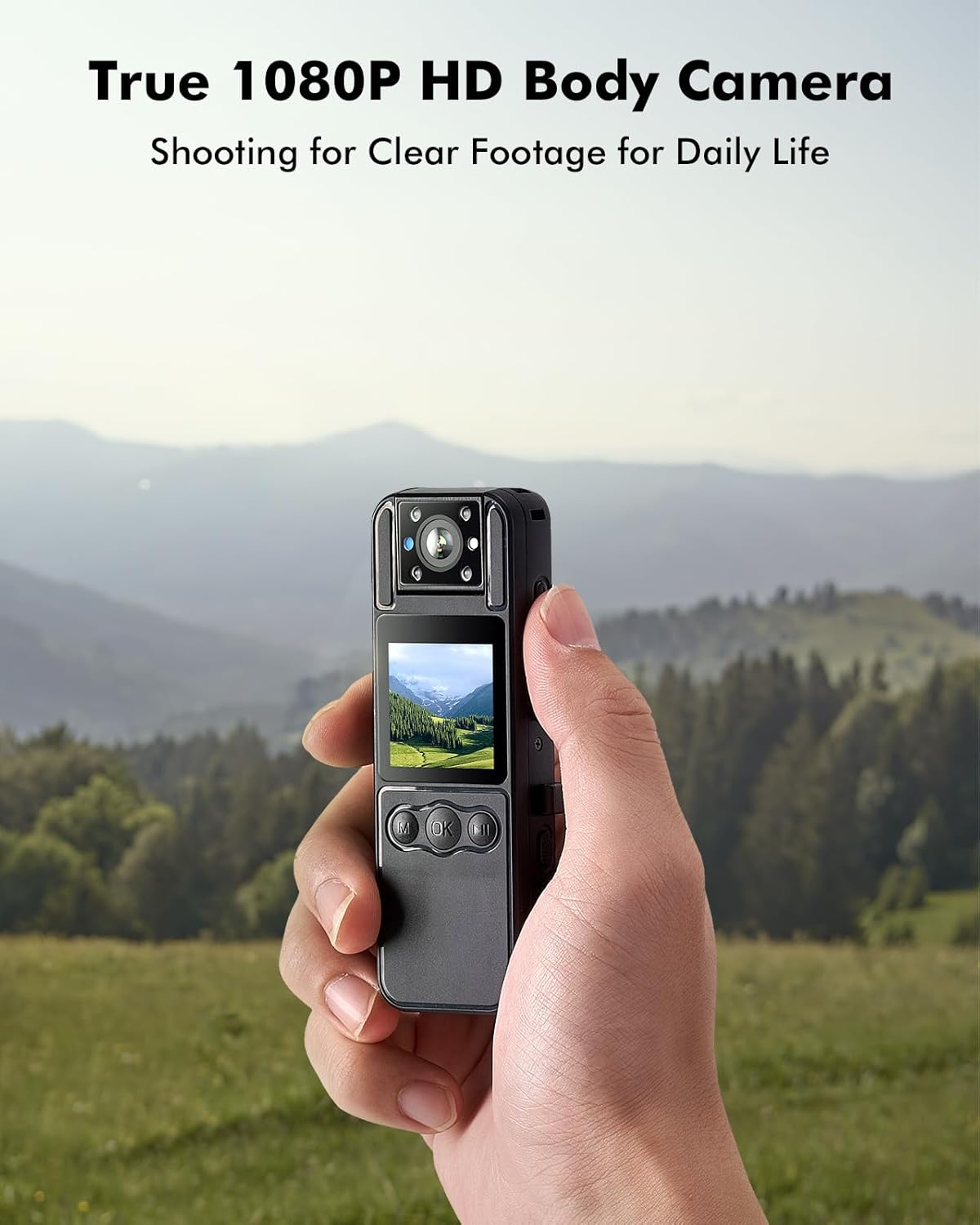
Image: A hand holding the BOBLOV A26 Body Camera, demonstrating its portability and clear 1080P HD video capability against a natural landscape background.
2. Эмнелер камтылган
Your BOBLOV A26 package contains the following items:
- 1 x BOBLOV A26 Video Camera
- 1 х штатив
- 1 x Артка клип
- 1 x Lanyard
- 1 x USB-C кабели
- 1 x User Manual
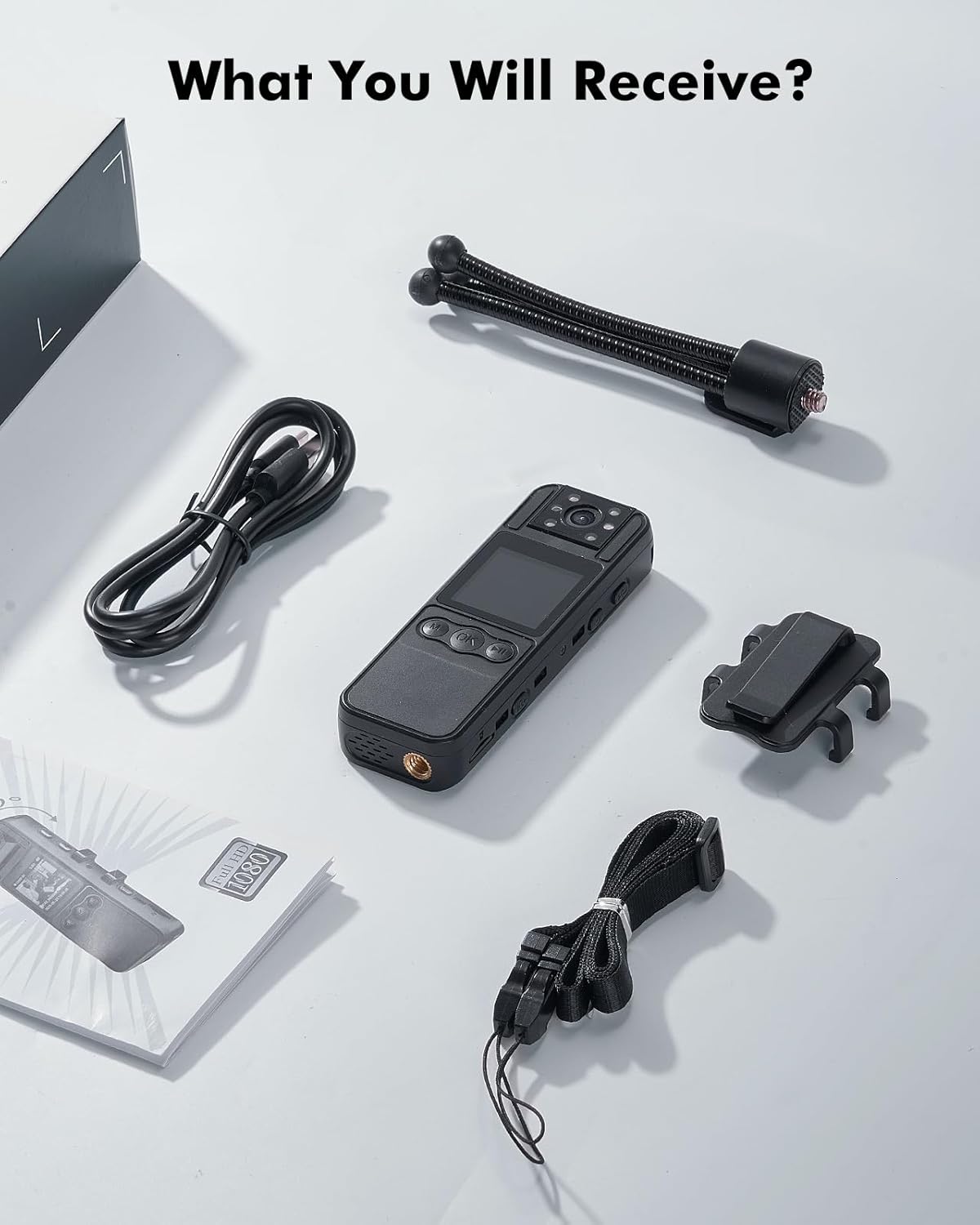
Image: All components included in the BOBLOV A26 package, neatly arranged on a white surface, showing the camera, tripod, clip, lanyard, USB-C cable, and user manual.
3. Орнотуу
3.1 Батареяны заряддоо
Before first use, fully charge the camera's built-in 1700mAh battery. Connect the provided USB-C cable to the camera's USB-C port and plug the other end into a compatible USB power adapter (not included) or a computer's USB port. A full charge typically takes approximately 3 hours and provides up to 6 hours of continuous video recording.

Image: The BOBLOV A26 Body Camera being charged via its USB-C port, illustrating the charging process and highlighting the 1700mAh battery capacity.
3.2 Эстутум картасын салуу
The BOBLOV A26 supports external memory cards (Micro SD) up to 256GB. Locate the memory card slot on the side of the camera. Gently insert the Micro SD card into the slot until it clicks into place. Ensure the card is inserted correctly to avoid damage.

Сүрөт: жакын план view of the BOBLOV A26 Body Camera showing the external memory card slot with a Micro SD card partially inserted, indicating support for up to 256GB.
3.3 Аксессуарларды тиркөө
The camera comes with a tripod and a back clip for versatile mounting options. The tripod can be screwed into the 1/4" screw hole at the bottom of the camera for stable, hands-free recording. The back clip allows you to attach the camera to clothing or other surfaces.
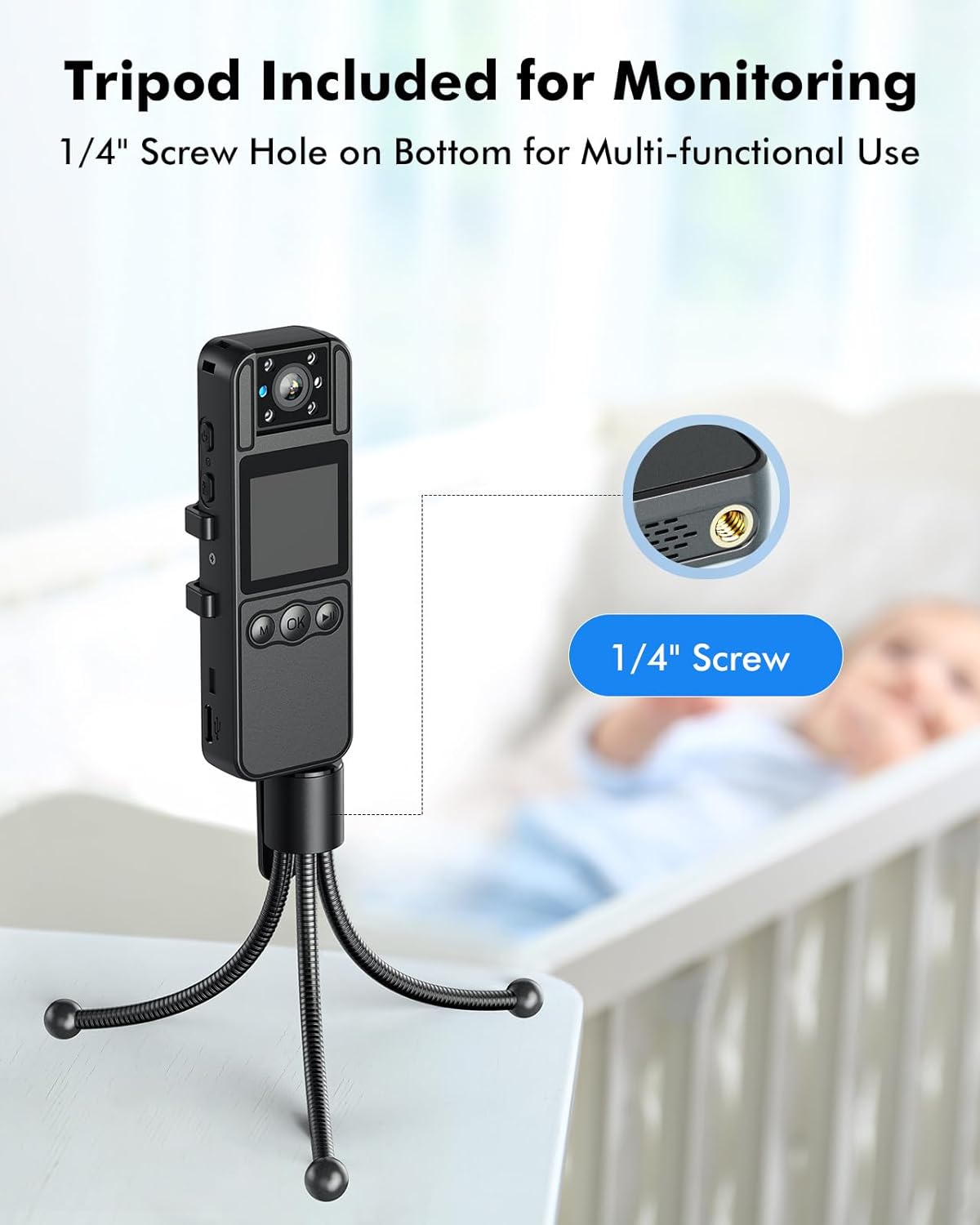
Image: The BOBLOV A26 Body Camera mounted on its included flexible tripod, demonstrating its use for stable monitoring in various environments.
4. Иштөө нускамалары
4.1 Күйгүзүү/өчүрүү
To power on the camera, press and hold the Power button until the screen illuminates. To power off, press and hold the Power button again until the device shuts down.
4.2 Видео жаздыруу
Once powered on, press the Record button to start video recording. The recording indicator light will illuminate. Press the Record button again to stop recording. Videos are saved to the inserted memory card.
4.3 Night Vision Activation
The BOBLOV A26 features advanced night vision with 6 invisible IR lights. To activate night vision, long press the designated button (refer to the camera's button layout for exact location). This enables clear recording in low-light conditions.

Image: The BOBLOV A26 Body Camera shown in a low-light setting, with an overlay indicating the long press action to activate its night vision feature, capturing moments effectively at night.
4.4 Rotatable Camera Lens
The camera's lens can be rotated 180 degrees, allowing for flexible recording angles without repositioning the entire device. Adjust the lens to capture footage from your desired perspective.

Image: A visual representation of the BOBLOV A26 Body Camera's 180-degree rotatable lens, showing its flexibility to capture different angles (0°, 90°, 180°).
4.5 Playback and Menu Settings
The 1.3-inch IPS display allows for easy playback of recorded videos and access to menu settings. Use the navigation buttons (M, OK, Play/Pause) to browse through files and adjust camera parameters.

Image: The BOBLOV A26 Body Camera's 1.3-inch IPS display showing a video playback, illustrating its ease of use for reviewing footage and navigating settings.
4.6 Цикл жаздыруу
Камера циклдик жаздырууну колдойт, ал автоматтык түрдө эң эскисин кайра жазат files when the memory card is full. You can set video segment lengths to 5, 10, 15 (default), or 20 minutes through the camera's settings.

Image: A graphic illustrating the loop recording feature of the BOBLOV A26 Body Camera, showing customizable video lengths (5min, 10min, 15min, 20min) for continuous recording.
4.7 Көп функциялуу колдонуу
The BOBLOV A26 is versatile and can be used in various scenarios, including personal security, delivery services, outdoor activities, and as a stationary surveillance camera when mounted on its tripod.

Image: A collage showing the BOBLOV A26 Body Camera in different use scenarios: carried in a bag, mounted on a tripod for stationary recording, and clipped to a uniform for body-worn use.
5. Техникалык тейлөө
5.1 Тазалоо
To clean the camera, use a soft, dry cloth. For the lens, use a specialized lens cleaning cloth. Avoid using harsh chemicals or abrasive materials, as they may damage the camera's surface or lens.
5.2 Сактоо
Store the camera in a cool, dry place away from direct sunlight and extreme temperatures. If storing for an extended period, ensure the battery is partially charged (around 50%) to prolong its lifespan.
5.3 Сууга туруктуулук
Please note that the BOBLOV A26 Body Camera is суу өткөрбөйт. Avoid exposing the device to rain, splashes, or submersion in water to prevent damage.
6. Кыйынчылыктарды
6.1 Камера күйбөй жатат
- Ensure the battery is sufficiently charged. Connect the camera to a power source and allow it to charge for at least 30 minutes before attempting to power on again.
- Кубат баскычын бир нече секунд басып, кармап туруңуз.
6.2 Recording Issues (No Video/Audio)
- Check if a memory card is properly inserted.
- Ensure the memory card has sufficient free space. If full, transfer files or format the card (this will erase all data).
- Verify that the camera is in video recording mode.
6.3 Видеонун сапаты начар
- Камера линзасын жумшак, түксүз чүпүрөк менен тазалаңыз.
- Ensure adequate lighting. For low-light conditions, activate the night vision feature.
6.4 Camera Freezing
- If the camera freezes, try performing a soft reset by pressing and holding the Power button for about 10-15 seconds until it powers off.
- If the issue persists, remove and reinsert the memory card.
7. Техникалык шарттар
| Өзгөчөлүк | Спецификация |
|---|---|
| Бренд | БОБЛОВ |
| Модель аты | БОБЛОВ A26 |
| Продукт түрү | Колдук камера |
| Video Resolution | 1080p |
| Видео жаздыруу чечими | 1080p |
| Image Stabilization | Санарип |
| Сүрөт турукташтыруу бар | Жок |
| Диафрагма | 20 миллиметр |
| Максималдуу диафрагма | 20 миллиметр |
| Байланыш технологиясы | USB |
| Колдоого алынган форматтар | Микро SD |
| Батареянын курамы | Литий-полимер |
| Шайкеш түзмөктөр | Жеке компьютер, ноутбук, смартфон, планшет |
| Пакеттин өлчөмдөрү (L x W x Y) | 11 x 10 x 5 сантиметр |
| Пакет Салмагы | 200 грамм |
| Камтылган компоненттер | 1 |
| Продукцияга маалымдама | БОБЛОВ A26 |
| Сууга туруктуулук деңгээли | Суу өткөрбөйт |
| Фокус түрү | Автофокус |
| Flash эс тутум түрү | SD |
| Видео тартуу форматы | MOV |
| Колдоого алынган аудио формат | AAC |
| Фото сенсор технологиясы | CMOS |
| Өндүрүүчү | БОБЛОВ |
8. Кепилдик жана колдоо
Specific warranty information for the BOBLOV A26 Body Camera is not available in this manual. Please refer to the product packaging or the official BOBLOV webдеталдуу кепилдик шарттары жана шарттары үчүн сайт.
For technical support, troubleshooting assistance, or any inquiries regarding your BOBLOV A26 Body Camera, please contact BOBLOV customer service through their official support channels. Contact information can typically be found on the manufacturer's website or the product's retail page.


