1. Продукт бүтүп калдыview
The Doohoeek Keyboard Folio is designed to enhance the functionality of your New iPad Pro 11-inch (M4, 2024), transforming it into a versatile workstation. This folio features a detachable Bluetooth keyboard with a trackpad and backlit keys, offering a comfortable and efficient typing experience.
Негизги өзгөчөлүктөрү:
- Алынуучу клавиатура: Magnetic design allows for easy detachment, providing flexibility for various uses.
- Sensitive Trackpad: Offers precise control and supports familiar multi-touch gestures for enhanced navigation.
- 7 түстүү арткы жарык баскычтары: Adjustable 7-color backlighting with 3 brightness levels and a breathing mode for typing in low-light conditions.
- Any-Angle Kickstand: Sturdy mechanical hinge and special triangle design allow for stable landscape or portrait viewing at multiple angles.
- Pen Holder: Integrated slot for convenient storage of your stylus (stylus not included, not for charging).
2. Шайкештик
This keyboard folio is specifically designed for the Жаңы iPad Pro 11 дюймдук (M4, 2024).
Шайкеш моделдер:
- iPad Pro 11-inch (M4, 2024) Models: A2836, A2837
To verify your iPad model number, go to Орнотуулар > Жалпы > Жөнүндө and locate the part number (Axxxx). Tap the part number to reveal the model number.
3. Кутуда эмне бар
- Doohoeek Keyboard Folio
- USB кабели
- User Manual
4. Орнотуу нускамалары
4.1 Планшетиңизди орнотуу
- Align your iPad Pro 11-inch (M4, 2024) with the protective case.
- Gently press the iPad into the case until it is securely seated. Ensure all edges are covered.
- Attach the keyboard magnetically to the folio. The magnetic connection will hold it in place.

Image: The iPad Pro 11-inch (M4, 2024) is shown securely placed within the keyboard folio, demonstrating the adjustable kickstand set at a 130-degree angle for optimal viewing.

Image: The keyboard folio is displayed with the iPad Pro 11-inch (M4, 2024) in different configurations, highlighting its flexibility for typing, drawing, and reading.
4.2 Bluetooth жупташтыруу
- Ensure the keyboard is charged (see Section 5.1).
- Slide the power switch on the keyboard to the 'ON' position. The Bluetooth indicator light will begin to flash.
- iPad'иңизден төмөнкүгө өтүңүз Орнотуулар > Bluetooth.
- Turn on Bluetooth if it is not already enabled.
- Select 'Bluetooth Keyboard' from the list of available devices.
- Туташкандан кийин индикатор жарыгын өчүрбөйт жана туруктуу бойдон калат.

Image: The keyboard is shown detached from the iPad Pro 11-inch (M4, 2024), illustrating the magnetic detachment feature for increased flexibility.
5. Иштөө нускамалары
5.1 Trackpad Functions
- The integrated trackpad provides precise control and supports multi-touch gestures.
- To lock or unlock the trackpad, press the 'Fn' key and the Spacebar бир эле убакта.

Сүрөт: жакын план view of the keyboard's trackpad, highlighting its sensitive and precise functionality for navigating the iPad Pro 11-inch (M4, 2024).
5.2 Жарыкты башкаруу
- The keyboard features 7-color backlighting with 3 adjustable brightness levels.
- An updated breathing lighting mode cycles through all 7 colors, ideal for low-light environments.
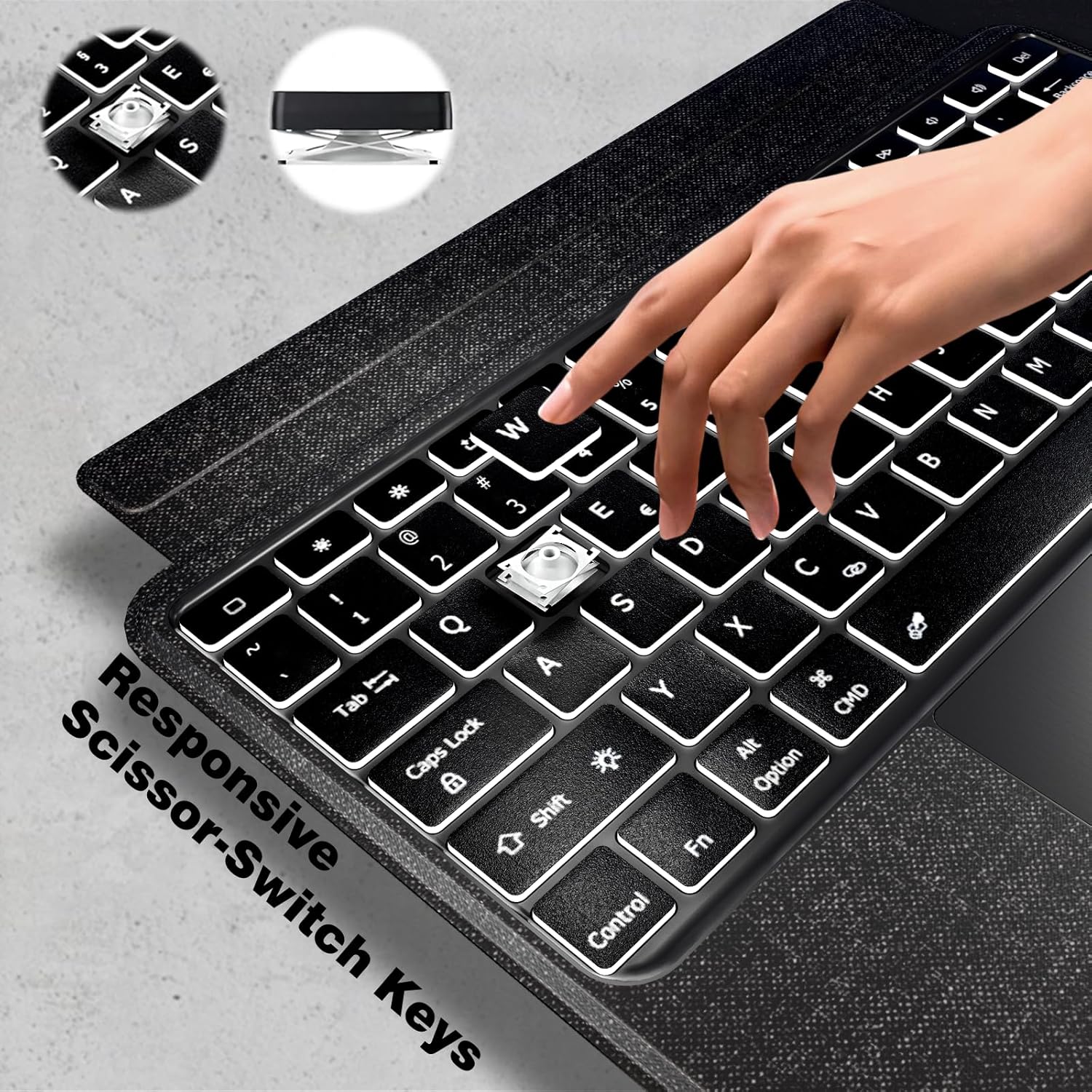
Image: The keyboard is shown with its keys illuminated in different colors, demonstrating the 7-color backlit feature for enhanced visibility and aesthetic appeal.
5.3 Тууралоо Viewбурчтар
- The sturdy mechanical hinge allows for stable positioning of your iPad.
- The special triangle design supports both vertical (portrait) and horizontal (landscape) orientations.
Image: The iPad Pro 11-inch (M4, 2024) is shown securely placed within the keyboard folio, demonstrating the adjustable kickstand set at a 130-degree angle for optimal viewing.
6. Батарея жана заряддоо
The keyboard folio is powered by a built-in Lithium Polymer battery. To charge the keyboard, use the provided USB Type-C cable.
6.1 Баскычтопту заряддоо
- Connect the USB Type-C end of the charging cable to the keyboard's charging port.
- USB-A учун шайкеш келген USB кубат адаптерине туташтырыңыз (кошулмага кирбейт).
- Заряддоо индикатору кубаттоо учурунда күйөт жана толук заряддалганда өчөт.

Сүрөт: деталдуу view of the keyboard's USB-C charging port with the charging cable inserted, indicating the power source connection.
7. Кароо жана тейлөө
- Keep the keyboard and folio clean by wiping with a soft, damp кездеме.
- Продукцияны экстремалдык температурага, нымдуулукка же тике күн нуруна тийгизүүдөн сактаңыз.
- Тазалоо үчүн катуу химиялык заттарды же абразивдүү материалдарды колдонбоңуз.
8. Жалпы көйгөйлөрдү чечүү
8.1 Баскычтоп Bluetooth аркылуу туташпай жатат
- Баскычтоптун күйгүзүлгөнүн жана толук заряддалганын текшериңиз.
- iPad'иңизде Bluetooth иштетилгенин текшериңиз.
- Түзмөгүңүздү iPad'ыңыздын Bluetooth жөндөөлөрүнөн унутуп, кайра жупташтырып көрүңүз.
- iPad жана клавиатураны өчүрүп күйгүзүңүз.
8.2 Trackpad жооп бербейт
- Сенсордук панелдин кулпуланбагандыгын текшериңиз (басыңыз 'Fn' + Spacebar которуштуруу үчүн).
- Clean the trackpad surface to remove any debris.
8.3 Арткы жарык иштебейт
- Баскычтоп күйгүзүлгөнүн текшериңиз.
- Adjust brightness levels using the dedicated backlight keys.
9. Техникалык шарттар
| Өзгөчөлүк | Спецификация |
|---|---|
| Пакеттин өлчөмдөрү | 11.3 x 8.19 x 1.14 дюйм |
| Элемент Салмагы | 1.5 фунт |
| Өндүрүүчү | Духук |
| ASIN | B0D5GRC6V6 |
| Батареялар | 1 литий полимер батарейкалары талап кылынат. (камтылган) |
| Шайкеш түзмөктөр | New iPad Pro 11-inch M4 2024 (Model: A2836, A2837) |
| Байланыш технологиясы | Bluetooth |
| Keyboard Description | Keyboard Folio for New iPad Pro 11-inch M4 2024 (Model: A2836, A2837) |
| Стиль | Заманбап |
| Камтылган компоненттер | Keyboard Folio, USB Cable, User Manual |
| Power Source | USB Power |
| Баскычтоптун жайгашуусу | QWERTY |
| Колдун багыты | Эки тараптуу |
10. Кепилдик жана Кардарларды колдоо
For warranty information, product registration, or technical support, please refer to the documentation included in your package or contact Doohoeek customer service directly through the Amazon platform where you purchased the product.
11. Коопсуздук маалыматы
- Продукцияны ажыратууга же өзгөртүүгө аракет кылбаңыз.
- Продукцияны суудан жана башка суюктуктардан алыс кармаңыз.
- Берилген заряддоо кабелин же тастыкталган эквивалентти гана колдонуңуз.
- Балдар жетпеген жерде сактаңыз.


