1. Киришүү
This user manual provides comprehensive instructions for the operation, maintenance, and troubleshooting of your DOOGEE T20 Ultra 12 Inch Tablet. Please read this manual thoroughly before using your device to ensure optimal performance and longevity.
2. Кутуда эмне бар
Upon unboxing your DOOGEE T20 Ultra tablet, verify that all components are present:
- DOOGEE T20 Ultra Tablet
- Кубаттуу адаптер
- USB-C Cable
- SIM карта чыгаруучу курал
- Protective Case (if included with specific package)
- Screen Protector (if included with specific package)

Image: The DOOGEE T20 Ultra tablet displayed with its accessories, including a power adapter, USB-C cable, and a protective case.
3. Продукт бүтүп калдыview
3.1 Дисплей
The DOOGEE T20 Ultra features a 12-inch 2.4K BOE display with a resolution of 2000x1200 pixels, offering an immersive viewing experience. It boasts an 87.2% screen-to-body ratio and a slim 7mm narrow bezel. The display is also TUV certified for eye protection, reducing blue light emission.

Сүрөт: жакын план view of the DOOGEE T20 Ultra's 12-inch 2.4K display, highlighting its narrow bezels and high screen-to-body ratio.

Image: A person using the DOOGEE T20 Ultra tablet, demonstrating its eye-care display with TUV certification for low blue light.
3.2 Процессор
The tablet is powered by the MediaTek Helio G99 Octa-Core processor, clocked at 2.2GHz and built on a 6nm process. This powerful chip ensures smooth performance for gaming, multitasking, and various applications.

Image: A visual representation of the Helio G99 Octa-Core processor chip, highlighting its core components and specifications.
3.3 Эстутум жана сактоо
The DOOGEE T20 Ultra comes with 32GB of RAM (12GB physical + 20GB expandable virtual memory) and 256GB of internal ROM. Storage can be further expanded up to 2TB using a microSD card.

Image: The tablet screen displaying multiple applications, with icons indicating 256GB ROM, 2TB storage expansion, and Android 13 OS.
3.4 Батарея
Equipped with a large 10800mAh battery, the tablet provides extended usage time. It supports 18W fast charging and OTG (On-The-Go) functionality for connecting external devices.

Image: A visual emphasizing the 10800mAh battery capacity, along with icons for OTG support and 18W fast charging.
3.5 аудио
For an enhanced audio experience, the T20 Ultra features Hi-Res Audio certification and four Smart PA stereo speakers, delivering rich and immersive sound.

Image: The tablet shown with sound waves emanating from its speakers, indicating Hi-Res Audio certification and quad-speaker setup.
3.6 Камералар
Capture moments with the 16MP AI rear camera and conduct high-quality video calls with the 8MP front camera. The front camera also supports face unlocking.

Image: Split image showing the rear camera module and the front camera view, alongside example photos taken with the tablet's cameras.
3.7 Байланыш жана навигация
The tablet supports 4G Dual SIM for cellular connectivity, 2.4G/5GHz dual-band Wi-Fi for fast internet, and Bluetooth 5.0 for wireless accessories. For navigation, it utilizes A-GPS, GPS, BeiDou, GLONASS, and Galileo systems.

Image: The tablet displaying network icons for 2.4G/5G Dual Band WiFi, 4G Dual SIM, and Bluetooth 5.0, with an inset showing the SIM tray.

Image: A person holding the tablet displaying a navigation map, illustrating its GPS capabilities.
3.8 Design and Operating System
The T20 Ultra features a 7.6mm ultra-thin full metal design with curved edges, providing a premium feel. It runs on the Android 13 operating system, offering a personalized, secure, and efficient user experience. The tablet also supports Widevine L1 for high-definition streaming from platforms like Amazon Prime Video, Disney+, HBO Max, and Hulu.
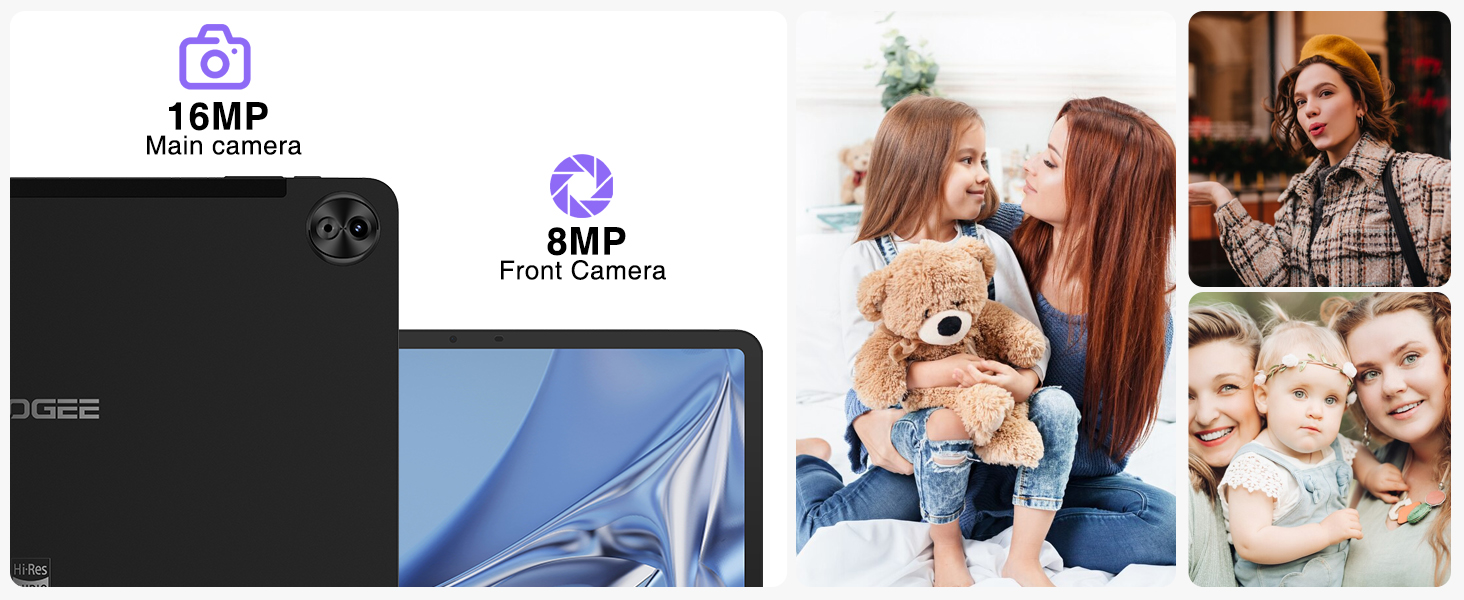
Image: A screenshot of the Android 13 interface on the tablet, showcasing its clean design and notification panel.
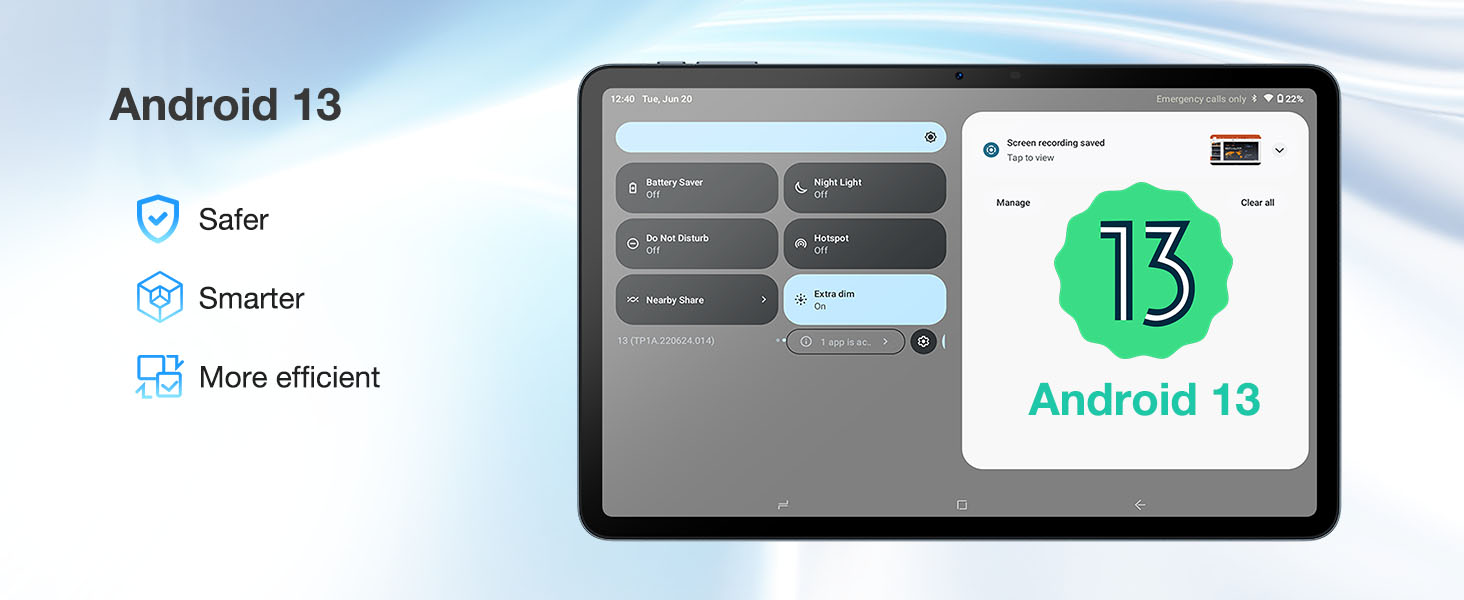
Image: The tablet screen displaying "Widevine L1 Support" with logos of popular streaming services like Disney+, HBO Max, Amazon Prime Video, and Hulu.
4. Орнотуу
- Планшетти заряддоо: Connect the provided USB-C cable to the tablet's charging port and the power adapter. Plug the adapter into a wall outlet. The battery indicator will show charging status. For optimal battery life, fully charge the tablet before first use.
- Күйгүзүү/өчүрүү: DOOGEE логотиби пайда болгонго чейин Кубат баскычын (капталында жайгашкан) басып туруңуз. Өчүрүү үчүн, Кубат баскычын басып туруңуз, андан кийин параметрлерден "Өчүрүү" дегенди тандаңыз.
- Баштапкы орнотуу: Follow the on-screen prompts to complete the initial setup, including language selection, Wi-Fi connection, Google account login, and setting up security features like face unlock.
- Inserting SIM/MicroSD Card: Use the provided SIM ejector tool to open the SIM tray. Carefully insert your 4G SIM card(s) and/or microSD card into the designated slots. Ensure the tray is fully reinserted.
5. Иштөө нускамалары
5.1 Негизги навигация
- Тийүү жаңсоолору: Тандоо үчүн таптаңыз, сыдыруу үчүн серпиңиз, чоңойтуу үчүн чымчыңыз.
- Башкы экран: Колдонмолорго, виджеттерге жана эскертмелерге кирүү.
- Эскертме панели: Ыкчам жөндөөлөргө жана эскертмелерге жетүү үчүн экрандын өйдө жагынан ылдый сүрүңүз.
- Көп тапшырма: Use the recent apps button (square icon) to switch between open applications. The tablet supports split-screen mode for enhanced productivity.

Image: A person using the tablet in split-screen mode, demonstrating multitasking capabilities.
5.2 Байланыш
- Wi-Fi: Жеткиликтүү тармактарга туташуу үчүн Жөндөөлөр > Тармак жана интернет > Wi-Fi бөлүмүнө өтүңүз.
- Мобилдик тармак: If using a SIM card, configure mobile data settings in Settings > Network & internet > Mobile network.
- Bluetooth: Pair with Bluetooth devices (headphones, keyboards) via Settings > Connected devices > Bluetooth.
5.3 Медиа керектөө
- Агым: Utilize Widevine L1 support for high-definition streaming on compatible platforms.
- Аудио: Enjoy high-fidelity audio through the quad speakers or connected Hi-Res audio devices.
6. Техникалык тейлөө
- Тазалоо: Экранды жана денени тазалоо үчүн жумшак, түксүз чүпүрөктү колдонуңуз. Абразивдүү материалдардан же катуу химиялык заттардан алыс болуңуз.
- Программалык камсыздоо жаңыртуулары: Оптималдуу аткарууну жана коопсуздукту камсыз кылуу үчүн Орнотуулар > Система > Системанын жаңыртууларынан тутум жаңыртууларын үзгүлтүксүз текшериңиз.
- Батареяга кам көрүү: Батареянын иштөө мөөнөтүн узартуу үчүн, экстремалдык температурадан сактаныңыз жана бат-баттан батареянын толук түгөнүп кетишине жол бербеңиз.
- Сактагычты башкаруу: Мезгил-мезгили менен ачык-айкын керексиз files and apps to maintain sufficient storage space and system speed.
7. Кыйынчылыктарды
| Көйгөй | Мүмкүн болгон себеп / Чечим |
|---|---|
| Планшет күйбөйт | Батарея заряддалганын текшериңиз. Кубаттоочу түзүлүшкө кеминде 30 мүнөт туташтырыңыз. Эгер дагы эле жооп бербесе, "Кубат" баскычын 10-15 секунд басып туруп, мажбурлап өчүрүп-күйгүзүңүз. |
| Жай иштөө / артта калуу | Close unused applications. Clear cache of frequently used apps. Check for system updates. Consider a factory reset if issues persist (backup data first). |
| Батарея бат эле түгөнөт | Reduce screen brightness. Disable Wi-Fi/Bluetooth when not in use. Close background apps. Limit location services. Check battery usage in settings to identify power-hungry apps. |
| Wi-Fi'га туташпай жатат | Ensure Wi-Fi is enabled. Restart the tablet and router. Forget the network and reconnect. Check Wi-Fi password. |
| SIM карта табылган жок | Ensure the SIM card is correctly inserted. Restart the tablet. Check if the SIM card is active with your carrier. |
8. Техникалык шарттар
| Өзгөчөлүк | Деталь |
|---|---|
| Бренд | DOOGEE |
| Модель аты | T20ULTRA |
| Операция системасы | Android 13 |
| Screen Size | 12 дюйм |
| Screen Resolution | 2.4K (2000x1200 pixels) |
| Процессор | MediaTek Helio G99 Octa-Core (2.2GHz) |
| RAM | 32 ГБ (12 ГБ физикалык + 20 ГБ виртуалдык) |
| Ички сактагыч (ROM) | 256 ГБ |
| Кеңейтүүчү сактагыч | 2 ТБ чейин (microSD) |
| Арткы камера | 16MP AI камерасы |
| Алдыңкы камера | 8MP камера |
| Батарея сыйымдуулугу | 10800mAh |
| Заряддоо | 18 Вт тез кубаттоо, C түрү |
| Аудио | Hi-Res Audio, 4 Smart PA Stereo Speakers |
| Байланыш | 4G Dual SIM, 2.4G/5GHz Dual-Band Wi-Fi, Bluetooth 5.0 |
| Навигация | A-GPS/GPS/BeiDou/GLONASS/Galileo |
| Өлчөмдөр | 12.2 x 12.2 x 2.1 inches (Product), 278.8 x 174.3 x 7.6mm (Tablet) |
| Салмагы | 3.08 pounds (Product), 568g (Tablet) |
| Өзгөчөлүктөр | TUV Eye-Care Display, Widevine L1 Support, OTG Support |
9. Кепилдик жана колдоо
DOOGEE provides a 2-Year Limited Warranty for the T20 Ultra tablet, covering manufacturing defects. For any technical assistance, product inquiries, or warranty claims, please contact DOOGEE customer support. Online support is available 24/7.
- Кепилдик мөөнөтү: 2 Жыл Чектелген Кепилдик
- Кайтаруу саясаты: 30-Day Money Back Guarantee and Free Return (check retailer policy)
- Колдоо: 24/7 онлайн колдоо

Image: Icons representing 30-day money back guarantee, 2-year limited warranty, and 24/7 online support.


