1. Киришүү
Thank you for choosing the Homvana Smart Humidifier H112. This advanced humidifier is designed to provide optimal humidity levels in your living spaces, offering both warm and cool mist options. With its large 7-liter capacity and intelligent features like MistIQ technology, it ensures a comfortable and healthy environment for your home, bedroom, nursery, or even for plant care. Please read this manual thoroughly before operation to ensure safe and efficient use.

Figure 1: Homvana Smart Humidifier H112
2. Маанилүү коопсуздук нускамалары
Өрт, электр шок же жаракат алуу коркунучун азайтуу үчүн, төмөнкү коопсуздук чараларын сактаңыз:
- Нымдаткычты дайыма катуу, жалпак, суу өткөрбөй турган бетке дубалдардан жана шаймандардан кеминде 12 дюйм (30 см) алыстыкта коюңуз.
- Do not place the humidifier directly on carpet, wood floors, or surfaces that may be damaged by water or moisture.
- Толтуруунун, тазалоонун же кандайдыр бир тейлөө иштерин жүргүзүүнүн алдында нымдагычты электр розеткасынан сууруп алыңыз.
- Негизги бөлүктү сууга же башка суюктуктарга батырбаңыз.
- Таза, муздак кран суусун же дистилденген сууну гана колдонуңуз. ысык сууну колдонбоңуз.
- Do not add essential oils directly into the water tank. Use the dedicated aroma box for essential oils.
- Нымдаткычты балдар жана үй жаныбарлары жетпеген жерде сактаңыз.
- Тумандын чыгуучу тешиктерин же аба соргучтарды жаап албаңыз.
- If the humidifier is damaged or malfunctions, discontinue use immediately and contact customer support.
3. Продукциянын компоненттери
Familiarize yourself with the main parts of your Homvana H112 Humidifier:
- Mist Outlet Nozzle
- Суу багы (7л сыйымдуулугу)
- Base Unit with Control Panel and Display
- Water Inlet / Top-Fill Opening
- Aroma Box (for essential oils)
- Электр кабели
4. Орнотуу
4.1 Пакеттен чыгаруу
- Бардык компоненттерди таңгактан кылдаттык менен алып салыңыз.
- Remove any protective film or stickers from the unit.
- Бардык бөлүктөрү бар жана бузулбаганын текшериңиз.
4.2 Орнотуу
- Place the humidifier on a flat, stable, and water-resistant surface.
- Абанын туура айлануусу үчүн аппараттын айланасында кеминде 12 дюйм (30 см) боштук бар экенин текшериңиз.
- Avoid placing near heat sources, direct sunlight, or air conditioning vents.
- Do not place directly under furniture or near electronics that could be damaged by moisture.

Figure 2: Humidifier placement in different room types
4.3 Суу резервуарын толтуруу
- Нымдандыргычтын розеткадан суурулганын текшериңиз.
- Locate the top-fill opening on the top of the water tank.
- Pour clean, cool tap water or distilled water directly into the opening. Do not exceed the maximum fill line.
- The 7-liter tank provides extended operation, reducing the need for frequent refills.
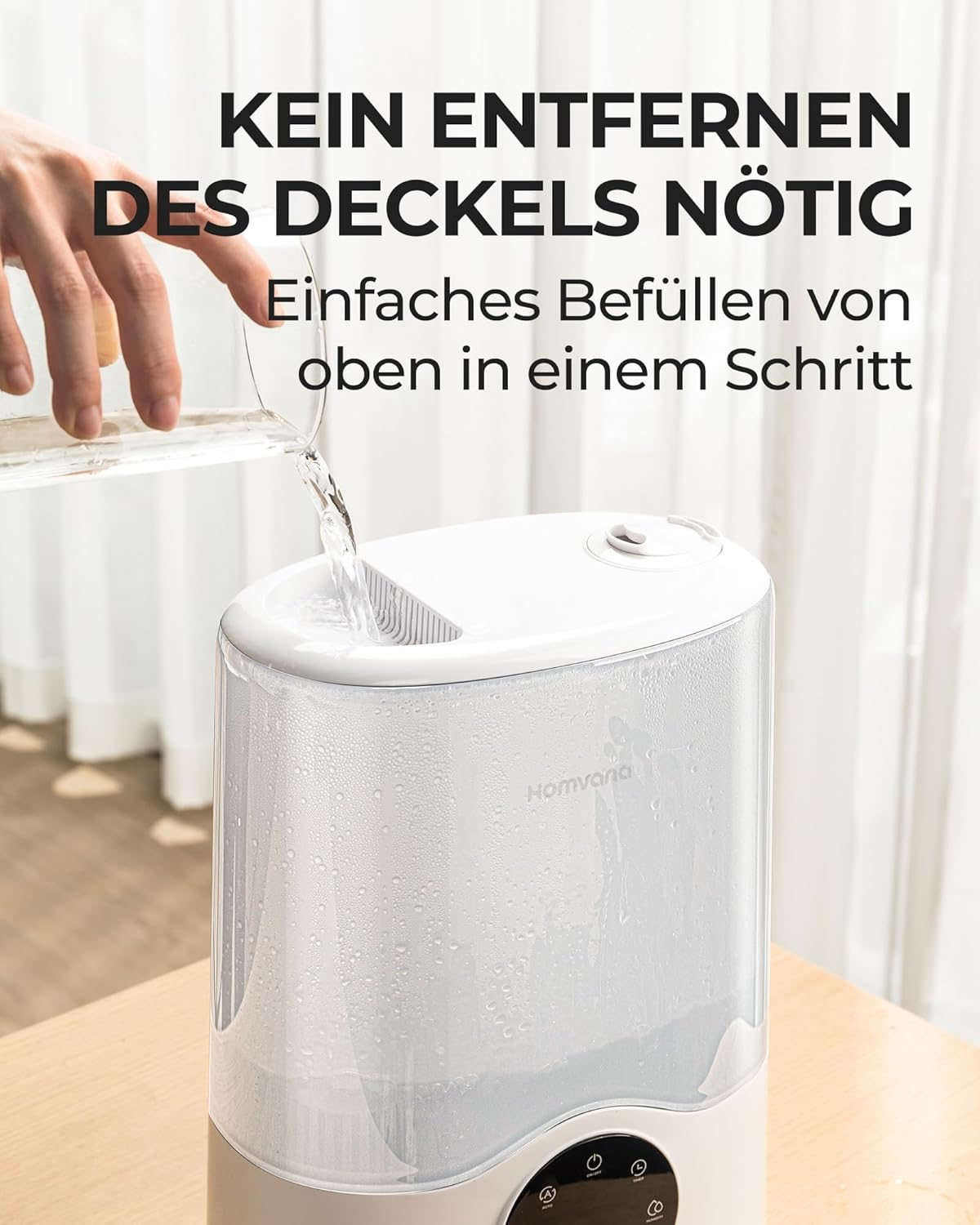
Figure 3: Easy top-fill water tank
5. Иштөө нускамалары
5.1 Күйгүзүү/өчүрүү
- Электр шнурын ылайыктуу электр розеткасына сайыңыз.
- басыңыз Кубат баскычы аппаратты күйгүзүү же өчүрүү үчүн башкаруу панелинде.
5.2 MistIQ™ Automatic Adjustment
The MistIQ™ technology automatically detects subtle changes in humidity and room conditions to control mist output, maintaining optimal ambient humidity. This feature prevents over-humidification and ensures efficiency.
- басыңыз Режим баскычы until the MistIQ™ indicator is lit.
- The humidifier will automatically adjust mist levels based on the detected room humidity and size.

Figure 4: MistIQ™ intelligent adaptation
5.3 Warm and Cool Mist Selection
The H112 offers both warm and cool mist options for year-round comfort.
- басыңыз Warm Mist button to activate warm mist. This is ideal for cooler seasons and can help alleviate cold symptoms.
- басыңыз Cool Mist button for cool mist, suitable for most seasons and general humidification.
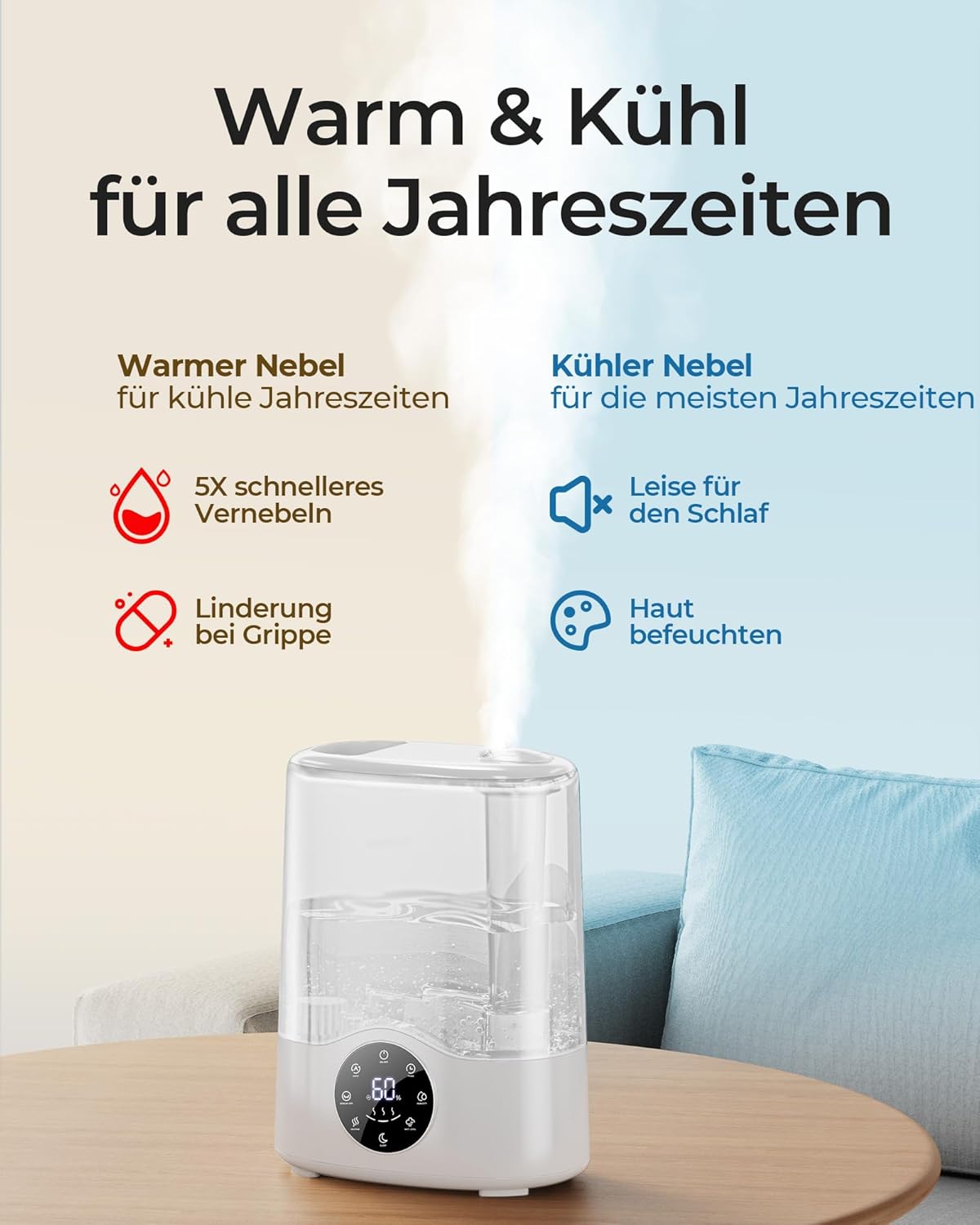
Figure 5: Warm & Cool Mist benefits
5.4 Mist Output Adjustment
- колдонуу Mist Level button to cycle through different mist output settings (e.g., Low, Medium, High).
- The humidifier can achieve up to 750 ml/h mist output for rapid humidification.
5.5 Уйку режими
- басыңыз Уйку режиминин баскычы to activate a quiet operation mode, ideal for nighttime use. The display lights will dim.

Figure 6: Features for extended comfort, including Sleep Mode
5.6 Таймер функциясы
- басыңыз Таймер баскычы to set an operating duration (e.g., 1, 2, 4, 8 hours). The humidifier will automatically turn off after the set time.
5.7 Ароматерапиянын функциясы
- Locate the aroma box (small drawer) at the back or side of the base unit.
- Pull out the aroma box and add a few drops of your preferred essential oil onto the aroma pad.
- Slide the aroma box back into the unit. The mist will diffuse the aroma into the air.
- Эфир майларын түздөн-түз суу резервуарына кошпоңуз.
6. Техникалык тейлөө жана тазалоо
Оптималдуу иштөө жана гигиена үчүн үзгүлтүксүз тазалоо зарыл.
6.1 Күнүмдүк тейлөө
- Тазалоодон мурун нымдаткычты сууруп алыңыз.
- Резервуардан жана базадан калган сууну бошотуңуз.
- Бакты жана анын түбүн таза чүпүрөк менен кургатыңыз.
6.2 Weekly Cleaning (Descaling)
- нымдаткычты розеткадан ажыратыңыз.
- Pour 1 cup (240ml) of white vinegar into the water tank and base.
- Let it soak for 20-30 minutes to loosen mineral buildup.
- Use a soft brush or sponge to clean the inside of the tank and the ultrasonic transducer in the base.
- Rinse thoroughly with clean water until the vinegar smell is gone.
- Кайра монтаждоо алдында бардык бөлүктөрүн толугу менен кургатып алыңыз.
6.3 Aroma Pad Cleaning/Replacement
- Clean the aroma pad with mild soap and water, or replace it with a new one when it becomes discolored or hardened.
6.4 Сактоо
- Before long-term storage, ensure the humidifier is completely clean and dry.
- Салкын, кургак жерде, эң жакшысы баштапкы таңгагында сактаңыз.
7. Кыйынчылыктарды
Жалпы маселелер жана алардын чечимдери үчүн бул бөлүмдү караңыз.
| Көйгөй | Мүмкүн себеп | Чечим |
|---|---|---|
| Туман жок же аз туман чыгаруу |
|
|
| адаттан тыш жыт |
|
|
| Суунун агып чыгышы |
|
|
| Агрегаттын айланасындагы ак чаң |
|
|
8. Техникалык шарттар
| Өзгөчөлүк | Деталь |
|---|---|
| Бренд | Homvana |
| Модель номери | H112 |
| Кубаттуулугу | 7 литр |
| Өлчөмдөрү (L x W x Y) | 19.99 x 34.9 x 43.99 см (болжол менен 7.87 x 13.74 x 17.32 дюйм) |
| Салмагы | 650 г (болжол менен 1.43 фунт) |
| Тtage | 230 вольт (AC) |
| Материал | Пластик |
| Туман чыгаруу | 750 мл/саатка чейин |
| Камтуу аймагы | 80 м² чейин |
9. Кепилдик жана колдоо
The Homvana Smart Humidifier H112 comes with a 3 жылдык кепилдик, ensuring peace of mind and product quality.
For any questions, technical support, or warranty claims, please contact Homvana customer support through the retailer's platform or the official Homvana website. Please have your model number (H112) and purchase details ready when contacting support.


