1. Киришүү
The Flatsons KMF-1 is an all-in-one multi-effects guitar pedal designed to provide a wide range of effects and amplifier/cabinet simulations. It allows users to effortlessly adjust settings to achieve their ideal tone. Utilizing Impulse Response (IR) technology, the KMF-1 accurately replicates classic cabinet sounds, enhanced by high-fidelity modeling. Each preset is meticulously crafted, drawing inspiration from iconic songs, offering exceptional tones with ease.
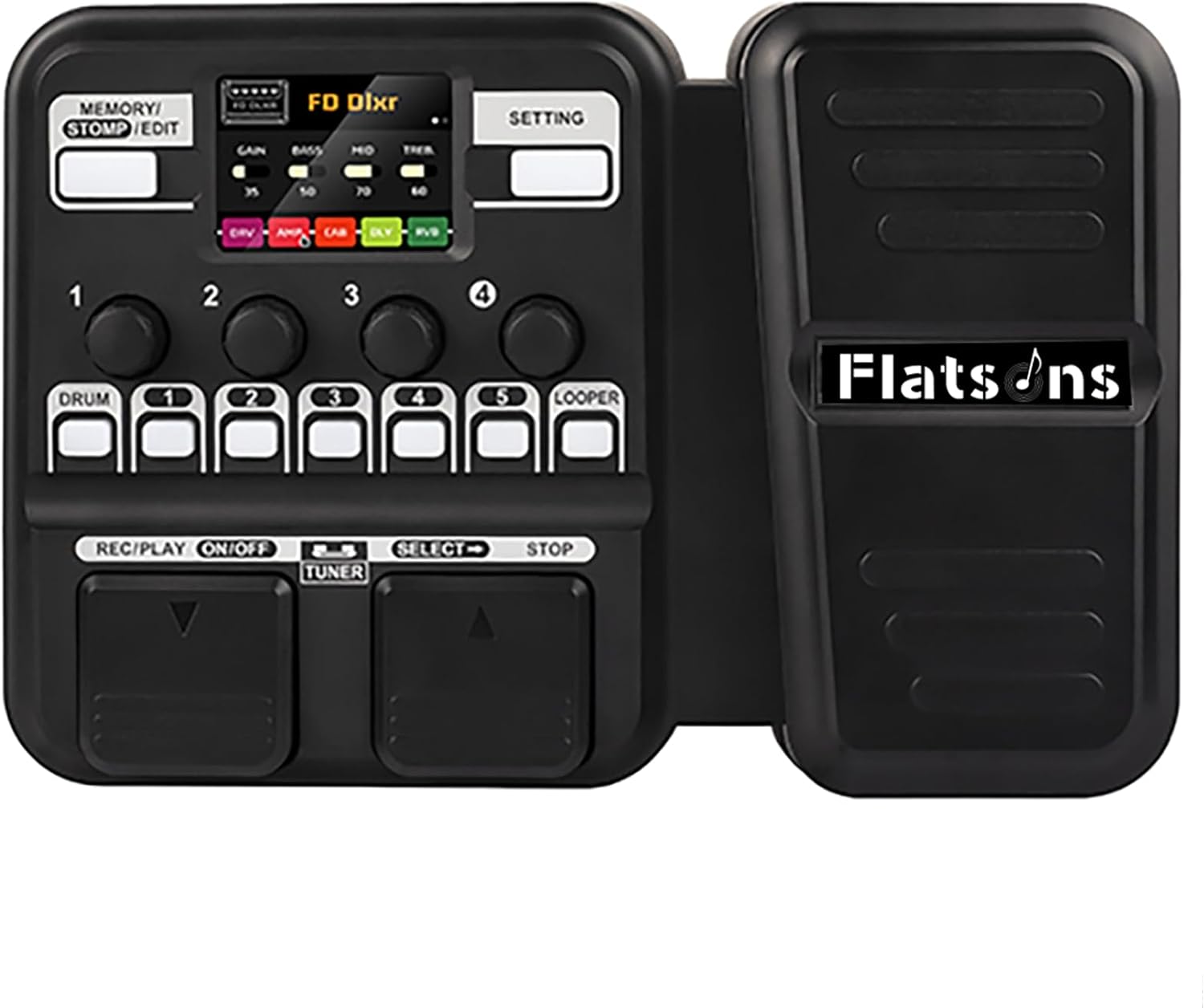
Figure 1: Flatsons KMF-1 Multi-Effects Processor. This image shows the compact black multi-effects pedal with an integrated expression pedal on the right and control panel on the left, featuring a small LCD screen and various buttons and knobs.
2. Негизги өзгөчөлүктөрү
- TSAC Technology: Features TSAC (True Simulation of Analog Circuits) for accurate analog circuit simulation.
- ИР Сampлинг: Incorporates 512-point IR sampling for realistic cabinet tones.
- Премиум үн сапаты: Delivers high-quality sound suitable for both enthusiasts and professional musicians.
- Extensive Presets: Offers 50 presets for immediate playability.
- Барабан ритмдери: Includes 42 built-in drum rhythms for practice and accompaniment.
- Looper Function: Features a 30-second looper for creative layering.
- Телефон байланышы: Allows connection to a phone for backing tracks.
- Басуу режими: Provides classic single-pedal control with 5 flexible effect blocks.
- LCD дисплей: Equipped with a bright 128×32 LCD for real-time feedback and easy navigation.
- Колдонуучуга ыңгайлуу башкаруулар: Designed with intuitive controls for ease of use.
- Туруктуу дизайн: Features a robust and customizable pedal.

Figure 2: Box simulation based on IR technology. This image displays the KMF-1's capability to simulate various speaker cabinets using Impulse Response technology, ensuring high-fidelity sound.
3. Орнотуу колдонмосу
Follow these steps to set up your Flatsons KMF-1 Multi-Effects Processor:
- Кубат туташуу: The KMF-1 can be powered by 6 AA batteries or a DC 9V power adapter. For optimal performance and extended use, it is recommended to use the DC 9V power adapter. Connect the power adapter to the DC 9V 500mA input port (15).
- Аспап киргизүү: Connect your electric guitar or other instrument to the Input jack (12) using a standard 1/4-inch instrument cable.
- Чыгуу туташуу:
- Байланыш үчүн amplifier or mixer, use the Output/Headphone jack (13).
- For silent practice, connect headphones to the same Output/Headphone jack (13).
- Көмөкчү киргизүү: To play along with backing tracks from an external device (e.g., smartphone, MP3 player), connect the device to the AUX IN jack (11).
- USB туташуу: For firmware updates or connecting to computer software (if applicable), use the USB-C port (14).
- Күйгүзүү: Once all connections are secure, power on the unit. The LCD screen will illuminate, indicating the device is ready for use.

Figure 3: Rich interfaces for Flatsons KMF-1. This image displays the various input and output ports on the side of the pedal, including AUX IN, Input, Output/Headphone, USB, and DC 9V power supply.

Figure 4: Flatsons KMF-1 Multi-Effects Pedal labeled diagram. This diagram clearly labels the various buttons, knobs, and ports on the KMF-1 unit, including Memory/Stomp/Edit button (1), Setting button (2), Adjustment button set (3), Adjustment and Select button (4), Drum Machine button (5), Block Select button (6), Looper button (7), Footswitch (8), Footswitch (9), Control Pedal (10), AUX IN (11), Input (12), Output/Headphone (13), USB-C (14), and Power supply (15).
4. Иштөө нускамалары
The KMF-1 offers intuitive controls for navigating its features:
4.1. Алдын ала орнотууларды багыттоо
Use the footswitches (8, 9) to scroll through the 50 available presets. The LCD screen will display the current preset number and name.
4.2. Stomp Mode
Engage Stomp Mode to individually activate or deactivate the 5 flexible effect blocks. This mimics the control of traditional individual stompbox pedals. The Block Select buttons (6) correspond to each effect block.
4.3. Adjusting Effects and Parameters
The Adjustment button set (3) and Adjustment and Select button (4) allow you to fine-tune parameters for each effect and amplifier model. Refer to the on-screen interface for specific parameter adjustments.
4.4. Drum Machine and Looper
Activate the Drum Machine using the dedicated button (5) to select from 42 drum rhythms. The Looper function (7) allows you to record and layer up to 30 seconds of audio.

Figure 5: Drum machine and looper features. This image shows the KMF-1's LCD screen displaying drum machine settings, including rhythm type, BPM, and volume, alongside the physical buttons for drum and looper functions.
5. Техникалык тейлөө
To ensure the longevity and optimal performance of your Flatsons KMF-1, follow these maintenance guidelines:
- Тазалоо: Use a soft, dry cloth to clean the exterior of the unit. Avoid using abrasive cleaners, solvents, or waxes, as they may damage the finish.
- Сактагыч: When not in use, store the KMF-1 in a cool, dry place away from direct sunlight and extreme temperatures.
- Батареяга кам көрүү: If using AA batteries, remove them if the unit will not be used for an extended period to prevent leakage and damage.
- Байланыштары: Бардык кабелдик туташуулардын эскиргендигин мезгил-мезгили менен текшерип туруңуз. Колдонуу учурунда кабелдердин бекем сайылганын текшериңиз.
- Программалык камсыздоонун жаңыртуулары: Check the official Flatsons webСиздин аппаратыңызда эң акыркы функциялар жана мүчүлүштүктөрдү оңдоолор бар экендигине кепилдик берүү үчүн бардык жеткиликтүү микропрограммаларды жаңыртуу үчүн сайт.
6. Кыйынчылыктарды
If you encounter issues with your KMF-1, refer to the following common problems and solutions:
| Көйгөй | Мүмкүн себеп | Чечим |
|---|---|---|
| Үн чыгышы жок |
|
|
| Бурмаланган же начар үн сапаты |
|
|
| Түзмөк күйбөйт |
|
|
7. Техникалык шарттар
| Атрибут | Нарк |
|---|---|
| Элемент Салмагы | 2.44 фунт (1.11 килограмм) |
| Продукциянын өлчөмдөрү | 9.56 x 6.49 x 2.32 дюйм (узундугу 24.3 см x туурасы 16.5 см x бийиктиги 5.9 см) |
| Келип чыккан өлкө | Кытай |
| Элемент моделинин номери | KMF-1 |
| Түс аты | Кара |
| Аппараттык интерфейс | USB түрү C |
| Сигнал форматы | Санарип |
| Power Source | Corded Electric/AA Battery Powered |
| Тtage | 9 вольт |
| Бренд | flatsons |
| Стиль | Multi Effects Guitar Pedal |
| Дата биринчи жеткиликтүү | 7-июнь, 2024-жыл |

Figure 6: Flatsons KMF-1 Dimensions. This image provides a visual representation of the pedal's dimensions, showing a length of 243mm, width of 165mm, and height of 59mm.
8. Кепилдик жана колдоо
For detailed warranty information and customer support, please refer to the official Flatsons webсайтка же түздөн-түз кардарларды тейлөөгө кайрылыңыз.
Кошумча ресурстар:


