1. Киришүү
The ANCEL AD530 PRO is a versatile 2-in-1 diagnostic tool designed for both OBD2 system scanning and comprehensive car battery testing. This device allows users to efficiently diagnose engine issues, read and clear fault codes, monitor live data streams, and perform various battery health checks, including cranking and charging tests. It is an upgraded version offering enhanced speed and functionality for a wide range of vehicles.
This manual provides detailed instructions to help you set up, operate, maintain, and troubleshoot your ANCEL AD530 PRO, ensuring optimal performance and longevity of the device.
2. Кутуда эмне бар
- 1x ANCEL AD530 Pro with Protective Case
- 1x Insulated Battery Clamp Кабель
- 1x USB-Type C Cable
- 1x Dustproof Bag
- 1x Колдонуучунун колдонмосу

Figure 2.1: Packaging contents of the ANCEL AD530 PRO.
3. Орнотуу
3.1 Connecting for OBD2 Diagnostics
Locate the OBD2 port in your vehicle, typically found under the dashboard on the driver's side. Plug the ANCEL AD530 PRO's OBD2 connector firmly into the vehicle's port. The device will power on automatically once connected. Ensure the vehicle's ignition is in the 'ON' position (engine can be off or running, depending on the test).

Figure 3.1: Connecting the AD530 PRO for OBD2 diagnostics.
3.2 Батареяны текшерүү үчүн туташуу
For battery testing, connect the insulated battery clamp cable to the AD530 PRO. Attach the red clamp батареянын оң (+) терминалына жана кара clamp to the negative (-) terminal. Ensure a secure connection. The device will power on and display the battery voltage.

Figure 3.2: Connecting the AD530 PRO for battery testing.
4. Иштөө
4.1 OBD2 Diagnostic Functions
Once connected via the OBD2 port, navigate the main menu using the directional buttons and press 'OK' to select 'OBDII'.
- Ката коддорун окуу/тазалоо: "Коддорду окууну" тандаңыз view Diagnostic Trouble Codes (DTCs) and their descriptions. Select 'Erase Codes' to clear DTCs and turn off the Check Engine Light after repairs.
- Live Data Stream: View real-time sensor data from the vehicle's ECU. This can be displayed as text or graphs, allowing for detailed monitoring of various parameters like engine RPM, coolant temperature, and fuel system status.
- I/M Readiness (Emission Check): Quickly check if your vehicle is ready for an emissions test. Press the dedicated 'I/M' button for one-click access to this function.
- O2 сенсор тести: Retrieve O2 sensor monitor test results for the most recently completed tests from the vehicle's on-board computer.
- EVAP системасы сыноо: Унаанын EVAP системасы үчүн агып кетүү сыноосун баштаңыз.
- VIN алуу: Retrieve the vehicle's Vehicle Identification Number.
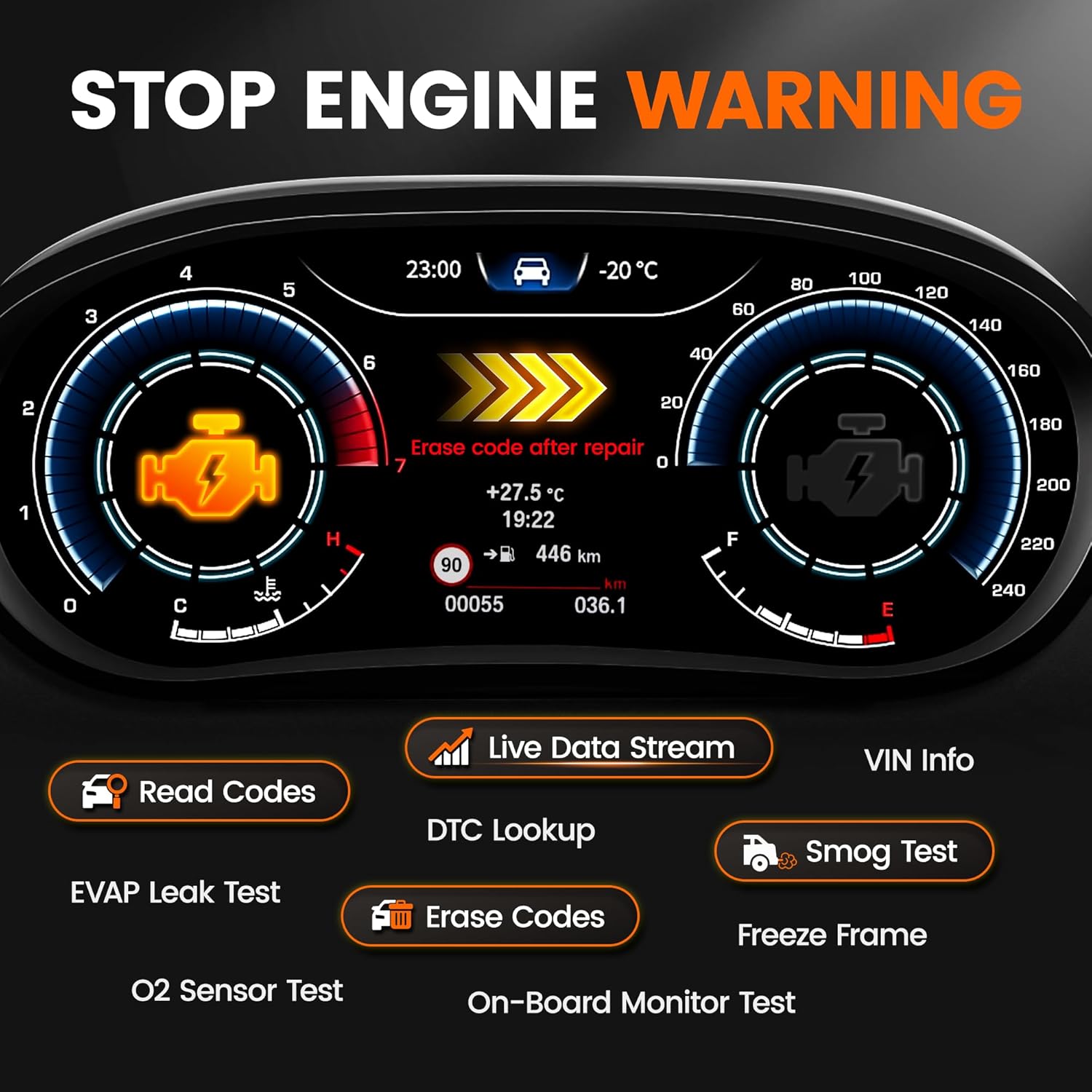
Figure 4.1: Stop Engine Warning and Diagnostic Menu.
Figure 4.2: Monitoring Live Engine Data Stream.
Видео 4.1: Бүттүview of ANCEL AD530 PRO OBD2 Scanner and Battery Tester functions by the seller.
4.2 Battery Test Functions
From the main menu, select 'BAT' to access battery testing options. The AD530 PRO supports 6V and 12V batteries, including Regular Flooded, AGM Flat Plate, AGM Spiral, GEL, and EFB types.
- Батареянын ден соолугун текшерүү: Provides a quick assessment of the battery's overall health, including CCA value, voltage, internal resistance, state of health (SOH), and state of charge (SOC).
- Кранк сыноо: Measures the starting voltage and logs the lowest voltage the battery can maintain when the starter motor is running. This helps determine if the battery has sufficient power to start the engine.
- Заряддоо сыноо: Evaluates the battery and alternator's condition under load and no-load conditions. It checks for proper voltage output and ripple to ensure the charging system is functioning correctly.
Figure 4.3: 6V 12V Battery Tester Functions.
Video 4.2: Demonstration of the AD530 Pro's 2-in-1 OBD2 Scanner and Battery Tester capabilities by the seller.
5. Техникалык тейлөө
5.1 Программалык камсыздоо жаңыртуулары
The ANCEL AD530 PRO offers lifetime free updates. Connect the device to a PC using the provided USB-Type C cable and visit the official ANCEL website to download the latest update software and firmware. Follow the on-screen instructions for installation.
5.2 Тазалоо жана сактоо
Аппаратты жумшак менен сүртүңүз, гamp cloth. Avoid using abrasive cleaners or solvents. Store the AD530 PRO in its dustproof bag in a cool, dry place away from direct sunlight and extreme temperatures.
6. Кыйынчылыктарды
6.1 Жалпы маселелер жана чечимдер
- Түзмөк күйбөй жатат: Ensure the OBD2 connector or battery clamps are securely connected. Check the vehicle's battery voltage if using clamps.
- Байланыш катасы: Verify the vehicle's ignition is on. Check the OBD2 port for any damage or debris. Ensure the vehicle is compatible with OBD2 protocols (most 1996 and newer vehicles are).
- Inaccurate battery test results: Камсыз кылуу clamps are clean and have good contact with battery terminals. Verify the correct battery type and CCA rating are entered into the device.
6.2 DTC Lookup and Repair Suggestions
The AD530 PRO features an exclusive 'i' button (Hotkey 'i') for instant DTC definition and repair suggestions. When a fault code is displayed, pressing this button will provide a clear explanation of the code and direct advice for potential repairs, making it accessible even for beginners.
7. Техникалык шарттар
| Өзгөчөлүк | Description |
|---|---|
| Бренд | ANCEL |
| Модел | AD530 PROну жокко чыгаруу |
| Продукциянын өлчөмдөрү | 3.87"L x 1.32"W x 6.11"H |
| Операция системасы | Linux |
| Display Resolution | 2732x2048 |
| Automotive Fit түрү | Universal Fit |
| Элемент Салмагы | 13 унция |
| Колдоого алынган тилдер | 16 тил |
8. Кепилдик жана колдоо
For detailed warranty information and technical support, please refer to the official ANCEL User Manual included with your product or visit the ANCEL website. You can also contact ANCEL customer service via Amazon or email at a-mazon@anceltech.com for any questions or assistance.
Колдонуучунун нускамасынын санариптик версиясын жүктөп алууга болот: Колдонуучунун колдонмосу (PDF)
Video 8.1: Short promotional video by the seller highlighting the 2-in-1 functionality.


