Introduction
This manual provides essential information for the proper setup, operation, and maintenance of your Samsung HW-Q990D 11.1.4ch Soundbar. Please read this manual thoroughly before using the product to ensure optimal performance and safety.

Figure 1: Samsung HW-Q990D 11.1.4ch Soundbar System
Кутуда эмне бар
Таңгакта бардык компоненттер бар экенин текшериңиз:
- Soundbar (HW-Q990D)
- Сабвуфер
- Rear Speaker Kit (2 rear speakers)
- HDMI кабели
- Дубалга орнотуу комплекти
- Резина буттары
- Remote Controller with Batteries
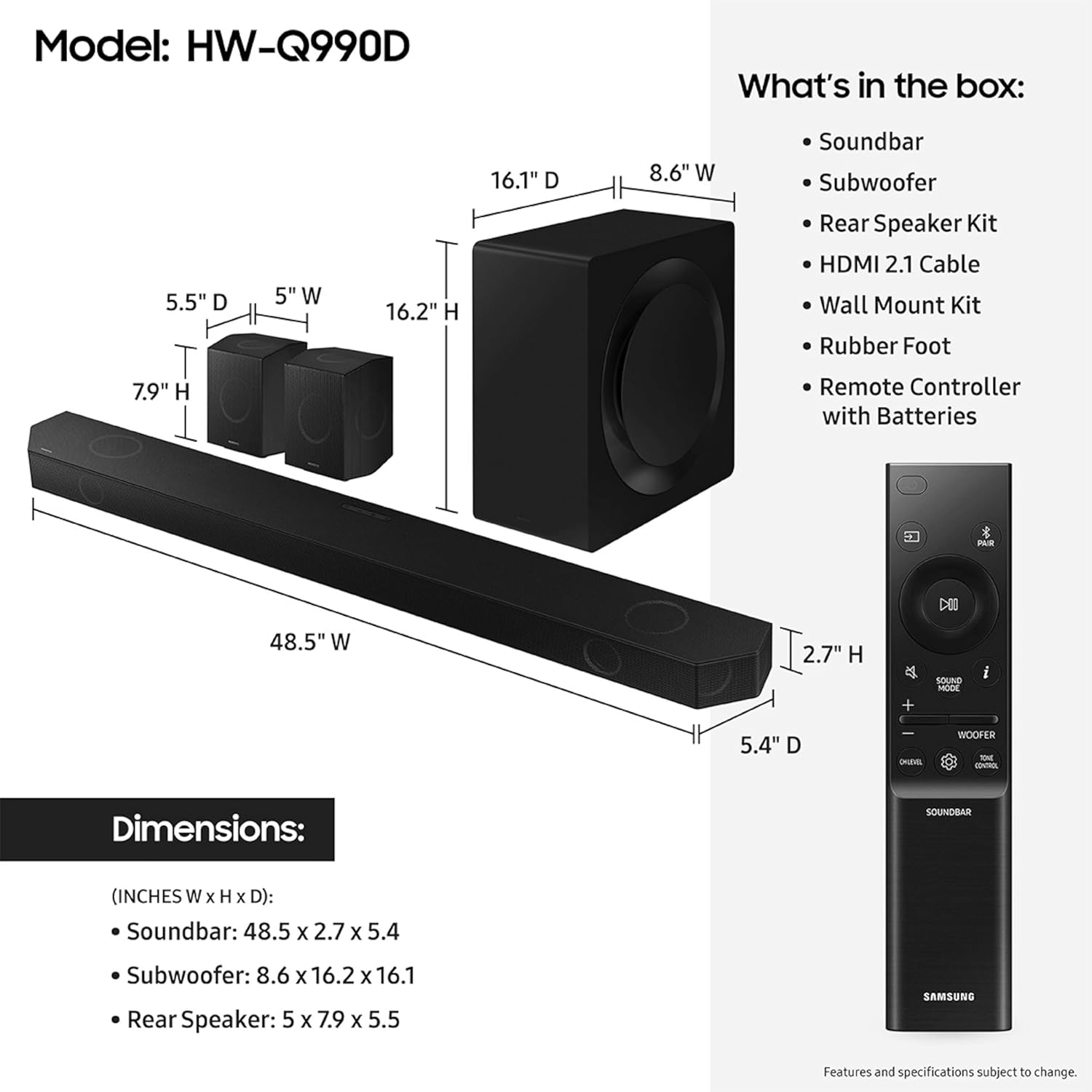
2-сүрөт: Пакеттин мазмуну жана өлчөмдөрү
Продукт бүттүview
The Samsung HW-Q990D is an 11.1.4 channel soundbar system designed to deliver immersive audio. It features 11 front-facing speakers, 1 subwoofer, and 4 up-firing channels for a comprehensive home theater experience.
Негизги өзгөчөлүктөрү:
- 11.1.4ch Sound: Experience audio from multiple directions, including overhead, with dedicated up-firing speakers.
- Зымсыз Dolby Atmos: Enjoy object-based surround sound without the need for HDMI cables to connect to your TV.
- Q-симфония: Synchronize your Samsung TV speakers with the soundbar for an enhanced and optimized audio experience.
- Ыңгайлаштырылган үн: The soundbar analyzes content in real-time and adjusts sound settings automatically for clear dialogue and impactful action scenes.
- Бир нече туташуу параметрлери: Supports AirPlay, Chromecast built-in, and works with Google Home and Alexa.
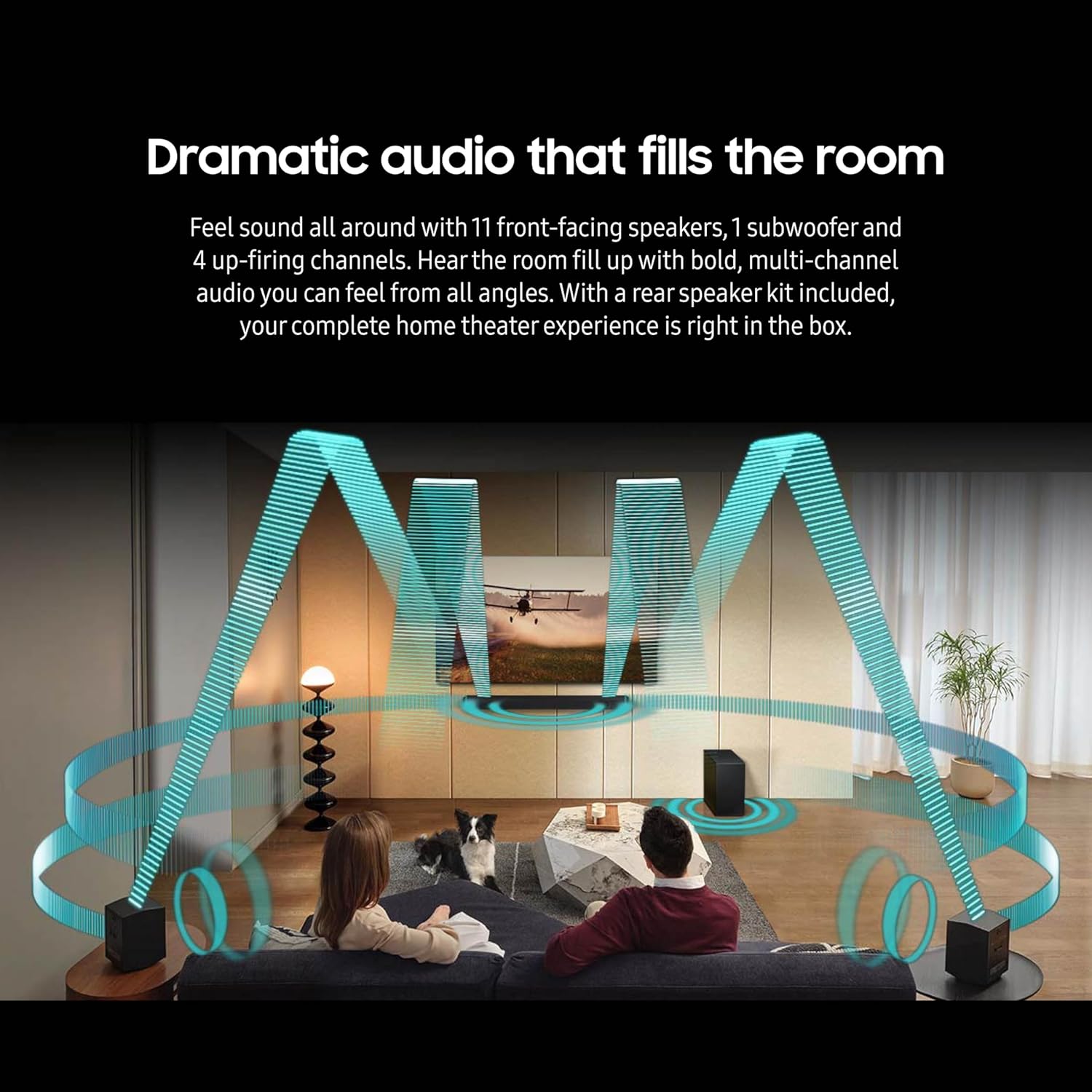
Figure 3: Dramatic Audio Experience

Figure 4: Smart Connectivity Options
Жайгашуу
1. Жайгаштыруу
Position the soundbar centrally below your television. Place the subwoofer in a suitable location, typically near the soundbar or a corner of the room for optimal bass distribution. The rear speakers should be placed behind your primary listening position, ensuring they are powered and within wireless range of the soundbar.
2. Байланыштар
Connect the soundbar to your TV using the provided HDMI cable. For optimal audio quality, use the HDMI eARC/ARC port on your TV. Ensure all components (soundbar, subwoofer, rear speakers) are connected to a power outlet.
3. Wireless Speaker Pairing
The subwoofer and rear speakers are designed to connect wirelessly to the soundbar automatically upon powering on. If a connection is not established, refer to the troubleshooting section or the quick start guide for manual pairing instructions.
4. Q-Symphony (for compatible Samsung TVs)
If you have a compatible Samsung TV, Q-Symphony allows the TV's speakers to work in conjunction with the soundbar. This feature is typically enabled through your TV's sound settings once the soundbar is connected via HDMI eARC/ARC.
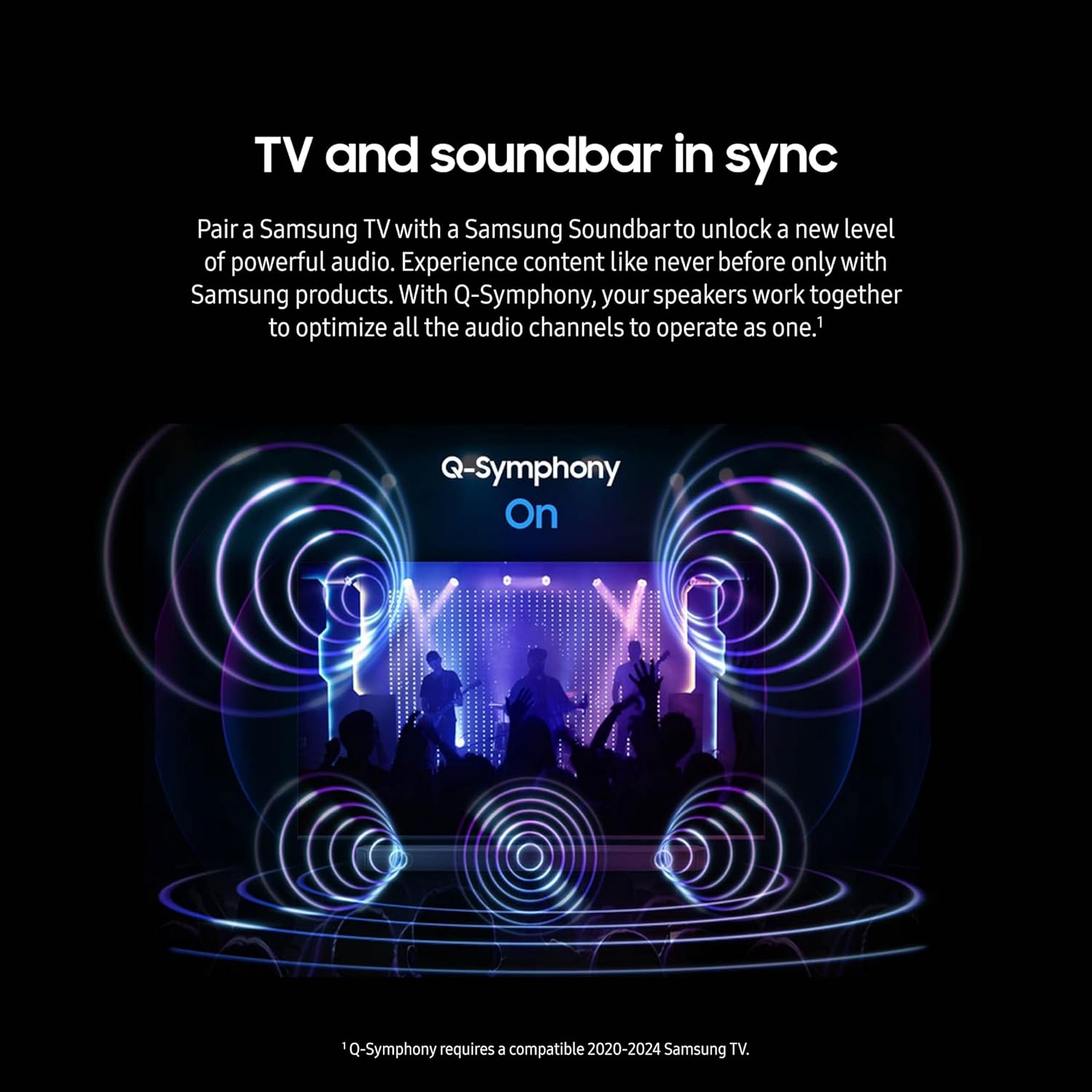
Figure 5: Q-Symphony in Action
Video 1: Samsung Q-Symphony Feature Overview
Иштеп жатат
1. Негизги башкаруу элементтери
Use the included remote control to power on/off, adjust volume, select input sources, and change sound modes. The soundbar also features on-device controls for basic functions.
2. Үн режимдери
The HW-Q990D offers various sound modes to optimize your listening experience:
- Стандарт: Delivers original sound without enhancement.
- Ыңгайлаштырылган үн: Automatically optimizes sound based on content and room acoustics.
- Оюндун адиси: Enhances gaming audio for a more dynamic experience.
- Көлөмдүү үн: Үндөрдү кеңейтетtage for a more enveloping experience.
3. Байланыш
The soundbar supports multiple wireless connectivity options:
- Bluetooth: Pair your mobile device to stream audio wirelessly.
- Wi-Fi: Connect to your home network for streaming services and smart home integration.
- Apple AirPlay: Apple түзмөктөрүнөн түз аудио агымын түзүңүз.
- Chromecast камтылган: Cast audio from compatible apps.
Техникалык тейлөө
To ensure the longevity and performance of your soundbar system, follow these general maintenance guidelines:
- Тазалоо: Саундбардын, сабвуфердин жана динамиктердин беттерин тазалоо үчүн жумшак, кургак чүпүрөктү колдонуңуз. Суюк тазалоочу каражаттарды же абразивдүү материалдарды колдонуудан алыс болуңуз.
- Вентиляция: Ensure adequate ventilation around all components to prevent overheating. Do not block any ventilation openings.
- Жайгашкан жери: Системаны түз күн тийген жерге, жылуулук булактарынын жанына же нымдуулугу жогору жерлерге коюудан алыс болуңуз.
- Кабелдер: Periodically check all cables for damage and ensure they are securely connected.
Проблемаларды чечүү
If you encounter issues with your Samsung HW-Q990D Soundbar, try the following basic troubleshooting steps:
- Кубат жок: Check if all power cables are securely plugged into the components and the wall outlet.
- Үн жок: Verify the correct input source is selected on the soundbar and your TV. Check volume levels on both devices. Ensure HDMI cables are properly connected.
- No Wireless Connection (Subwoofer/Rear Speakers): Ensure the subwoofer and rear speakers are powered on. If they do not automatically pair, consult the quick start guide for manual pairing instructions, which usually involves pressing a pairing button on the back of the units.
- Бурмаланган үн: Check for loose cable connections. Try adjusting the sound mode or EQ settings. Ensure the soundbar is not placed too close to other electronic devices that may cause interference.
- Алыстан башкаруу иштебейт: Replace the batteries in the remote control. Ensure there are no obstructions between the remote and the soundbar.
For more detailed troubleshooting or persistent issues, refer to the full user manual available on the Samsung support webсайтка же кардарларды колдоо менен байланышыңыз.
Техникалык шарттар
| Өзгөчөлүк | Спецификация |
|---|---|
| Модель аты | Q990 |
| Динамик түрү | Саундбар |
| Көлөмдүү үн каналынын конфигурациясы | 11.1.4 |
| Өзгөчө өзгөчөлүк | Hi Res Audio, auto speaker setup, Dolby TrueHD |
| Продукт үчүн сунушталган колдонуу | Телевизорлор үчүн |
| Шайкеш түзмөктөр | Телевидение |
| Продукциянын өлчөмдөрү | 5.4"D x 48.5"W x 2.7"H |
| Элемент Салмагы | 50 фунт |
| Түс | Кара |
| Башкаруу ыкмасы | Колдонмо |
| Зымсыз байланыш технологиясы | Airplay, Bluetooth |
| Сабвуфердин туташуу технологиясы | Зымсыз |
| Динамиктин максималдуу чыгаруу күчү | 656 Ватт |
| Frequency Response | 24 Гц |
| Аудио чыгаруу режими | Курчап |
Кепилдик жана колдоо
The Samsung HW-Q990D Soundbar comes with a limited warranty. For specific warranty terms and conditions, please refer to the warranty card included in your product packaging or visit the official Samsung support webсайт.
For customer support, technical assistance, or service inquiries, please visit the Samsung дүкөнү же Samsung кардарларды тейлөө кызматына түздөн-түз кайрылыңыз.


