1. Киришүү
Welcome to the user manual for your Thomson RT850BT Bluetooth Speaker, FM Radio, and Alarm Clock. This guide provides detailed instructions on how to set up, operate, and maintain your device. Please read this manual thoroughly before use to ensure proper functionality and to maximize your experience with the RT850BT.
2. Коопсуздук маалыматы
Коопсуз эксплуатацияны камсыз кылуу жана зыян келтирбөө үчүн төмөнкү коопсуздук чараларын сактаңыз:
- Аппаратты жамгырга, нымдуулукка же экстремалдык температурага дуушар кылбаңыз.
- Аппаратты жылуулук булактарынын жанына же тике күн нуруна коюудан алыс болуңуз.
- туура желдетүүнү камсыз кылуу; вентиляция тешиктерин жаап салбаңыз.
- Берилген кубат адаптерин гана колдонуңуз.
- Агрегатты ажыратууга же өзгөртүүгө аракет кылбаңыз. Бардык тейлөөлөрдү квалификациялуу кызматкерлерге тапшырыңыз.
- Агрегатты күчтүү магнит талаасынан алыс кармаңыз.
3. Пакеттин мазмуну
Пакетте бардык буюмдар бар экенин текшериңиз:
- Thomson RT850BT Unit
- Кубаттуу адаптер
- User Manual

Image: Thomson RT850BT packaging, illustrating the product and its key features.
4. Продукт бүтүп калдыview
4.1 алдыңкы панели
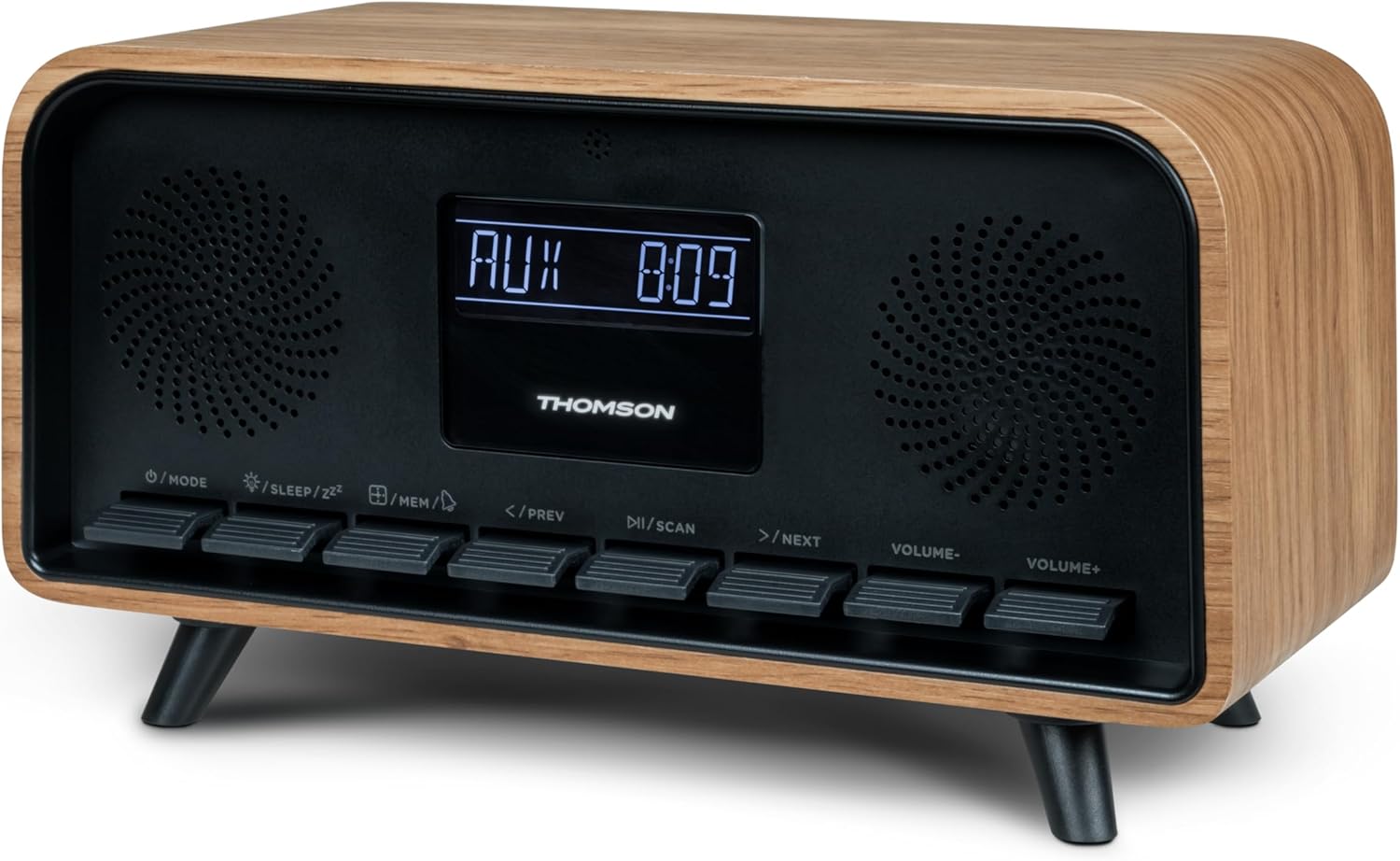
Сүрөт: алдыңкы view of the Thomson RT850BT unit, showing the LCD display, speakers, and control buttons.
- LCD дисплей: Shows time, mode, and other information.
- /MODE Button: Power On/Off, switch between modes (Bluetooth, FM, AUX).
- /SLEEP/ZZ Баскыч: Set sleep timer, activate snooze.
- /MEM Button: Set alarm, save/recall radio stations.
- </PREV Button: Previous track (Bluetooth), tune down (FM).
- /SCAN Button: Play/Pause (Bluetooth), auto scan (FM).
- >/NEXT Button: Next track (Bluetooth), tune up (FM).
- VOLUME- Button: Үнүн азайтуу.
- VOLUME+ Button: Үнүн жогорулатуу.
4.2 Арткы панель

Сүрөт: Арткы view of the Thomson RT850BT, highlighting the power supply, Line In (AUX-IN), and USB-C charge output ports.
- Power Supply (DC IN 5V): Берилген кубат адаптерин туташтырыңыз.
- Line In (AUX-IN): Тышкы түзмөктөр үчүн 3.5 мм аудио киргизүү.
- Charge Output (USB-C): USB Type-C port for charging external devices.
5. Орнотуу
5.1 Кубат туташтыруу
- Connect the power adapter to the DC IN 5V port on the rear of the RT850BT.
- Кубат адаптерин стандарттуу розеткага сайыңыз.
- Түзмөк автоматтык түрдө күйөт же күтүү режимине өтөт.
5.2 Initial Power On and Clock Setting
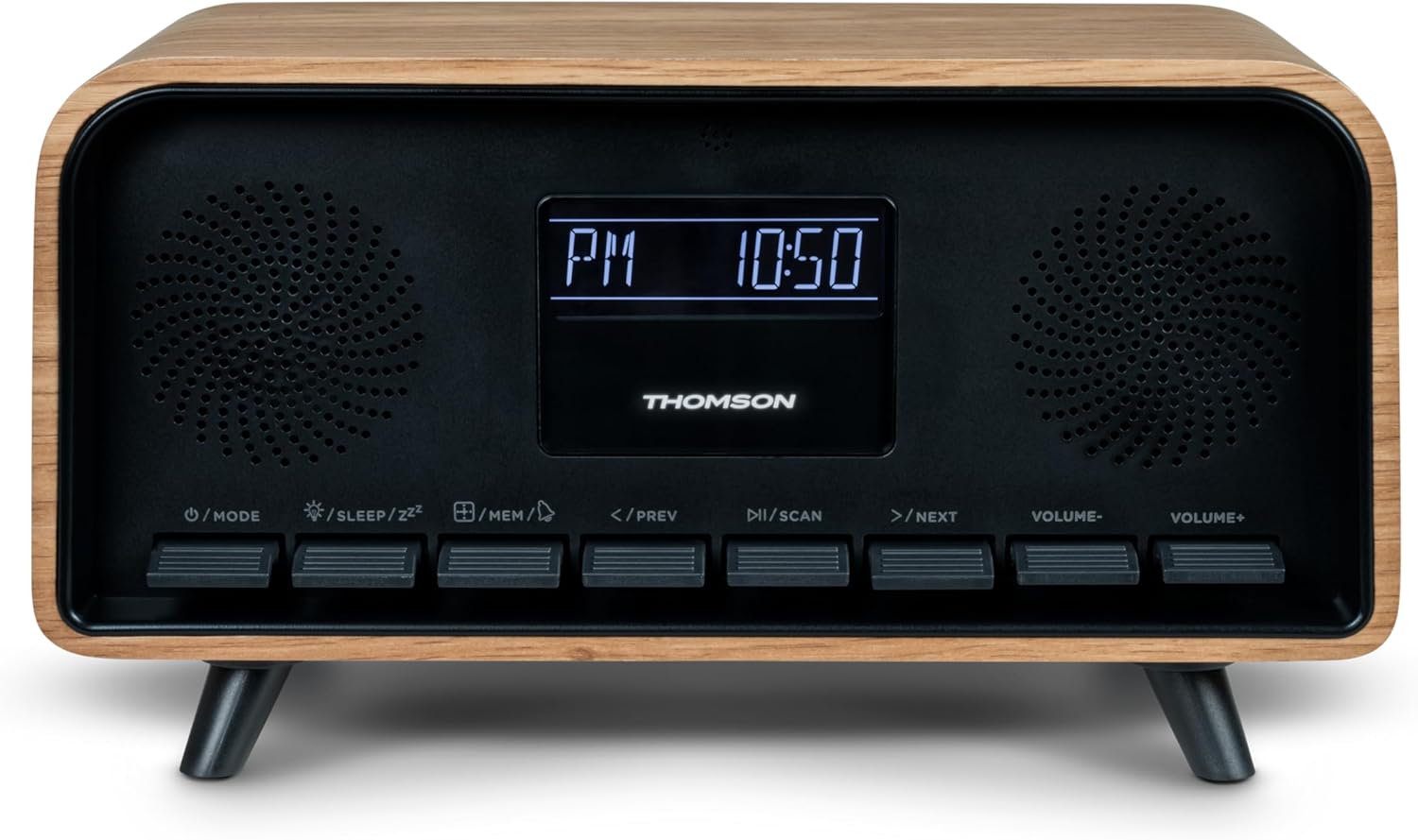
Image: Close-up of the RT850BT's LCD display showing the time, 10:50 PM, and the 'PM' indicator.
- If the unit is in standby, press the /MODE аны күйгүзүү үчүн баскыч.
- Саатты коюу үчүн басып, кармап туруңуз /MEM убакыт дисплейси жаркылдаганга чейин баскычты басыңыз.
- колдонуу </PREV жана >/NEXT саатты тууралоо үчүн баскычтар. Басыңыз /MEM ырастоо үчүн.
- колдонуу </PREV жана >/NEXT мүнөттү тууралоо үчүн баскычтар. Басыңыз /MEM ырастоо үчүн.
- Саат эми коюлган.
6. Иштөө нускамалары
6.1 Bluetooth режими

Image: Close-up of the RT850BT's LCD display indicating 'bt' for Bluetooth mode, along with the current time.
- басыңыз /MODE button repeatedly until 'bt' appears on the display. The unit is now in Bluetooth pairing mode.
- Мобилдик түзмөгүңүздө Bluetooth иштетип, жеткиликтүү түзмөктөрдү издеңиз.
- Select 'RT850BT' from the list to pair. A confirmation tone will sound upon successful connection.
- You can now play audio from your device through the RT850BT.
- колдонуу /СКАН button to Play/Pause, and </PREV / >/NEXT тректерди өткөрүп жиберүү үчүн баскычтар.
- Үнүн колдонуп, үнүн жөндөңүз VOLUME- жана VOLUME+ баскычтар.
6.2 FM радио режими
- басыңыз /MODE button repeatedly until the FM frequency appears on the display.
- Авто сканерлөө: басып, кармап туруңуз /СКАН button to automatically scan and save available FM stations (up to 50 stations).
- Кол менен жөндөө: Кыскача басыңыз </PREV or >/NEXT to fine-tune the frequency. Press and hold to scan for the next available station.
- Recall Saved Stations: баскычын кыскача басыңыз /MEM баскычы сакталган станциялар аркылуу айлануу үчүн.
6.3 Ойготкуч саат функциясы
The RT850BT supports setting multiple alarms.
- Күтүү режиминде басып, кармап туруңуз /MEM button until 'AL1' or 'AL2' flashes.
- Колдонуу </PREV жана >/NEXT ойготкуч саатын коюу үчүн, андан кийин басыңыз /MEM ырастоо үчүн.
- мүнөткө кайталаъыз.
- Ойготкуч булагын тандоо (Buzzer же FM Radio). </PREV жана >/NEXT, андан кийин басыңыз /MEM.
- Ойготкучту иштетүү/өчүрүү үчүн, баскычын кыскача басыңыз /MEM button in standby mode to cycle through alarm settings (AL1 ON/OFF, AL2 ON/OFF).
- Ойготкуч чыкканда, басыңыз /SLEEP/ZZ тындыруу үчүн (ойготкуч 9 мүнөттөн кийин кайрадан чырылдайт) же баскычын басыңыз /MODE бир күнгө ойготкучту өчүрүү.
6.4 AUX-IN режими
- Connect an external audio device (e.g., MP3 player, smartphone) to the 'Line In' (AUX-IN) port on the rear panel using a 3.5mm audio cable (not included).
- басыңыз /MODE баскычын дисплейде 'AUX' пайда болгонго чейин кайталап басыңыз.
- Audio from the connected device will now play through the RT850BT. Control playback from your external device.
6.5 Dimmer Function
The display brightness can be adjusted to three intensity levels.
- In any mode, briefly press the /SLEEP/ZZ button to cycle through the brightness levels.
6.6 Уйку функциясы
Set a timer for the unit to automatically turn off.
- While the unit is on, press the /SLEEP/ZZ button repeatedly to select the desired sleep timer duration (e.g., 15, 30, 60, 90 minutes, OFF).
- The unit will automatically power off after the selected time.
6.7 USB-C заряддоо порту
The USB-C port on the rear panel is for charging external devices.
- Connect your compatible device's USB-C charging cable to the 'Charge output' port.
- Ensure the RT850BT is powered on or in standby mode for charging functionality.
7. Техникалык тейлөө
To maintain the performance and appearance of your RT850BT:
- Тазалоо: Use a soft, dry cloth to clean the exterior. Do not use abrasive cleaners, waxes, or solvents.
- Сактагыч: Эгер аппаратты узак убакытка сактасаңыз, аны розеткадан ажыратып, салкын, кургак жерде сактаңыз.
- Вентиляция: Желдетүүчү торчолор чаңдан жана тоскоолдуктардан тазаланганын текшериңиз.
8. Кыйынчылыктарды
If you encounter issues with your RT850BT, refer to the following table for common problems and solutions:
| Көйгөй | Мүмкүн себеп | Чечим |
|---|---|---|
| Күч жок | Кубат адаптери туташкан эмес же туура эмес розетка. | Кубат адаптери бекем туташтырылганын жана розетка иштеп турганын текшериңиз. |
| Үн жок | Volume too low, incorrect mode, or device not paired (Bluetooth). | Increase volume. Check if the correct mode (BT, FM, AUX) is selected. Re-pair Bluetooth device. |
| Bluetooth жупташтыруу ишке ашпай калды | Device too far, Bluetooth not enabled on source, or RT850BT not in pairing mode. | Ensure devices are within range. Enable Bluetooth on your device. Set RT850BT to 'bt' mode. |
| FM кабыл алуу начар | Алсыз сигнал. | Adjust the unit's position to improve reception. |
| Ойготкуч угулбайт | Ойготкуч иштетилген эмес же туура эмес коюлган. | Verify alarm settings and ensure it is set to ON. |
9. Техникалык шарттар
- Модел: RT850BT
- Bluetooth версиясы: 5.3
- Радио тюнер: FM (87.5-108 МГц)
- Станциянын эс тутуму: 50 FM станциялары
- Аудио киргизүү: AUX-IN (3.5мм)
- Дисплей: LCD with 3-intensity dimmer
- Чыгуу кубаттуулугу: 30W Total Music Power
- Заряддоо порту: USB-C (for external devices)
- Кубат булагы: Зымдуу электр (DC 5V)
- Салмагы: 600 грамм
10. Кепилдик жана колдоо
For warranty information and technical support, please refer to the documentation provided at the time of purchase or contact your local Thomson customer service. Keep your proof of purchase for warranty claims.


