1. Киришүү
The KAIWEETS KTI-W02 Thermal Imaging Camera is a high-resolution infrared device designed for accurate temperature measurements and clear imaging. Utilizing advanced SharpIR composite image enhancement technology, it provides crystal-clear images for identifying problematic areas across various applications. Its robust design and long battery life make it an indispensable tool for professionals and homeowners alike.
2. Пакеттин мазмуну
Кутучаны ачканда, төмөндө көрсөтүлгөн бардык буюмдар бар экенин текшериңиз:
- Thermal Imaging Camera (KTI-W02) x 1
- Маалымат кабели x 1
- Коргоочу кап x 1
- Колдонуучунун колдонмосу x 1
- 5V Charger x 1
- 32GB TF Memory Card (pre-installed or separate) x 1

Figure 1: KAIWEETS KTI-W02 Thermal Imaging Camera with its data cable, 5V charger, 32GB TF card, and protective case.
3. Продукт бүтүп калдыview
The KTI-W02 features an ergonomic grip for comfortable handling and intuitive controls for ease of use.
Негизги компоненттер:
- IR Lens & Visible Light Camera: Captures thermal and visual data.
- LCD дисплей: 2.4-inch screen for real-time thermal imaging and menu navigation.
- Башкаруу баскычтары: OK, Menu, Navigation (Up/Down/Left/Right), Power/Return.
- Trigger баскычы: Сүрөттөрдү тартуу үчүн.
- USB-C порту: Заряддоо жана маалыматтарды өткөрүү үчүн.
- TF карта уячасы: Эстутум картасын киргизүү үчүн.
- Штатив орнотуу: Standard 1/4-inch thread for mounting on a tripod.
- Лазердик индикатор: For precise targeting.
- LED жарыгы: Assists in dark environments.

Сүрөт 2: Алдыңкы view of the KTI-W02, highlighting the display and control buttons.

3-сүрөт: Төмөнкү view of the KTI-W02, showing the tripod mount and USB-C port.
4. Орнотуу
4.1 Батареяны заряддоо
The KTI-W02 is equipped with a built-in 4850mAh rechargeable Li-ion battery, providing up to 16 hours of continuous operation. To charge the device, connect the provided data cable to the USB-C port on the camera and the 5V charger. Plug the charger into a power outlet. A full charge typically takes approximately 2 hours.
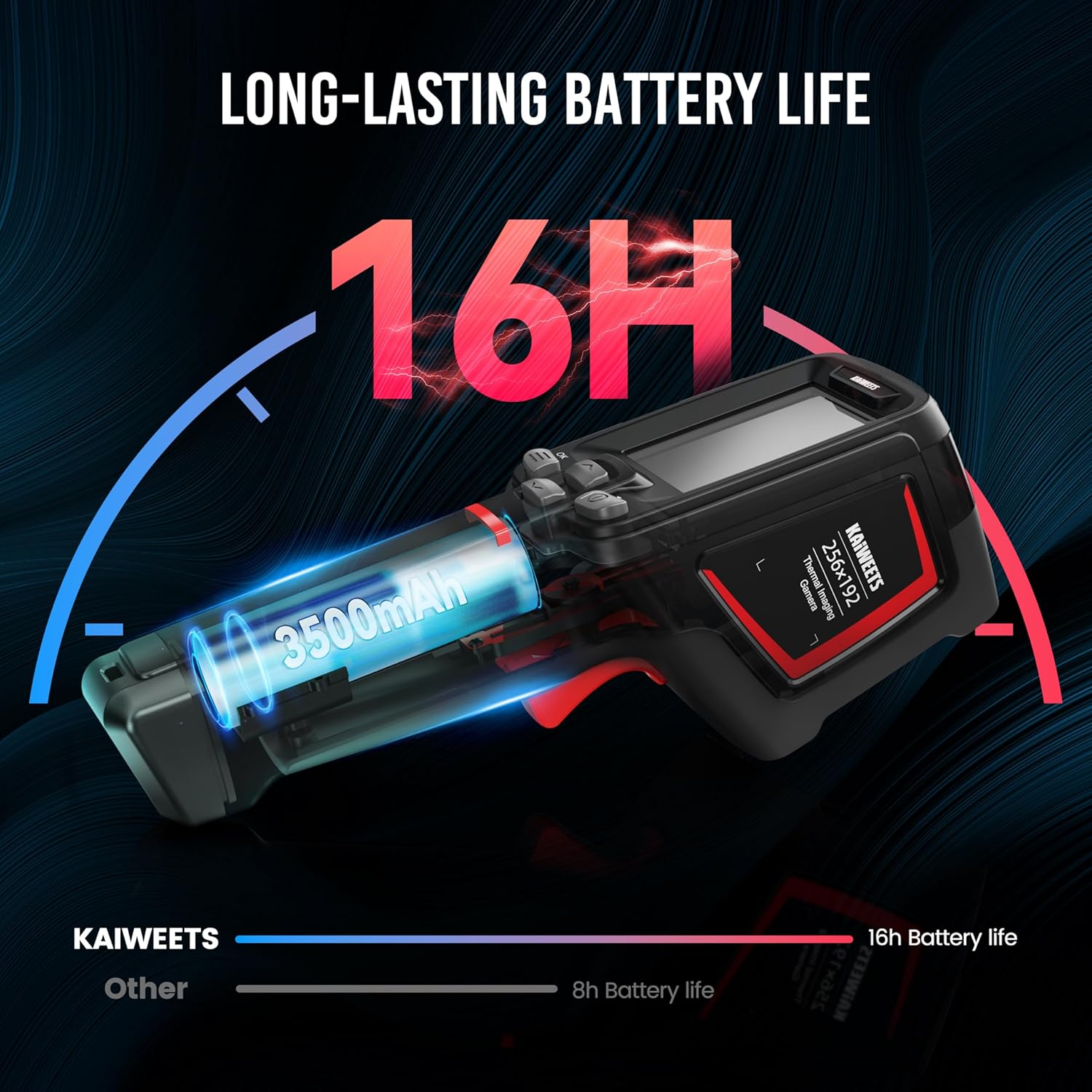
Figure 4: Illustration of the KTI-W02's long-lasting battery life.
4.2 Эстутум картасын салуу
The camera comes with a 32GB TF memory card (removable) that can store over 120,000 images. Locate the TF card slot, typically covered by a rubber flap, and gently insert the memory card until it clicks into place. Ensure the camera is powered off before inserting or removing the card.
4.3 Күйгүзүү/өчүрүү
To power on the device, press and hold the Power button (usually marked with a power symbol) for a few seconds until the screen illuminates. The device boasts a 1-second boot-up time thanks to its advanced computing chip. To power off, press and hold the Power button again until the shutdown prompt appears, then confirm.
5. Иштөө нускамалары
5.1 Негизги операция
Once powered on, the camera will display the live thermal image. Use the navigation buttons to move through menus and adjust settings. Press the trigger button to capture an image.
5.2 Сүрөт режимдери
The KTI-W02 offers 4 image modes to suit different inspection needs:
- Инфракызыл: Displays only the thermal image.
- Көрүнүүчү жарык: Displays a standard visual image (2MP).
- Fusion: Blends the thermal and visible light images for enhanced detail.
- Сүрөттөгү сүрөт (PIP): Overlays a smaller thermal image onto the visible light image.

Figure 5: The four available image modes for detailed analysis.
5.3 Түс палитралары
Choose from 6 color palettes to visualize temperature differences effectively:
- Темир Кызыл
- Ак жылуулук
- Радуга 1
- Радуга 2
- Ысык темир
- Арктика

Figure 6: Six distinct color palettes to enhance thermal visualization.
5.4 Температураны өлчөө
The camera provides ultra-clear imaging with 256x192 resolution and a thermal sensitivity of ≤ 45mk. It measures temperatures from -4°F to 1022°F (-20°C to 550°C) with an accuracy of ±2°C or ±2%. It can display 3 temperature spots: center-spot, coldest, and warmest points.
Figure 7: The camera highlights three key temperature spots for quick analysis.
5.5 Laser Indication and LED Illumination
For precise targeting, the camera supports laser indication positioning (safety level-class II, <1mW power output). An integrated LED illumination lamp helps in working in dark environments, ensuring clear visibility of the target area.
5.6 Маалыматтарды берүү жана талдоо
Images and videos saved on the 32GB TF card can be transferred to a Windows PC via the provided USB data cable for in-depth analysis. The camera supports online analysis, detection of object temperature changes, and point/line/surface temperature measurement using free PC software upgrades.

Figure 8: Connecting the KTI-W02 to a PC for advanced thermal image analysis.
5.7 Расмий продукт Video
Video 1: Official KAIWEETS video demonstrating the KTI-W02 Infrared Camera's features and applications.
6. Техникалык тейлөө
Proper maintenance ensures the longevity and accuracy of your thermal imaging camera.
- Тазалоо: Камера корпусун тазалоо үчүн жумшак, кургак чүпүрөктү колдонуңуз. Линза үчүн атайын линза тазалоочу чүпүрөктү жана эритмени колдонуңуз. Абразивдүү материалдардан же катуу химиялык заттардан алыс болуңуз.
- Сактагыч: When not in use, store the camera in its provided protective case to shield it from dust, moisture, and physical damage.
- Программалык камсыздоонун жаңыртуулары: Periodically check the KAIWEETS official website for any available PC software or firmware updates to ensure optimal performance and access to new features.

Figure 9: The KTI-W02 is designed for durability with 2-meter drop protection and IP54 water resistance.
7. Кыйынчылыктарды
If you encounter issues with your KTI-W02, refer to the following common problems and solutions:
- "Out of Range" Error: This typically occurs when the measured temperature exceeds the camera's specified range (-4°F to 1022°F). Ensure your target is within this range.
- Туура эмес окуулар:
- Check the emissivity setting. Different materials have different emissivities, which can affect accuracy. Adjust this setting in the menu based on the material being measured.
- Линзанын таза жана тоскоолдуктардан таза экенине ынаныңыз.
- Avoid measuring highly reflective surfaces directly, as they can give misleading readings.
- Түзмөк күйбөй жатат:
- Ensure the battery is sufficiently charged. Connect to the charger and wait for a few minutes before attempting to power on again.
- If the device has been stored for a long time, the battery might be deeply discharged. Allow it to charge for an extended period.
- Image Lag/Choppiness: While the camera has a 25Hz frame rate, environmental factors or specific modes might cause slight lag. Ensure the device's firmware is up to date.
8. Техникалык шарттар
| Модель аты | KTI-W02 |
| IR токтому | 256x192 |
| Жылуулук сезгичтиги | ≤ 45мк |
| Температура диапазону | -4°F – 1022°F (-20°C – 550°C) |
| Температуранын тактыгы | ±2°C же ±2% |
| Батарея түрү | Built-in 4850mAh rechargeable Li-ion |
| Батареянын иштөө мөөнөтү | 16 саатка чейин |
| Эстутум картасы | 32GB TF Card (stores >120,000 images) |
| Байланыш | USB |
| Drop Protection | 2 метрлик кулап түшпөйт |
| IP рейтинги | IP54 water and dust-resistant |
| Пакеттин өлчөмдөрү | 9.37 x 5.83 x 3.74 дюйм |
| Салмагы | 2.4 фунт |
9. Кепилдик жана колдоо
The KAIWEETS KTI-W02 Thermal Imaging Camera comes with a 3-year sales service and lifetime technical support. For any inquiries, technical assistance, or warranty claims, please contact KAIWEETS customer support through their official channels.


