Introduction
Thank you for choosing the E-YOOSO CQ109 Wired RGB Gaming Keyboard and Mouse Combo. This manual provides detailed instructions for setting up, operating, and maintaining your new gaming peripherals. Please read this manual thoroughly before use to ensure optimal performance and longevity of your product.
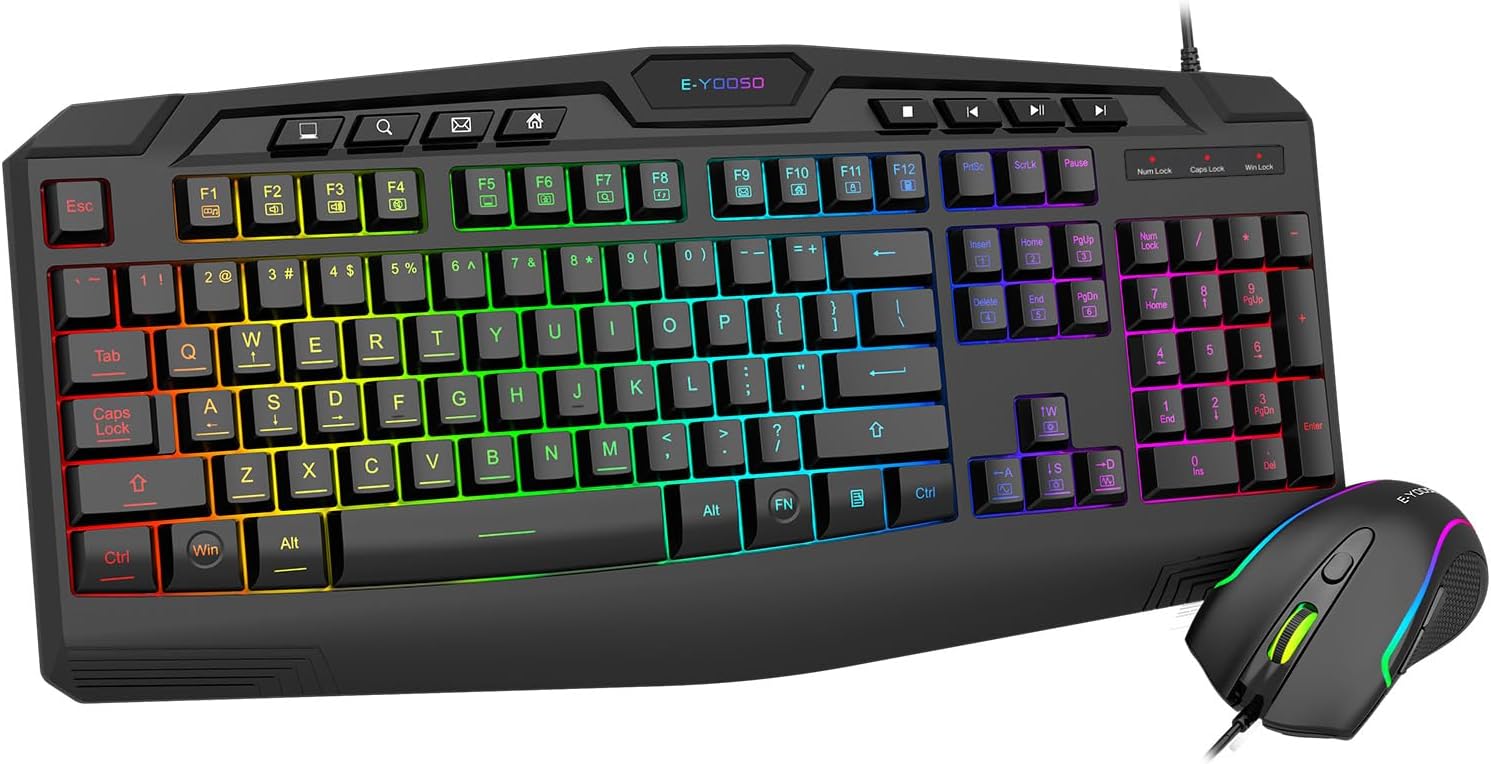
Image: E-YOOSO CQ109 Wired RGB Gaming Keyboard and Mouse Combo, showcasing the full keyboard and mouse with RGB lighting.
Коопсуздук маалыматы
To prevent damage and ensure safe operation, please observe the following:
- Аппаратты суудан, нымдан жана экстремалдык температурадан алыс кармаңыз.
- Аппаратты өз алдынча бөлүүгө же оңдоого аракет кылбаңыз. Тейлөө үчүн квалификациялуу кызматкерлерге кайрылыңыз.
- Аппаратты түшүрүүдөн же катуу таасирлерден сактаныңыз.
- Аппаратты жумшак, кургак чүпүрөк менен тазалаңыз. Катуу химиялык заттарды же абразивдүү тазалагычтарды колдонбоңуз.
Пакеттин мазмуну
The E-YOOSO CQ109 combo includes:
- 1 x E-YOOSO CQ109 Wired RGB Gaming Keyboard
- 1 x E-YOOSO Wired RGB Gaming Mouse
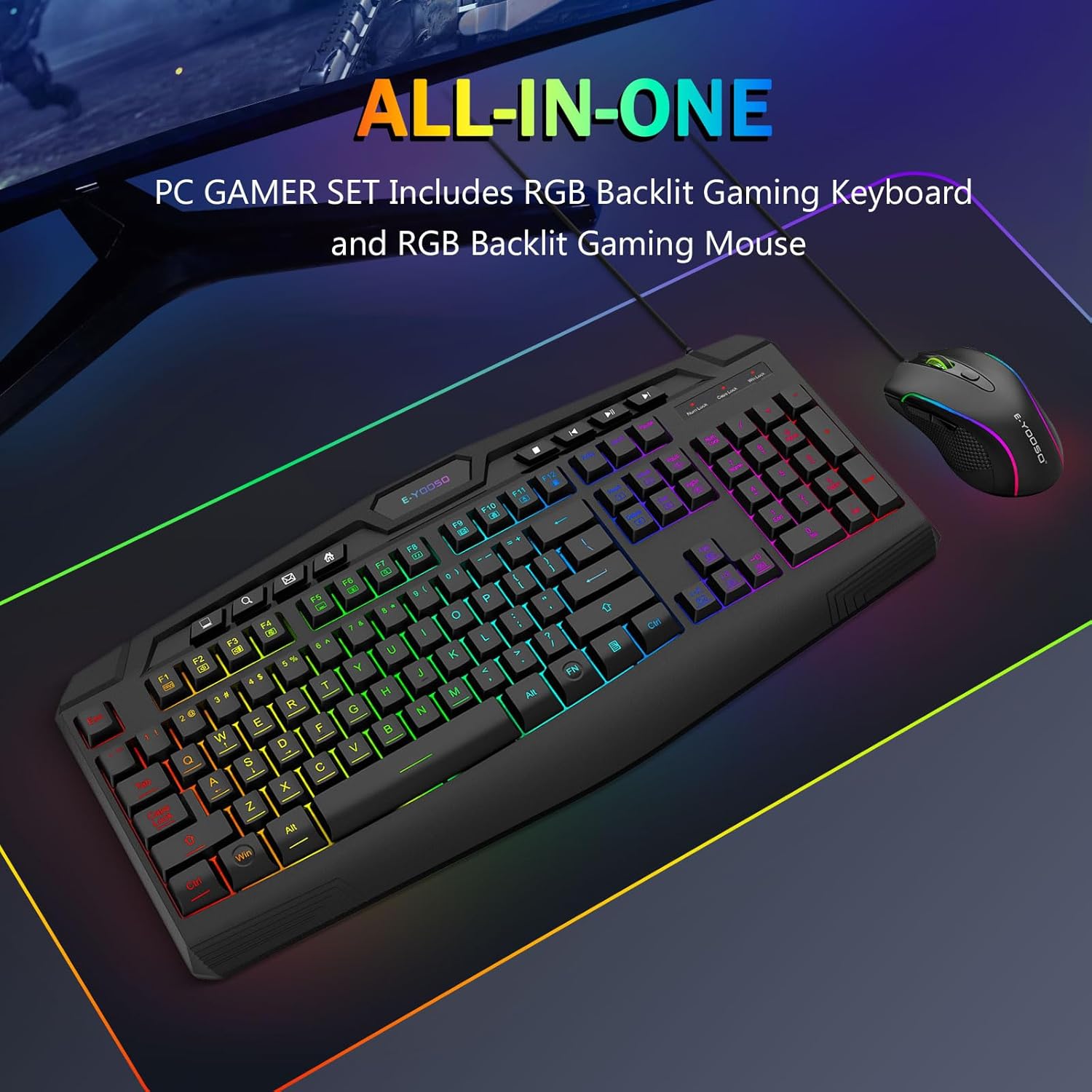
Image: The E-YOOSO CQ109 keyboard and mouse combo displayed on a gaming mat, highlighting the 'ALL-IN-ONE PC GAMER SET' feature.
Жайгашуу
Баскычтоп менен чычканды туташтыруу
- Locate an available USB port on your computer, gaming console (PS4/PS5, Xbox), or laptop.
- Plug the USB connector of the E-YOOSO CQ109 Gaming Keyboard into the USB port.
- Plug the USB connector of the E-YOOSO Gaming Mouse into another available USB port.
- The devices are plug-and-play; no additional drivers are typically required. The RGB lighting will illuminate upon successful connection.
Шайкештик
The E-YOOSO CQ109 combo is compatible with:
- Windows 11, Windows 10, Windows 8, Windows 7, Windows Vista, Windows XP
- Limited Mac OS keyboard support
- PS4, PS5, Xbox (compatibility may vary with specific console models and games)
Иштөө нускамалары
Баскычтоптун өзгөчөлүктөрү
- RGB жарык режимдери: The keyboard features 7 different RGB lighting modes and effects. Cycle through these modes by pressing the FN + Scroll Lock ачкычтар.
- Арткы жарыктын жарыктыгы: Adjust the backlight brightness through 4 levels using the FN + Page Up (көбөйүү) жана FN + Page Down (decrease) keys.
- Adjustable Breathing Speed: Modify the breathing speed of certain lighting modes using FN + "-" (жайыраак) жана FN + "+" (faster) keys.
- Мультимедиа ачкычтары: The keyboard includes 8 dedicated multimedia keys and 12 additional FN+ multimedia keys (total 112 keys) for quick access to media controls, email, and web серептөө.
- Арбактарга каршы: Enjoy precise input with 26 conflict-free (N-Key Rollover) keys, ensuring all your commands are registered during intense gaming sessions.
- WIN ачкыч кулпусу: To prevent accidental interruptions during gaming, press FN + WIN Windows баскычын кулпулоо же ачуу үчүн.
- WASD and Arrow Key Swap: For certain games, you can swap the functionality of the WASD keys with the arrow keys by pressing FN + W.
- Эргономикалык дизайн: The keyboard is ergonomically designed with an integrated wrist rest for comfort during extended use.
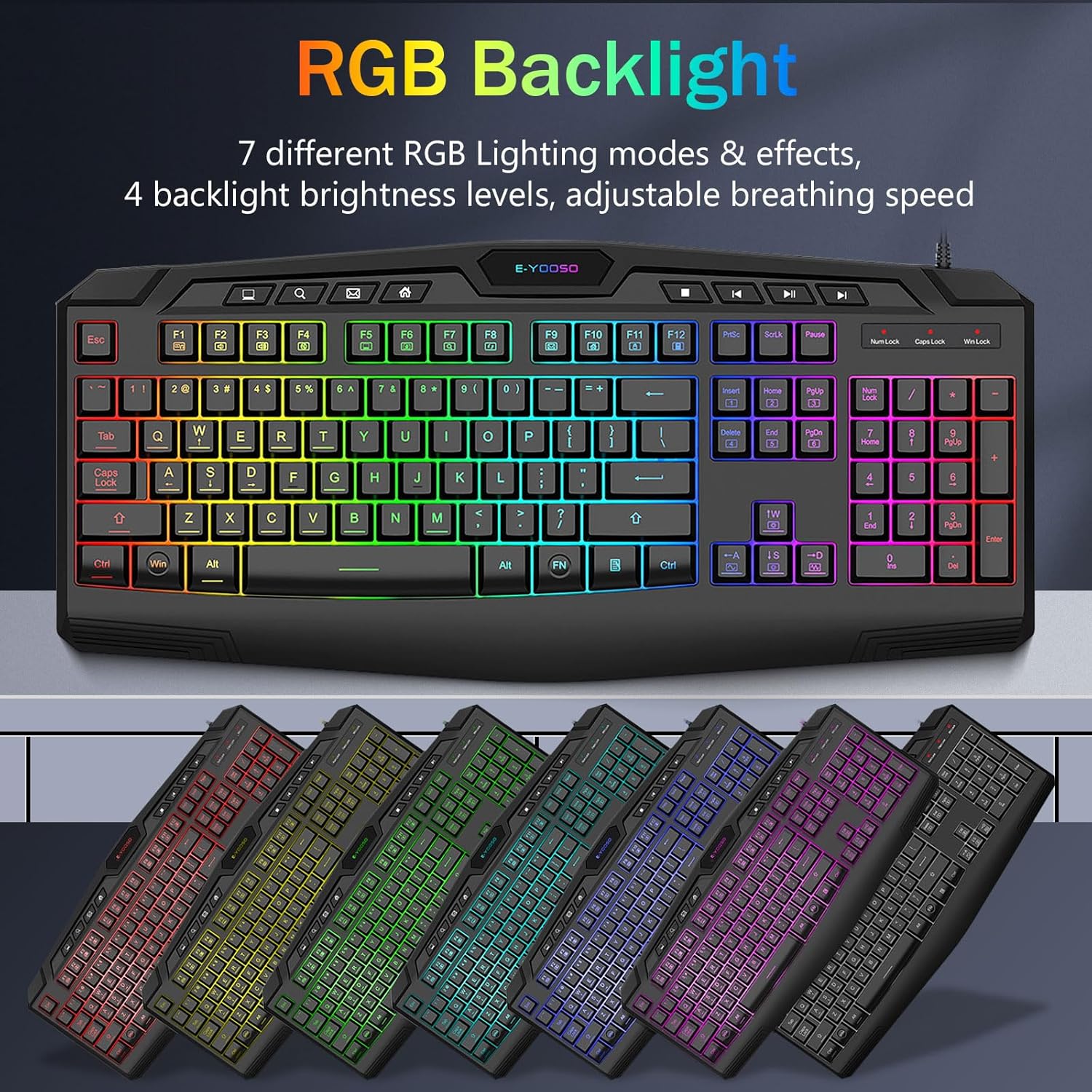
Image: Keyboard showcasing various RGB backlight modes and effects.

Image: Close-up of keyboard highlighting multimedia keys and anti-ghosting features.
Чычкан өзгөчөлүктөрү
- RGB жарыктандыруу: The mouse features 5 RGB lighting modes. These can be changed via a button on the bottom of the mouse.
- Жөнгө салынуучу DPI: Cycle through 4 DPI levels (1000/1600/2400/3200 DPI) using the DPI button located on top of the mouse, allowing for precise control in various applications and games.
- 6 Баскычтар: The mouse is equipped with 6 buttons, including left-click, right-click, scroll wheel, DPI button, and two side buttons (forward/backward) for enhanced functionality.
- Жогорку тактык сенсор: The gaming-grade micro switches and high-precision sensor deliver accurate tracking and responsiveness.
- Эргономикалык дизайн: The contoured shape of the mouse is designed to fit comfortably in your hand, reducing fatigue during long gaming sessions.

Image: E-YOOSO RGB mouse with an illustration of its adjustable DPI settings.
Расмий продукт Videos
Video: Demonstrates the various RGB lighting effects and modes of the CQ109 Gaming Keyboard.
Видео: Бүттүview of the CQ109 Wired Gaming Keyboard and Mouse combo, highlighting key features and design.
Техникалык тейлөө
- Тазалоо: Regularly clean your keyboard and mouse to prevent dust and debris buildup. Use a soft, lint-free cloth. For stubborn dirt, slightly dampen the cloth with water or a mild cleaning solution. Ensure devices are unplugged before cleaning.
- Суюктуктар: The gaming keyboard is built to withstand average liquid spills. In case of a spill, immediately unplug the keyboard, turn it upside down to drain liquid, and allow it to dry completely before reconnecting.
- Кабелдик башкаруу: Avoid sharp bends or excessive pulling on the USB cables to prevent internal damage.
Проблемаларды чечүү
- Түзмөк жооп бербейт:
- USB кабелдери компьютердин USB портторуна бекем сайылганын текшериңиз.
- Түзмөктөрдү ар кандай USB портторуна сайып көрүңүз.
- Компьютериңизди же оюн консолуңузду өчүрүп күйгүзүңүз.
- RGB жарыктары иштебейт:
- For the keyboard, ensure it is properly connected and try cycling through lighting modes using FN + Scroll Lock.
- For the mouse, check the button on the bottom to activate or change lighting modes.
- Keys or Mouse Buttons Not Working:
- Check for any physical obstructions or debris under the keys or buttons.
- Test the devices on another computer to rule out system-specific issues.
Техникалык шарттар
| Өзгөчөлүк | Спецификация |
|---|---|
| Модель номери | CQ109 |
| Байланыш технологиясы | USB Wired |
| Баскычтоптун түрү | Membrane, Anti-ghosting (26 keys) |
| Баскычтоп баскычтары | 104 Keys + 8 Dedicated Multimedia Keys + 12 FN+ Multimedia Keys |
| Баскычтоптун арткы жарыгы | RGB LED (7 modes, 4 brightness levels, adjustable breathing speed) |
| Чычкан DPI | 1000/1600/2400/3200 DPI (Adjustable) |
| Чычкан баскычтары | 6 баскычтар |
| Чычкандын арткы жарыгы | RGB LED (5 modes) |
| Продукциянын өлчөмдөрү (клавиатура) | 17.3 x 6.9 x 1.1 дюйм |
| Элемент Салмагы | 1.1 фунт |
| Шайкеш түзмөктөр | PC, Laptop, Mac (limited), PS4, PS5, Xbox |
Кепилдик жана колдоо
E-YOOSO products are designed for quality and reliability. For warranty information, technical support, or customer service inquiries, please refer to the contact information provided with your product packaging or visit the official E-YOOSO webсайт. Кепилдик дооматтары үчүн сатып алуу дүмүрчөгүңүздү сактаңыз.


