1. Киришүү
Thank you for choosing the Anker Soundcore Boom 2 Plus Outdoor Speaker. This manual provides essential information for setting up, operating, and maintaining your device. Please read it carefully before use and retain it for future reference.

Image 1.1: Anker Soundcore Boom 2 Plus (right) and Soundcore Mini (left) speakers.
2. Коопсуздук маалыматы
- Динамикти экстремалдык температурага же түз күн нуруна узак убакытка калтырбаңыз.
- Спикерди түшүрүүдөн же катуу таасирлерге дуушар кылуудан качыңыз.
- Динамикти медициналык шаймандардан алыс кармаңыз, анткени анын курамында магниттер бар.
- Use only certified chargers and cables for charging.
- Ensure all port covers are securely closed when near water to maintain water resistance.
3. Пакеттин мазмуну
Пакетиңизде бардык буюмдар бар экенин текшериңиз:
- Soundcore Boom 2 Plus Outdoor Speaker
- USB-Cден USB-Cге чейин кубаттоочу кабель
- Погон
- Ыкчам баштоо колдонмосу (бул колдонмо)
4. Продукт бүтүп калдыview
The Soundcore Boom 2 Plus features a robust design with integrated controls and ports for versatile use.
4.1. Компоненттер жана башкаруу элементтери

Image 4.1: Internal speaker components including dual 50W woofers, dual 20W tweeters, and passive radiators with light show.
- Ташуу туткасы: Жөнөкөй көчүрүү үчүн.
- Динамик тор: Protects the main drivers.
- Passive Radiators with Light Show: Located on both ends, providing enhanced bass and customizable RGB lighting.
- Башкаруу баскычтары (жогорку панель): Power, Bluetooth, Volume Up/Down, Play/Pause, BassUp, Light Mode, PartyCast.
- Rubberized Port Cover (Rear): Protects charging and auxiliary ports.

Image 4.2: Rear ports including USB-C for charging, USB-A for power bank function, and AUX input.
- USB-C заряддоо порту: Динамикти заряддоо үчүн.
- USB-A чыгаруу порту: Башка түзмөктөрдү кубаттоо үчүн Powerbank катары иштейт.
- AUX киргизүү: Зымдуу аудио туташуу үчүн.
5. Орнотуу
5.1. Динамикти кубаттоо
Before first use, fully charge your Soundcore Boom 2 Plus. Connect the provided USB-C cable to the speaker's USB-C port and a compatible 30W charger (not included). A full charge takes approximately 3 hours.
5.2. Bluetooth Жупташтыруу
- Power on the speaker by pressing the Power button. The Bluetooth indicator will flash blue.
- On your mobile device, enable Bluetooth and search for 'Soundcore Boom 2 Plus'.
- Select the speaker to pair. Once connected, the Bluetooth indicator will turn solid blue.
5.3. PartyCast (Connecting Multiple Speakers)
To connect multiple Soundcore PartyCast-compatible speakers for synchronized audio:
- Connect one Soundcore Boom 2 Plus speaker to your device via Bluetooth (this will be the primary speaker).
- Power on the secondary Soundcore PartyCast-compatible speakers.
- On the primary speaker, press the PartyCast button. The PartyCast indicator will flash white.
- On the secondary speakers, press the PartyCast button. They will automatically connect to the primary speaker.
5.4. Soundcore колдонмосу
Кошумча функцияларды жана ыңгайлаштыруу параметрлерин ачуу үчүн түзмөгүңүздүн колдонмолор дүкөнүнөн Soundcore колдонмосун жүктөп алыңыз, анын ичинде:
- Equalizer settings for personalized audio.
- Customizing light effects and brightness.
- Checking battery status.
- Микробдор жаңыртуулары.
6. Иштөө
6.1. Күйгүзүү/өчүрүү
- басыңыз Кубат баскычы динамикти күйгүзүү үчүн бир жолу басыңыз.
- басып, кармап туруңуз Кубат баскычы динамикти өчүрүү үчүн 2 секунд.
6.2. Үндү башкаруу
- басыңыз Үндү катуулатуу (+) баскычы көлөмүн көбөйтүү.
- басыңыз Үндү азайтуу (-) баскычы үнүн азайтуу.
6.3. Ойноону башкаруу
- басыңыз Ойнотуу/тындыруу баскычы музыка ойнотуу же тыныгуу үчүн бир жолу.
- эки жолу басыңыз Ойнотуу/тындыруу баскычы кийинки трекке өтүү.
- Үч жолу басыңыз Ойнотуу/тындыруу баскычы мурунку трекке өтүү.
6.4. BassUp 2.0 Feature
Activate BassUp 2.0 for enhanced bass performance. This feature boosts output from 100W to 140W max.
- басыңыз BassUp button once to toggle BassUp 2.0 on or off.

Image 6.1: Experience powerful bass with BassUp 2.0 technology.

Image 6.2: Engineered for robust bass and powerful sound.
6.5. Жарык режимдери
The Soundcore Boom 2 Plus features beat-synced colorful light shows on its passive radiators.
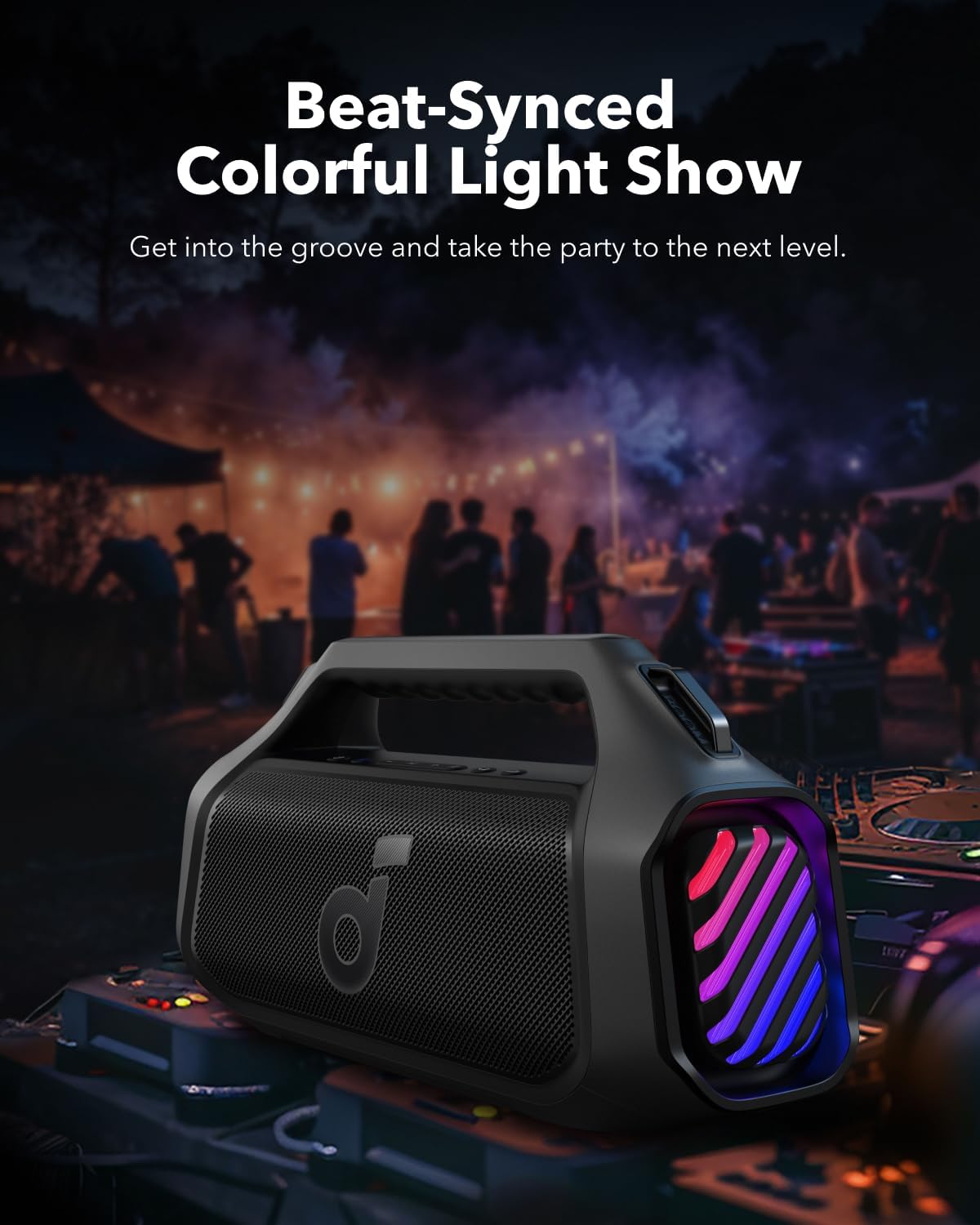
Image 6.3: Beat-synced colorful light show enhances the listening experience.
- басыңыз Жарык баскычы once to cycle through different light modes.
- эки жолу басыңыз Жарык баскычы жарыктарды өчүрүү үчүн.
6.6. Power Bank функциясы
The speaker can charge other devices via its built-in power bank function.
- Connect your device to the speaker's USB-A output port using a compatible cable.
- The speaker will provide a 10W charge to your device.
6.7. Сууга туруктуулук
The Soundcore Boom 2 Plus is designed with IPX7 water resistance, making it suitable for outdoor use and protection against submersion in water up to 1 meter for 30 minutes. Ensure the rubberized port cover is securely closed before exposure to water.
7. Техникалык тейлөө
7.1. Тазалоо
- Динамикти жумшак менен сүртүңүз, гamp кездеме.
- Do not use any corrosive cleaners or chemicals.
- Ensure the speaker is completely dry before charging or using ports.
7.2. Сактоо
- Динамикти салкын, кургак жерде, өтө жогорку температурадан алыс сактаңыз.
- If storing for an extended period, charge the battery every 3 months to prolong its lifespan.
8. Кыйынчылыктарды
- Кубат жок: Динамик заряддалганын текшериңиз. Кубат булагына туташып, кайра аракет кылыңыз.
- Bluetooth жупташтыруу мүмкүн эмес: Make sure the speaker is in pairing mode (Bluetooth indicator flashing blue). Check your device's Bluetooth settings and try reconnecting. If issues persist, try forgetting the device on your phone and re-pairing.
- Үн сапаты начар: Ensure the speaker is within Bluetooth range (up to 10 meters/33 feet). Check for obstructions between the speaker and your device. Adjust the equalizer settings in the Soundcore app.
- Жарыктар иштебейт: Check the light mode settings via the Light button or the Soundcore app. Ensure the battery level is sufficient.
- PartyCast Not Connecting: Ensure all speakers are Soundcore PartyCast-compatible. Follow the PartyCast pairing instructions carefully.
9. Техникалык шарттар
| Өзгөчөлүк | Спецификация |
|---|---|
| Модель аты | Boom 2 Plus |
| Динамик түрү | Сыртта |
| Динамиктин максималдуу чыгаруу күчү | 140 Ватт |
| Көлөмдүү үн каналынын конфигурациясы | 2.2 |
| Зымсыз байланыш технологиясы | Bluetooth |
| Power Source | Батарея менен иштейт |
| Батарея ойнотуу убактысы | Up to 20 Hours (Varies with volume and content) |
| Заряддоо убактысы | 3 саат (30W заряддагыч менен) |
| Power Bank Output | 10 Вт |
| Суу өткөрбөйт рейтинги | IPX7 |
| Башкаруу ыкмасы | тийүү |
| Материал | Металл, пластик |
10. Кепилдик жана колдоо
Anker provides a limited warranty for this product. For detailed warranty information, please refer to the warranty card included in your package or visit the official Anker webсайт.
10.1. Кардарларды колдоо кызматы
If you encounter any issues or have questions regarding your Soundcore Boom 2 Plus, please contact Anker customer support through:
- The Soundcore App
- The official Anker website support section
- Email or phone support (details available on the Anker webсайт)


