1. Киришүү
This manual provides essential information for the installation, operation, and maintenance of your XPG Core Reactor II VE 650W 80 Plus Gold Fully Modular Power Supply. Please read this manual thoroughly before installation and keep it for future reference.
The XPG Core Reactor II VE 650W is a high-efficiency power supply designed for gaming PCs, compliant with Intel's latest ATX 3.1 design guide specifications. It supports next-generation graphics cards with a 12V-2x6 cable and features 80 PLUS GOLD and CYBENETICS GOLD certified efficiency. An FDB fan with intelligent fan control ensures quiet operation, and a wide range of protection mechanisms are integrated for safety and stability.
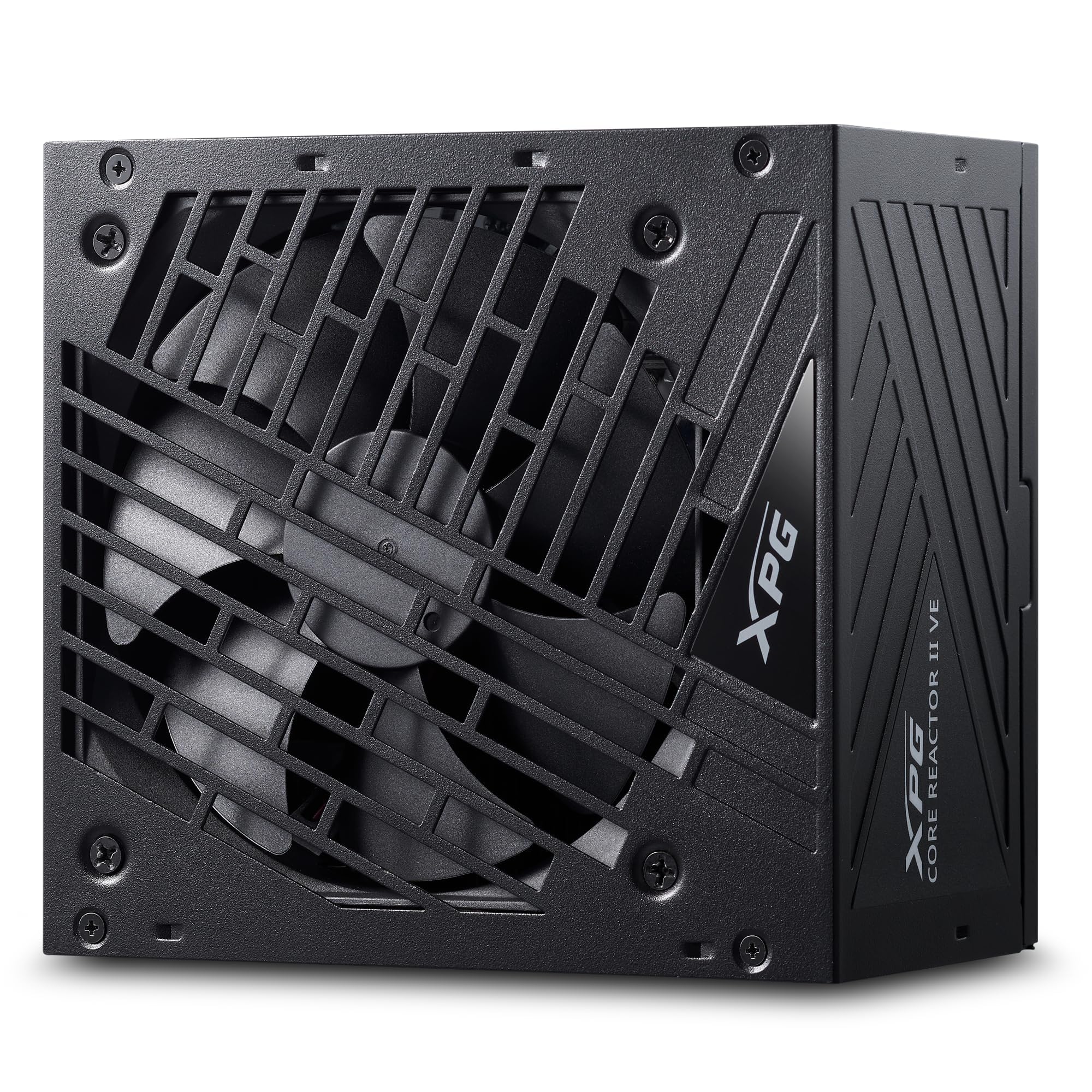
1-сүрөт: жогорудан ылдыйга view of the XPG Core Reactor II VE 650W Power Supply, showcasing its fan grille and compact design.
2. Орнотуу жана орнотуу
Before beginning installation, ensure your computer is powered off and unplugged from the wall outlet. Refer to your PC case and motherboard manuals for specific installation instructions.
2.1 Таңгактан чыгаруу жана текшерүү
Carefully remove the power supply and all accessories from the packaging. Verify that all components listed in the package contents are present and undamaged.

Figure 2: The XPG Core Reactor II VE 650W Power Supply and its modular cables, neatly organized within the product packaging.
2.2 Электр жабдыгын орнотуу
- Position the power supply in the designated PSU bay of your PC case. Ensure the fan is oriented correctly for optimal airflow (typically facing downwards if your case has a bottom vent, or upwards if not).
- Берилген монтаждоо бурамалар менен корпуска кубат менен камсыздоону бекитиңиз.
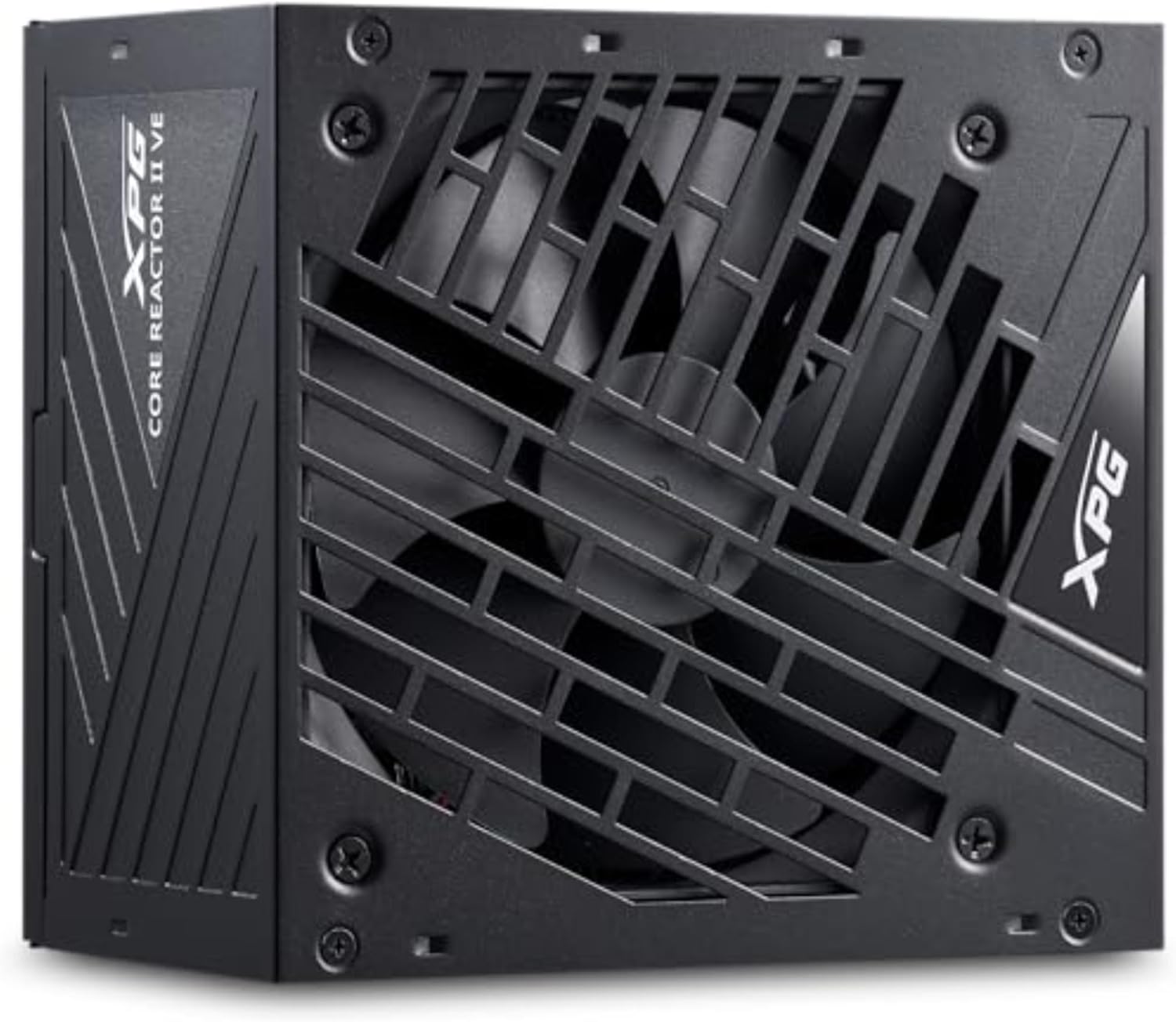
3-сүрөт: Каптал view of the XPG Core Reactor II VE 650W Power Supply, showing its compact form factor suitable for various PC cases.
2.3 Модулдук кабелдерди туташтыруу
The XPG Core Reactor II VE is a fully modular power supply, allowing you to connect only the cables necessary for your components. This helps improve airflow and cable management within your PC case.

Figure 4: Clearly labeled modular ports on the XPG Core Reactor II VE 650W Power Supply for CPU, VGA, Motherboard, 12VHPWR, SATA, and Molex connections.
- Энелик платанын кубаттуулугу: 24-пин ATX кабелин энелик платага туташтырыңыз.
- CPU кубаттуулугу: Connect the 4+4-pin or 8-pin EPS12V cable(s) to your motherboard's CPU power connector(s).
- GPU Power: For modern graphics cards, use the dedicated 12V-2x6 cable. For older or less power-intensive GPUs, use the appropriate 6+2-pin PCIe cables. Ensure all GPU power connectors are fully seated.
- SATA/Molex Power: Connect SATA power cables to SSDs, HDDs, and other SATA-powered devices. Use Molex cables for compatible peripherals if needed.
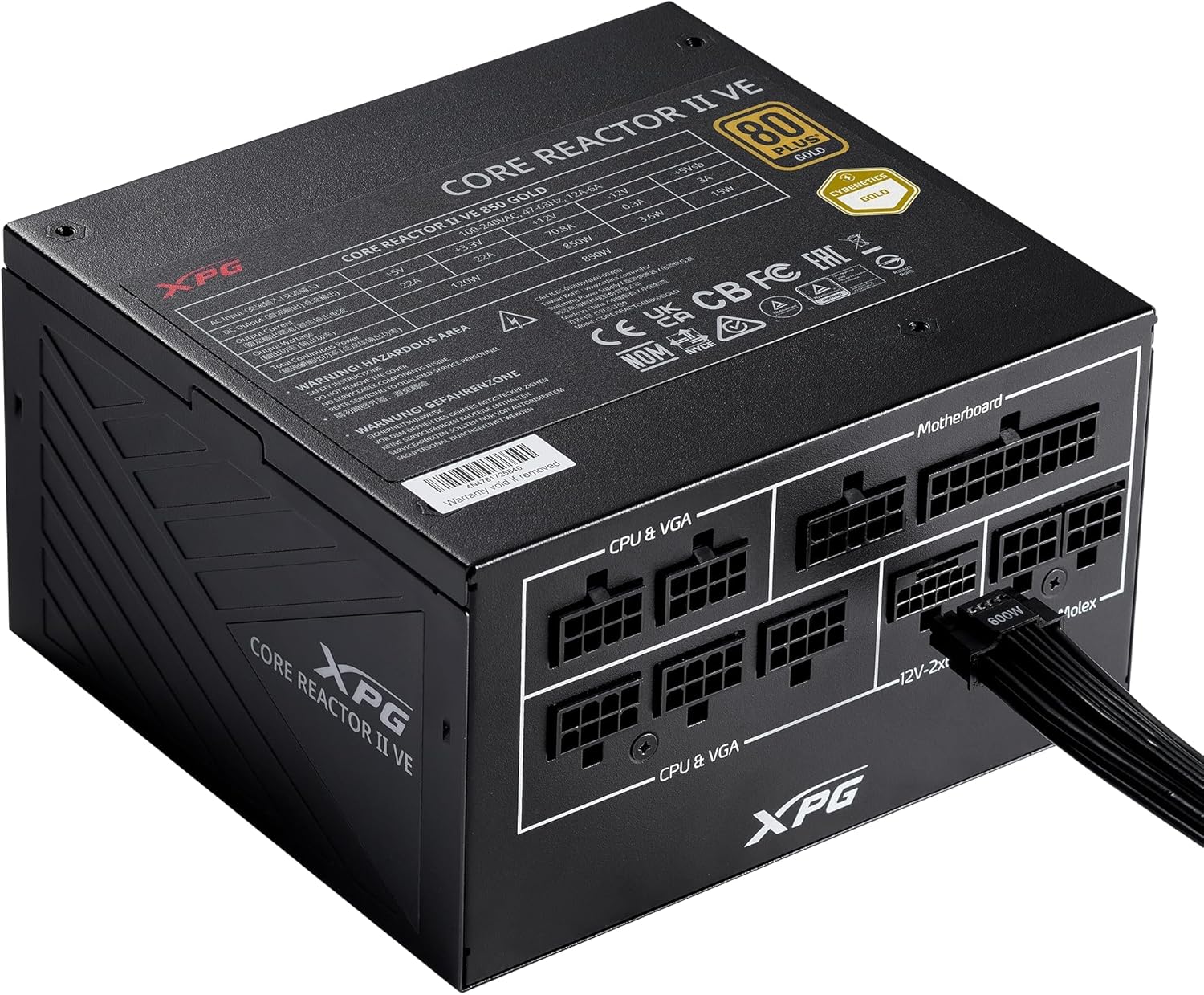
Figure 5: A 12VHPWR cable securely connected to the XPG Core Reactor II VE 650W Power Supply, ready to power a high-performance graphics card.
3. Иштөө нускамалары
Once all connections are secure, plug the main power cord into the power supply and a wall outlet. Flip the power switch on the back of the PSU to the 'ON' position.
3.1 Желдетүүчүнүн иштеши
The XPG Core Reactor II VE features an FDB (Fluid Dynamic Bearing) fan with intelligent fan control. This system is designed to optimize cooling performance while minimizing noise. The fan may operate in a semi-passive mode, meaning it will not spin at low loads to ensure silent operation. It will automatically activate and adjust its speed as the system load and temperature increase.
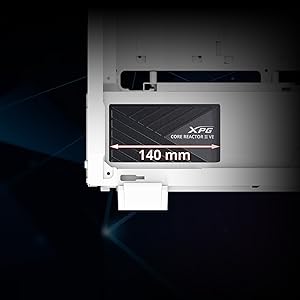
Figure 6: The compact 140mm length of the XPG Core Reactor II VE 650W Power Supply, indicating its compatibility with various PC case sizes.
4. Техникалык тейлөө
Үзгүлтүксүз техникалык тейлөө электр менен камсыздооңуздун узак мөөнөттүү жана оптималдуу иштешин камсыз кылууга жардам берет.
- Чаңды тазалоо: Periodically clean dust from the power supply's fan grille and internal components using compressed air. Ensure the PC is powered off and unplugged before cleaning.
- Кабелдик башкаруу: Кабелдердин тыкан өткөрүлүшүнө жана PC корпусунун ичиндеги аба агымына тоскоол болбогонун текшериңиз.
- Вентиляция: Maintain adequate ventilation around your PC to prevent overheating of the power supply and other components.
5. Кыйынчылыктарды
Эгер сиз кубат менен камсыз кылууда көйгөйлөргө туш болсоңуз, төмөнкү жалпы көйгөйлөрдү чечүү кадамдарын караңыз:
- Кубат жок:
- Ensure the main power cable is securely plugged into both the PSU and the wall outlet.
- PSU артындагы кубат которгучу "ON" абалында экенин текшериңиз.
- Check all modular cable connections to the PSU and components (motherboard, CPU, GPU, etc.) are fully seated.
- Дубалдагы розеткада кубат бар экенин ырастоо үчүн башка аспап менен сынап көрүңүз.
- System Instability/Random Reboots:
- This can sometimes indicate an issue with power delivery. Ensure all power connections are firm.
- Check for any "Event ID 41" errors in your operating system's event viewer, which can point to unexpected shutdowns related to power.
- Сиздин кубат менен камсыз кылуу ват экенин текшериңизtage is sufficient for all your system components, especially high-power GPUs and CPUs.
- Ашыкча ызы-чуу:
- The FDB fan is designed for quiet operation. If you notice unusual noise, ensure no cables are obstructing the fan.
- Dust buildup can cause fan noise; clean the fan and grille as described in the Maintenance section.
If problems persist after following these steps, contact XPG customer support for further assistance.
6. Техникалык шарттар
| Өзгөчөлүк | Деталь |
|---|---|
| Модель аты | XPG CORE Reactor II VE |
| Элемент моделинин номери | COREREACTORIIVE650G-BKCUS |
| Чыгуу Wattage | 650 Ватт |
| Натыйжалуулуктун сертификациясы | 80 PLUS GOLD, CYBENETICS GOLD |
| ATX шайкештиги | ATX 3.0/3.1 Compliant |
| GPU Cable | 12VHPWR Cable Included |
| Форма фактору | ATX |
| Муздатуу ыкмасы | Air (FDB fan with intelligent control) |
| Продукциянын өлчөмдөрү (L x W x Y) | 5.86 x 5.9 x 3.38 дюйм |
| Элемент Салмагы | 5.07 фунт |
| Коргоо механизмдери | OPP, OVP, SIP, SCP, UVP, OCP, OTP, NLO |
Figure 7: Detailed specifications of the XPG Core Reactor II VE 650W Power Supply.
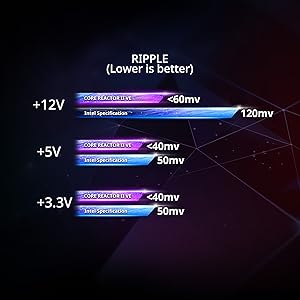
Figure 8: Ripple voltage comparison for +12V, +5V, and +3.3V rails, showing the XPG Core Reactor II VE's performance below Intel specifications.
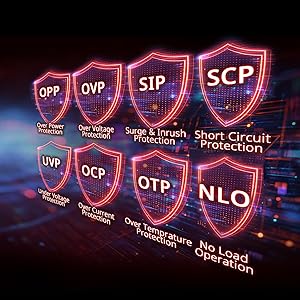
Figure 9: Visual representation of the comprehensive protection mechanisms integrated into the power supply, including Over Power Protection (OPP), Over Voltage Protection (OVP), Surge & Inrush Protection (SIP), Short Circuit Protection (SCP), Under Voltage Protection (UVP), Over Current Protection (OCP), Over Temperature Protection (OTP), and No Load Operation (NLO).
7. Кепилдик жана колдоо
The XPG Core Reactor II VE 650W Power Supply comes with a 10-year warranty, ensuring long-term reliability and peace of mind. For technical support, warranty claims, or any product-related inquiries, please visit the official XPG webсайтка же кардарларды тейлөө бөлүмүнө кайрылыңыз.
Онлайн ресурстар: www.xpg.com


