1. Киришүү
This manual provides comprehensive instructions for the Walfront ADF4351 Signal Generator Module. The module is a versatile RF source development board featuring the ADF4351 frequency synthesizer, capable of generating signals from 35MHz to 4.4GHz. It is designed for various electronic development and testing applications.
2. Коопсуздук маалыматы
- Ensure proper power supply (DC4-9V, typical 5V) to avoid damage.
- Handle the module with care to prevent electrostatic discharge (ESD).
- Do not attempt to modify the circuit board unless you are a qualified professional.
- Аппаратты нымдуулуктан жана экстремалдык температурадан алыс кармаңыз.
3. Пакеттин мазмуну
Пакетте бардык буюмдар бар экенин текшериңиз:
- 1 x ADF4351 Signal Generator Module
- 1 x SMA Holder (likely referring to the SMA connectors or an adapter)
- 1 x USB кабели
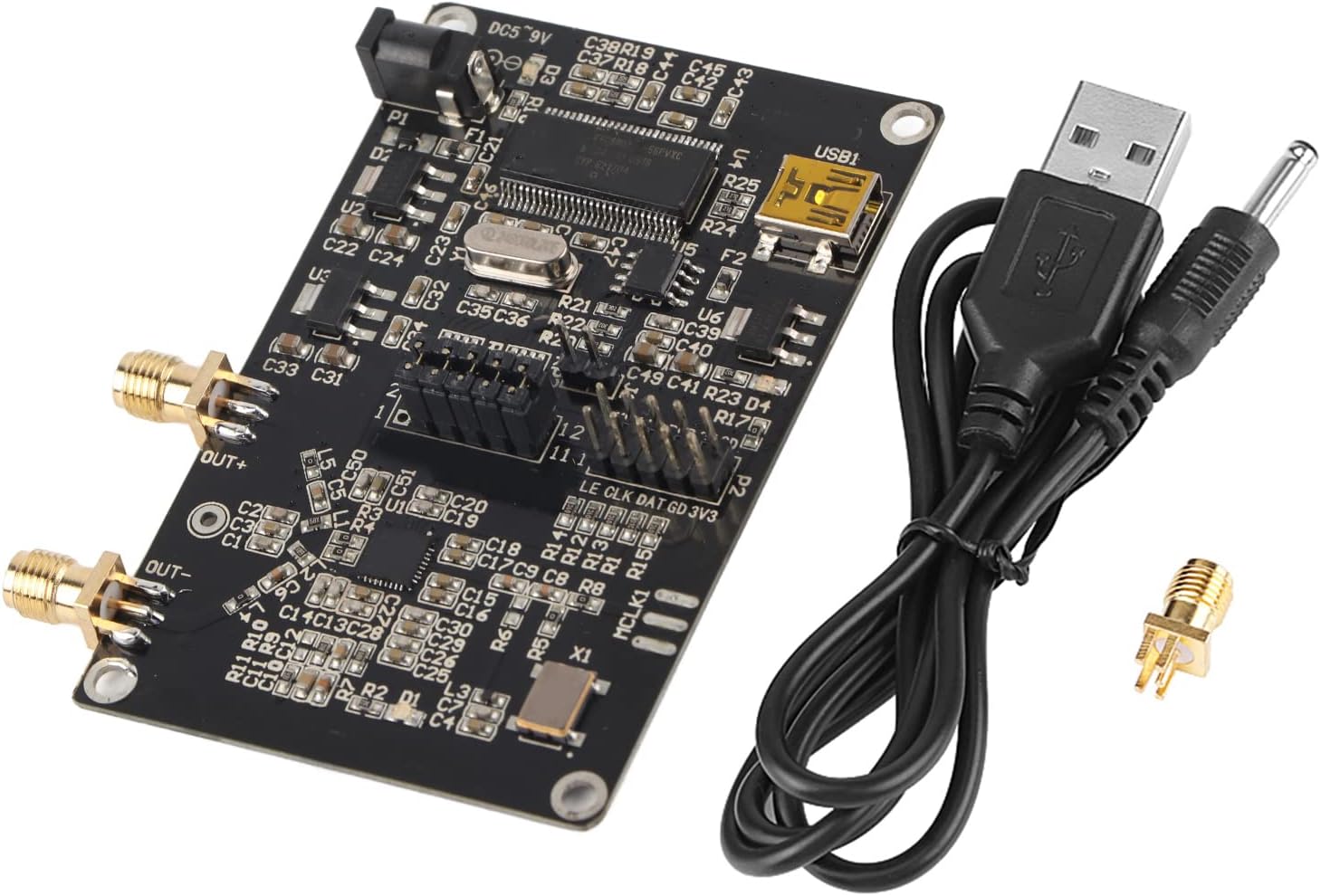
Figure 3.1: Contents of the Walfront ADF4351 Signal Generator Module package.
4. Продукт бүтүп калдыview
The Walfront ADF4351 module integrates a frequency synthesizer and voltage-controlled oscillator (VCO) to generate a wide range of RF frequencies. Key components and interfaces are detailed below.

4.1-сүрөт: Жогорку view of the ADF4351 Signal Generator Module.

4.2-сүрөт: Бурчтуу view of the ADF4351 Signal Generator Module.
4.1 Негизги өзгөчөлүктөрү
- Output Frequency Range: 35MHz - 4.4GHz (ADF4351).
- Integrated Voltage Controlled Oscillator (VCO) with a fundamental frequency range of 2200 MHz to 4400 MHz.
- Frequency division circuit (1/2/4/8/16) for lower frequencies.
- Control Interface: Three-wire SPI.
- Default crystal oscillator: +/-50ppm 25M active crystal.
- Mute function for RF output level control.
- Auxiliary RF output available.
4.2 Компонентти идентификациялоо
- DC002 Interface (DC5-9V): Кубат киргизүү порту.
- USB1: USB interface for connection to a computer.
- ЧЫГУУ+ / ЧЫГУУ-: SMA female connectors for RF signal output.
- P1, P2, P3: Control pin headers for SPI communication and status locking.
- ADF4351 IC: Main frequency synthesizer chip.
- Кристалл осциллятору: Provides reference clock.
5. Орнотуу
5.1 Кубат туташтыруу
- Connect the provided USB cable to the USB1 port on the module.
- Connect the other end of the USB cable to a computer or a 5V USB power adapter.
- Alternatively, connect a DC power supply (4-9V, typical 5V) to the DC002 interface. Ensure correct polarity.
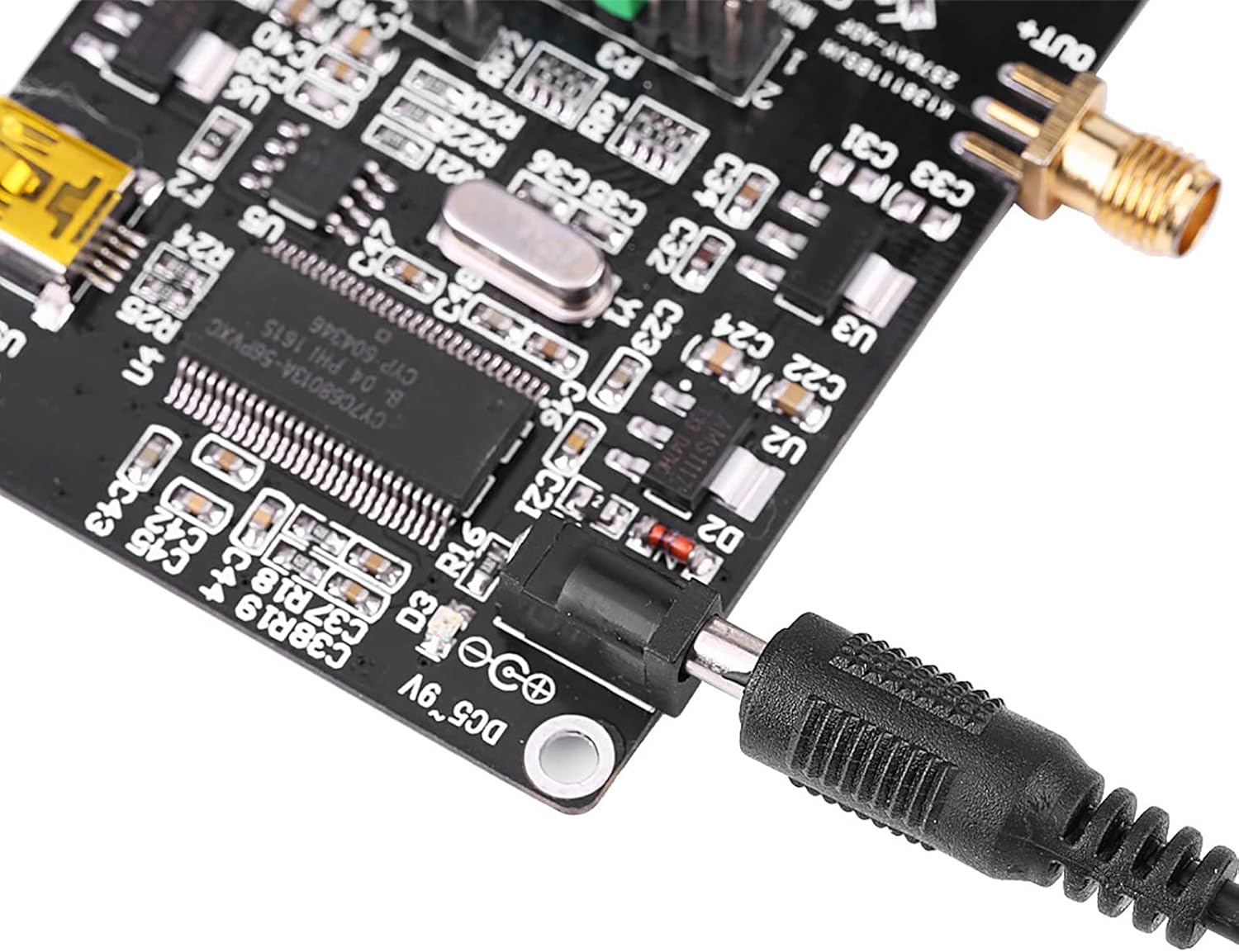
Figure 5.1: Connecting the DC power supply.
5.2 Компьютерге кошулуу
The module can be controlled via a computer using the USB interface. Drivers may be required depending on your operating system. The manufacturer provides a PDF circuit diagram and STM32 test program for development.

Figure 5.2: USB port for computer connection.
6. Операция
6.1 Программалык камсыздоону башкаруу
The ADF4351 module is typically controlled using dedicated software on a computer. The manufacturer provides an official software interface for configuration. This software allows for setting various parameters including frequency, output power, and modulation.
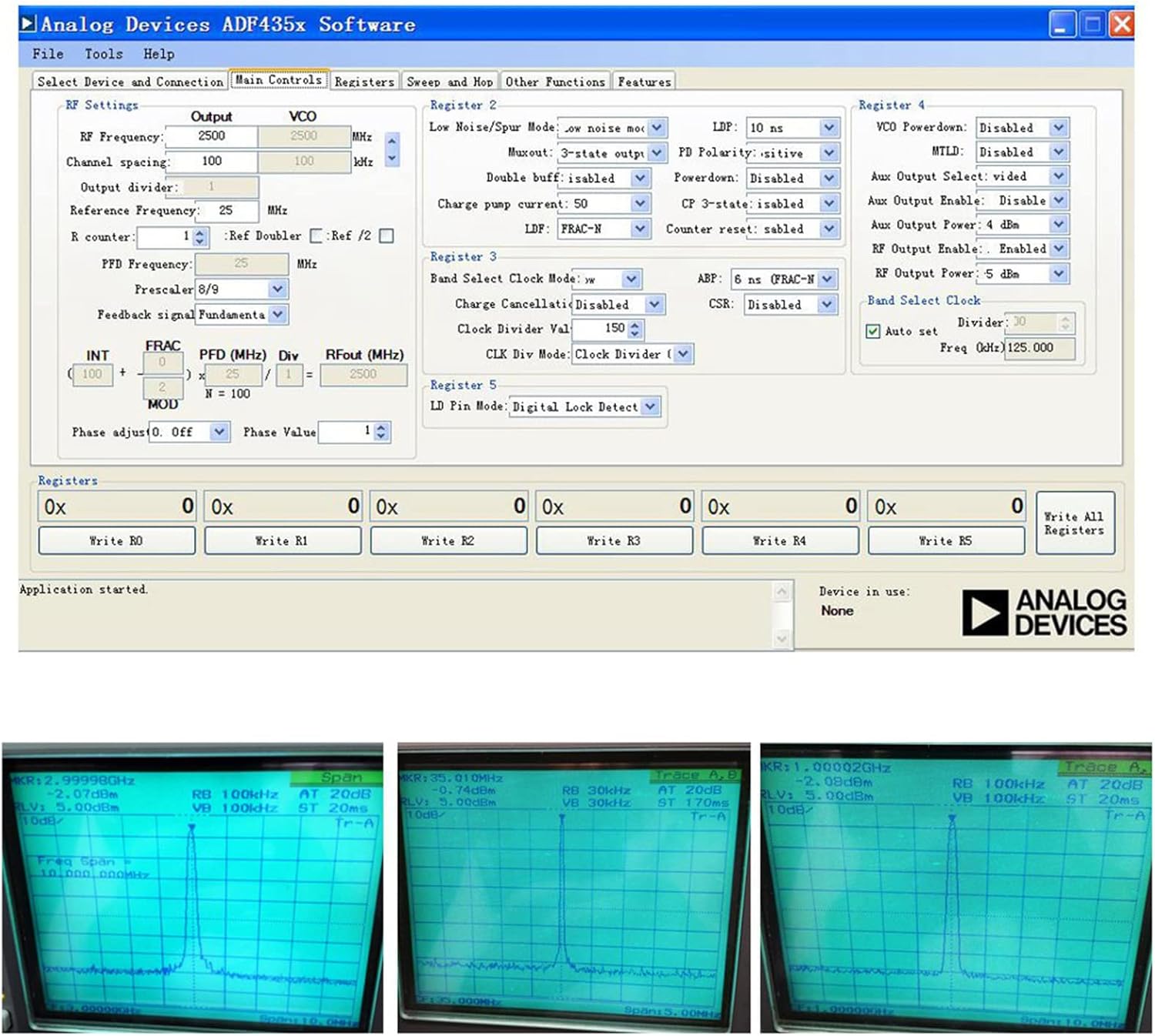
Figure 6.1: Analog Devices ADF435x Software interface for module control.
6.2 Frequency Generation
The module can generate frequencies from 35MHz to 4.4GHz. The output type varies with frequency:
- 2.2GHz - 4.4GHz: Fundamental (sine wave) output.
- 35MHz - 2.2GHz: Fundamental division (square wave) output.
The software allows for precise frequency setting, including point frequency, sweep, and frequency hopping. Stepping can be as fine as 1KHz, or 0.1KHz depending on the crystal frequency.

6.2-сүрөт: Мисample frequency outputs displayed on an oscilloscope.
6.3 Үнсүз кылуу функциясы
For isolation applications, the RF output level can be muted. This function can be controlled either via a dedicated pin or through the software interface. The auxiliary RF output can also be turned off when not in use.
7. Техникалык шарттар
| Өзгөчөлүк | Спецификация |
|---|---|
| Чыгыштын жыштык диапазону | ADF4351: 35MHz - 4.4GHz |
| Электр камсыздоо | DC002 Interface DC4-9V (typical 5V) |
| Output Type (2.2-4.4GHz) | Fundamental (Sine Wave) |
| Output Type (35MHz-2.2GHz) | Fundamental Division (Square Wave) |
| Output Connector | SMA аял |
| Control Interface | Three-wire SPI |
| Crystal Oscillator | +/-50ppm 25M Active Crystal |
| Элемент Салмагы | 1.38 унция (болжол менен 39 г) |
| Пакеттин өлчөмдөрү | 3.94 x 2.76 x 0.79 дюйм (болжол менен 10 x 7 x 2 см) |
| Модель номери | WALFRONTdu5g42h8fx |
8. Техникалык тейлөө
- Модулду таза жана чаңсыз кармаңыз. Тазалоо үчүн жумшак, кургак чүпүрөк колдонуңуз.
- Модулду колдонбогон учурда кургак, салкын жерде сактаңыз.
- Avoid exposing the module to strong electromagnetic fields.
- Regularly check connections for secure fit.
9. Кыйынчылыктарды
| Көйгөй | Мүмкүн себеп | Чечим |
|---|---|---|
| Эч кандай күч көрсөткүчү | Туура эмес электр энергиясыtage or connection. | Verify power supply is 4-9V DC and connected correctly. Check USB cable connection. |
| RF чыгышы жок | Software not configured, mute function active, or incorrect frequency settings. | Ensure software is running and configured correctly. Check if the mute function is enabled. Verify frequency settings are within the module's range. |
| Module not recognized by computer | Missing or incorrect USB drivers. | Install necessary USB drivers. Try a different USB port or cable. |
10. Кепилдик жана колдоо
For warranty information and technical support, please refer to the documentation provided with your purchase or contact Walfront customer service. Circuit diagrams in PDF format and STM32 test programs are available for development purposes.