Продукт бүттүview
The EasySMX X05 is a versatile wireless gamepad designed for an enhanced gaming experience across multiple platforms. It features Hall Effect joysticks and triggers for precise control, customizable RGB lighting, and multiple connectivity options including 2.4GHz wireless, Bluetooth, and wired modes.
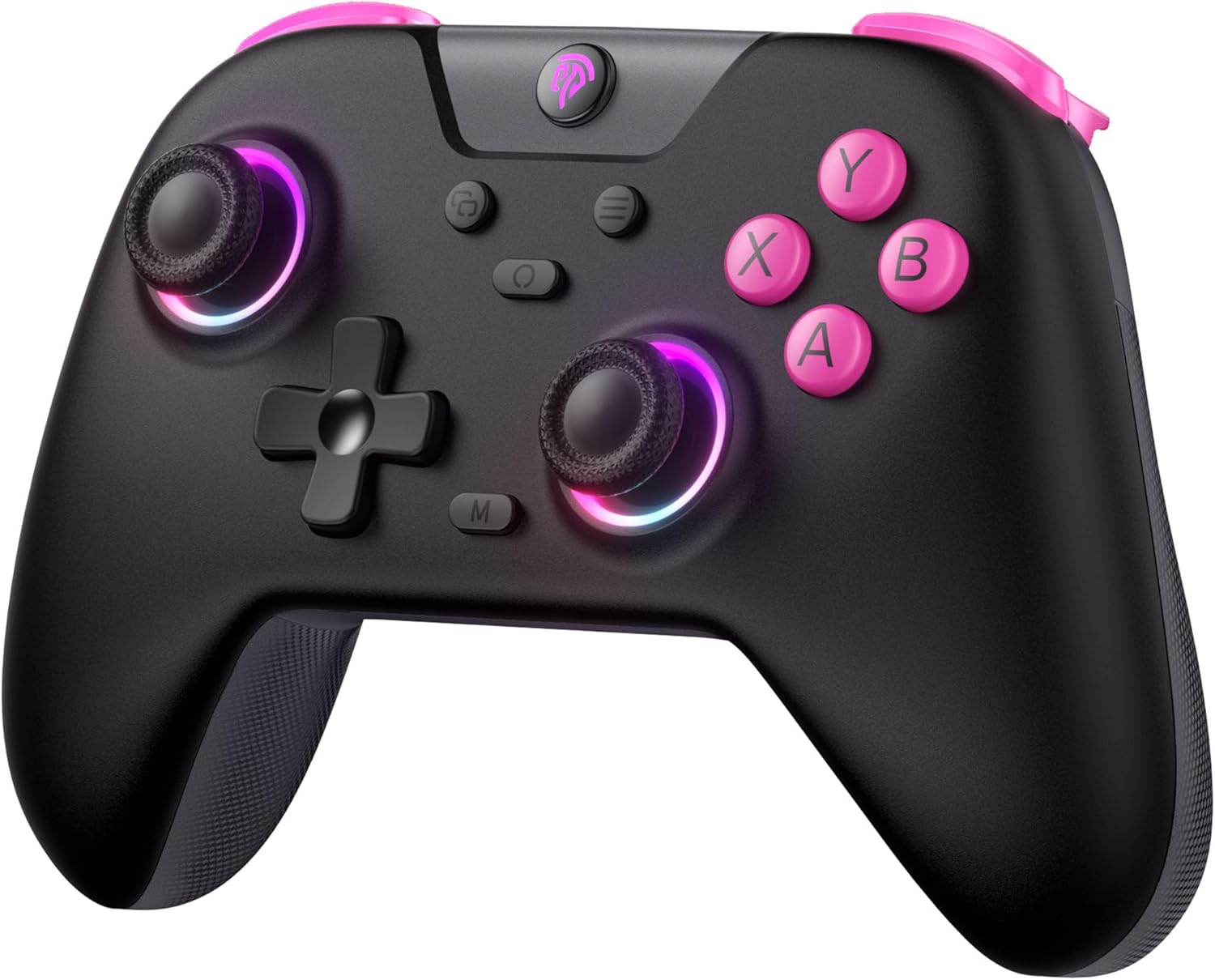
Сүрөт: алдыңкы view of the EasySMX X05 Wireless Gamepad in black with pink accents and illuminated joysticks.
Негизги өзгөчөлүктөрү
- Көп платформа шайкештиги: Works with PC Windows, Switch, Android, iOS, Tablets, and Tesla.
- RGB жарыктандыруу: Features cool RGB lighting on joysticks and grips with 7 color combinations and 5 lighting modes (Brightness, Breathing, Colorful, Fade, Off).
- Үч эселенген туташуу режимдери: Supports 2.4GHz wireless (via dongle for PC), Bluetooth (for Switch, Android, iOS, Tablet), and wired USB connection.
- Hall Effect Technology: Equipped with Hall Effect joysticks and triggers for precise control, eliminating physical wear and stick drift, and providing a response time of less than 0.1ms.
- Батареянын узак иштөө мөөнөтү: Built-in 750mAh lithium battery offers over 20 hours of gameplay.
- Программалануучу баскычтар: Two programmable buttons (M1, M2) at the bottom for custom macros.
- Эргономикалык дизайн: Comfortable grip suitable for extended gaming sessions.
- Жөнгө салынуучу титирөө: 5 levels of vibration intensity for immersive feedback.
- Турбо функциясы: Customizable turbo settings for rapid button presses.
Пакеттин мазмуну
Сураныч, пакетте төмөнкү нерселерди текшериңиз:
- EasySMX X05 Wireless Gamepad
- 2.4 ГГц USB Dongle
- USB-C заряддоо кабели
- User Manual
Controller Layout
Familiarize yourself with the buttons and features of your EasySMX X05 Gamepad.
Сүрөт: деталдуу view of the EasySMX X05 Gamepad, highlighting its various buttons and joysticks.
- A/B/X/Y баскычтары: Стандарттык аракет баскычтары.
- D-Pad: Кыймылды так аткаруу үчүн багыттоочу жаздык.
- Сол/оң аналогдук таякчалар: Hall Effect joysticks for smooth, drift-free control.
- LB/RB баскычтары: Сол жана оң жактагы бампер баскычтары.
- LT/RT Triggers: Left and Right Hall Effect Triggers for accurate pressure sensing.
- Үй баскычы: Power on/off, system menu access.
- +/- баскычтары: System specific functions (e.g., Start/Select).
- Скриншот баскычы: Capture screenshots (Switch).
- M баскычы: Macro/Programmable button.
- M1/M2 баскычтары: Программалануучу арткы баскычтар.
- Mode Switch Toggle: Located on the back, for switching between NS (Switch), BT (Bluetooth), and 2.4G modes.
Контроллерди заряддоо
The EasySMX X05 Gamepad comes with a built-in 750mAh rechargeable lithium battery. Before first use, it is recommended to fully charge the controller.
- Connect the supplied USB-C charging cable to the controller's USB-C port and the other end to a USB power source (e.g., PC, USB wall adapter).
- The LED indicators on the controller will show charging status. Typically, they will blink while charging and turn solid when fully charged.
- Толук заряддоо болжол менен 2-3 саатты талап кылат.
- The controller can be used in wired mode while charging.

Image: Illustration highlighting the 750mAh battery capacity of the gamepad.
Connectivity Modes and Setup
The EasySMX X05 supports three connection methods: 2.4GHz wireless, Bluetooth, and wired.

Image: Diagram showing the multi-platform compatibility of the EasySMX X05 gamepad, including Switch, PC, Android, iOS, and Tesla.
1. 2.4GHz Wireless Mode (for PC, Tesla, Smart TV)
- Set the mode switch toggle on the back of the controller to "2.4G".
- Insert the 2.4GHz USB dongle into an available USB port on your PC, Tesla, or Smart TV.
- Press the HOME button on the controller to power it on. The controller will automatically connect to the dongle. The indicator lights will become solid once connected.
2. Bluetooth Mode (for Switch, Android, iOS, Tablets)
- Set the mode switch toggle on the back of the controller to "BT".
- Nintendo Switch үчүн:
- On your Switch, go to "System Settings" > "Controllers and Sensors" > "Change Grip/Order".
- Press and hold the HOME button on the EasySMX X05 controller for 3 seconds until the indicator lights start flashing rapidly.
- The Switch will detect the controller. Once paired, the indicator light will become solid.
- For Android/iOS/Tablets:
- Түзмөгүңүздө Bluetooth'ду иштетиңиз.
- Press and hold the HOME button on the EasySMX X05 controller for 3 seconds until the indicator lights start flashing rapidly.
- On your device's Bluetooth settings, search for "EasySMX X05" (or similar) and select it to pair.
- Жупташтырылгандан кийин, индикатор жарыгы туруктуу болуп калат.
3. Wired Mode (for PC, Android TV, Steam Deck)
- Set the mode switch toggle on the back of the controller to "NS" (or any mode, as wired connection overrides wireless).
- Connect the USB-C charging cable to the controller's USB-C port and the other end to a USB port on your PC, Android TV, or Steam Deck.
- The controller will be automatically recognized as a wired gamepad.
Иштөө нускамалары
RGB жарыкты тууралоо
The EasySMX X05 features customizable RGB lighting on its joysticks and grips.

Image: Visual representation of the gamepad's stylish RGB lighting effects, showing 7 color combinations and 5 diverse lighting modes.
- басыңыз RGB баскычы (usually a dedicated button near the HOME button or a combination) to cycle through different lighting modes (e.g., Brightness, Breathing, Colorful, Fade, Off).
- Refer to the specific button combination in your physical manual for detailed RGB control.
Vibration Adjustment
Adjust the intensity of the vibration feedback for a personalized gaming experience.
- The controller supports 5 levels of vibration intensity (0%, 25%, 50%, 75%, 100%).
- Typically, vibration intensity can be adjusted by holding a specific button (e.g., Turbo or M button) and pressing the D-pad Up/Down. Consult your physical manual for the exact combination.
Turbo Function Setup
The Turbo function allows for rapid, automatic pressing of a button, useful for certain in-game actions.

Image: Instructions on how to set up and disable the Turbo function for various buttons (A/B/X/Y/LB/LT/RB/RT).
- Турбо режимин иштетүү үчүн: басып, кармап туруңуз M баскычы, then press the desired action button (A/B/X/Y/LB/LT/RB/RT) once. The button will now continuously activate when held down.
- Турбо режимин өчүрүү үчүн: басып, кармап туруңуз M баскычы, андан кийин ошол эле аракет баскычын кайра басыңыз. Ал баскычтын Турбо функциясы өчүрүлөт.
Power Management
- Кол менен өчүрүү: Press and hold the HOME button for 5 seconds to turn off the controller.
- Автоматтык түрдө өчүрүү: The controller will automatically power off after 5 minutes of inactivity to conserve battery.

Image: Illustration showing the automatic power-off feature of the gamepad after 5 minutes of inactivity.
Advanced Features
Hall Effect Joysticks and Triggers
The EasySMX X05 utilizes Hall Effect technology for its joysticks and triggers, providing superior durability and precision compared to traditional potentiometer-based components.
- Eliminates Physical Damage: Magnetic sensors replace physical contacts, reducing wear and tear.
- Prevents Stick Drift: Ensures consistent and accurate input over time.
- Тез жооп берүү убактысы: Triggers offer a response time of less than 0.1ms.

Сүрөт: жарылды view illustrating the internal components of a Hall Effect joystick, emphasizing its durability and precision.

Сүрөт: кесилиши view of a Hall Effect trigger, showing its magnetic sensing mechanism and precise response.
Programmable Back Buttons (M1/M2)
The M1 and M2 buttons on the back of the controller can be programmed to perform complex actions with a single press.
- Программага: Press and hold the M button, then press the M1 or M2 button. The indicator light will blink. Now press the sequence of buttons you wish to assign (e.g., A, B, X). Press M1 or M2 again to save the macro.
- To Clear: Press and hold the M button, then press the M1 or M2 button twice.
- Refer to your physical manual for specific programming steps and limitations.
Rocker Caps
The controller may come with or support additional rocker caps to enhance joystick feel and precision.
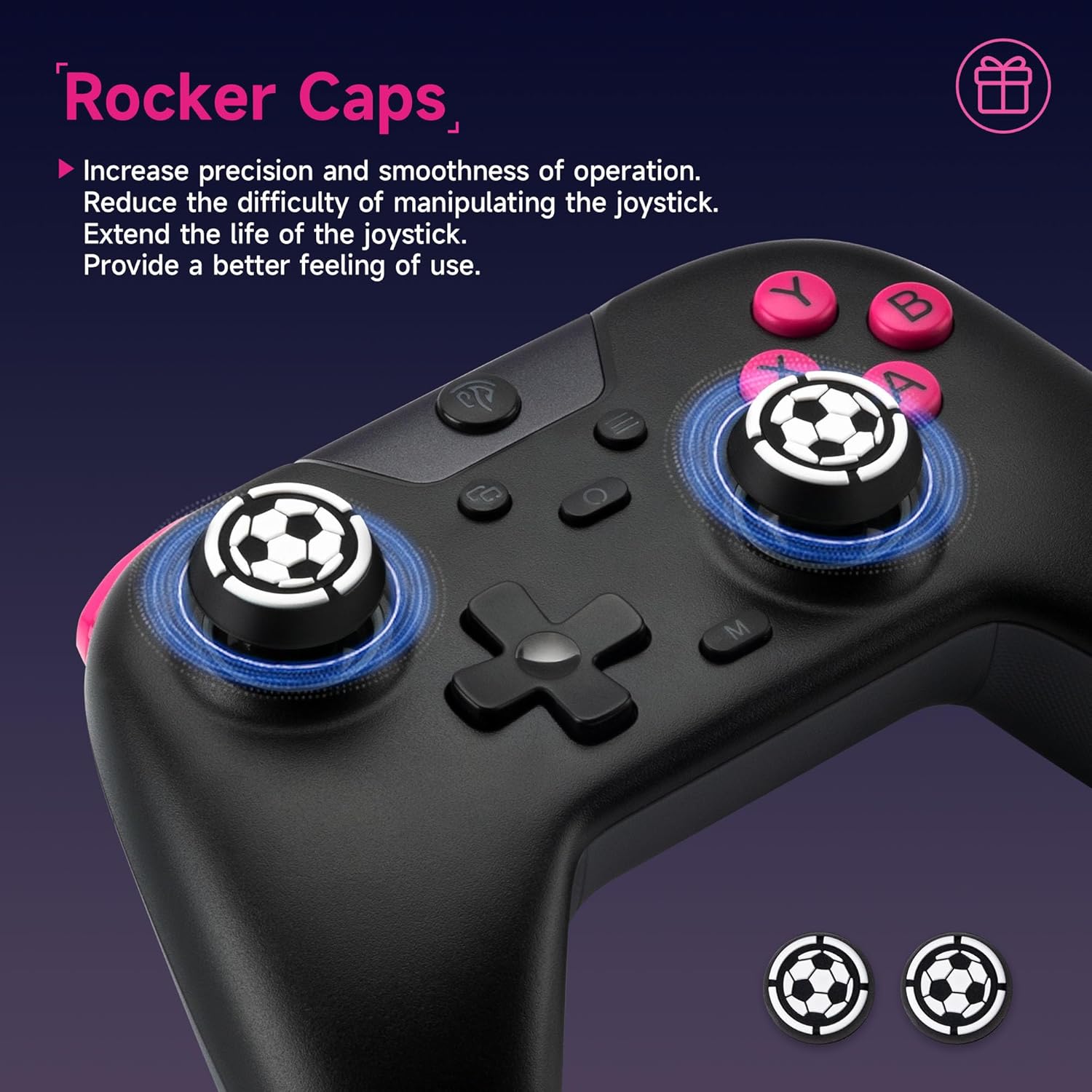
Image: Close-up of the joysticks with optional rocker caps, designed to increase precision and smoothness of operation.
- Increase precision and smoothness of operation.
- Reduce the difficulty of manipulating the joystick.
- Extend the life of the joystick.
Техникалык тейлөө жана кам көрүү
- Тазалоо: Контроллерди тазалоо үчүн жумшак, кургак чүпүрөктү колдонуңуз. Катуу химиялык заттарды же абразивдүү материалдарды колдонбоңуз.
- Сактагыч: Контроллерди түз күн нурунан жана экстремалдык температурадан алыс салкын, кургак жерде сактаңыз.
- Батареяга кам көрүү: Батареянын иштөө мөөнөтүн узартуу үчүн, батареяны тез-тез толук зарядсыздандырбаңыз. Көпкө чейин колдонулбаса дагы, контроллерди үзгүлтүксүз кубаттап туруңуз.
- Тамчылардан качуу: Контроллерди тамчылардан жана таасирлерден коргоңуз, бул ички компоненттерге зыян келтириши мүмкүн.
Проблемаларды чечүү
| Көйгөй | Мүмкүн чечим |
|---|---|
| Контроллер күйбөйт. | Контроллер заряддалганын текшериңиз. Аны USB-C кабели аркылуу кубат булагына туташтырыңыз. |
| Контроллер зымсыз туташпайт. |
|
| Input lag or disconnections. |
|
| Баскычтар же джойстиктер жооп бербейт. |
|
| Вибрация иштебейт. |
|
Техникалык шарттар
| Өзгөчөлүк | Деталь |
|---|---|
| Модель номери | X05 |
| Бренд | EasySMX |
| Байланыш | 2.4 ГГц зымсыз, Bluetooth, зымдуу (USB-C) |
| Шайкеш түзмөктөр | PC (Windows), Nintendo Switch, Android, iOS, Tablets, Tesla, Android TV |
| Батарея сыйымдуулугу | 750 мАч литий батареясы |
| Батареянын иштөө мөөнөтү | > 20 hours (approx.) |
| Заряддоо убактысы | 2-3 саат (болжол менен) |
| Джойстик түрү | Холл эффектисинин джойстиктери |
| Триггер түрү | Холл эффектинин триггерлери |
| RGB жарыктандыруу | 7 түс, 5 режим |
| Вибрация | Adjustable (5 levels) |
| Программалануучу баскычтар | M1, M2 (артка баскычтар) |
| Өлчөмдөрү (L x W x Y) | 7.5 x 11.9 x 16.5 см (болжол менен) |
| баскычтардын саны | 14 |
Кепилдик жана колдоо
EasySMX products typically come with a manufacturer's warranty. For specific warranty details, return policies, or technical support, please refer to the official EasySMX webсайтка же түздөн-түз кардарларды тейлөөгө кайрылыңыз.
- Официалдуу Webсайт: зыярат кылыңыз EasySMX расмий Webсайт продуктуну каттоо, көп берилүүчү суроолор жана колдоо ресурстары үчүн.
- Кардарларды тейлөө: Contact EasySMX customer support for any issues not covered in this manual.
- Purchase Platform Support: For return or exchange inquiries, please contact the retailer where you purchased the product.


