1. Киришүү
Welcome to the user manual for your new XGODY S200 Flip Phone. This device is designed for ease of use, featuring large buttons, a clear display, and essential functions for reliable communication. Please read this manual carefully to understand how to operate your phone safely and efficiently.
2. Пакеттин мазмуну
Сураныч, төмөнкү нерселер үчүн кутучаны белгилеңиз:
- XGODY S200 Flip Phone
- Заряддалуучу батарея
- USB Type-C кубаттоочу кабель
- Кубаттуу адаптер
- User Manual
3. Түзмөк бүттүview
Familiarize yourself with the key components of your XGODY S200 Flip Phone.

Сүрөт 3.1: Алдыңкы view of the XGODY S200 flip phone in its open position, displaying the screen and large keypad.

Figure 3.2: Detail of the XGODY S200's side, showing the USB Type-C charging port, 3.5mm headphone jack, and a flashlight.
3.1. Баскычтоптун жайгашуусу
- Чабыттоо баскычтары: Up, Down, Left, Right, and OK/Confirm button in the center.
- Чалуу ачкычы: Green button to make or answer calls.
- Аяктоо/Кубат баскычы: Red button to end calls or power the phone on/off.
- SOS ачкычы: Dedicated button for emergency calls (often on the back or side).
- Сандык баскычтоп: Large, easy-to-read buttons for dialing numbers and text input.
4. Орнотуу
4.1. Батареяны орнотуу
- Телефондун арткы капкагын оюктан акырын тартып ачыңыз.
- Батареянын контакттарын телефондун ичиндеги терминалдар менен тегиздеңиз.
- Press the battery down firmly until it is securely in place.
- Арткы капкакты ордуна коюп, чыкылдагандай болгонун текшериңиз.
4.2. SIM-карта(лар)ды орнотуу
The XGODY S200 supports dual SIM cards.
- Батареясын алып салгандан кийин, SIM карта уячасын (уячаларын) табыңыз.
- Insert your SIM card(s) into the slot(s) with the gold contacts facing down and the cut corner aligned as indicated.
- Ensure the SIM card(s) are fully inserted.
- Батареяны жана арткы капкакты кайра орнотуңуз.
4.3. Телефонду заряддоо
- Connect the USB Type-C cable to the charging port on the side of the phone.
- Plug the other end of the cable into the power adapter, then plug the adapter into a wall outlet.
- Экрандагы батареянын сөлөкөтү заряддоо абалын көрсөтөт.
- Charge the phone fully before first use (approximately 2-3 hours).
5. Телефонуңузду иштетүү
5.1. Күйгүзүү/өчүрүү
- Күйгүзүү үчүн: Press and hold the Red End/Power Key until the screen lights up.
- Өчүрүү үчүн: Press and hold the Red End/Power Key until the power-off options appear, then select 'Power Off'.
5.2. Чалууларды кабыл алуу жана кабыл алуу
- Чакыруу: Enter the phone number using the keypad and press the Green Call Key.
- Чалууга жооп берүү: When the phone rings, press the Green Call Key.
- Чалууну аяктоо: Press the Red End/Power Key.
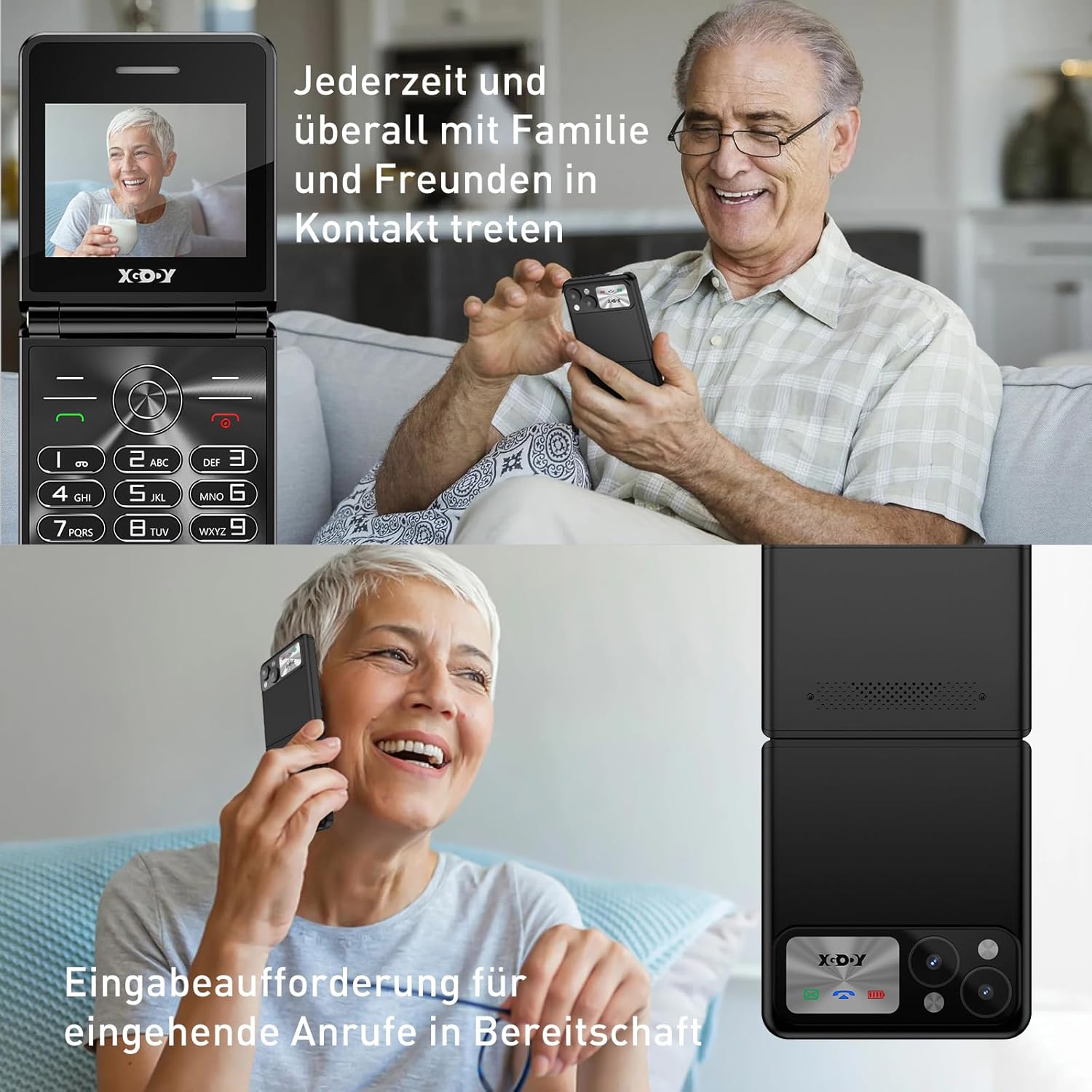
Figure 5.1: The XGODY S200 features loud and clear call volume, beneficial for users with hearing impairments.
5.3. Contacts (Phonebook)
- From the main screen, navigate to 'Contacts' or 'Phonebook' using the navigation keys and press the OK key.
- Select 'Add New Contact' to save a number.
- Аты-жөнүн жана телефон номерин киргизип, андан кийин сактаңыз.
5.4. SOS өзгөчө кырдаал функциясы
The SOS function allows you to quickly contact pre-set emergency numbers.

Figure 5.2: Illustration of the SOS emergency call feature, allowing users to quickly contact up to five pre-set family members or emergency services.
- SOS номерлерин орнотуу: Go to 'Settings' > 'SOS Settings' and add up to 5 emergency contacts.
- SOSту иштетүү: Press and hold the dedicated SOS button (usually on the back or side of the phone) for a few seconds. The phone will automatically dial the pre-set numbers in sequence until one is answered. It may also send an emergency SMS.
5.5. FM радиосу
To use the FM Radio, you may need to connect headphones (not always included) as they often act as an antenna.
- Navigate to 'FM Radio' from the main menu.
- Use the navigation keys to scan for stations or manually tune.
5.6. Фонар
Ыңгайлуулук үчүн телефондо орнотулган фонарь бар.

Figure 5.3: An image demonstrating the built-in flashlight feature of the XGODY S200, activated by a long press, providing convenience in low-light conditions.
- Күйгүзүү/өчүрүү үчүн: Press and hold the dedicated flashlight button (if available) or a specific key combination as indicated in the phone's quick guide.
6. Техникалык тейлөө
- Тазалоо: Телефондун экранын жана корпусун тазалоо үчүн жумшак, кургак чүпүрөктү колдонуңуз. Суюк тазалоочу каражаттарды колдонбоңуз.
- Батареяга кам көрүү: Do not expose the battery to extreme temperatures. If the phone will not be used for an extended period, charge it partially before storing.
- Сактагыч: Телефонду салкын, кургак жерде, күн нуру түз тийбеген жана нымдуулуктан алыс сактаңыз.
7. Кыйынчылыктарды
| Көйгөй | Мүмкүн чечим |
|---|---|
| Телефон күйбөйт | Батарея туура орнотулганын жана толук заряддалганын текшериңиз. Телефонду жок дегенде 30 мүнөт заряддап көрүңүз. |
| Чалууларды кабыл алуу же жасоо мүмкүн эмес | SIM карта туура салынганын текшериңиз. Сизде тармак сигналы бар экенин текшериңиз. Эгер көйгөй чечилбесе, кызмат тейлөөчүңүзгө кайрылыңыз. |
| Чалуу сапаты начар | Move to an area with better network reception. Ensure the microphone and speaker are not obstructed. |
| Батарея бат эле түгөнөт | Reduce screen brightness. Close unused applications. If the battery is old, consider replacing it. |
| SOS функциясы иштебей жатат | Verify that emergency numbers are correctly set in the SOS settings. Ensure the phone has network signal. |
8. Техникалык шарттар
| Өзгөчөлүк | Деталь |
|---|---|
| Бренд | Xgody |
| Модель аты | S200 |
| Операция системасы | Basic OS |
| Screen Size | 2.4 дюйм |
| Резолюция | 240 x 320 |
| RAM өлчөмү | 32 MB |
| Эстутум сактоо сыйымдуулугу | 32 MB |
| Зымсыз оператор | Бардык операторлор (кулпусу ачылган) |
| Уюлдук технология | 2G |
| Байланыш технологиясы | 2G (GSM) |
| Батарея | 1 Литий-полимер (кошулган) |
| Заряддоо порту | USB Type-C |
9. Кепилдик жана колдоо
Specific warranty details for the XGODY S200 Flip Phone are not provided within this manual. For warranty information, technical support, or service inquiries, please refer to the documentation included with your purchase or visit the official XGODY webсайт. Ар кандай кепилдик дооматтары үчүн сатып алганыңыздын далилин сактаңыз.


