1. Киришүү
Thank you for choosing the IOOIOO A80 Portable Printer. This compact, inkless thermal printer is designed for convenience and efficiency, allowing you to print documents, photos, and more from various devices, including smartphones, tablets, and computers. Its portable design makes it ideal for home, office, or travel use.


2. Кутуда эмне бар
Сураныч, пакеттин мазмунун текшерип, бардык буюмдар бар экенин текшериңиз:
- IOIOO A80 көчмө принтер
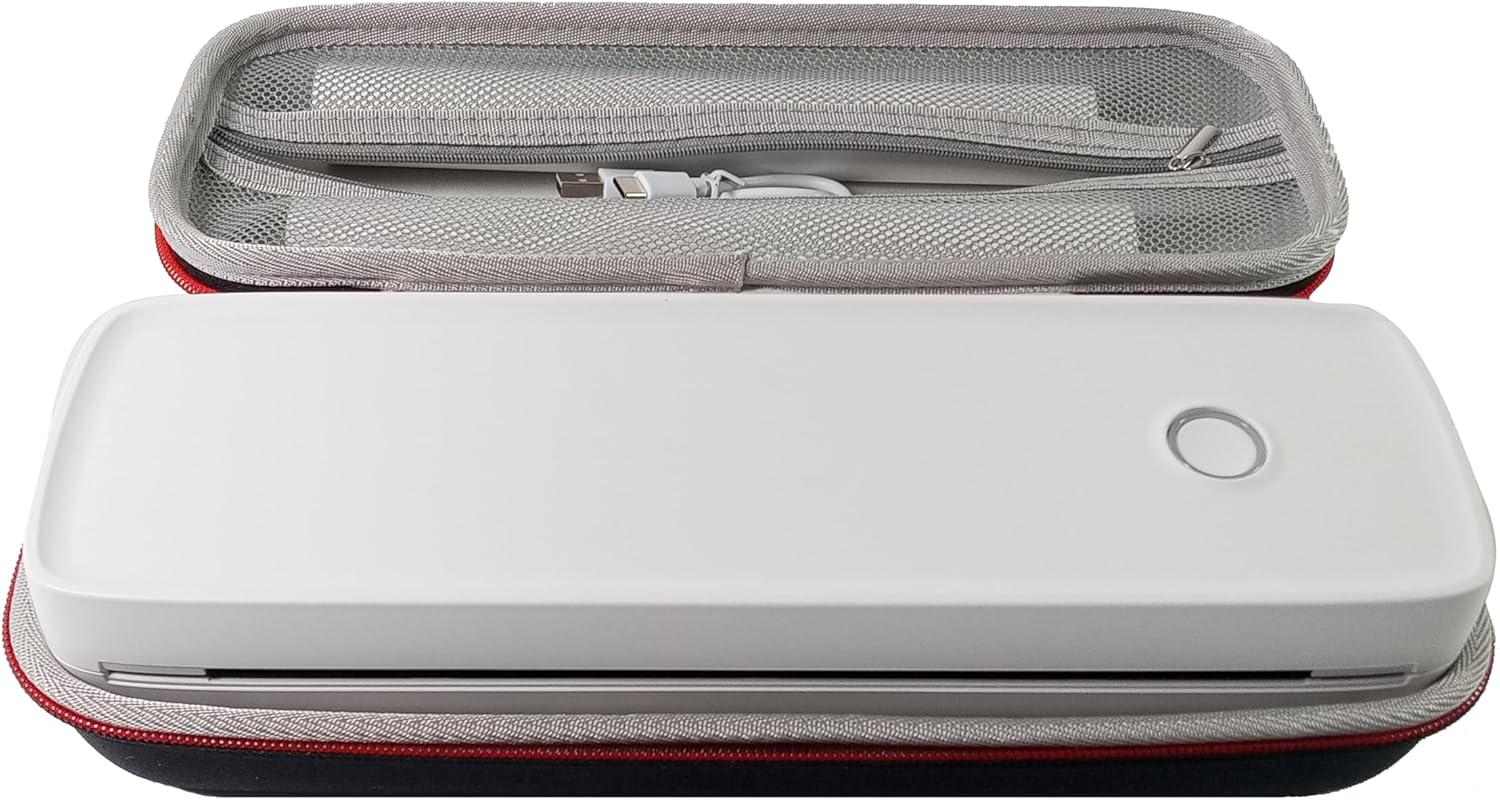
- Ташуу кутусу
- 3 Rolls of A4 or Letter Thermal Paper
- 3 Pages of Continuous Folded Thermal Paper
- USB кабели
- QR Code for Manual Download (Digital Manual)

3. Орнотуу
3.1 Алгачкы заряддоо
Before first use, fully charge the printer using the provided USB cable. The LED indicator will show charging status.
3.2 Software/Driver Installation
To use the printer with your devices, appropriate software or drivers are required:
- For Mobile Phones (iPhone/Android): Download the "SharpFox" application from your device's app store.
- For Desktop PCs (Windows/Mac/Linux/Raspberry Pi): Download the necessary drivers from the official IOOIOO website. A QR code is provided in the box for quick access to the manual and driver download links.
3.3 Термикалык кагазды жүктөө
The IOOIOO A80 uses inkless thermal paper. To load paper:
- Кагаз бөлүктүн капкагын ачыңыз.
- Insert the thermal paper roll or folded stack, ensuring the printable side is facing the print head.
- Капкагын бекем жабыңыз.

4. Иштөө нускамалары
4.1 Күйгүзүү/өчүрүү
- Күйгүзүү үчүн: Press and hold the power button until the LED indicator illuminates.
- Өчүрүү үчүн: LED индикатору өчкөнчө кубат баскычын басып, кармап туруңуз.
4.2 Байланыш
The IOOIOO A80 offers both Bluetooth wireless and USB wired connectivity options.
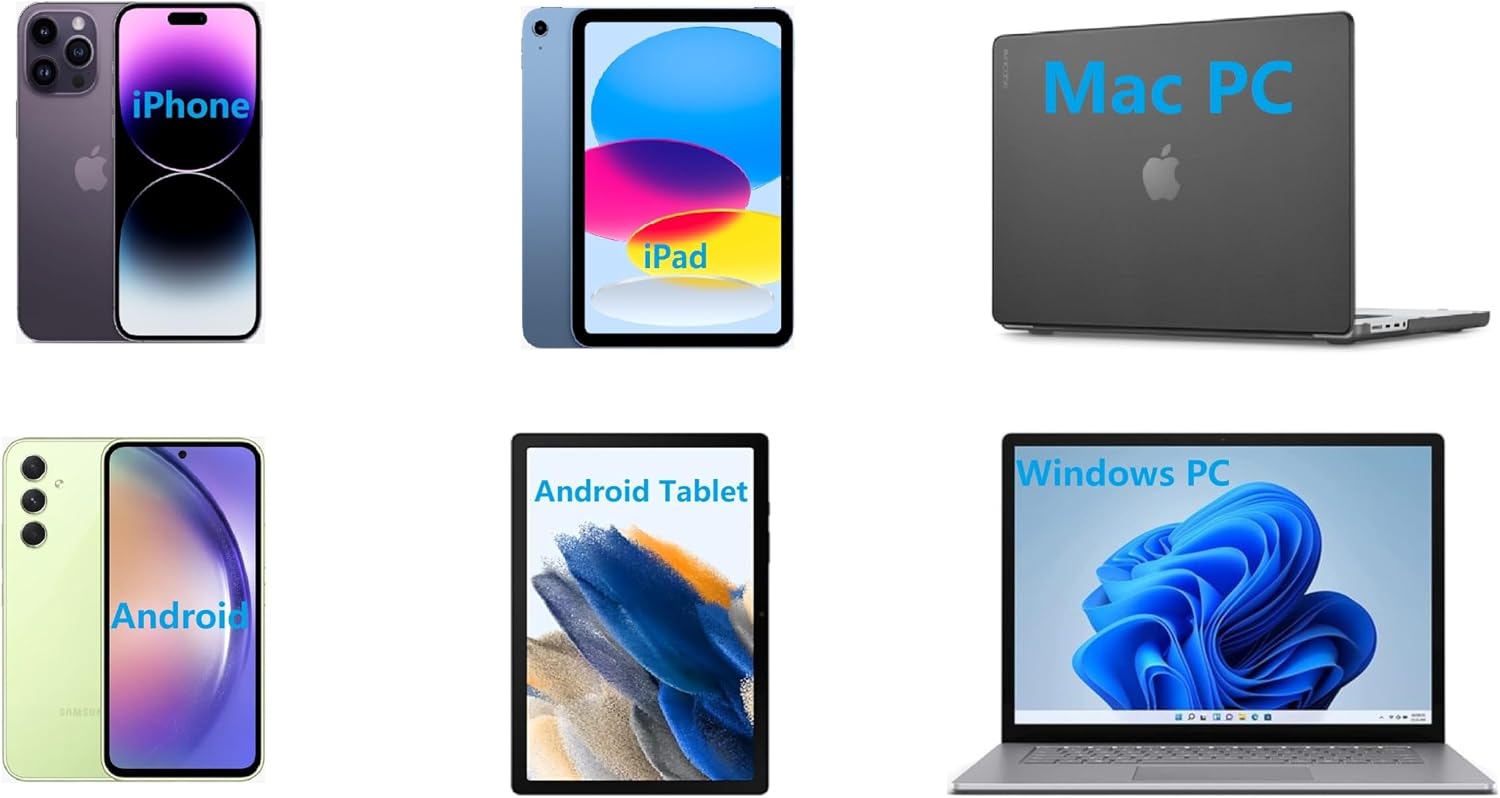
4.2.1 Bluetooth Connection (for Phones and Windows PC)
- Ensure the printer is powered on and the LED is green.
- On your phone, open the "SharpFox" app. On your Windows PC, ensure Bluetooth is enabled.
- Within the app or PC Bluetooth settings, search for and select the "IOOIOO A80" printer to pair.
- Жупташтыруу процессин аяктоо үчүн экрандагы көрсөтмөлөрдү аткарыңыз.
4.2.2 USB Connection (for Windows PC, Mac PC, Linux, Raspberry Pi)
- Ensure the printer is powered on and the LED is green. If the LED is not green, the printer will not print via USB.
- Берилген USB кабелин колдонуп принтерди компьютериңизге туташтырыңыз.
- Install the appropriate drivers as described in Section 3.2.
- Драйверлер орнотулгандан кийин, принтер компьютериңиз тарабынан таанылышы керек.
4.3 Басып чыгаруу
After connecting your printer, you can initiate printing from your chosen application (e.g., SharpFox app, word processor, PDF viewer).
- Колдонмоңуздагы басып чыгаруу опциясын тандаңыз.
- Choose "IOOIOO A80" from the list of available printers.
- Adjust print settings (e.g., paper size: US letter/legal/A4/A5, 2", 3", 4" sticky/non-sticky, flat folded/rolled thermal paper, tattoo stencil transfer paper) as needed.
- Click "Print" to begin printing.
Note on Tattoo Stencil Printing: This printer is suitable for normal tattoo lines only. It is not recommended for sharp lines, large blocks, gradients, or color patterns.
5. Техникалык тейлөө
Proper maintenance ensures the longevity and optimal performance of your IOOIOO A80 printer.
5.1 Басып чыгаруу башын тазалоо
Басып чыгаруу сапатын сактоо үчүн басып чыгаруучу башты үзгүлтүксүз тазалап туруңуз.
- Принтерди өчүрүп, кубат булагынан ажыратыңыз.
- Кагаз бөлүкчөсүн ачыңыз.
- Gently wipe the print head with a lint-free cloth lightly dampизопропил спирти менен жасалган.
- Капкакты жаап, принтерди күйгүзүүдөн мурун басып чыгаруу башынын толук кургашына уруксат бериңиз.
5.2 Paper Storage
Store thermal paper in a cool, dry place away from direct sunlight and heat to preserve its quality and ensure prints last for the expected duration (2 to 15 years depending on paper type).
6. Кыйынчылыктарды
If you encounter issues with your IOOIOO A80 printer, please refer to the official Troubleshooting Guide for detailed solutions.
Көйгөйлөрдү чечүү боюнча колдонмону жүктөп алыңыз (PDF)
Common issues and quick checks:
- Принтер күйбөй жатат: Батарея заряддалганын текшериңиз.
- Басып чыгаруу жок: Check paper loading, ensure the LED is green (for USB connection), and verify connectivity (Bluetooth/USB).
- Начар басып чыгаруу сапаты: Clean the print head, ensure you are using compatible thermal paper.
- Туташуу маселелери: Restart both the printer and the device you are trying to connect from. Re-pair Bluetooth or re-plug the USB cable.
7. Техникалык шарттар
| Өзгөчөлүк | Деталь |
|---|---|
| Бренд | IOIOO |
| Модель аты | A80 |
| Продукциянын өлчөмдөрү | 3.6"D x 11.4"W x 2.4"H |
| Элемент Салмагы | 1.8 фунт |
| Басма технологиясы | Термикалык |
| Максималдуу кара жана ак басып чыгаруу чечими | 200 dpi |
| Макс басып чыгаруу ылдамдыгы (монохромдуу) | 4 ppm (approx. 10mm/s) |
| Максималдуу медиа өлчөмү | A4 (supports US Letter/Legal/A4/A5) |
| Байланыш технологиясы | Bluetooth for Phone, USB for PC |
| Сыя түсү | Black (Monochrome) |
| Print Head Life | Approx. 170,000 letter pages |
| Батарея | 1 литий-иондук батарейка (кошулган) |
8. Кепилдик жана колдоо
For any questions, technical assistance, or warranty inquiries, please contact IOOIOO customer service.
- АКШ телефонун колдоо: Available for direct assistance.
- WhatsApp колдоо: Available for convenient messaging support.
Please refer to your product packaging or the official IOOIOO webакыркы байланыш маалыматы үчүн сайт.


