Introduction
The Mytrix Tac Master Wireless Gaming Headset is designed to provide a high-quality audio experience for gaming across multiple platforms. Featuring 2.4GHz lossless wireless technology, Bluetooth 5.3, and a 3.5mm wired connection, this headset offers versatile connectivity, low latency, and immersive surround sound. The detachable noise-canceling microphone ensures clear communication, while the ergonomic design and long battery life provide comfort for extended use.
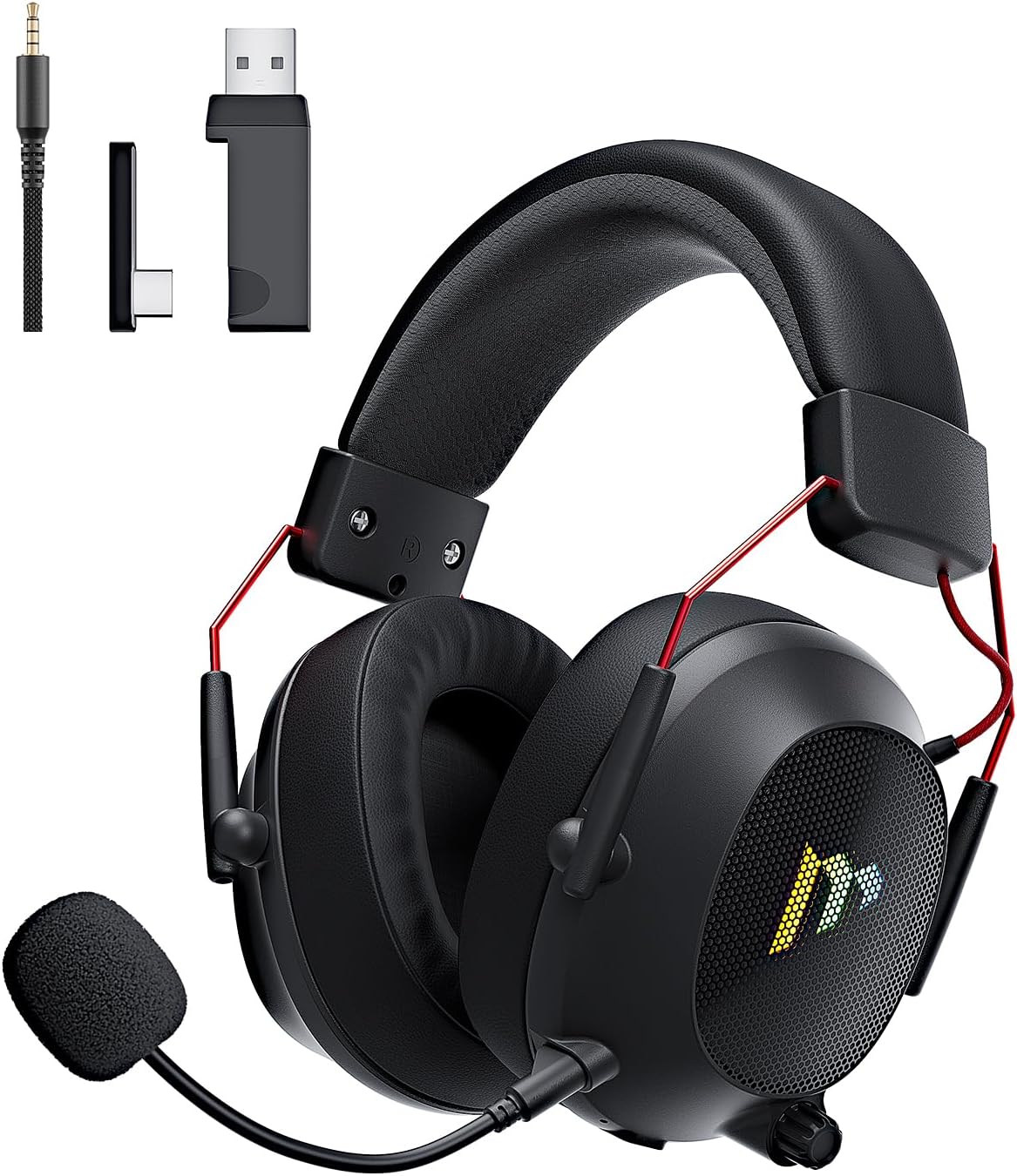
Image: The Mytrix Tac Master Wireless Gaming Headset, showcasing its sleek black design with red accents, detachable microphone, and included USB dongle and Type-C adapter.
Пакеттин мазмуну
Төмөндө тизмеленген нерселердин баары пакетиңизге камтылганын текшериңиз:
- Mytrix Tac Master Wireless Gaming Headset
- Ажыратылуучу ызы-чууну жокко чыгаруучу микрофон
- 2.4GHz USB-A Wireless Dongle
- USB Type-C Transmitter
- 3.5 мм аудио кабель
- USB кубаттоо кабели (USB-Aдан USB-Cге чейин)
- Колдонуучунун Колдонмосу (бул документ)
Headset Controls and Components
Familiarize yourself with the various controls and components of your Mytrix Tac Master headset:

Image: Diagram illustrating the location and function of controls on the Mytrix Tac Master headset, including power button, volume wheel, microphone mute button, and mode switch.
- Кубат баскычы: Press and hold for 3 seconds to turn on/off. Single press to pause/play audio.
- Режим баскычы (M): Single press to toggle microphone on/off. Double press to switch between Bluetooth and 2.4G wireless modes. Press and hold for 3 seconds to turn RGB lights on/off.
- Көлөм дөңгөлөгү: Rotate up to increase volume, rotate down to decrease volume.
- Микрофон порту: Алынуучу микрофонду орнотуу үчүн.
- 3.5 мм аудио уячасы: Зымдуу туташуу үчүн.
- USB-C заряддоо порту: Гарнитураны заряддоо үчүн.
- RGB жарыктандыруу: Located on the earcups.
Жайгашуу
1. Гарнитураны заряддоо
Before first use, fully charge the headset. Connect the USB charging cable to the headset's USB-C port and the other end to a USB power source (e.g., computer USB port, USB wall adapter). The LED indicator will show charging status and turn off when fully charged. A full charge takes approximately 3 hours and provides up to 48 hours of battery life.

Image: Visual representation of the headset's long-lasting battery life, indicating approximately 50 hours of use and a 3-hour charging time.
2. Микрофонду тиркөө
Insert the detachable microphone into the microphone port on the left earcup. Ensure it is securely seated. The microphone is flexible and omni-directional, allowing for angle adjustment.
3. Байланыш параметрлери
The Mytrix Tac Master headset offers multiple connection methods for broad compatibility:

Image: Diagram illustrating the four connection modes: 2.4GHz Dongle (USB-A and USB-C), Bluetooth 5.3, and 3.5mm Wired, along with compatible devices for each mode.
3.1. 2.4GHz Wireless Connection (Recommended for PC, PS4, PS5, Switch Docked Mode)
- Identify the appropriate dongle for your device:
- For devices with a USB-A port (PC, PS4, PS5, Switch Docked): Use the 2.4GHz USB-A dongle.
- For devices with a USB-C port (Switch Handheld, Laptops, Tablets): Use the USB Type-C transmitter.
- Plug the selected 2.4GHz dongle/transmitter into an available USB port on your device.
- Гарнитураны күйгүзүү үчүн, "Күтүү" баскычын 3 секунд басып туруңуз.
- Ensure the headset is in 2.4GHz mode. If not, double-press the 'M' button to switch modes until the headset connects to the dongle. The headset will automatically pair with the dongle.
- On your device, select the headset as the audio output and input device.
3.2. Bluetooth 5.3 Connection (Recommended for Mobile Phones, Tablets, Laptops)
- Гарнитураны күйгүзүү үчүн, "Күтүү" баскычын 3 секунд басып туруңуз.
- Double-press the 'M' button to switch the headset to Bluetooth pairing mode. The LED indicator will flash, indicating it's ready to pair.
- On your device, enable Bluetooth and search for "Mytrix Tac Master" in the list of available devices.
- Select "Mytrix Tac Master" to connect. Once connected, the LED indicator will stop flashing.
3.3. 3.5mm Wired Connection (Recommended for Xbox, Game Console Controllers, Devices without USB/Bluetooth)
- 3.5 мм аудио кабелдин бир учун гарнитуранын 3.5 мм уячасына туташтырыңыз.
- Connect the other end of the 3.5mm audio cable to the audio jack on your device (e.g., Xbox controller, phone).
- In wired mode, the headset's microphone and RGB lighting functions are not active.
Иштөө нускамалары
Күйгүзүү/өчүрүү
- Күйгүзүү үчүн: Press and hold the Power button for approximately 3 seconds until the headset powers on.
- Өчүрүү үчүн: Press and hold the Power button for approximately 3 seconds until the headset powers off.
Үндү көзөмөлдөө
- Көлөмүн жогорулатуу: Rotate the Volume wheel upwards.
- Көлөмдү азайтуу: Rotate the Volume wheel downwards.
Микрофонду башкаруу
- Микрофондун үнүн басуу/ачуу: Single press the 'M' button.
- The detachable microphone features noise cancellation for clear voice chat.
RGB жарык көзөмөлдөө
- Turn RGB Lights On/Off: Press and hold the 'M' button for approximately 3 seconds.
Аудио ойнотууну башкаруу
- Аудиону ойнотуу/тындыруу: Single press the Power button.
Surround Sound
The headset features 7.1 stereo surround sound for an immersive audio experience, allowing for precise positioning of sound details in games.

Сүрөт: жарылган view of the headset's 50mm drivers, illustrating the components that contribute to its 7.1 stereo surround sound capability.
Техникалык тейлөө
- Тазалоо: Use a soft, dry cloth to clean the headset. Do not use abrasive cleaners or solvents. For earcups, gently wipe with a damp кездемеге ороп, колдонуудан мурун толугу менен кургатыңыз.
- Сактагыч: Store the headset in a cool, dry place away from direct sunlight and extreme temperatures. If storing for an extended period, ensure the battery is partially charged (around 50%) to preserve battery health.
- Батареяга кам көрүү: Avoid fully discharging the battery frequently. Charge the headset regularly, even if not in constant use, to maintain battery longevity.
- Микрофонго кам көрүү: Handle the detachable microphone gently. Avoid excessive bending or twisting.
Проблемаларды чечүү
| Көйгөй | Мүмкүн себеп | Чечим |
|---|---|---|
| Гарнитурадан үн жок. | Headset not powered on, low battery, incorrect audio output selected, connection issue. | Ensure headset is powered on and charged. Check device's audio settings to confirm "Mytrix Tac Master" is selected as output. Re-establish 2.4GHz or Bluetooth connection. For wired mode, ensure cable is fully inserted. |
| Микрофон иштебей жатат. | Microphone muted, not properly attached, incorrect audio input selected, wired mode limitation. | Single press the 'M' button to unmute. Ensure microphone is securely attached. Check device's audio settings to confirm "Mytrix Tac Master" is selected as input. Note: Microphone does not function in 3.5mm wired mode. |
| 2.4 ГГц зымсыз байланыш аркылуу туташуу мүмкүн эмес. | Dongle not recognized, headset not in 2.4GHz mode, interference. | Ensure dongle is fully inserted into a working USB port. Double-press 'M' button to switch headset to 2.4GHz mode. Try a different USB port. Move closer to the dongle to reduce interference. |
| Bluetooth аркылуу туташуу мүмкүн эмес. | Headset not in pairing mode, Bluetooth disabled on device, already connected to another device. | Double-press 'M' button to enter Bluetooth pairing mode (LED flashes). Ensure Bluetooth is enabled on your device. Disconnect from other Bluetooth devices if necessary. |
| RGB чырактары иштебей жатат. | Lights turned off, low battery, wired mode limitation. | Press and hold the 'M' button for 3 seconds to toggle RGB lights. Ensure headset has sufficient battery. Note: RGB lights do not function in 3.5mm wired mode. |
Техникалык шарттар
| Өзгөчөлүк | Деталь |
|---|---|
| Модель аты | Gaming Headset (G901) |
| Байланыш технологиясы | 2.4 ГГц зымсыз, Bluetooth 5.3, 3.5 мм зымдуу |
| Наушник уясы | 3.5 мм Джек |
| Зымсыз диапазон | Up to 50 feet (in open spaces) |
| Кечигип калуу | ≤20ms (2.4GHz) |
| Аудио драйвер түрү | 50мм динамикалык айдоочулар |
| Үн өзгөчөлүктөрү | 7.1 Stereo Surround Sound |
| Микрофон | Detachable, Omni-directional, Noise-Canceling |
| Батареянын иштөө мөөнөтү | 48 саатка чейин |
| Заряддоо убактысы | Болжол менен 3 саат |
| Батарея түрү | 1 литий-иондук батарейка (кошулган) |
| Наушник формасы | Кулак үстүндө |
| Өзгөчөлүктөр | Ergonomic Design, RGB Lighting, Foldable & Portable |
| Продукциянын өлчөмдөрү | 5.91 x 3.94 x 5.91 дюйм |
| Элемент Салмагы | 13.4 унция |
| Өндүрүүчү | Mytrix |
Кепилдик жана колдоо
Mytrix products are manufactured to high quality standards. For information regarding warranty coverage, technical support, or service inquiries, please refer to the warranty card included with your product or visit the official Mytrix website. You may also contact Mytrix customer support directly for assistance with your Tac Master Gaming Headset.
Кошумча жардам алуу үчүн, сураныч, баш багыңыз Mytrix Store on Amazon.
Маанилүү коопсуздук маалыматы
- Гарнитураны өтө жогорку температурага, нымдуулукка же суюктуктарга дуушар кылбаңыз.
- Гарнитураны түшүрүүдөн же катуу таасирлерге дуушар кылуудан качыңыз.
- Do not attempt to disassemble or repair the headset yourself. This will void the warranty.
- Угуунун бузулушун алдын алуу үчүн орточо үн деңгээлинде угуңуз. Катуу үндөрдү узак убакыт бою угуу угуунун туруктуу жоголушуна алып келиши мүмкүн.
- Балдар жетпеген жерде сактаңыз.


