Продукт бүттүview
The ApisQueen Silicone Waterproof Case is designed to provide protection for your A300 Remote Control. Made from durable silicone, this case offers a layer of defense against water, dust, and minor impacts, helping to extend the lifespan of your remote control. Its soft and flexible design ensures a snug fit while maintaining access to essential controls.
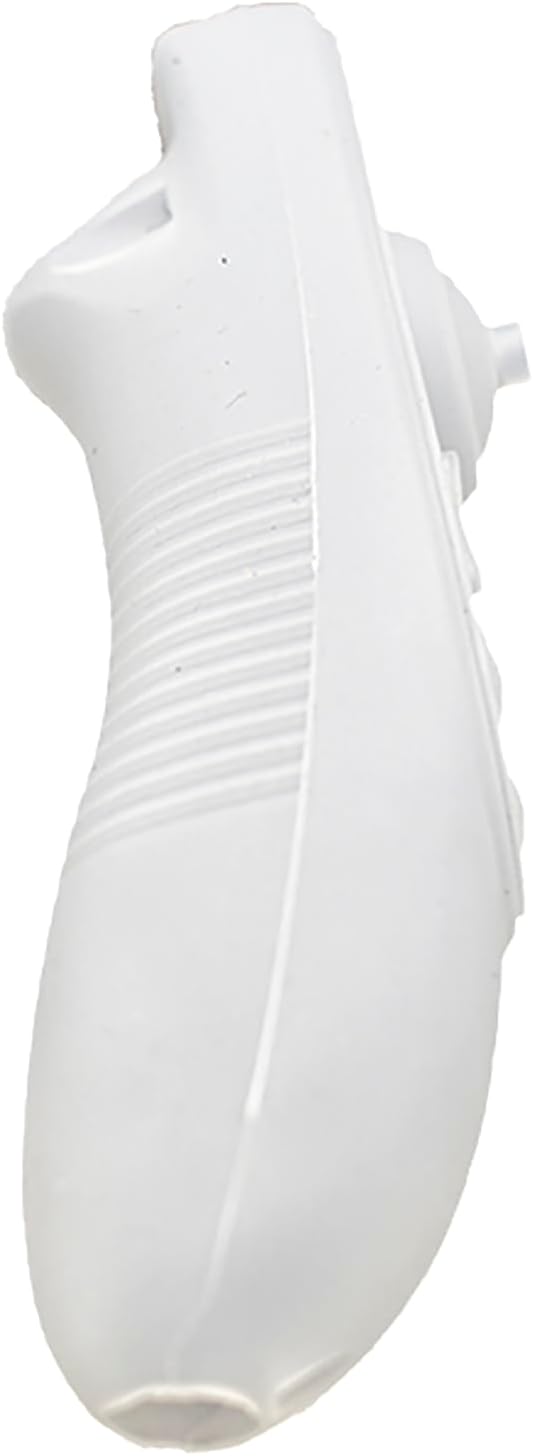
Сүрөт: алдыңкы view of the ApisQueen Silicone Waterproof Case for A300 Remote Control.
Эмне камтылган
- 1 x Silicone Waterproof Case
Орнотуу жана орнотуу
Follow these steps to properly install the silicone waterproof case onto your A300 Remote Control:
- Prepare the Remote and Case: Ensure your A300 Remote Control is clean and free of any debris. Take the silicone case and prepare it for installation.
- Insert the Remote: Carefully slide the A300 Remote Control into the silicone case from the top opening. The flexible nature of the silicone will allow it to stretch around the remote.
- Шайкештигин тууралоо: Once the remote is partially inside, gently work the silicone case down and around the entire remote, ensuring all edges and corners are properly covered. Smooth out any wrinkles or uneven areas to achieve a snug fit.
- Align Buttons and Openings: Verify that all buttons, joysticks, and necessary openings (such as for the joystick base) are correctly aligned with the corresponding cutouts in the silicone case.
- Secure Joystick Cover (if applicable): For the joystick, you may need to gently pull the silicone around its base to ensure it is fully covered and protected, as demonstrated in the video.
Орнотуу боюнча видео көрсөтмө
For a visual demonstration of the installation process, please refer to the official product video below:
Video: This video demonstrates the step-by-step process of installing the ApisQueen Silicone Waterproof Case onto the A300 Remote Control, including how to properly fit the case and adjust the joystick cover.
Продукт Views

Фронт view of the silicone case, highlighting button areas.

Side view of the silicone case, showing its ergonomic shape.

Артка view of the silicone case, detailing the grip texture.

Фронт view of the silicone case installed on the A300 remote, showing button visibility.

Side view of the silicone case installed on the A300 remote, highlighting the joystick protection.
Operating the Remote with Case
Once installed, the silicone case allows full functionality of your A300 Remote Control. All buttons and the joystick are designed to remain accessible and responsive through the silicone material. The case adds a comfortable grip and a layer of protection during normal use.
Техникалык тейлөө
To keep your silicone waterproof case clean and in optimal condition:
- Тазалоо: Ишти жарнама менен сүртүңүзamp cloth and mild soap if necessary. Rinse thoroughly and allow it to air dry completely before re-installing the remote.
- Сактагыч: Корпусты узак убакыт бою колдонбогондо, күн тийбеген, салкын, кургак жерде сактаңыз.
- Текшерүү: Periodically inspect the case for any signs of wear, tears, or damage that might compromise its protective capabilities.
Проблемаларды чечүү
If you encounter any issues with your silicone case, consider the following:
- Баскычтар жооп бербей жатат: Ensure the case is properly aligned with the remote control's buttons. Gently adjust the case to ensure there is no material obstructing the button presses.
- Loose Fit: If the case feels loose, double-check that it is fully seated around the remote control. The silicone is designed for a snug fit.
- Кубаттоо мүмкүнчүлүгү: Please note that this specific case model (WC-A300) does not feature a dedicated opening for charging the A300 Remote Control while the case is installed. The remote control will need to be removed from the case for charging.
Техникалык шарттар
| Өзгөчөлүк | Деталь |
|---|---|
| Продукциянын өлчөмдөрү | 5.31 x 1.97 x 1.97 дюйм |
| Элемент Салмагы | 0.32 унция |
| ASIN | B0D7ZRL2BN |
| Элемент моделинин номери | WC-A300 |
| Өзгөчөлүктөр | Суу өткөрбөйт |
| Форма фактору | Case |
| Түс | Ак |
| Өндүрүүчү | ApisQueen |
| Бренд | ApisQueen |
| Шайкеш түзмөктөр | A300 алыстан башкаруу |
| Shell түрү | Жумшак |
Коопсуздук маалыматы
No specific safety warnings are applicable for this product.
Кепилдик жана колдоо
For any questions regarding product warranty, technical support, or assistance with your ApisQueen Silicone Waterproof Case, please contact the manufacturer directly through their official channels or the retailer where the product was purchased. Refer to your purchase documentation for specific contact details.
Сиз да зыярат кылсаңыз болот ApisQueen Store көбүрөөк маалымат алуу үчүн.


