HGFRTEE 15.6" Portable Monitor User Manual
Модель: 156
Introduction
Сатып алганыңыз үчүн рахматasing the HGFRTEE 15.6-inch Portable Monitor. This manual provides detailed instructions for setting up, operating, and maintaining your new portable display. Designed for versatility and convenience, this monitor enhances productivity and entertainment on the go, offering a vibrant Full HD experience with broad compatibility across various devices.
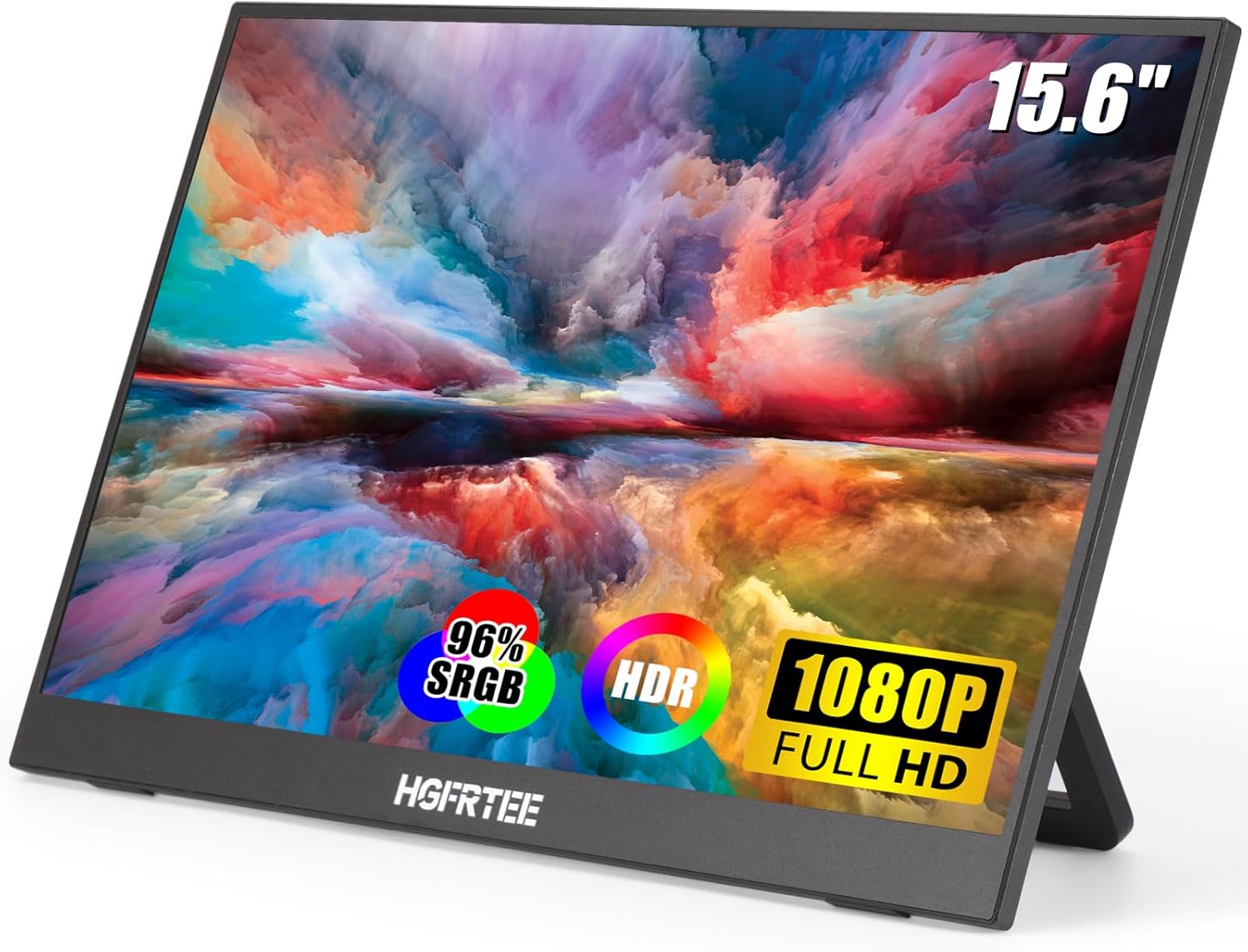
Figure 1: HGFRTEE 15.6-inch Portable Monitor
Кутуда эмне бар
Сураныч, пакеттин мазмунун текшерип, бардык буюмдар бар экенин текшериңиз:
- 1 x 15.6" көчмө монитор
- 1 x Type-Cден Type-Cге чейинки толук функциялуу кабель
- 1 x Type-Cден Type-Cге чейинки кадимки кабель
- 1 x HDMIдан мини HDMI кабелине
- 1 x 5V/2.4A кубат адаптери
Продукт өзгөчөлүктөрү
Full HD IPS Display with Eye Protection
The 15.6-inch portable monitor features a 1920x1080 Full HD resolution IPS screen, offering a 178° wide viewing angle for consistent image quality from various perspectives. It provides accurate and bright colors, enhancing your viewing experience. The display also incorporates blue light reduction technology to minimize eye strain during prolonged use.

Figure 2: HDR Eye Protection Screen features
Video 1: Demonstrates the visual quality and sRGB color gamut of a portable monitor, applicable to the HGFRTEE 15.6-inch model.
Ultra-slim and Portable Design
This external monitor is designed to be exceptionally thin and lightweight, making it easy to carry in any suitcase or backpack. Its portability makes it an ideal companion for travelers, students, gamers, and professionals who require an additional display on the go.

Figure 3: Lightweight and Ultra-slim Design
Кеңири шайкештик
The monitor is equipped with two full-featured Type-C ports and one HDMI port, allowing for versatile connectivity. It supports a wide range of devices including laptops, PCs, Macs, smartphones, PS5/PS4, Xbox, and Nintendo Switch. A single full-featured Type-C cable can handle both power supply and display signal transmission for compatible devices. Alternatively, you can use an HDMI to Mini HDMI cable for display and a Type-C cable for power.

Figure 4: Wide Compatibility and Port Overview
Бир нече дисплей режимдери
The monitor supports various display modes to suit your needs, including Duplicate Mode (mirroring your primary screen), Extend Mode (extending your desktop space), and Portrait Mode (vertical orientation). These modes enhance work efficiency and provide flexibility for different applications.

Figure 5: Duplicate Mode for sharing content

Figure 6: Expanded Mode for increased screen real estate

Figure 7: Portrait Mode for vertical content viewing
Light & Durable Stand
The monitor comes with a stylish and lightweight stand made from high-quality PU materials. This stand allows for easy adjustment of the viewing angle, ensuring optimal comfort whether you are working or enjoying entertainment.
Dual Surround Speakers
Built-in dual surround speakers provide enhanced audio quality, delivering a richer and louder sound experience for immersive home theater or gaming sessions.
Орнотуу колдонмосу
Follow these steps to connect your HGFRTEE Portable Monitor to your device:
- Кубат туташуу: Connect the provided 5V/2.4A power adapter to the monitor's power input (usually a Type-C port labeled for power).
- Түзмөк туташуу:
- Using a Single Full-Featured Type-C Cable: If your device (laptop, phone, etc.) supports Thunderbolt 3.0 or USB 3.1 Type-C DP ALT-MODE, connect one end of the full-featured Type-C cable to your device and the other end to the monitor's full-featured Type-C port. This single cable will provide both power and video signal.
- Using HDMI and Type-C for Power: Connect one end of the HDMI to Mini HDMI cable to your device's HDMI output and the Mini HDMI end to the monitor's Mini HDMI port. Then, connect the Type-C to Type-C regular cable from your device's USB-C port (or a separate power source) to the monitor's power input Type-C port for power.
- Күйгүзүү: Аны күйгүзүү үчүн монитордогу кубат баскычын басыңыз.
- Киргизүү булагын тандоо: If the monitor does not automatically detect the input, use the OSD (On-Screen Display) menu to manually select the correct input source (Type-C or HDMI).
Video 2: Demonstrates how to connect the portable monitor using the included cables.
Иштөө нускамалары
Once connected, you can configure your monitor's display settings and modes:
Экрандагы дисплей (OSD) менюсу
The monitor features a pulley button (refer to Figure 4) which serves as a joystick for navigating the OSD menu. Press the button to open the menu, and move it up/down/left/right to select options and adjust settings such as brightness, contrast, color temperature, and input source.
Дисплей режимдери
- Кайталануу режими: Mirrors the content of your primary display. Useful for presentations or sharing your screen with others. Configure this in your device's display settings (e.g., Windows Display Settings or macOS System Preferences).
- Узартуу режими: Expands your desktop across both displays, providing more screen space for multitasking. Set this up in your device's display settings.
- Портрет режими: Allows you to rotate the monitor to a vertical orientation. This is particularly useful for viewing long documents, code, or social media feeds. The monitor's stand supports 180° rotation. You may need to adjust the display orientation in your device's operating system settings after physically rotating the monitor.
HDR режими
Adjusting to HDR mode can enhance image quality by providing brighter highlights, deeper blacks, and more realistic colors. This setting can be enabled through the monitor's OSD menu for an improved viewоюн жана оюн тажрыйбасы.
Кароо жана тейлөө
To ensure the longevity and optimal performance of your portable monitor, follow these care guidelines:
- Экранды тазалоо: Бир аз жумшак, түксүз кездемени колдонуңуз dampened with water or a screen-cleaning solution. Avoid using harsh chemicals, abrasive cleaners, or direct spraying onto the screen.
- Тазалоо Casing: Монитордун экранын сүртүңүзasing жумшак, кургак чүпүрөк менен.
- Сактагыч: When not in use, store the monitor in a cool, dry place, preferably in its original packaging or a protective sleeve to prevent dust and scratches.
- Колдонуу: Мониторду түшүрүп албоо же катуу сокку уруудан алыс болуңуз. Анын үстүнө оор буюмдарды койбоңуз.
- Вентиляция: Ensure proper ventilation around the monitor to prevent overheating. Do not block the ventilation openings.
Проблемаларды чечүү
If you encounter issues with your HGFRTEE Portable Monitor, refer to the following common problems and solutions:
| Көйгөй | Мүмкүн себеп | Чечим |
|---|---|---|
| Сигнал жок / Кара экран | Туура эмес киргизүү булагы тандалды; Кабелдин туташуусу бошоп калды; Түзмөк сигнал чыгарбай жатат. | Ensure cables are securely connected. Select the correct input source via the OSD menu. Check your device's display settings. Ensure your device supports DP ALT-MODE for Type-C connections. |
| Монитор күйбөйт | Power adapter not connected or faulty; Insufficient power supply. | Verify the power adapter is securely connected to both the monitor and a working power outlet. Use the provided 5V/2.4A power adapter. If using a single Type-C cable, ensure your device provides sufficient power. |
| Жымыңдаган экран | Cable issue; Graphics driver issue; Power instability. | Try a different cable. Update your device's graphics drivers. Ensure a stable power supply. |
| Image quality is poor / Colors are off | Incorrect display settings; Cable quality. | Adjust brightness, contrast, and color settings via the OSD menu. Ensure you are using high-quality cables. |
| Monitor disconnects intermittently | Power supply issue; Cable issue; Device port issue. | Ensure the power supply is stable and sufficient. Try a different cable. Test with another device or port if possible. |
Техникалык мүнөздөмөлөр
| Өзгөчөлүк | Спецификация |
|---|---|
| Screen Size | 15.6 дюйм |
| Резолюция | 1920 x 1080 пиксел (FHD 1080p) |
| Панел түрү | IPS |
| Аспект катышы | 16:9 |
| Сүрөттүн жарыктыгы | 300 Кандела |
| Screen Surface Description | Жылтырак |
| Байланыш | 2 x USB-C (Full-featured), 1 x HDMI (Mini HDMI) |
| Тtage | 5 вольт |
| Элемент Салмагы | 2.2 фунт |
| Продукциянын өлчөмдөрү | 11.02 x 16.54 x 2.56 дюйм |
| Өндүрүүчү | HGFRTEE |
| Модель номери | 156 |
Кепилдик жана колдоо
For warranty information, please refer to the documentation included with your product packaging. HGFRTEE is committed to providing high-quality products and customer satisfaction.
For further assistance, technical support, or inquiries, please contact HGFRTEE customer support through the official channels provided on the product packaging or the brand's official webсайт.


