1. Киришүү
Thank you for choosing the BOTSLAB HK30 Car Dash Cam. This manual provides detailed instructions for the installation, operation, and maintenance of your new dash camera system. Please read this manual thoroughly before using the product to ensure proper function and safety. Keep this manual for future reference.
2. Коопсуздук маалыматы
- Do not operate the dash cam or access its settings while driving. Always pull over safely before making any adjustments.
- Камера бекем орнотулганын жана айдоочуга тоскоолдук кылбагандыгын текшериңиз view же коопсуздук жаздыктарынын ачылышына тоскоолдук кылбаңыз.
- Use only the original power adapter and cables provided with the device. Using unauthorized accessories may damage the product and void the warranty.
- Avoid exposing the dash cam to extreme temperatures, direct sunlight for prolonged periods, or excessive moisture.
- Аппаратты өз алдынча бөлүүгө же оңдоого аракет кылбаңыз. Жардам алуу үчүн кардарларды колдоо бөлүмүнө кайрылыңыз.
- Regularly format the memory card to ensure optimal recording performance.
3. Пакеттин мазмуну
Сураныч, пакетте төмөнкү нерселерди текшериңиз:
- BOTSLAB HK30 Dash Cam Unit
- Car Charger (Power Cable)
- Mounting Bracket (with adhesive pad)
- User Manual
- Optional: Rear Camera (if purchased as a bundle)
- Кошумча: GPS модулу
4. Продукт бүтүп калдыview
The BOTSLAB HK30 is a multi-channel dash cam designed to provide comprehensive coverage of your driving environment. It features a main front camera with 4K resolution, and supports additional cameras for rear and interior views (sold separately or as part of a bundle).

Image: The main BOTSLAB HK30 dash cam unit, showing the front lens and the Botslab branding.
Негизги өзгөчөлүктөр төмөнкүлөрдү камтыйт:
- 4K алдыңкы камерасы: Captures high-resolution video of the road ahead.
- 140° кең Viewбурч: Кеңири камтууну камсыз кылат, сокур тактарды азайтат.
- Түнкү көрүнүш: Enhances visibility and clarity in low-light conditions.
- Камтылган GPS: Records speed and location data for your journeys.
- G-сенсор: Видеону автоматтык түрдө кулпулайт files upon impact to prevent overwriting.
- Цикл жаздыруу: Эң эскилеринин үстүнөн жазуу менен үзгүлтүксүз жаздырат fileэстутум картасы толгондо.
- Паркинг мониторинги: Offers 24-hour surveillance with time-lapse recording and collision-triggered normal recording (requires buck line kit, sold separately).
- Колдонмону башкаруу: Connects to your smartphone for easy settings adjustment, live view, and video download.

Image: An illustration demonstrating the 140-degree wide viewing angle of the dash cam, showing its ability to capture a broad perspective of the road.
5. Орнотуу жана орнотуу
5.1 Эстутум картасын салуу
Before first use, insert a high-speed (Class 10 or higher) microSD card (up to 256GB recommended) into the dash cam's memory card slot. Ensure the card is inserted correctly until it clicks into place. Format the card via the dash cam's settings menu or the mobile app before initial recording.
5.2 Камераны орнотуу
- Камераны орното турган алдыңкы айнекти тазалаңыз. Анын чаң жана май жок экенин текшериңиз.
- Attach the adhesive pad to the mounting bracket, then firmly press the bracket onto the chosen spot on your windshield, ideally behind the rearview оптималдуу үчүн күзгү view жана минималдуу тоскоолдук.
- Slide the dash cam unit onto the mounted bracket until it locks securely.
- Adjust the camera lens angle to ensure it captures the road ahead clearly, with approximately 60% road and 40% sky visible.
5.3 Кубат туташтыруу
- Connect the provided car charger cable to the dash cam's power input port.
- Унаа кубаттагычтын экинчи учун унааңыздын 12V электр розеткасына (тамеки от алгычтын розеткасына) сайыңыз.
- Route the power cable neatly along the edge of the windshield and dashboard to conceal it and prevent interference with driving.
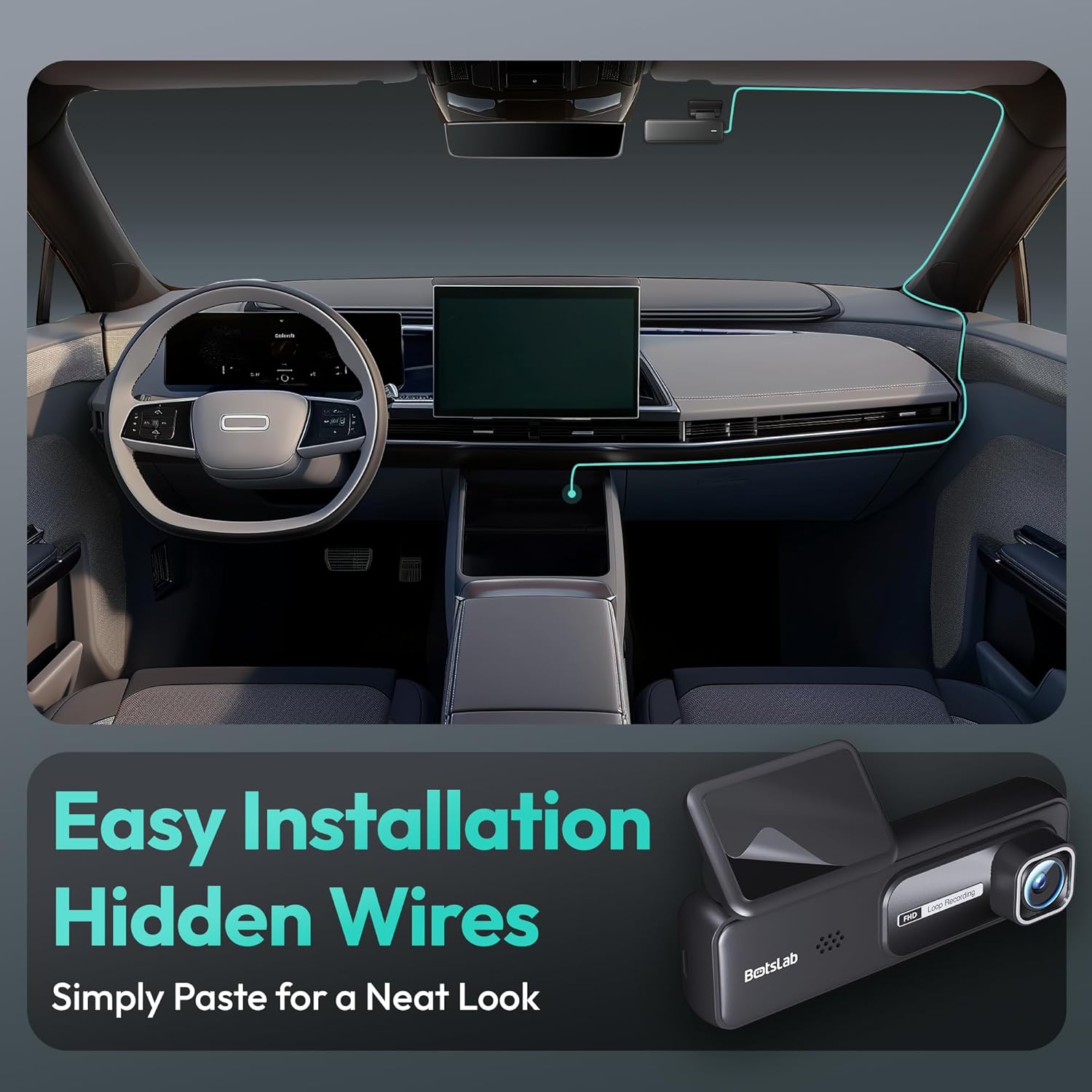
Image: A visual guide illustrating the process of easy dash cam installation with hidden wires, showing how to route the cable neatly along the car's interior for a clean look.
5.4 GPS Module Connection (if applicable)
If your package includes a separate GPS module, connect it to the designated port on the dash cam. Ensure the GPS module is placed in an area with a clear view оптималдуу сигнал кабыл алуу үчүн асман.
6. Иштөө нускамалары
6.1 Автоматтык жаздыруу
Once powered on and connected to your vehicle's ignition, the dash cam will automatically start recording when the engine is started. It will stop recording and power off shortly after the engine is turned off.
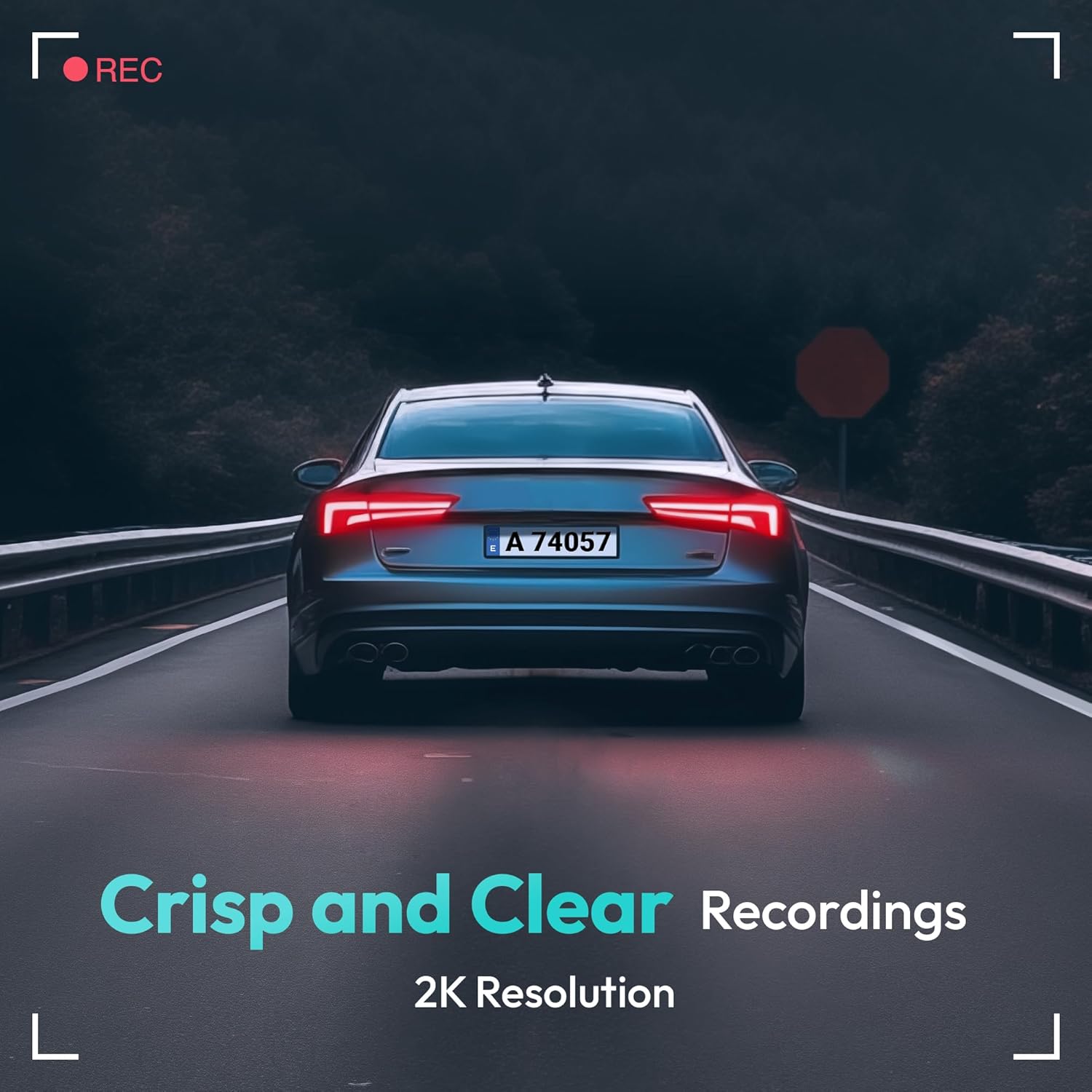
Image: A visual representation highlighting the crisp and clear recording capabilities of the dash cam, indicating 2K resolution for detailed footage.
6.2 Цикл жаздыруу
The dash cam records video in continuous loops (e.g., 1, 3, or 5-minute segments). When the memory card is full, the oldest unlocked files жаңы жаздыруулар менен автоматтык түрдө үстүнө жазылат. Бул кол менен кийлигишүүсүз үзгүлтүксүз жаздырууну камсыз кылат.
6.3 G-сенсор (шашылыш жаздыруу)
The built-in G-Sensor detects sudden impacts or collisions. When an impact is detected, the current video segment will be automatically locked and saved to a protected folder on the memory card, preventing it from being overwritten by loop recording. These files are crucial for accident evidence.
6.4 Паркингге мониторинг
For 24-hour parking surveillance, a hardwire kit (buck line) is required (sold separately). Once installed, the dash cam can utilize:
- Убакытты тездетип жазуу: Records continuously at a low frame rate to save storage space while providing a full overview of parking events.
- Collision-Triggered Recording: If an impact is detected while parked, the dash cam will wake up and record a short video segment, which will be locked.

Image: An illustration depicting the 24/7 parking monitoring feature, highlighting time-lapse recording and collision-triggered normal recording capabilities, with a shield icon indicating protection.
6.5 App Control and Connectivity
Download the official BOTSLAB app from your smartphone's app store. Connect your phone to the dash cam's Wi-Fi network (SSID and password usually found on the device or in the manual). Through the app, you can:
- View жандуу видео канал.
- Adjust dash cam settings (resolution, G-sensor sensitivity, loop recording duration, etc.).
- Жазылган видеолорду ойнотуу.
- Видеону жүктөп алыңыз fileтүздөн-түз телефонуңузга.
- Микропрограмманы жаңыртуу.
6.6 GPS көзөмөлдөө жана ойнотуу
With the GPS module connected, the dash cam records your vehicle's speed and location data. This information can be viewed during video playback using the dedicated PC viewer software (available for download from the BOTSLAB website) or within the mobile app, often overlaid on a map (e.g., Google Maps).
7. Техникалык тейлөө
7.1 Аппаратты тазалоо
Use a soft, dry cloth to clean the dash cam's lens and body. Do not use liquid cleaners or abrasive materials, as they may damage the device.
7.2 Эстутум картасын башкаруу
It is recommended to format the microSD card once a month to maintain optimal performance and prevent data corruption. Back up any important files форматтоодон мурун.
7.3 Микропрограмма жаңыртуулары
Periodically check the BOTSLAB official website or the mobile app for available firmware updates. Firmware updates can improve performance, add new features, or fix bugs. Follow the instructions provided with the firmware update carefully.
8. Кыйынчылыктарды
| Көйгөй | Мүмкүн себеп | Чечим |
|---|---|---|
| Dash камерасы күйбөйт. | No power supply; faulty cable; vehicle's power outlet issue. | Check power cable connection; try another power outlet; ensure vehicle ignition is on. |
| Жаздыруу токтойт же катып калат. | Эстутум картасы толуп калган же бузулган; эстутум картасы жай; микропрограммалык камсыздоодо көйгөй бар. | Format memory card; use a high-speed (Class 10+) card; update firmware. |
| Видеонун сапаты начар. | Кир линза; линзада коргоочу пленка дагы эле бар; чечилиш жөндөөлөрү туура эмес. | Clean the lens; remove protective film; set recording resolution to highest available. |
| GPS сигналы табылган жок. | GPS module not connected; poor satellite reception. | Ensure GPS module is connected; move vehicle to an open area with clear sky view. |
| Wi-Fi/Колдонмого туташуу мүмкүн эмес. | Incorrect Wi-Fi password; phone too far from device; app not updated. | Verify Wi-Fi password; ensure phone is close to dash cam; update app. |
9. Техникалык шарттар
| Өзгөчөлүк | Деталь |
|---|---|
| Модель аты | HK30 |
| Видео тартуунун резолюциясы | Front: 4K (1944p), Rear/Interior: 1080P (if applicable) |
| Viewбурч | 140° (Алдыда) |
| Байланыш технологиясы | USB, Wireless (Wi-Fi) |
| Өзгөчөлүктөр | App Control, G-Sensor, Loop Recording, Parking Monitor, Color Night Vision |
| Сактагыч | MicroSD картасы (256 ГБ чейин, 10-класс же андан жогору) |
| Монтаж түрү | Алдынкы айнек тоосу |
| Power Source | Унаа заряддагыч (12V) |
| Продукциянын өлчөмдөрү | 2 x 5.5 x 5.5 дюйм |
| Элемент Салмагы | 9.6 унция |
10. Кепилдик жана колдоо
BOTSLAB products come with a limited warranty. Please refer to the warranty card included in your package or visit the official BOTSLAB website for detailed warranty terms and conditions. For technical support, troubleshooting assistance, or any inquiries, please contact BOTSLAB customer service through the contact information provided on their official webсайтында же мобилдик тиркемеде.
Webсайт: www.botslab.com (Чыгample шилтемеси, сураныч, туура өнүм документациясын караңыз URL)


