1. Киришүү
Сатып алганыңыз үчүн рахматasing the AceGamer RGB Charging Dock for PlayStation Portal. This portable charging station is designed to provide a stable and efficient charging solution for your PlayStation Portal console, featuring customizable RGB lighting and essential protection features. Please read this manual carefully before use to ensure proper operation and maintenance.
2. Пакеттин мазмуну
- AceGamer RGB Charging Dock (1 unit)
- Type-C заряддоо кабели (1 бирдик)
- Колдонуучунун колдонмосу (бул документ)
3. Продукциянын өзгөчөлүктөрү
- Dedicated Charging: Specifically designed for the PlayStation Portal console.
- RGB жарыктандыруу: Features 7 distinct lighting modes for personalized aesthetics.
- Тез кубаттоо: Efficient power delivery for fast charging.
- Коопсуздукту коргоо: Курулган ашыкча ток, ашыкча томtagд, жана ылдый-томtage коргоо.
- Эргономикалык дизайн: 30-degree comfortable viewing angle for the PlayStation Portal.
- Туруктуу база: Equipped with anti-slip mats for secure placement.
- Байланыш: USB Type-C input for power.
4. Орнотуу нускамалары
- Туташуу кубаты: Insert the provided Type-C charging cable into the charging dock's input port and connect the other end to a suitable USB power adapter (not included).

Figure 4.1: Connecting the Type-C power cable to the charging dock.
- Place PlayStation Portal: Carefully align your PlayStation Portal console with the charging connector on the dock and gently place it into position. Ensure a secure connection for charging. The dock is designed to hold the Portal at a 30-degree angle for optimal viewing.

Figure 4.2: PlayStation Portal placed on the charging dock at a 30-degree angle.
- Anti-slip Stability: The base of the charging dock is equipped with anti-slip mats to prevent accidental movement. Ensure the dock is placed on a flat, stable surface.
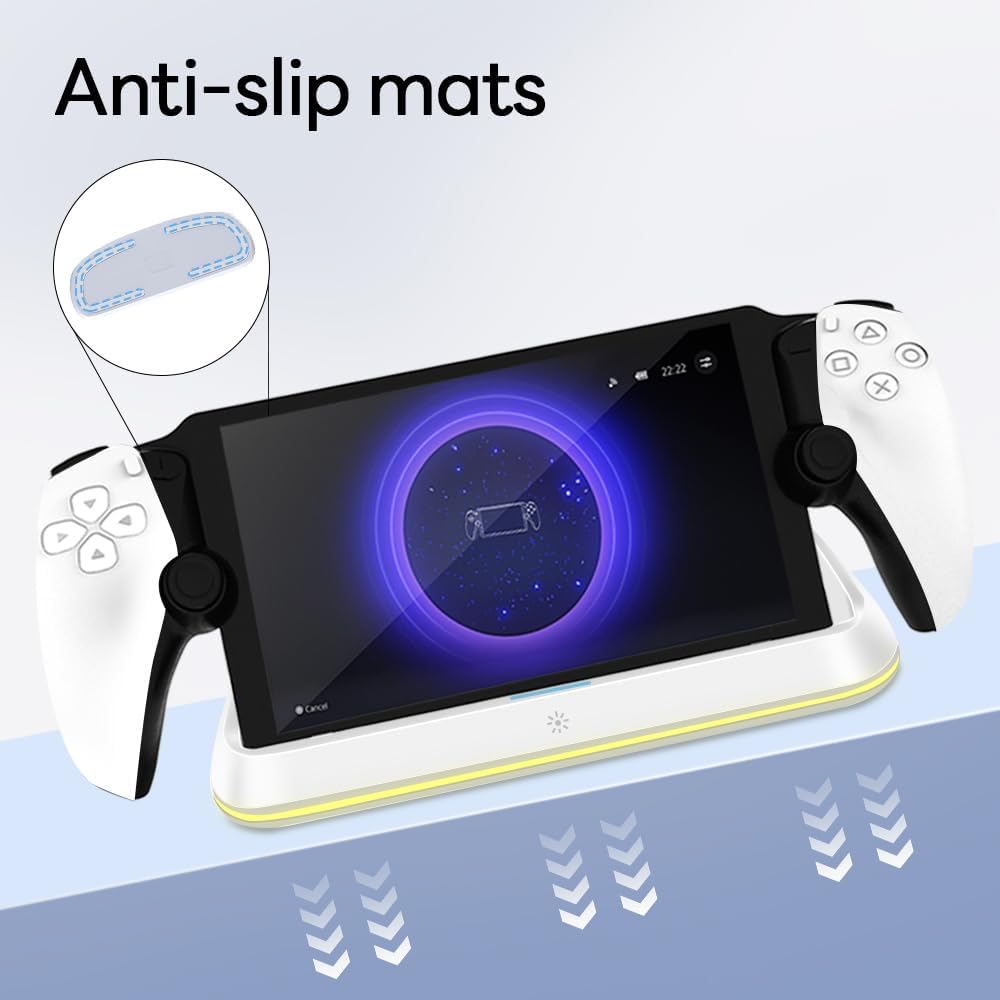
Figure 4.3: Anti-slip mats on the charging dock for enhanced stability.
- Визуалдык колдонмо: For a visual demonstration of the setup process, please refer to the video below.
Video 4.1: Demonstration of connecting the power supply and placing the PlayStation Portal onto the charging dock.
5. Иштөө нускамалары
- Charging the PlayStation Portal: Once the PlayStation Portal is correctly seated on the dock and the dock is powered, charging will begin automatically. A full charge typically takes approximately 3.5 hours. The dock includes protection against over-current, over-voltagд, жана ылдый-томtage to safeguard your device.

Figure 5.1: Charging indicators and safety protection features.
- RGB жарыкты башкаруу: The charging dock features a touch-sensitive button to control the RGB lighting. Press the button to cycle through 7 different lighting modes or to turn the lights off.

Figure 5.2: RGB lighting modes and touch control button.
6. Техникалык тейлөө
- Keep the charging dock clean and free from dust. Use a soft, dry cloth for cleaning.
- Аппаратты экстремалдык температурага, нымдуулукка же тике күн нуруна тийгизүүдөн сактаңыз.
- Абразивдүү тазалагычтарды же эриткичтерди колдонбоңуз, анткени алар бетке зыян келтириши мүмкүн.
- Ensure the charging port and connector are free of debris before placing the PlayStation Portal.
7. Кыйынчылыктарды
- Түзмөк кубатталбай жатат:
- Ensure the Type-C cable is securely connected to both the dock and the power adapter.
- Кубат адаптеринин туура иштеп жатканын жана розеткага сайылып турганын текшериңиз.
- Check if the PlayStation Portal is properly seated on the charging connector.
- Башка Type-C кабелин же кубат адаптерин колдонуп көрүңүз.
- RGB жарыктары иштебейт:
- Заряддоочу док күйгүзүлгөнүн текшериңиз.
- Press the touch light button to cycle through modes or turn the lights on.
- Unstable placement:
- Ensure the dock is placed on a flat, level surface.
- Check if the anti-slip mats are clean and intact.
8. Техникалык шарттар
| Бренд | AceGamer |
| Модель номери | PS-P-White |
| Шайкеш түзмөктөр | PlayStation порталы |
| Киргизүү көлөмүtage | 5 вольт |
| Ватtage | 7 Ватт |
| Туташтыргыч түрү | USB Type-C (for power input) |
| Өзгөчөлүктөр | RGB Lighting, Fast Charging, Over-current Protection, Over-voltage Protection, Under-voltage Коргоо |
| Өлчөмдөр | Болжол менен 22.5 x 8.9 x 8.4 см |
| Салмагы | Болжол менен 290 г |
9. Кепилдик жана колдоо
AceGamer products are designed and manufactured to the highest quality standards. For warranty information or technical support, please contact the retailer where you purchased the product or visit the official AceGamer website for customer service contact details. Please retain your proof of purchase for warranty claims.


