1. Киришүү
Thank you for choosing the WIOONI WLAN Indoor Motion Detector. This device is designed to enhance your home security and smart automation experience by detecting motion and sending real-time notifications to your smartphone. It integrates seamlessly with Smart Life and Tuya Smart applications, allowing for intelligent linkages with other smart devices.
This manual provides detailed instructions on how to set up, operate, and maintain your motion detector. Please read it thoroughly before use to ensure proper functionality and safety.

Image 1.1: WIOONI WLAN Indoor Motion Detector and its corresponding mobile application interface.
2. Коопсуздук маалыматы
- Бул түзмөк үчүн үй ичинде гана колдонууАны сууга, нымдуулукка же өтө жогорку температурага дуушар кылбаңыз.
- Түзмөктү түз күн нурунан, жылуулук булактарынан жана күчтүү электромагниттик талаалардан алыс кармаңыз.
- Орнотуу учурунда көрсөтүлгөн батареянын түрүн (AAA) гана колдонуңуз жана полярдуулуктун тууралыгын текшериңиз.
- Аппаратты өз алдынча бөлүүгө же оңдоого аракет кылбаңыз. Жардам алуу үчүн кардарларды колдоо бөлүмүнө кайрылыңыз.
- Балдар жана үй жаныбарлары жетпеген жерде сактаңыз.
3. Пакеттин мазмуну
Пакет төмөнкү нерселерди камтыйт:
- 2 x WIOONI WLAN Indoor Motion Sensor
- 4 x AAA Batteries (2 per sensor)
- Mounting Accessories (e.g., double-sided adhesive tapes, hanging ropes)
- User Manual
4. Продукт бүтүп калдыview
The WIOONI motion detector features a compact design with an infrared PIR sensor for detecting human movement. It includes a small LED indicator for status and a button for pairing. The device is powered by AAA batteries for wireless operation.
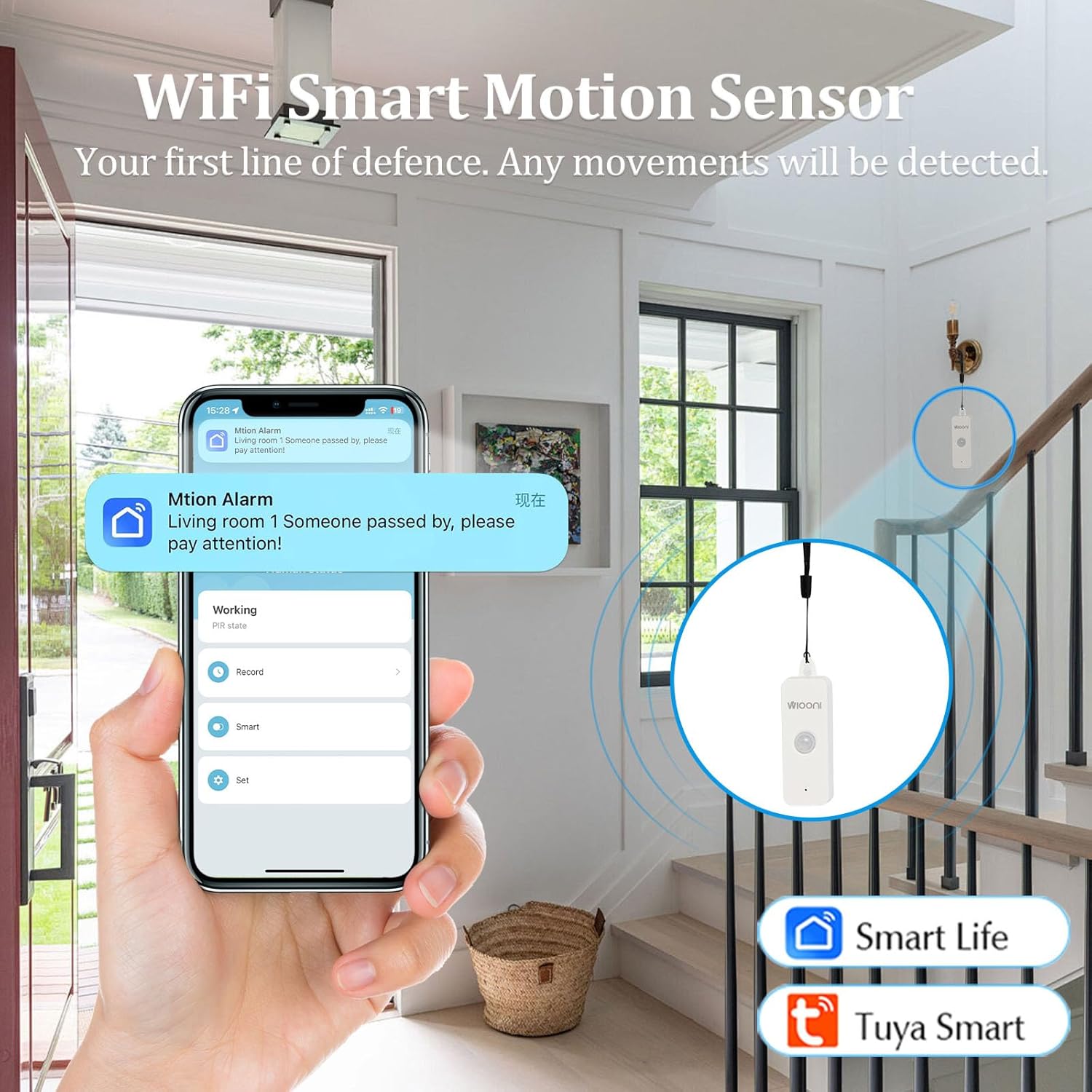
Image 4.1: The WIOONI motion sensor discreetly installed in a home environment, demonstrating its role as a security device.
5. Орнотуу
5.1. Батареяны орнотуу
- Gently open the back cover of the motion detector.
- Туура полярдуулукту (+/-) камсыз кылуу менен эки AAA батарейкасын салыңыз.
- Remove the battery insulation strip (if present) to activate the device.
- Арткы капкакты бекем жабыңыз.

Image 5.1: Step-by-step guide for initial setup, including battery activation and app pairing.
5.2. Колдонмону жүктөп алуу жана орнотуу
The WIOONI motion detector is compatible with the Smart Life and Tuya Smart applications. Choose one to manage your device.
- Scan the QR code provided in Image 5.1 or search for "Smart Life" or "Tuya Smart" in your mobile app store (App Store for iOS, Google Play Store for Android).
- Тиркемени жүктөп алып, орнотуңуз.
- Жаңы каттоо эсебин каттаңыз же сизде мурунтан эле бар болсо кириңиз.
You can also download the Smart Life app directly from: https://smartapp.tuya.com/smartlife
5.3. Түзмөктү жупташтыруу/туташуу
- Смартфонуңуз 2.4 ГГц Wi-Fi тармагына туташып турганын текшериңиз. (5 ГГц тармактары колдоого алынбайт).
- Smart Life же Tuya Smart тиркемесин ачыңыз.
- Телефонуңузда Bluetooth жана Wi-Fi иштетиңиз.
- In the app, tap "Add Device" or the "+" icon in the top right corner.
- The app may automatically discover the device. If not, select "Security & Sensor" > "Motion Sensor (Wi-Fi)" or similar.
- Follow the on-screen instructions to connect the device. This usually involves pressing the pairing button on the sensor until the LED indicator flashes, then confirming in the app.
- Once successfully added, you can rename the device and assign it to a specific room.
6. Иштөө
6.1. Basic Motion Detection
The WIOONI motion detector uses Passive Infrared (PIR) technology to detect changes in infrared radiation caused by moving objects, such as people. When motion is detected within its range, the device will trigger an alert.

Image 6.1: Illustration of PIR motion detection and instant notification to your smartphone.
6.2. Колдонмонун өзгөчөлүктөрү
- реалдуу убакыт мониторинг: View the current status of the motion detector (e.g., "No motion detected," "Motion detected") directly from the app, no matter where you are.
- Ыкчам эскертмелер: Receive push notifications on your smartphone immediately when motion is detected, keeping you informed of any activity.
- Иш-аракеттер журналы: Review a history of detected movements with timestamps.
- Smart Automation: Create intelligent scenarios (routines) to link the motion detector with other Smart Life/Tuya Smart devices. For example, you can set up a rule to turn on lights automatically when motion is detected in a room.
6.3. Sharing Functions
You can share control of the motion detector with family members or trusted individuals through the Smart Life/Tuya Smart app. This allows multiple users to receive notifications and manage the device.

Image 6.2: Sharing device control with family members for collaborative home security management.
7. Орнотуу / Монтаждоо
The WIOONI motion detector offers flexible mounting options:
- Асылып: The top of the detector has a hanging hole. You can use the provided rope to hang it in a suitable location.
- Клей монтаждоо: Use the included double-sided adhesive tapes to securely attach the sensor to any flat surface, such as a wall or furniture.
- Жайгашкан жери: Simply place the sensor on a shelf, table, or any elevated surface within the desired detection area.
Consider the detection angle and distance when choosing a mounting location to ensure optimal coverage.

Сүрөт 7.1: Мисamples of suitable installation locations for the motion sensor.
8. Кыйынчылыктарды
| Көйгөй | Мүмкүн себеп | Чечим |
|---|---|---|
| Түзмөк Wi-Fi'га туташпай жатат | Incorrect Wi-Fi band (5GHz not supported); Weak Wi-Fi signal; Incorrect password; Device not in pairing mode. | Ensure your router is set to 2.4GHz. Move the device closer to the router. Re-enter Wi-Fi password carefully. Press the pairing button on the sensor to enter pairing mode (LED flashing). |
| No motion detected / False alarms | Incorrect placement; Obstructions; Environmental factors (e.g., drafts, direct sunlight, pets). | Ensure the sensor has a clear line of sight to the detection area. Avoid placing near vents, windows, or areas with rapid temperature changes. Adjust placement to avoid pets. |
| Билдирмелер алынган жок | App notification settings disabled; Phone's notification settings disabled; App not running in background. | Check notification settings within the Smart Life/Tuya Smart app. Verify your phone's system notification settings for the app. Ensure the app is allowed to run in the background. |
| Батареянын иштөө мөөнөтү кыска | Frequent detections; Low-quality batteries. | Reduce the number of unnecessary detections by optimizing placement. Use high-quality alkaline AAA batteries. |
9. Техникалык шарттар
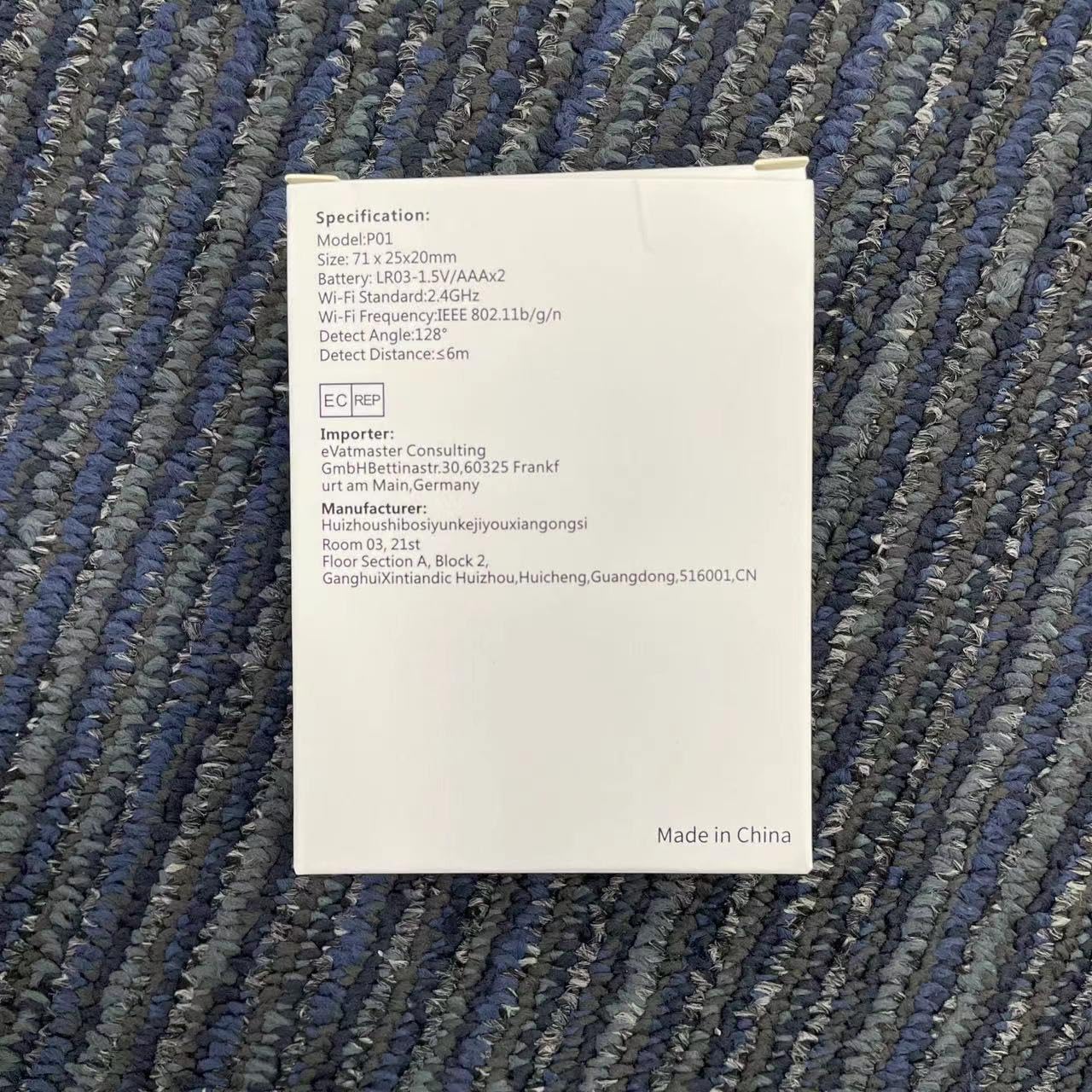
Image 9.1: Detailed specifications as listed on the product packaging.
| Өзгөчөлүк | Деталь |
|---|---|
| Модель номери | HWTCQ0627 |
| Өлчөмдөр | 8.99 x 6.68 x 2.59 см |
| Салмагы | 68 грамм |
| Power Source | 4 x AAA Батареялар (кошулган) |
| аныктоо технологиясы | Инфракызыл PIR |
| Detection Angle | 130° |
| Detection Distance | 2~12 meters (Note: Detection angle and distance values may vary by location.) |
| Зымсыз байланыш | Wi-Fi 802.11b/g/n (2.4GHz only) |
| Шайкештик | Smart Life App, Tuya Smart App |
| Монтаж түрү | Wall Mount / Hanging / Placement |
10. Кепилдик жана колдоо
WIOONI products are designed for reliability and performance. For any technical support, troubleshooting, or warranty inquiries, please contact your retailer or the WIOONI customer service team.
Сураныч, кепилдик максаттары үчүн сатып алганыңыздын далилин сактап коюңуз.
Manufacturer: WIOONI
Address: Huizhouhbosiyunkeijiyouxiangongsi, Room 03, 21st Floor, Section A, Block 2, GanghuiXintiandic Huizhou, Huicheng, Guangdong, 516001, CN